You publish a new collection, update your theme, and open Search Console to find product pages getting impressions but few clicks. Meanwhile, dozens of new images have no useful alt text, and your product titles still read like supplier spreadsheets. You start looking at shopify seo automation tools because fixing every field by hand no longer fits your week.
Shopify SEO Automation Tools: A Practical Merchant's Guide shows you which recurring jobs you can hand off, which settings need a review, and where automation creates more cleanup than it saves. You get a practical way to compare Shopify SEO tools, build a repeatable workflow, and check the output before changes reach hundreds of product pages.
SEO automation for Shopify means using rules, scheduled processes, or AI to handle repeatable search optimization tasks. That can include drafting meta descriptions, generating image alt text, and flagging missing content. It does not mean letting software choose your search strategy, invent product claims, or rewrite your entire catalog without approval.
The tradeoff is speed versus control: bulk changes save time, but a weak template spreads mistakes quickly. Start with one collection, review a sample, and keep a record of what changes. Your goal is a dependable maintenance routine, not another dashboard or a promise of automatic rankings.
Table of Contents
- 1. What Shopify SEO automation can—and cannot—do
- 2. Automate metadata across product pages
- 3. Automate image alt text without losing accuracy
- 4. Compare Shopify SEO automation tools by task
- 5. Build a Shopify SEO workflow that catches errors
- 6. Use a Shopify SEO automation checklist before launch
- 7. Start with one task and improve the workflow
1. What Shopify SEO automation can—and cannot—do
A bulk edit can clear hundreds of missing fields, but it can also spread one weak template across your catalog. The useful distinction is between executing a rule you trust and deciding what that rule should be. Shopify SEO automation tools help with the first; you still own the second.
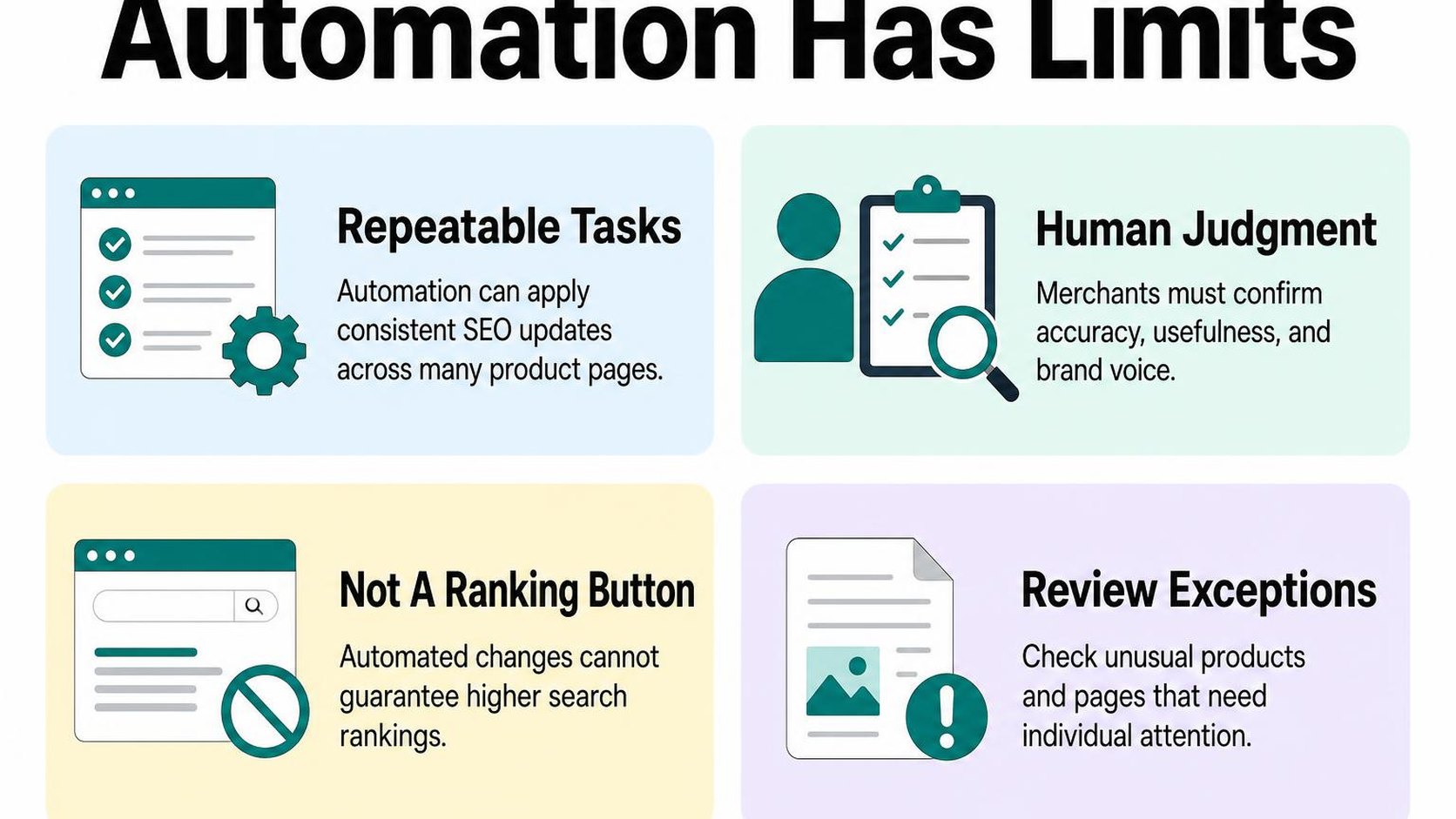
SEO automation means using rules, templates, or scheduled processes to handle recurring optimization work. It reduces manual effort, but it does not guarantee indexing, better rankings, or more sales. Start with a narrow task whose output you can check before expanding it.
Tasks that are repeatable enough to automate
If you ask what Shopify SEO tasks can be automated, look for work with consistent inputs and a clear definition of a correct result. Checking whether a description is missing is straightforward. Deciding whether that description gives a shopper a compelling, accurate reason to visit takes more context.
Shopify already handles some technical foundations. According to Shopify’s SEO overview, your store automatically generates canonical tags, a sitemap, and robots.txt. Check those built-in capabilities before paying to duplicate work your platform already handles.
- Missing-field checks: Schedule reports for empty page titles, meta descriptions, and image alt text. Treat each flag as a review item, not proof that every field needs generated text.
- Metadata drafts: Use verified product attributes to draft titles and descriptions in batches. Keep unverified benefits, shipping promises, and promotional claims out of your templates.
- Image descriptions: Generate draft alt text for informative product images, then check the product, color, and visible details. Decorative images may need empty alt attributes instead.
- Change monitoring: Run recurring checks for broken internal links and unexpected page changes. An alert can identify a problem without having permission to rewrite your store.
For Shopify SEO automation for product pages, test one product type first. A template that suits shoes may produce nonsense for gift cards or replacement parts. Separate those groups before applying changes across your catalog.
Why strategy and quality checks still need a person
Search intent is the goal behind a search, such as comparing options or buying a specific item. Automation can suggest keywords, but you need to decide which page genuinely serves that goal. Creating several near-identical collection pages may increase your workload without helping shoppers.
The same judgment applies to AI-generated copy. A fluent description can still invent a material, misread a size, or promise a result your product cannot deliver. Accurate source data matters more than how quickly you can publish.
- Strategy: Choose priority collections using demand, margins, inventory, and customer questions—not keyword volume alone.
- Approval: Review a small batch before publishing, and keep a record of original values so you can reverse mistakes.
- Measurement: Compare search impressions, clicks, and relevant sales over time. A completed bulk job measures output, not SEO success.
Practical rule: Automate repeatable execution only after you can describe an acceptable result. Keep human approval wherever an error could mislead a shopper or affect many pages.
Use these SEO tasks to streamline and review to separate your publishing queue from your approval queue. The aim is less repetitive work, not fewer checks.
2. Automate metadata across product pages
You add a new collection, then find dozens of product search listings still use supplier names or the same generic description. This is where shopify seo automation tools can reduce repetitive editing, provided each generated field reflects the product and the search you want it to answer.
Metadata here means the SEO title and meta description you set for a product page. These fields help describe the page to search engines and potential visitors, but they do not guarantee the exact wording Google displays.
Generate titles and descriptions consistently
Start with reliable product inputs: the product name, type, material, size, intended use, and brand where relevant. Missing or inconsistent information becomes a bigger problem when you generate metadata across hundreds of pages.
Build separate instructions for different product families rather than applying one sentence pattern to your entire catalog. A dining table needs different distinguishing details from a refill pouch; consistency should mean shared standards, not identical wording.
RANKit AI Meta Tags Generator generates product SEO titles of 50–60 characters and meta descriptions of 120–160 characters using product images, copy, vendor, and type. Those inputs support generation, but they do not replace verification of materials, compatibility, or claims that an image cannot reliably establish.
- Title pattern: Lead with the recognizable product type and a useful differentiator. Add your brand when it helps recognition without crowding out the product.
- Description brief: Explain what the item is, who it suits, and one verified reason to consider it. Avoid filling every description with “premium quality” or “shop now.”
- Missing-data rule: Leave unsupported details out or route the product for review. Do not let automation guess certifications, dimensions, or delivery promises.
- Existing-copy protection: Exclude deliberately written metadata from bulk replacement unless you have a specific reason to revise it.
Review templates, length, accuracy, and search intent
Search intent is the need behind a query, such as finding a replacement filter rather than learning how filters work. Your product metadata should match that shopping need instead of targeting a broad phrase that belongs on a guide or collection page.
Treat character ranges as editing targets, not display guarantees: visible snippets vary by device, query, and available space. Put essential information early, and remove repeated wording before cutting the detail that distinguishes one product from another.
- Template check: Read several neighboring products together. If only the product name changes, add meaningful differences from verified attributes.
- Accuracy check: Compare generated text with the current product page. Remove outdated offers, unsupported superlatives, and claims that apply only to another variant.
- Targeting check: Keep the title focused on this product. Do not force several loosely related search phrases into one field.
Use the guidance on optimizing Shopify meta tags at scale when setting repeatable rules for your catalog. The tradeoff is straightforward: tighter templates reduce editing time, but overly rigid templates erase useful product differences.
Practical rule: Automate the draft, not the facts. Publish metadata only when it accurately describes the item a shopper reaches.
3. Automate image alt text without losing accuracy
You upload a new color range, and dozens of product images need descriptions before the collection goes live. This is where shopify seo automation tools can reduce repetitive work, provided the generated text describes each image rather than recycling the product title.
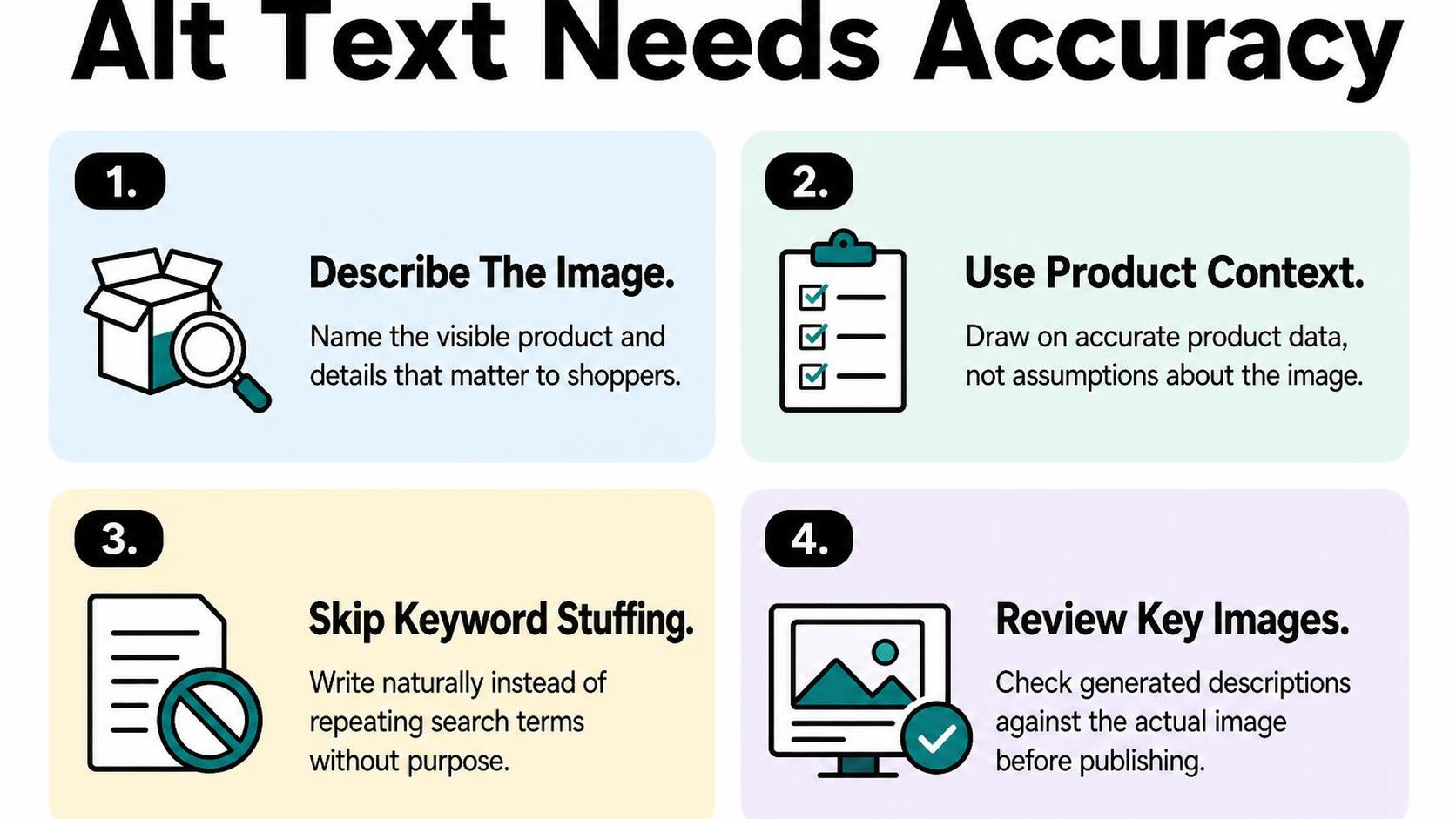
Alt text is a text alternative that helps communicate an image’s purpose or content when someone cannot see it. For product photos, that usually means describing the visible item and the details that matter in that particular view.
Create descriptive alt text for large catalogs
Start with images that have no useful descriptions, then separate them into manageable batches by collection or product type. Keep accurate existing text unless the image changes. Replacing everything creates extra review work and risks overwriting descriptions that already serve shoppers well.
ALT SEO: AI Alt Text Generator generates descriptive, keyword-aware product image alt text with OpenAI, in bulk or automatically for new uploads. It handles drafting at catalog scale, but generated descriptions still need checks for incorrect colors, invented materials, and details the photograph does not establish.
- Start small: Generate a test batch covering different products, colors, close-ups, and lifestyle photos before processing the rest of your catalog.
- Describe visible differences: “Blue canvas backpack, rear view showing padded shoulder straps” communicates more than repeating the same product name across every image.
- Avoid unsupported details: Do not describe a fabric as organic, waterproof, or recycled simply because its appearance seems consistent with that claim.
- Review new uploads: Include replacement photos and newly added variants in your Shopify SEO workflow automation, not just the initial catalog cleanup.
The tradeoff is speed versus oversight: larger batches save setup time but can spread the same mistake across hundreds of images. Use the guidance on writing useful product image alt text to establish your review rules before expanding the batch size.
Check image context, accessibility, and keyword use
Review the description alongside the actual image on the storefront. A front view, a clasp close-up, and a photo showing scale have different jobs, even when they belong to the same product. Your text should preserve those differences without becoming a second product description.
Keywords belong only where they naturally identify what appears. “Black leather ankle boots with side zip” is useful if accurate; adding “best affordable boots online” introduces sales language rather than visual information.
- Context check: Describe the detail the image contributes, such as a fastening, texture, or size reference, instead of listing every product attribute.
- Accessibility check: Keep wording clear and concise. Avoid filenames, keyword strings, and unnecessary openings such as “image of.”
- Decorative image check: Purely decorative images generally need an empty alt attribute, not a generated description. Check how your theme handles them rather than filling every blank automatically.
- Variant check: Compare the stated color and visible features with the pictured variant before publishing.
Practical rule: Automate the repetitive drafting, then review exceptions. If a description could fit every image in the gallery unchanged, check whether it misses the detail that makes that image useful.
4. Compare Shopify SEO automation tools by task
You publish a new collection, then discover that its product titles follow three different formats. Meanwhile, your latest theme update changes how product information appears in search previews. Comparing Shopify SEO automation tools starts with separating these jobs, not choosing the longest feature list.
The best Shopify SEO automation apps for your store address a recurring bottleneck without creating another review queue. Write down the input, the proposed change, who approves it, and how you verify the result before comparing prices.
Match each tool to a specific workflow
Workflow fit means a tool handles the task where it actually happens, with the right scope and review step. Drafting metadata for new products is a different workflow from finding broken links after a collection restructure. Do not treat a content generator as a technical audit tool.
Use this table to compare Shopify SEO tools against the work you need done. Ask vendors to demonstrate the relevant workflow on a small sample rather than relying on a feature checkbox.
| Task | Capability to verify | Limit to check |
|---|---|---|
| Product metadata | Draft titles and descriptions from selected product fields | Protects approved copy and flags missing inputs |
| Image alt text | Processes selected product images | Supports exclusions and image-level review |
| Technical monitoring | Detects broken links and indexing signals | Separates detected issues from fixes it can apply |
| Product descriptions | Drafts copy from verified specifications | Requires review of factual claims before publishing |
| Search reporting | Tracks queries, pages, clicks, and impressions | Distinguishes completed edits from search outcomes |
Shopify already handles some technical foundations. Its SEO overview explains built-in canonical tags, sitemap generation, and editable SEO fields. Pay for a useful additional workflow, not a promise to provide something your store already has.
Check bulk editing, safeguards, integrations, and reporting
Bulk editing applies changes across multiple selected records. It saves time, but a weak template can spread the same mistake across hundreds of products. Test a mixed batch containing variants, missing specifications, and existing approved copy before expanding access.
For Shopify SEO workflow automation, check what triggers each action and what happens when it fails. A process that runs on every product update can overwrite a deliberate edit unless you can restrict its scope.
- Selection: Confirm that you can filter by collection, product status, language, or missing fields. Avoid full-catalog changes when only new arrivals need attention.
- Safeguards: Look for previews, approval controls, exclusions, change history, and a documented recovery method. Export affected fields before a large edit if restoration is not built in.
- Integrations: Verify compatibility with your theme, translation setup, and publishing process. Check whether another tool already writes to the same fields.
- Reporting: Require a record of changed, skipped, and failed items. Assess search performance separately; a completed batch does not prove better rankings.
- Cost: Compare charges per product, image, generation, or scheduled run. Include review time and the cost of rerunning rejected drafts.
5. Build a Shopify SEO workflow that catches errors
You publish a new collection, then notice that several product titles use the wrong material. Your shopify seo automation tools have processed the update correctly, but the input is wrong. A reliable workflow gives you a place to catch that mistake before it reaches more pages.
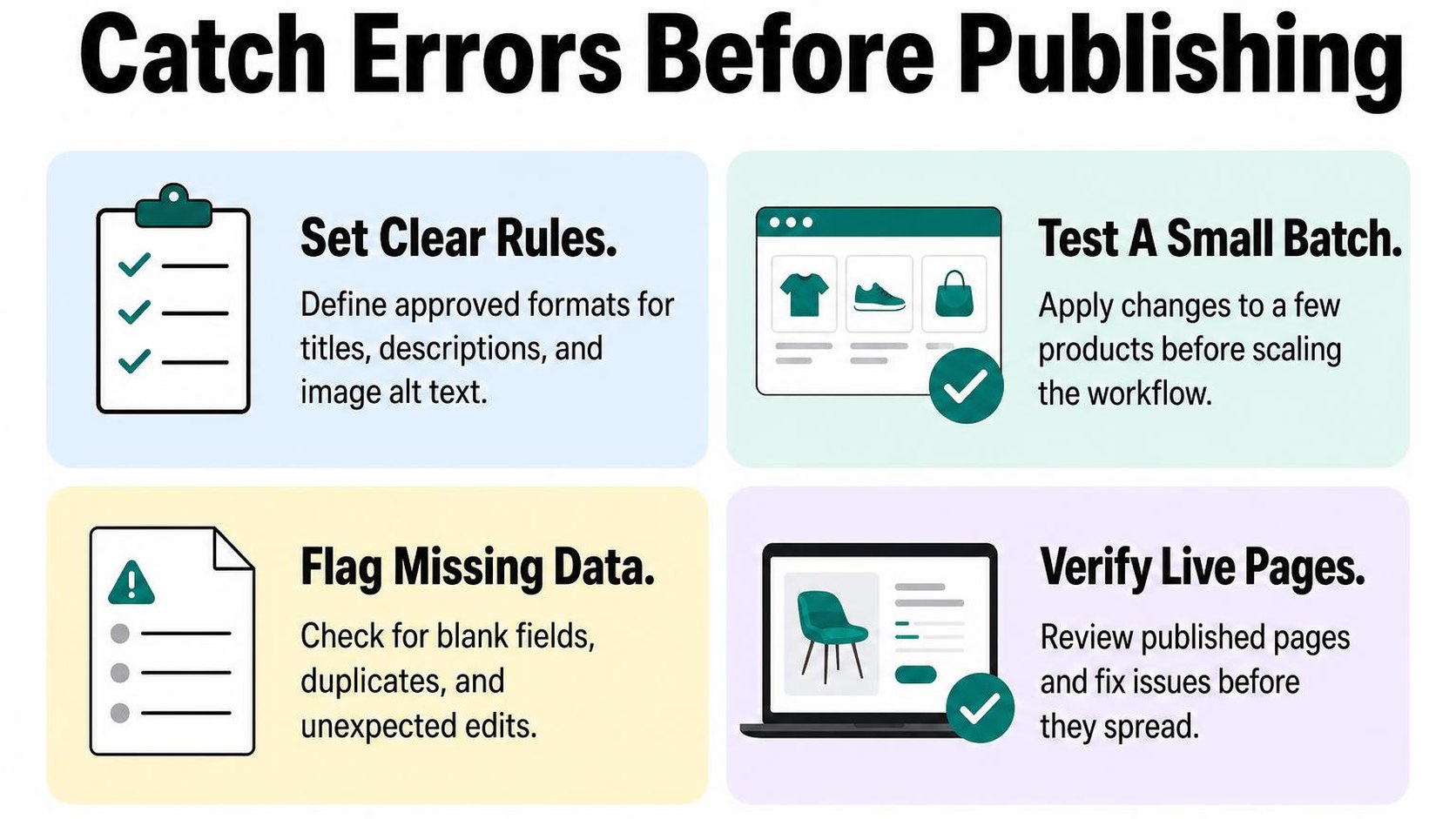
Shopify SEO workflow automation connects a defined event to a task, a review, and a follow-up check. You save time on repetitive work, but you keep a person responsible for accuracy and publishing decisions.
Set triggers, owners, and approval points
Start with one event, such as a product becoming ready for publication. Decide which task follows, who reviews the result, and what must happen before the change goes live. Treat generated content as a draft until it passes that review.
A product update should not automatically restart every SEO task. A stock adjustment, for example, does not usually require a new page title or description.
- Trigger: Start the task when relevant source information changes, such as a product name, material, or intended use.
- Owner: Assign a named person to check factual accuracy and resolve failed runs. Give that person a backup during absences.
- Approval: Require review before publishing claims about compatibility, certifications, or product benefits. Route incomplete source data back for correction instead of asking AI to fill the gaps.
- Stop condition: Pause the workflow when required fields are missing or a batch produces repeated errors.
Test changes on a small product group first
Choose a small group that includes straightforward products and awkward cases: variants, long names, and products with limited specifications. Check the actual storefront as well as the fields in your Shopify admin. A saved value does not prove your theme displays it as intended.
Set acceptance criteria before the test. For Shopify SEO automation for product pages, that means accurate descriptions, distinct titles, and no unsupported claims—not simply a successful completion message.
- Review the output: Compare each changed field with the product information and flag omissions, repeated wording, or invented details.
- Check the page: Confirm that product content remains readable and that your changes have not removed useful buying information.
- Expand gradually: Move to another group only after correcting the cause of any failures and rerunning the test.
Practical rule: If you cannot explain why a test passes, do not scale it to the full catalog.
Monitor indexing and organic performance
Record the publication date and affected URLs so you can connect later observations to the change. Keep a baseline for organic clicks, impressions, and organic landing-page conversions where your analytics supports them.
Use Google’s Search Console guidance on performance and indexing reports to separate discovery problems from search visibility changes. Do not treat a short-term ranking movement as proof that your automation works or fails.
- After publishing: Check representative URLs for unexpected content changes and indexing issues.
- During follow-up: Compare similar periods while accounting for promotions, seasonality, and stock availability.
- When results disappoint: Investigate affected pages before running another batch. Fix the workflow rather than repeatedly rewriting content without a clear reason.
6. Use a Shopify SEO automation checklist before launch
You queue a catalog update, then notice that one product has no material details and another still carries last season’s shipping promise. Your shopify seo automation tools can spread those mistakes across hundreds of pages faster than you can spot them.
Use this Shopify SEO automation checklist as a release gate, not just a reminder. The tradeoff is a slower launch for fewer corrections afterward: approve accurate, relevant edits rather than publishing every generated suggestion.
Confirm data quality and page coverage
Start with the fields your automation reads. Missing dimensions, inconsistent product types, and outdated specifications can turn fluent copy into misleading product information.
Check the actual pages included in the run, too. Shopify SEO automation for product pages should not accidentally include archived items, unfinished launches, or products that need different wording for different markets.
- Product facts: Verify materials, sizes, compatibility, care instructions, and other facts used in generated content. Leave unknown details out rather than asking AI to fill the gaps.
- Page coverage: Confirm which products, collections, and other pages are included. Exclude drafts and deliberately protected pages, and check that filters do not omit active products you intend to update.
- Metadata: Review page titles and meta descriptions for accuracy, readable phrasing, and meaningful differences between products. Avoid templates that give every item the same promise or insert temporary prices into evergreen copy.
- Image descriptions: Match each description to the image it accompanies. Alt text is a text alternative for an image; describe the visible product and relevant details rather than repeating keywords or adding features the image does not show.
- Storefront output: Preview representative pages in your current theme. Confirm that saved edits appear where expected and that titles, descriptions, and product details do not contradict each other.
Check for duplicate content and unintended changes
Repeated care instructions are not the same problem as dozens of product pages with interchangeable descriptions. Look for automation that removes useful distinctions, such as fit, intended use, or included accessories, rather than treating every repeated sentence as an error.
Also separate content edits from URL management. Shopify generates canonical tags automatically, as explained in its overview of built-in SEO features and editable fields; rewriting descriptions does not resolve every duplicate-URL issue.
- Duplicate review: Compare similar products side by side. Keep shared facts consistent while preserving the details that help shoppers choose.
- Protected fields: Restrict edits to approved fields. Do not let a metadata task change product handles, prices, inventory, or carefully reviewed product descriptions.
- Recovery copy: Save original values and affected page identifiers before publishing. Confirm how you will restore each edited field if the result is wrong.
- Approval controls: Require review for missing inputs, unsupported claims, and unexpected output. Pause overlapping workflows so two tools do not repeatedly overwrite each other.
Practical rule: Publish only when you can explain what changes, which pages it affects, and how to undo it. If any answer is unclear, keep the batch unpublished.
7. Start with one task and improve the workflow
You add another batch of products, and the same unfinished SEO fields appear again. Rather than enabling every feature in your shopify seo automation tools, choose one repetitive job that takes time away from running your store.
The aim is a dependable process, not the largest number of automated edits. Start small enough that you can inspect every result and decide whether the time saved justifies the review work.
Choose a high-volume, low-risk task
Start with a task that repeats often, uses reliable product information, and produces an output you can judge quickly. Drafting missing meta descriptions for one straightforward collection is a more manageable first test than rewriting every product page.
Establish a baseline: a record of how the task performs before automation. Measure how long the manual work takes, how many fields remain unfinished, and how often a draft needs correction. Without that comparison, faster output can hide extra cleanup.
- Pick one field: Choose missing meta descriptions or another clearly bounded task. Leave complex products, regulated claims, and pages with carefully tested copy outside the first batch.
- Select a small sample: Use 10 to 20 similar products with complete source information. Avoid choosing only your easiest products if they do not represent the work you normally handle.
- Define acceptable output: Require accurate product details, readable wording, and no invented benefits. Set these rules before generating drafts rather than adjusting them to excuse weak results.
- Record the effort: Track drafting, checking, and correction time together. Count a result as useful only when it is ready to publish, not merely generated.
This turns SEO automation for Shopify into a measurable trial. You accept a smaller initial time saving in exchange for learning where the workflow needs human judgment.
Review results and expand automation gradually
Review every item in the first batch against the same standards. Record repeated problems separately from isolated mistakes: repeated omissions usually point to missing inputs or unclear instructions, not a need to generate more drafts.
Separate workflow results from search results. You can measure editing time immediately, but search impressions and clicks need a longer observation window and can change because of demand, competition, or other store updates.
- Compare like with like: Check the time needed for a similar manual batch against the automated batch, including corrections. Record how many drafts pass without changes.
- Fix the recurring issue: Improve source data or instructions before increasing volume. If reviewers repeatedly add material details, the workflow is not ready to expand.
- Increase one variable: Try a larger batch within the same task before adding another field or product category. Keep reviewing every output until quality stays consistent across several batches.
Practical rule: Expand only when acceptable output stays consistent and total handling time falls. More drafts do not count as progress when the correction queue grows with them.
Use this Shopify SEO automation checklist for your next batch: one task, one baseline, one review standard, and one decision about whether to continue.
Yassine Malti is the developer writing this guidance from store work.
Put this into practice
Start with the store you already have, then use the guides on the blog for the next page that needs the same treatment.
Shopify apps by Yassine Malti
Put this into practice
-

ALT SEO · Image alt text
AI alt text for every product image · 100 images/month free
-

RANKit · Meta titles & descriptions
AI meta titles and descriptions, sized for Google · 50 meta tags/month free
-

TAGit · Product tags
SEO-friendly product tags, generated in bulk · 50 tags/month free