
Your warehouse updates stock, but your Shopify store still shows yesterday’s quantities. You patch the gap with a spreadsheet until an oversold product forces another refund. A Shopify app agency offers to connect the systems, but you need to know whether the proposed build solves the problem without creating a maintenance bill you cannot predict.
How to Choose a Shopify App Development Agency for a Custom Build walks you through defining the work, checking technical experience, comparing proposals, and agreeing on ownership and support. You learn what to ask before signing, which answers need evidence, and how to compare Shopify app development cost beyond the initial quote.
Start with the workflow that fails, not a list of features you hope to add. Your Shopify app development requirements should name the systems involved, the data that moves between them, and what happens when a connection fails. Custom Shopify app development gives you control over that workflow, but it also leaves you responsible for hosting, updates, and ongoing decisions.
A suitable Shopify app development agency makes those responsibilities clear before work begins. Ask who owns the code, how you test the integration, and what Shopify app maintenance and support includes after launch. Do not choose on price alone or treat a polished demo as proof that the team can handle your store’s real operating conditions.
Table of Contents
- Step 1: Define the problem and your Shopify app development requirements
- Step 2: Decide whether you need an agency, a company or an independent developer
- Step 3: Shortlist agencies with relevant Shopify app experience
- Step 4: Compare proposals, development process and project ownership
- Step 5: Estimate Shopify app development cost and budget for change
- Step 6: Confirm security, launch readiness and Shopify app maintenance and support
- Step 7: Choose your Shopify app agency and prepare the kickoff
Step 1: Define the problem and your Shopify app development requirements
Before you ask a Shopify app agency for a quote, write down what breaks, who handles it and what a working fix looks like. Your Shopify app development requirements are the agreed description of what the app must do, which systems it touches and how you judge the result.
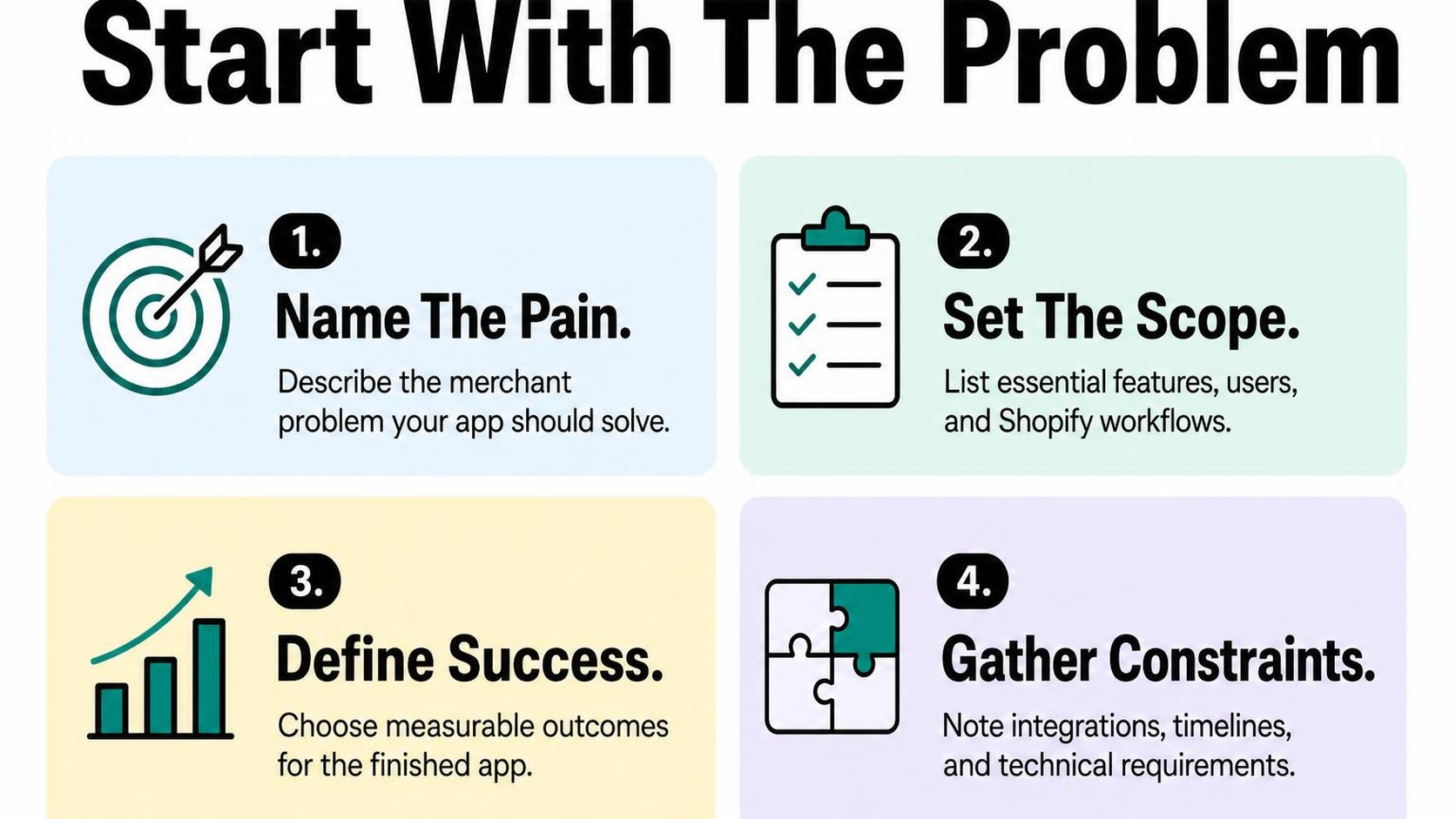
Keep the brief concrete rather than technical. You need enough detail to compare proposals, not a finished architecture that prevents a developer from suggesting a simpler approach.
Document the workflow, users and business outcome
Follow one real task from its trigger to its final result. For an inventory sync, that means tracing a warehouse stock change through to the quantity available on your storefront, including what happens when an update fails.
- Users: Name the people who operate the workflow, such as warehouse staff and your support team. Specify who can change settings and who only needs to see errors.
- Current workflow: Record the trigger, manual steps, frequency and exceptions. Include spreadsheet fixes and duplicate checks rather than describing only the ideal path.
- Business outcome: Choose a measurable result, such as reducing daily reconciliation from 90 minutes to 15 minutes. Record your starting point so you can verify the improvement.
Turn that outcome into acceptance criteria: observable conditions that show the build meets your requirements. “Stock changes appear within five minutes under the agreed workload, and failed updates produce an alert” is testable; “inventory works seamlessly” is not.
List integrations, data flows and Shopify constraints
List every system the app reads from or writes to, including your warehouse platform, accounting software and existing Shopify apps. For each connection, identify the source of truth: the system whose value wins when two records disagree.
- Data direction: Specify which records move, where they go and which identifiers match them. Include variants, inventory locations and order statuses where relevant.
- Operating conditions: Share typical volumes, peak periods, required update speed and available API documentation. Ask what happens during outages, retries and duplicate events.
- Access and constraints: Identify required permissions, customer data, Shopify plan and the screen where staff need the feature. Ask the agency to verify feasibility before committing to scope.
Shopify’s API guidance for app use cases helps distinguish which interfaces fit different jobs. Let the developer validate those choices; do not assume that every action available in your admin has an equivalent API operation.
Separate must-haves from later enhancements
Define the smallest release that completes the workflow safely. Reliable updates, failure alerts and a recovery procedure may be essential, while a custom reporting dashboard can wait.
Use the custom app project scoping guide to organize deliverables and exclusions before requesting estimates. Clear boundaries make Shopify app development cost comparisons more useful because each agency prices the same job.
Practical rule: Label every requirement “required for launch,” “later” or “out of scope.” A smaller first release reduces upfront work, but do not postpone safeguards that protect orders, customer data or recovery from failures.
Step 2: Decide whether you need an agency, a company or an independent developer
Your warehouse integration needs work, but your operations manager cannot spend every afternoon coordinating developers. Choosing a Shopify app agency is partly a technical decision and partly a decision about who manages the work. Match the team to both the build and the time you can give it.
Match the team model to your project complexity
The labels overlap: a Shopify app development agency may also call itself a Shopify app development company. Treat those names as starting points, not proof of team size, technical depth or delivery quality.
- Agency: A service team that may combine discovery, design, development, testing and project management. This model can fit work involving several systems or departments, especially when you need coordination included.
- Development company: A business focused on software delivery, sometimes with dedicated engineers and ongoing support. Check whether it owns planning and testing or expects your team to supply detailed instructions.
- Independent developer: A specialist you work with directly, often with fewer handoffs. An independent Shopify custom app developer can suit a focused integration, but you need a clear arrangement for availability, backup and maintenance.
A larger team gives you more potential coverage, but also more coordination and possible handoffs. An independent developer gives you a direct technical relationship, but one person cannot provide unlimited parallel capacity. Do not use headcount as a substitute for relevant experience.
Check who will handle discovery, development and delivery
Ask each candidate to name the people responsible for understanding your workflow, writing the code, testing it and managing release. Discovery is the work of turning your operational problem into an agreed technical plan; it should not disappear between the sales call and development.
If your team lacks a technical lead, choose a provider that includes technical ownership and explains decisions in merchant terms. If you already have that capability internally, a developer who works within your process may be enough.
- Named owners: Confirm who makes technical decisions, answers questions and approves delivery readiness.
- Actual contributors: Ask whether employees, contractors or subcontractors do the work, and whether you can speak with the lead developer before signing.
- Continuity: Establish who can access the code, deployment instructions and support history if the main developer becomes unavailable.
Practical rule: Choose the smallest team that can cover the required skills and responsibilities reliably. Do not pay for layers you do not need, or assume your staff can absorb missing project management.
Clarify what a Shopify app development agency does
For custom Shopify app development, the provider typically turns your requirements into an app or integration, tests the workflow and deploys it. Depending on the agreement, it may also manage hosting, monitoring, documentation and Shopify app maintenance and support.
Those services are not automatically included. Ask for a written split between the initial build, launch support and ongoing work, including who responds when an integration stops processing orders.
Your internal owner still needs to answer workflow questions and approve business outcomes. Choose the provider whose responsibilities fill your capacity gaps, rather than the one with the broadest service list.
Step 3: Shortlist agencies with relevant Shopify app experience
Your order sync stops during a promotion, but the agency’s portfolio shows only storefront redesigns. Before you shortlist a Shopify app agency, look for evidence that it builds and supports the kind of workflow you need.
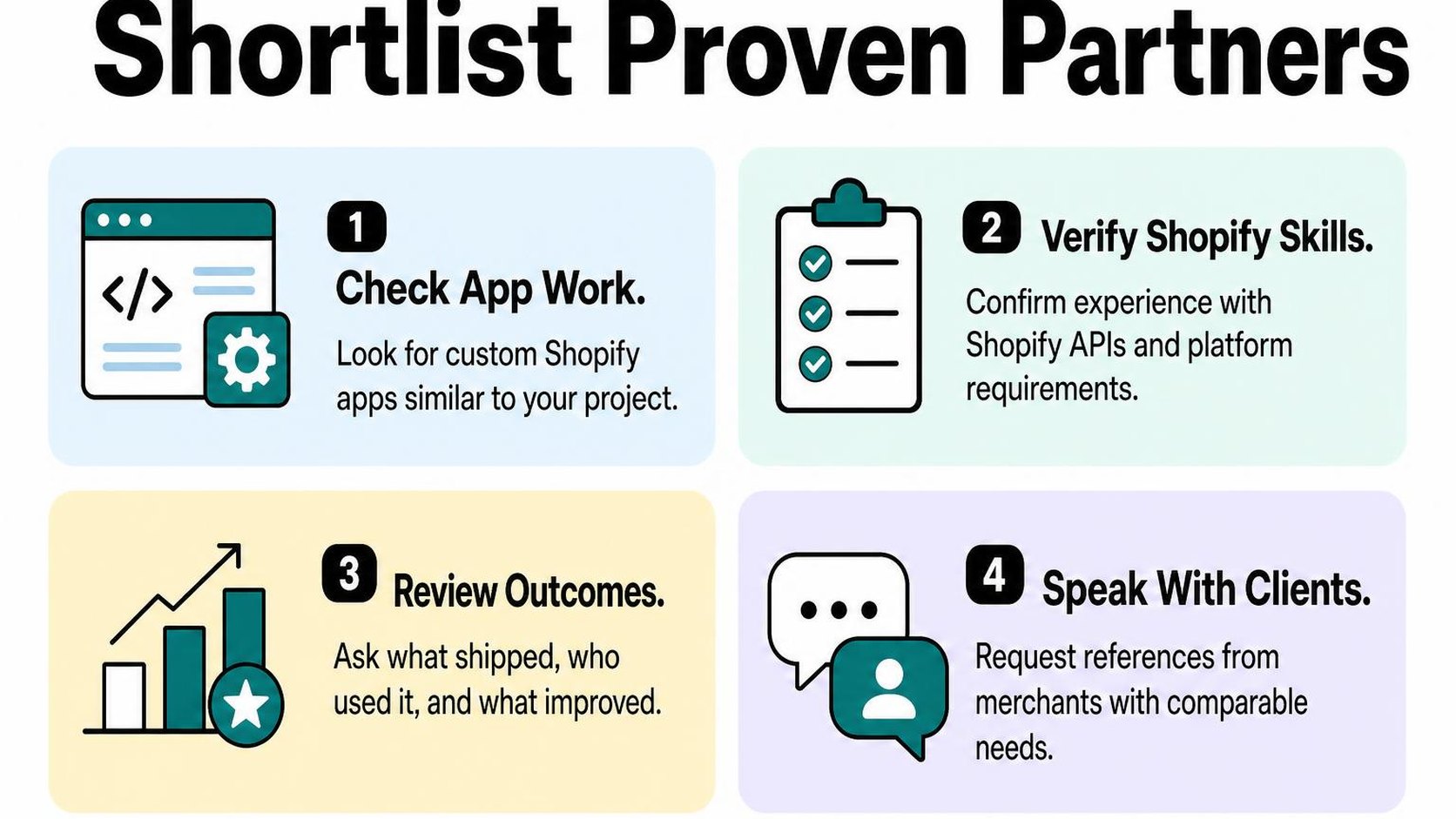
A polished storefront does not prove integration expertise. Choose comparable technical experience over a long client list, without requiring an exact copy of your project.
Review comparable custom builds and integrations
Ask each Shopify app development agency for two relevant projects. Comparable means similar data flows, operational risks and constraints, not simply another merchant in your industry.
If you need an inventory integration, ask how the team handles conflicting stock updates, delayed responses and failed transfers. Use your own workflow to test its explanation; you can plan a Shopify app integration before asking candidates to assess it.
- Project relevance: Request the systems connected, data volumes, sync direction and business rules. A low-volume catalog import is not proof of reliable order processing.
- Delivery ownership: Ask what the proposed developers actually built, rather than accepting work completed by former staff or subcontractors who are unavailable.
- Failure handling: Look for retry rules, duplicate prevention and a way for your staff to identify and recover failed records.
Verify Shopify platform and API experience
Ask the technical lead to explain how your Shopify app development requirements map to Shopify’s capabilities. The answer should identify access permissions, distribution choices and any limits on the checkout or admin functionality you request.
Access scopes are permissions that determine which store data an app can read or change. A credible team explains which scopes your workflow needs and why, rather than requesting broad access by default.
- API choice: Ask which APIs the build uses and why. Shopify’s API guidance directs new apps to the GraphQL Admin API rather than the legacy REST Admin API.
- Platform constraints: Ask how the design handles API rate limits, plan-dependent features and customer-data access requirements. Expect specific limits, not a promise that anything is possible.
- Operational readiness: Request an explanation of authentication, secure credential storage, event handling and API-version updates. The proposed developer should explain these without exposing another merchant’s secrets.
Ask for references and evidence of post-launch results
Speak with a merchant whose integration has operated beyond launch. Ask what happens during a busy sales period, when an external service fails or when Shopify changes an API.
Request baseline and post-launch measurements, such as sync failure rates, processing delays or manual reconciliation hours. Revenue growth alone does not establish that the custom build works reliably.
- Client references: Ask whether the agency flags limitations early, meets agreed acceptance criteria and resolves incidents clearly.
- Support evidence: Request anonymized incident reports or monitoring examples, plus confirmation of who maintains the app after launch.
Practical rule: Shortlist providers that explain both a relevant success and a failure they corrected. Respect confidentiality, but do not substitute a sales presentation for technical evidence and a reference conversation.
Step 4: Compare proposals, development process and project ownership
You receive two proposals for the same inventory integration, but one includes testing and monitoring while the other ends at deployment. Before you choose a Shopify app agency, compare what each price actually covers—not just the total or promised launch date.
Check discovery, milestones, testing and launch plans
Ask each agency to explain its Shopify app development process from requirements gathering through production handover. Discovery is the work that turns your workflows, technical constraints and unanswered questions into an agreed build plan. Paid discovery can reduce uncertainty, but its outputs should remain usable if you choose another developer.
Require milestones tied to reviewable deliverables, such as an approved data map, a working integration in a test environment and a completed launch checklist. A calendar date alone does not show whether the work meets your requirements.
- Responsibilities: Identify who supplies sample data, grants access, checks business rules and approves each milestone. Include deadlines for your team’s inputs.
- Testing: Require checks for duplicate events, failed requests, permissions and recovery after an external service goes offline. Define acceptance criteria as observable results, not “works as expected.”
- Launch: Request a deployment owner, monitoring checks, a rollback plan and a process for reconciling data if the integration pauses.
Confirm communication, decision-making and code ownership
Ask who answers questions, how often you receive demonstrations and where decisions are recorded. Name one approver on your side and one accountable delivery lead at the agency so conflicting feedback does not quietly change the build.
Separate access from ownership. A repository invitation gives you access to code; it does not establish your intellectual property rights. Your contract should distinguish custom code from pre-existing agency components and third-party software, including any licensing restrictions.
- Handover: Confirm repository access, deployment instructions, infrastructure accounts, documentation and a secure credential-transfer process. Specify when contractual ownership transfers.
- Changes: Require a written request showing the scope, price and timeline impact before extra work begins. Distinguish a defect against agreed requirements from a new feature.
- Support: Separate the defect warranty from ongoing Shopify app maintenance and support. Ask who monitors failures, handles API updates and responds outside business hours.
Practical rule: Do not approve a proposal that leaves code rights, production access or launch acceptance for a later conversation. Clarifying those terms now costs less than negotiating them during a failed handover.
Compare proposals against the same scope
Send every shortlisted Shopify app development agency the same requirements and ask each to mark inclusions, exclusions and assumptions. Use a comparison table to expose gaps behind the Shopify app development cost.
| Compare | Require in each proposal |
|---|---|
| Deliverables | Named workflows, integrations and documentation |
| Timeline | Milestones, dependencies and approval windows |
| Acceptance | Test cases, expected results and sign-off owner |
| Commercial terms | Payment triggers, exclusions and change rates |
| Ownership and upkeep | Code rights, hosting costs and support responsibilities |
A fixed price offers budget clarity only when the scope is clear; time-based billing offers flexibility but needs spending controls. Compare the expected build and operating costs over the same period, and do not treat an omitted responsibility as a saving.
Step 5: Estimate Shopify app development cost and budget for change
Your inventory integration looks straightforward until you ask what happens when your warehouse sends the same update twice. Shopify app development cost depends on handling those exceptions, not just connecting two systems. Ask your Shopify app agency to explain which assumptions could change the price before you approve the budget.
Identify the factors that drive custom app pricing
Start with the workflows your store needs, then examine their boundaries. A one-way stock update requires different work from a two-way sync that resolves conflicts, retries failed requests and gives your team an error dashboard.
Integrations also depend on the other system’s documentation, access limits and test environment. Use these Shopify app development cost factors to identify where an apparently small requirement creates extra engineering work.
- Scope: Count workflows, user roles, settings and data migrations, rather than screens alone.
- Integration complexity: Ask how missing records, duplicate events, rate limits and conflicting updates affect the estimate.
- Testing: Include realistic order volumes, refunds, partial failures and recovery checks—not just a successful demonstration.
- Delivery model: Ask whether discovery is billed separately and whether uncertain integration work receives a capped investigation before a build commitment.
A discovery phase is paid investigation that turns uncertain requirements into a build plan. It adds an upfront cost, but can reduce guesswork when an external system is poorly documented. Do not pay for open-ended discovery without defined outputs and a stopping point.
Ask what the estimate includes and excludes
When you ask how much a custom Shopify app costs, request a range tied to explicit assumptions. A narrow figure is not useful if it assumes clean data, immediate supplier access and no changes after the first review.
Ask the agency to separate development effort from responsibilities your team retains. Focus on the work around launch that often disappears behind a single “implementation” line.
- Preparation: Who cleans existing data, supplies credentials and obtains access to third-party test accounts?
- Release: Does the estimate cover deployment, initial imports, staff training and checking live transactions?
- Corrections: How does the contract distinguish a defect from a new requirement, and how long does defect coverage last?
- Changes: Who approves additional spending, and must the agency provide a written cost and schedule impact first?
Practical rule: Ask, “What would make this estimate increase, and when would you tell you?” Require approval before additional work begins, not an explanation when the invoice arrives.
Plan for hosting, third-party services and future changes
Separate the launch budget from the operating budget. Hosting, database storage, monitoring and usage-based services can continue even when nobody requests a new feature.
Shopify app maintenance and support also needs an owner. Shopify’s API versioning documentation describes quarterly releases and support windows, so budget for compatibility reviews rather than treating deployment as the finish line.
- Operating costs: Request monthly estimates at current volume and a realistic growth scenario.
- Maintenance: Separate routine updates from incident response and feature development.
- Change reserve: Hold a separate allowance based on unresolved risks, with approval required before it is spent.
Step 6: Confirm security, launch readiness and Shopify app maintenance and support
Your build works in a demo, but launch puts real customer records, orders and staff workflows at risk. Before you sign, ask your Shopify app agency to document how it protects access, proves the build is ready and handles problems after release.
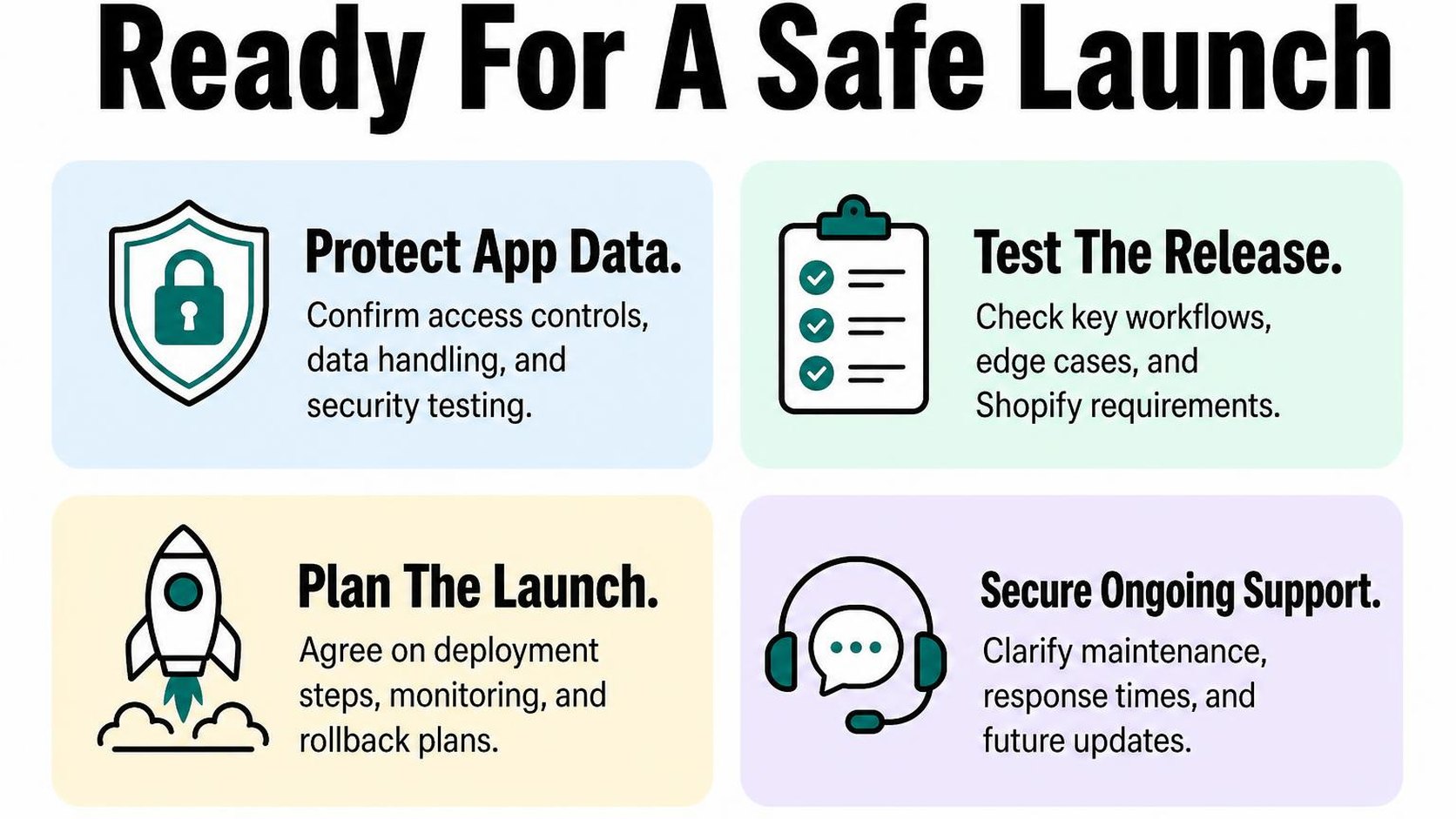
A smaller launch can reduce disruption, but it does not replace testing or a recovery plan. Do not accept “support included” without named responsibilities, coverage hours and clear exclusions.
Review access control, data handling and testing
Ask for a permissions list tied to specific features. Least privilege means giving the app and each person only the access needed to perform their work. Shopify’s app security guidance covers access scopes, token protection and shop-scoped data access, giving you concrete checks to discuss with the developer.
Request a data map showing which records leave Shopify, where they are stored and when they are deleted. Require test evidence against your agreed workflows, including failures—not just screenshots of successful orders.
- Access ownership: Keep control of hosting and service accounts, require individual logins and confirm how developer access is removed.
- Data protection: Confirm how credentials are stored, whether logs contain customer details and how backups and deletion requests are handled.
- Test coverage: Include permission failures, duplicate events, interrupted connections and realistic order volumes. Verify that one store cannot access another store’s data if the system serves multiple stores.
Agree on deployment, monitoring and issue response
Name the person who authorizes launch and the person who deploys it. Set a release window around your trading schedule, then define the checks that must pass before normal operations resume.
A rollback plan explains how you return to a known working state when a release fails. Ask how it handles records already changed: restoring code alone may not undo inventory adjustments or orders sent to another system.
- Launch gate: Require written acceptance of critical workflows, recovery instructions and any unresolved defects before release.
- Monitoring: Specify alerts for failed jobs, delayed synchronizations and authentication errors, with an owner for each alert.
- Incident response: Define severity levels, contact channels, coverage hours and escalation steps. Separate the time to acknowledge an issue from the time to restore service.
Practical rule: Before signing, ask who receives an alert when orders stop syncing on a weekend, what that person does first and what happens if they are unavailable.
Set expectations for maintenance and Shopify changes
Turn Shopify app maintenance and support into a written operating agreement. Specify who tracks relevant Shopify changes, checks compatibility and tests updates before they reach your live store.
Faster response coverage usually costs more than business-hours support. Choose coverage based on the workflow’s impact, not a promise that every issue receives immediate attention.
- Included work: Distinguish defect fixes, dependency updates and compatibility work from new features and third-party system changes.
- Review cadence: Set dates for checking integration health, permissions, dependencies and recovery procedures.
- Handover terms: Require source-code access, deployment instructions, service-account ownership and a documented exit process so another developer can take over.
Step 7: Choose your Shopify app agency and prepare the kickoff
You have proposals open, but one promises a faster launch while another includes more testing. Choose your Shopify app agency against the workflow your store needs, not the longest feature list or the lowest headline price.
The final decision should leave you with a clear scope, an accountable delivery team and a first milestone you can verify. Do not sign while a critical dependency remains an assumption.
Score candidates against your priorities
Use a weighted scorecard: a comparison that gives your highest-priority requirements more influence over the result. Score each candidate from one to five, then multiply each score by its weight.
For a Shopify app agency for custom integrations, give integration reliability and recovery testing more weight than interface polish. If staff use the app throughout the day, usability deserves more weight too.
- Relevant evidence: Ask each candidate to explain a comparable workflow, their contribution and how they verify that it works.
- Technical fit: Check that the proposal addresses your systems, data volumes, permissions and known platform constraints.
- Delivery clarity: Compare named responsibilities, testable milestones and assumptions rather than presentation quality.
- Budget fit: Compare the same scope, including discovery, testing, launch and ongoing operating expenses.
Practical rule: Treat an unresolved critical requirement as a blocker, not a low score that cheaper pricing can outweigh.
Resolve open questions before signing
Ask your preferred Shopify app development agency to turn every material uncertainty into a written decision, a discovery task or an explicit exclusion. If a third-party system’s capabilities remain unverified, commission a small feasibility milestone before committing to the full build.
This can add time before development, but it reduces the risk of paying for an integration that cannot support your workflow. Your Shopify app development cost should reflect what is confirmed and show how unknowns affect the estimate.
- Scope boundary: Confirm what the first release does, what it excludes and which assumptions require validation.
- Commercial terms: Clarify payment triggers, estimate limits, cancellation terms and approval for additional work.
- Acceptance: Write observable pass conditions, such as an order syncing once without duplicate records after a retry.
- Decision ownership: Name who approves scope, spending and release readiness on each side.
Prepare access, stakeholders and first milestones
Prepare a kickoff pack with your Shopify app development requirements, workflow examples, system documentation and representative test records. Remove unnecessary customer details; synthetic records are often enough to demonstrate the expected behavior.
Arrange named accounts and only the permissions each person needs. Follow Shopify’s app security guidance on access scopes and secrets rather than sending passwords or tokens through a shared document.
- People: Invite your store lead, workflow owner and anyone responsible for connected systems.
- Access: Prepare approved store access, sandbox credentials and a secure method for sharing secrets.
- First milestone: Agree on a narrow end-to-end demonstration, its test data and its review date.
- Feedback: Set one place for questions and a deadline for your team’s decisions.
This checklist reflects the store work that informs developer Yassine Malti’s writing.
Put this into practice
Start with the store you already have, then use the guides on the blog for the next page that needs the same treatment.
Shopify apps by Yassine Malti
Put this into practice
-

ALT SEO · Image alt text
AI alt text for every product image · 100 images/month free
-

RANKit · Meta titles & descriptions
AI meta titles and descriptions, sized for Google · 50 meta tags/month free
-

TAGit · Product tags
SEO-friendly product tags, generated in bulk · 50 tags/month free