A lot of store owners hit the same wall at roughly the same moment. The catalog gets more detailed, the team wants richer product pages, and Shopify's default fields stop being enough. Suddenly you need places for care instructions, fabric weight, ingredient notes, compatibility details, FAQ snippets, or custom SEO inputs, and the workaround is usually a theme edit nobody wants to touch again.
That's where Shopify metafields stop being a nice extra and start becoming basic infrastructure. If you've ever added custom text directly into templates, copied the same content across products by hand, or watched a theme update break your custom blocks, you've already felt the cost of storing data the wrong way.
I've seen this most often in stores with broad catalogs. One team wants cleaner specs, another wants collection intros, another wants AI-assisted content workflows, and the developer ends up stitching everything together with snippets and one-off settings. The result works until it doesn't. Even teams experimenting with adjacent visual workflows, like tracking text-to-3D engine updates for richer merchandising assets, run into the same underlying problem. Data needs a stable home before it can become reusable content.
If you're also comparing tools that add this kind of flexibility, it helps to browse practical options in a curated list of Shopify apps for growth workflows. The important part is knowing when an app should own the data and when the merchant should.
Table of Contents
- The Custom Data Problem Every Growing Store Hits
- What Shopify Metafields Actually Are
- Metafield Types, Namespaces, and the Schema-First Rule
- Four Ways to Create and Manage Metafields
- Practical Examples for SEO, Collections, and Automation
- Limits and Failure Modes Most Guides Skip
- Best Practices and Quick Troubleshooting
The Custom Data Problem Every Growing Store Hits
A simple example makes the problem obvious. You sell apparel, and the product page needs material, fit notes, washing instructions, and a size chart link. Shopify gives you title, description, media, price, and variants, but it doesn't give you dedicated fields for all the details your shoppers ask about. So someone adds extra text into the product description. Someone else hardcodes a block into the theme. Later, the merchandising team wants to sort products by a custom attribute, and now that “solution” turns into a cleanup project.
Why theme hacks don't hold up
Theme edits feel quick because they conceal their true cost. They mix content, presentation, and store logic in one place. The moment you change themes, add a new sales channel, or try to automate content updates, those custom bits become fragile.
Three patterns usually show up:
- Manual duplication: the same details get pasted into multiple products, then drift out of sync.
- Template overload: product templates start carrying store-specific content that belongs in data fields.
- Editing bottlenecks: only the person comfortable with theme code can safely change anything.
Practical rule: If a piece of information should be editable without touching theme code, it probably belongs in structured store data, not inside a template file.
What a better setup looks like
A better model separates the content from the display. You store the value once, then pull it into product pages, collection pages, automations, or apps wherever needed. That's the promise behind meta fields Shopify users rely on. Not just custom data, but predictable custom data.
This matters for SEO too. Structured custom fields make it easier to create unique product content, enrich collection pages, and feed automation tools without scattering the same text across descriptions and templates. It also matters for internal workflows. When data is typed and reusable, merchants can edit it safely, apps can read it consistently, and developers can ship changes without rebuilding the same custom logic over and over.
Two risks deserve attention early because most beginner guides skip them. First, checkout-collected data can fail without warning in some accelerated payment flows. Second, oversized JSON-heavy designs can work fine at first and then break once the store scales. Those are not edge cases. They're the kinds of problems that only show up after a store has already committed to the wrong structure.
What Shopify Metafields Actually Are
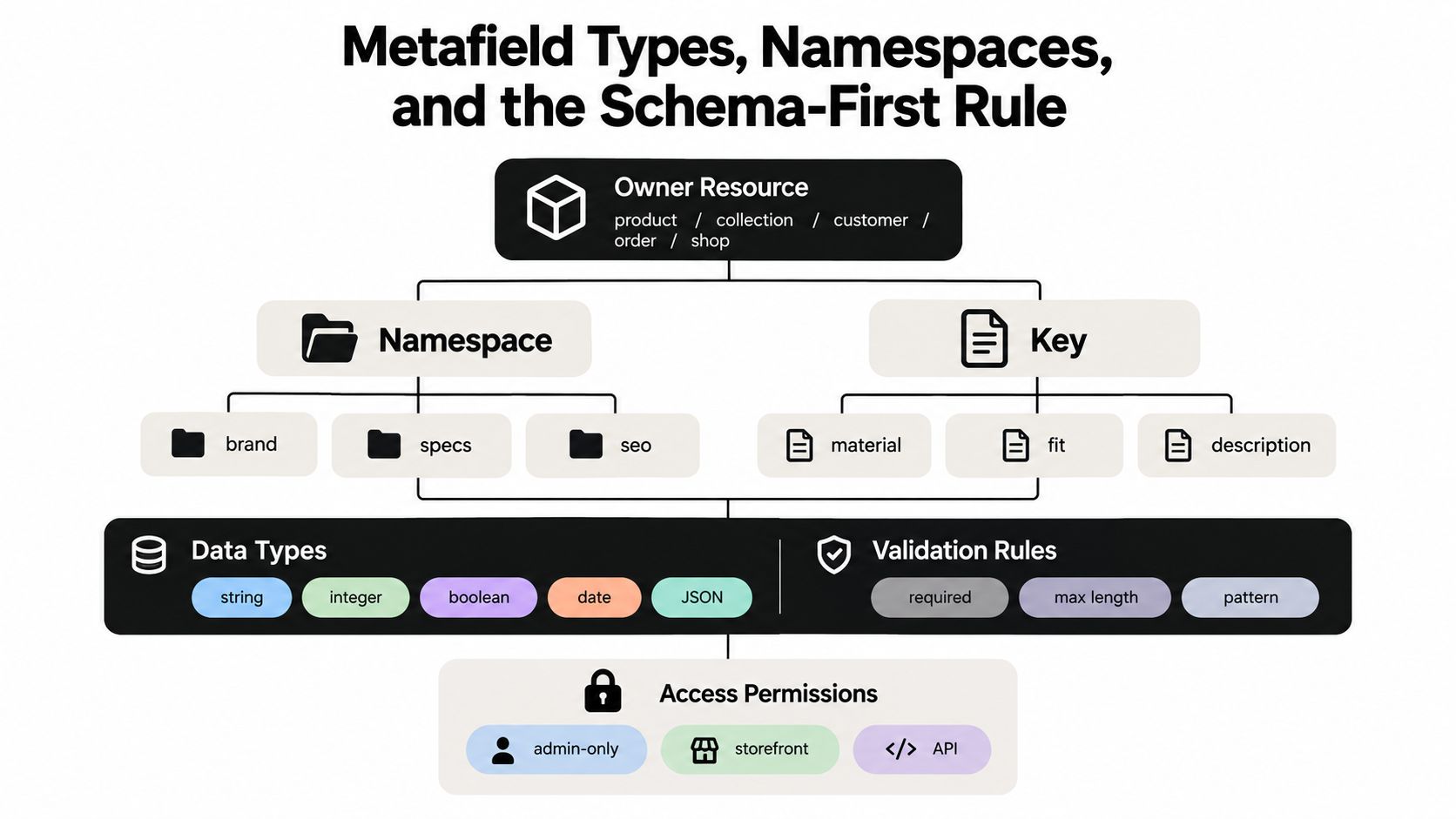
Shopify metafields are structured key-value fields that extend Shopify's default data model for resources like products, collections, customers, orders, and companies. Shopify also separates merchant-owned metafields, which merchants can edit and share across installed apps, from app-owned metafields, which are used for an app's private configuration or operational data, as described in Shopify's access and ownership documentation.
A metafield is a labeled field attached to one resource
A metafield is not a loose note tacked onto a product page. It is a typed field tied to a specific Shopify resource, and Shopify expects it to hold one kind of value consistently. That resource might be a product, a collection, a customer, or something else in the store model.
The typed part matters because it shapes how the field behaves. A metafield can store text, a date, a number, a file reference, JSON, or another supported type, and that choice affects validation, editing, and reuse. For example:
- a product field for care instructions
- a collection field for hero subtitle
- an order field for gift note status
- an app-owned field for processing state
Metafields are different from other custom data
Readers often mix these up.
Metafields attach custom data to one resource. Metaobjects serve a different job, since they are better for reusable entries that appear in more than one place, such as a shared size guide, ingredient glossary, or author profile. Custom line item properties are usually for one-off buyer inputs. They can help in checkout-related flows, but they are not the same as structured storefront data that you manage as a durable schema.
If the data belongs to one product or one collection, a metafield is often the cleanest fit. If the same structured entry needs to appear in many places, a metaobject is usually the better fit.
Definition first, values second
Shopify works best when the definition exists before the content does. Create the metafield definition first, then add values to it. That keeps data consistent across products and apps, and it gives Shopify and connected tools a clear expectation for what the field means, what type it accepts, and who can use it.
The owner model matters too. Use merchant-owned fields for data a merchant may want to edit directly, like SEO text inputs or product specs. Use app-owned fields when the value stays inside the app, like generation status, sync state, or processing metadata.
The namespace and key work together like a two-part address. The namespace groups related fields, and the key names one field inside that group. That matters when multiple apps and teams work in the same store, because generic names like details or notes can collide. Scoped names such as seo.title, specs.material, or an app-specific prefix keep the field easier to recognize and safer to maintain.
Metafield Types, Namespaces, and the Schema-First Rule
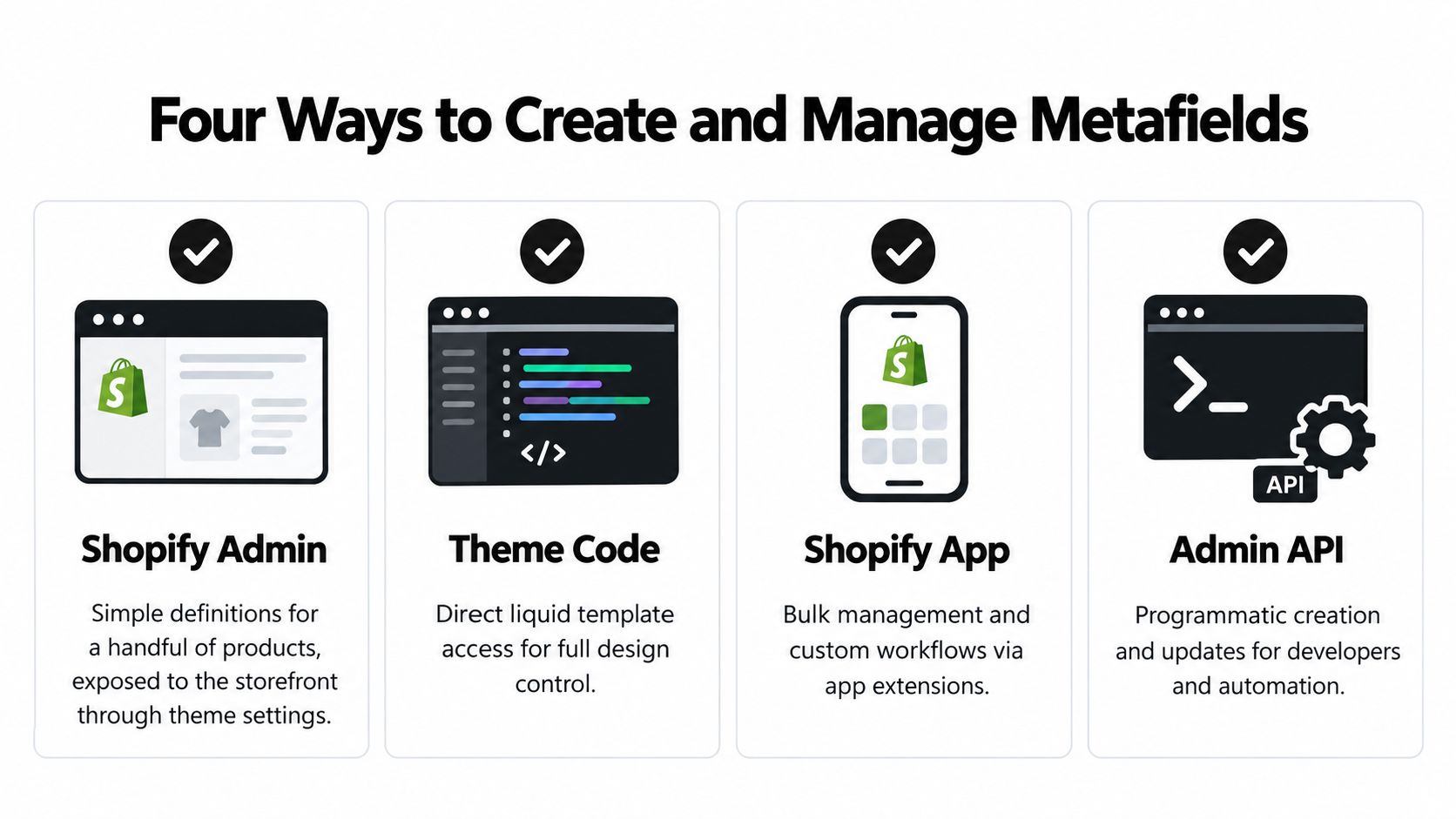
A metafield setup lasts longer when the definition is planned first. Shopify treats metafields as schema-backed fields, so the definition should spell out the owner resource, namespace, key, data type, validation rules, and access permissions, with resource-specific limits when needed, as described in Shopify's metafield definitions documentation.
Namespace and key are your address system
The namespace groups related fields and prevents collisions, and the key names the specific field inside that group. That matters in stores where apps and teams write to the same resource. Generic names like details or notes are easy to collide with. Scoped names such as seo.title, specs.material, or an app-specific prefix make the field easier to recognize and safer to maintain.
A few plain examples help:
- product.seo.title for a search title input
- product.specs_json for structured specs
- product.care_instructions for reusable care text
- collection.hero_subtitle for merchandising copy
If a merchant should be able to edit the field directly, give it a namespace that still makes sense outside the app that created it. If the field only supports background processing, keep it app-owned and clearly separated.
Here's a practical visual explanation before you implement anything deeper:
For stores that care about how metafield content supports markup and search presentation, this guide on checking Shopify product structured data is a helpful companion read.
Why schema-first saves pain later
The schema-first rule is simple. Define the field before you depend on it. If values get written ad hoc and the type changes later, migrations become messy. A field that started as plain text may later need a list, a reference, or JSON. If you change the type without planning, old values may no longer fit the new shape.
One detail trips up developers. Shopify's GraphQL Admin API accepts and stores metafield values as strings even when the declared type is numeric, boolean, JSON, reference, or measurement, so your integration must serialize values correctly for the selected type, as Shopify notes in its list of data types documentation.
Developer habit: validate at the app boundary, not after bad values land in Shopify. It is much easier to reject malformed input before a bulk sync runs.
Which types matter most in real stores
Most real-world builds use a small subset repeatedly:
- Single line or multi-line text for copy inputs
- Number and boolean for specifications and feature flags
- Date for launches or seasonal logic
- URL for external references
- JSON for structured grouped data
- Reference types for linking to files, products, or metaobjects
You do not need every type. You need the few that match the data shape you will still want six months from now. When metafields feed storefront markup, it also helps to verify the output with a Shopify product structured data check so the field design and the rendered result stay aligned.
Four Ways to Create and Manage Metafields
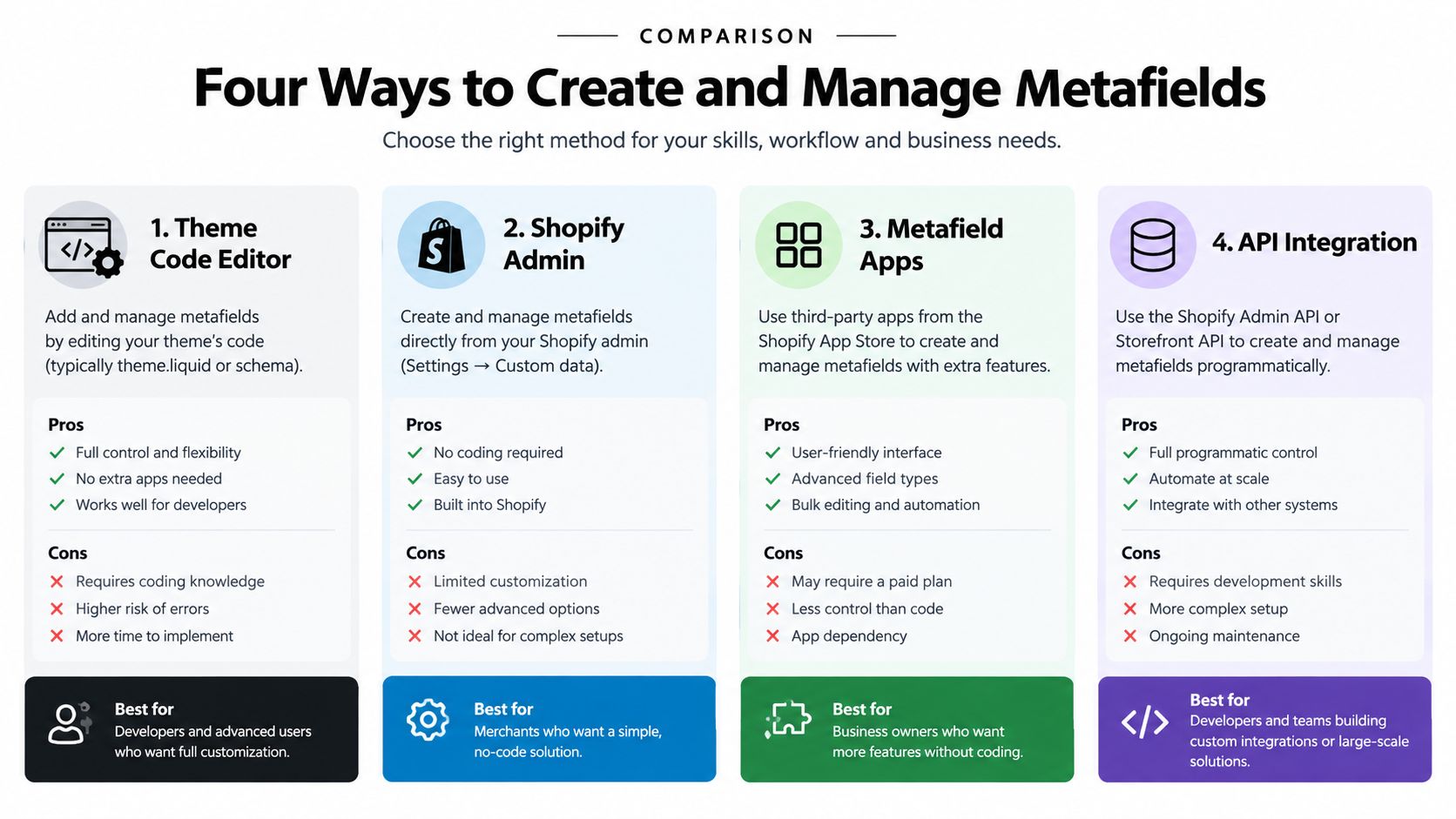
The right setup depends less on feature checklists and more on who owns the work. A merchant updating a few fields needs a different process than an app writing catalog-wide SEO data or syncing operational values across a store.
Shopify Admin for straightforward field management
For many stores, the Shopify Admin is the simplest place to start. A merchant creates the definition in custom data settings, then enters values directly on products, collections, or other resources. That fits stores with a modest field set and a team that wants visibility without automation in the middle.
It works well for merchant-owned content such as extra specs, care instructions, or collection copy. The trade-off appears as the catalog grows. Manual editing becomes slow when the same pattern has to be repeated across many items, and consistency starts to depend on human attention.
Theme Editor for display, not data architecture
The Theme Editor controls how existing metafields appear on the storefront. Dynamic sources make this much easier than older theme-only setups. You connect a section or block to a metafield, and the template pulls the right value for each resource.
This layer is for presentation. It should not be used to invent the data model. If theme settings substitute for structured resource data, reusability drops and editing becomes harder to reason about later.
Third-party apps when the app already owns the workflow
Some workflows belong inside the app that creates the data. That is common in SEO enrichment, bulk content generation, and internal tooling. If a tool generates metadata or tracks processing state, writing to the correct metafields keeps the data in one place instead of scattering it across manual edits.
That fit is strongest for apps that produce merchant-facing SEO inputs or maintain operational fields behind the scenes. The app already knows the shape of the data, so it can write the value with fewer handoffs and fewer chances for drift.
GraphQL Admin API for serious automation
Bulk operations, synchronization jobs, and custom app logic belong in the GraphQL Admin API. Shopify says metafield definitions should be created and managed through GraphQL, and that direction now matters for new builds. The REST Admin API became legacy on October 1, 2024, and all new public apps must use the GraphQL Admin API exclusively from April 1, 2025, according to Shopify's developer release notes and API guidance.
That matters because older tutorials still treat REST as a normal starting point. For new app work, it is not. GraphQL is the durable choice for apps that need repeatable writes, cleaner schema handling, and less friction as the store grows.
Checkout adds one more wrinkle. Accelerated payment flows can bypass parts of the storefront experience, so any metafield-driven logic that only lives in the theme can miss those moments. App-level handling is safer when a field affects behavior beyond a visible page render.
Practical Examples for SEO, Collections, and Automation
A product team can use Shopify metafields to turn repeated manual work into structured workflows. The useful question is not only what a field stores, but who owns it, who reads it, and what happens when the value is missing.
Product SEO input that can scale
Consider a catalog where editors need to create search titles and descriptions for many products. RANKit AI Meta Tags Generator for Shopify can generate product-level drafts and write merchant-facing values into metafields owned by the store. The theme or another app can then read those values consistently instead of relying on copy pasted content in separate screens.
This pattern works well when the standard SEO fields do not match the team's process. A content editor can review a draft, change it, and keep the final value attached to the product. The metafield acts like a labeled drawer: the app puts the value in a known place, while the storefront retrieves it when needed.
SEO content also depends on accurate catalog structure. Teams comparing broader merchandising workflows can optimize product feeds alongside on-page content, reducing the risk that product attributes, titles, and collection information drift apart. For an example of a related search-operations workflow, see SEO Stack verified metrics.
Collection merchandising without template sprawl
Collection pages benefit from the same separation between content and presentation. Suppose each collection needs a short introduction beneath its hero image, with wording that differs by category. A field such as collection.hero_subtitle gives the merchandiser one editing surface, while the theme reads the value and places it in the intended component.
The alternative is to duplicate templates or hardcode individual sentences into theme sections. That approach spreads ownership across presentation files. A collection metafield keeps the copy with the collection, so the person responsible for merchandising can update it without changing layout code.
App-owned fields for internal automation
An automation app may need to record whether a product is queued, processed, reviewed, or skipped. Those values support the app's operation rather than the merchant's storefront content. App-owned metafields keep that internal state separate from shared fields, which reduces clutter and makes ownership clear.
Shopify also limits how many definitions can support a resource. Each app installed on a shop can create up to 256 metafield definitions per resource type, merchants can also create up to 256 per resource type, and only 50 definitions per resource type can be pinned in the admin, according to Shopify's metafield limits documentation. The practical lesson is to name fields deliberately and decide whether a value deserves its own definition before adding it. A temporary processing flag and a merchant-facing product attribute have different owners and should not share the same field.
Metafield use cases at a glance
| Use case | Owner type | Data type | Reader job |
|---|---|---|---|
| Product SEO title or description input | Merchant-owned | Single line text or multi-line text | Edit and review search-facing copy per product |
| Collection hero subtitle | Merchant-owned | Single line text | Manage richer collection page messaging without template edits |
| AI workflow processing status | App-owned | Text, boolean, or structured status value | Track automation state inside the app dashboard |
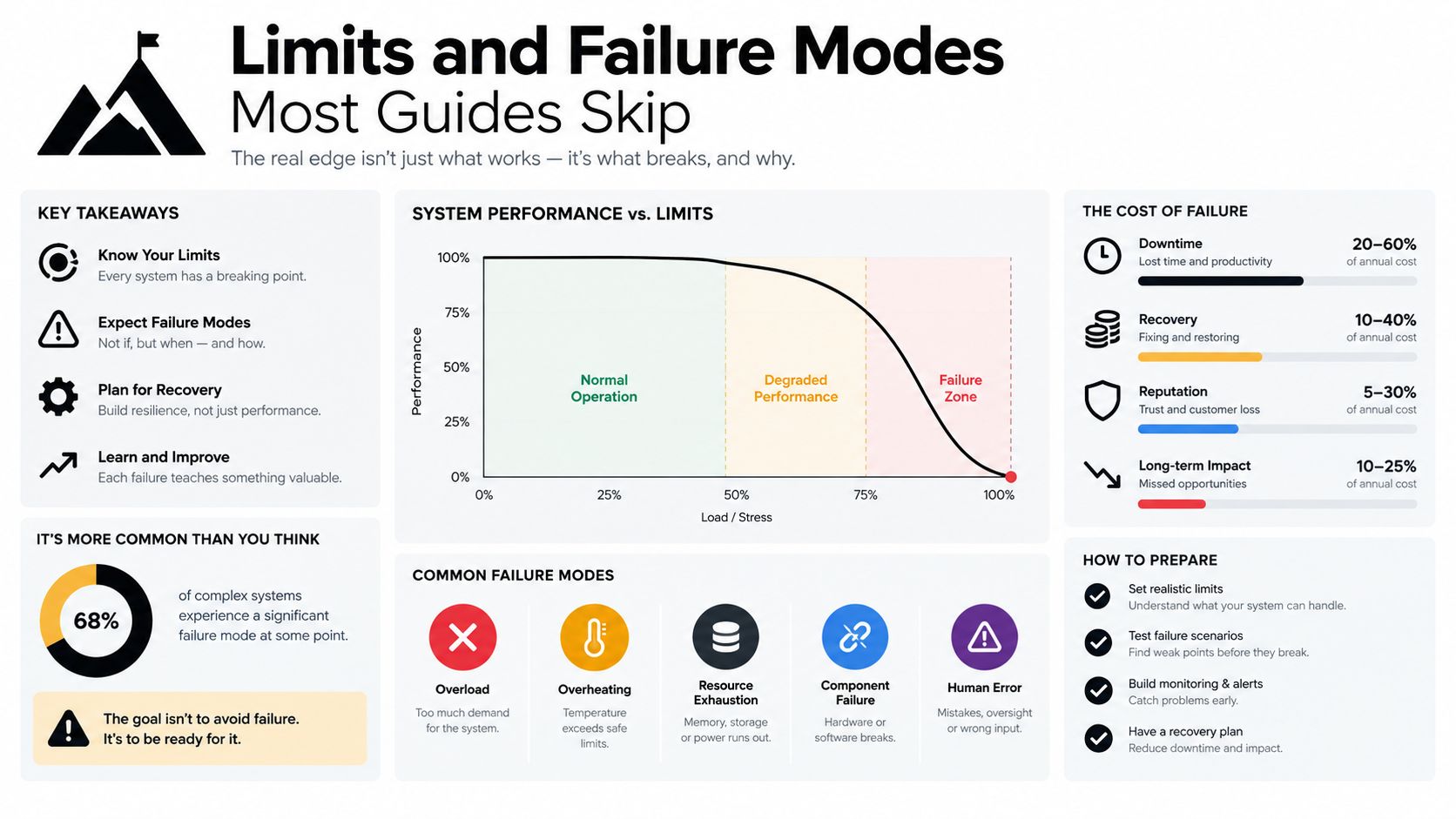
Limits and Failure Modes Most Guides Skip
Most metafield tutorials stop the moment the field saves successfully. Production problems start right after that point. Stores rarely fail because they couldn't create a metafield. They fail because the field behaves differently in checkout, exceeds a size limit, or becomes too heavy to render cleanly at storefront scale.
The accelerated checkout blind spot
Checkout is where many implementations become misleading. Shopify's current Checkout UI Extensions documentation states that cart metafield writes are unavailable when buyers use accelerated checkout methods such as Apple Pay or Google Pay, and the platform's 2026-04 release notes require older checkout metafield patterns to migrate toward cart or order metafields with cart-to-order copying on order creation, as described in Shopify's Checkout UI Extensions metafields API documentation.
A technically valid cart-metafield setup can still lose data for buyers who choose fast payment methods. Gift notes, personalization inputs, or subscription-related values may never land where you expect. If a value must survive order creation, design for that outcome explicitly rather than hoping the default flow handles it.
Checkout rule: decide whether the data belongs on the cart, the order, the customer, or the merchandise before you build the UI that collects it.
The JSON-size cliff
Metafields are structured storage, not unlimited document storage. Shopify enforces size caps that scale with the field type: JSON metafields get the largest allowance, most single values get a smaller one, and URL values are capped tight enough that oversized query strings can fail. List metafields and metaobject-reference lists each carry their own item caps as well. Treat these numbers as design inputs, not trivia. A big JSON blob feels convenient in a prototype, then it stores too much generated content, too many nested attributes, or too many workflow artifacts. Writes start failing, migrations get awkward, and debugging becomes painful.
If your store relies on automated media workflows, tools like ALT SEO: AI Alt Text Generator show a simpler pattern. That app solves one specific SEO and accessibility task, generating alt text and processing images in the background, without asking you to dump everything into a single oversized metafield. Narrow, purpose-built fields age better than one blob that does everything.
The render-performance cliff
A second scaling problem doesn't look like a storage problem at first. Shopify documents concrete rendering limits for metaobjects and references: Basic, Shopify, and Advanced plans support 128 metafield or metaobject definitions, Plus and Enterprise support 256, each metaobject definition can contain up to 1,000,000 entries, looping certain metaobject or reference lists without pagination defaults to 50 entries, paginated loops support 250 entries, and a page render can include 1,000 unique entries of one metaobject type, as noted in Shopify's published limits for metaobjects and related structures.
Storefront performance can degrade well before you hit a dramatic hard cap. Large reference lists, collection filters, or content-heavy sections become expensive to render when you treat structured content like an endless database table. The answer isn't to avoid metafields. It's to treat the limits as architecture constraints and design for them from the start: paginate list-heavy sections, split oversized JSON into typed fields, and keep reference lists bounded so a single page render stays predictable.
Best Practices and Quick Troubleshooting
A metafield-driven store is easier to maintain when each field has a clear owner, type, and job. Define that structure before the first write, then keep the same rules in themes, apps, and automation.
Habits that prevent most metafield problems
- Define before writing: create the definition first, with a stable type and purpose. This prevents an app from sending values that the field cannot accept.
- Use clear namespaces: a scoped namespace separates your app's fields from Shopify data and fields created by other apps or teams.
- Validate before sending: check JSON syntax, URL format, references, and typed values before making the API request. Validation turns a vague save failure into a specific error.
- Prefer typed fields over giant blobs: split growing JSON into focused metafields or references. Typed data is easier to query, edit, validate, and render.
- Paginate list-heavy designs: large reference lists and repeated content blocks should load in manageable groups rather than in one storefront response.
- Choose ownership deliberately: use merchant-owned fields for business data that staff edit. Use app-owned fields for internal workflow state that should not appear as merchant configuration.
A clean architecture may take longer to define on day one, then reduce debugging and migration work later.
Quick troubleshooting
| Symptom | Likely cause | One-line fix |
|---|---|---|
| Metafield does not show on the storefront | The template or section is not connected to the field | Open the Theme Editor and bind the section to the correct dynamic source |
| Value looks right in admin but wrong on the page | Liquid output or escaping does not match the field type | Inspect the template and format the stored value according to its type |
| Definition exists but the value will not save | The payload violates type or size rules | Compare the value with the definition and check its permitted size |
| Bulk write partially succeeds | The request contains too many items or has an oversized payload | Split the operation according to Shopify's metafield batching limits |
For checkout-related data, trace the full journey from cart to order, fulfillment, and support. Accelerated payment buttons can follow a different path from the standard cart flow, so cart-level assumptions may leave gaps. Test those payment methods directly and keep the durable record on the order when downstream teams need it.
Similar fields for reusable entities can signal that a metaobject is a better fit. A metaobject gives the structure its own definition and entries, while separate metafields remain useful for one value attached to a product, collection, customer, or order.
A catalog that works in staging may slow down under production volume. Test reference lists, repeated sections, and JSON-heavy templates with realistic data, then paginate or split the design before storefront rendering becomes unpredictable.
If your store needs cleaner metafield architecture, SEO-focused app workflows, or custom Shopify automation, Yassine builds these implementations. Explore practical apps, custom development options, and Shopify SEO guidance at Yassine Malti.
Shopify apps by Yassine Malti
Put this into practice
-

ALT SEO · Image alt text
AI alt text for every product image · 100 images/month free
-

RANKit · Meta titles & descriptions
AI meta titles and descriptions, sized for Google · 50 meta tags/month free
-

TAGit · Product tags
SEO-friendly product tags, generated in bulk · 50 tags/month free