You update your Shopify theme, and the delivery-date picker stops working on product pages. Your support inbox fills with questions, but the app vendor cannot adapt the feature to your order rules. You start looking for a Shopify app development service, unsure whether you need a small integration fix, a custom app, or a replacement for something you already pay for.
How to Choose a Shopify App Development Service for Your Store helps you turn that problem into a clear brief and compare providers on scope, cost, access, and ongoing support. You see what to ask before you hire a Shopify app developer, how to judge a proposed Shopify app development timeline, and which responsibilities need to stay with you.
Custom Shopify app development gives you control over workflows that existing apps cannot handle, but it also creates maintenance work. A Shopify app development agency may offer design, testing, and support under one contract; an independent developer may give you a more direct working relationship. Neither arrangement removes the need to agree on ownership, documentation, and what happens when Shopify changes an API.
Start with the store problem, not a list of features. Define what a successful result looks like, then ask each provider to explain the smallest reliable solution. Do not accept a fixed price without knowing what it includes—or assume a custom build is better than configuring an existing app.
Table of Contents
- When your store needs custom Shopify app development
- Choose the right Shopify app development service model
- Evaluate a Shopify app developer before you hire
- Understand the Shopify app development process
- Compare Shopify app development cost and timeline
- Check integration, security, and scalability requirements
- Make a confident hiring decision and prepare to start
When your store needs custom Shopify app development
You export orders every morning, adjust delivery dates in a spreadsheet, and send the results to your warehouse. Before you pay for a Shopify app development service, check whether the problem comes from a missing feature, disconnected systems, or a setting nobody has configured.
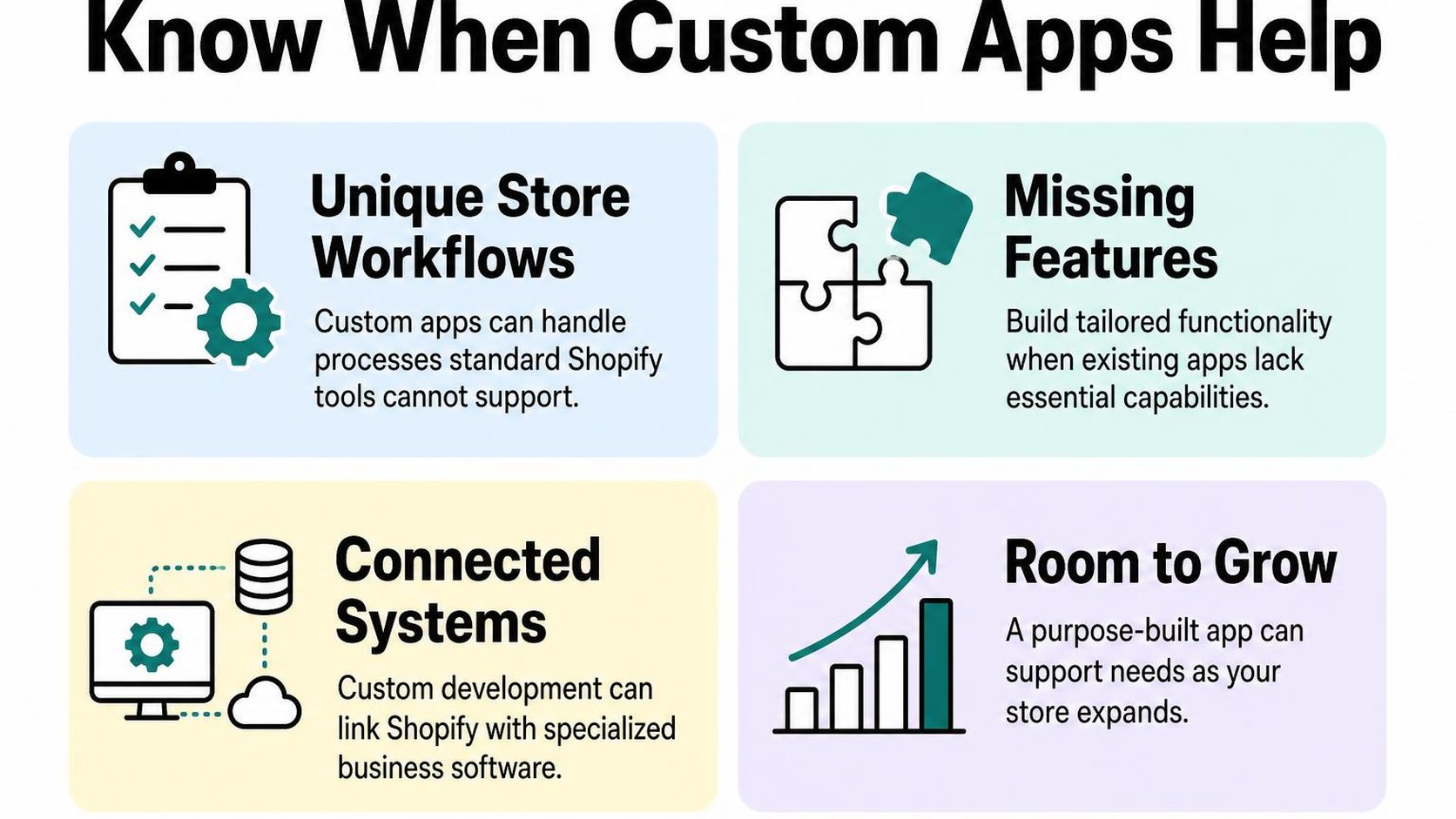
Custom code gives you control over specific business rules, but it also creates maintenance work. The right choice removes a measurable bottleneck without making your store harder to operate.
Signs an existing app or workflow is not enough
One awkward task does not automatically justify custom Shopify app development. Look for repeated failures that cost staff time, delay fulfillment, or give shoppers incorrect information.
First, check the installed app’s settings and ask its vendor whether your requirement is supported. Use this guide on how to evaluate Shopify apps before deciding that a replacement needs to be built.
- Repeated manual work: Your team copies the same order details between systems daily, and mistakes regularly require corrections.
- Unsupported rules: Delivery eligibility depends on combinations of products, locations, and warehouse capacity that your current tools cannot express.
- Conflicting data: Inventory or fulfillment status differs between Shopify and your warehouse system, even after you check the existing connector.
- Costly exceptions: Staff spend more time handling unusual orders than processing standard ones.
Custom app, integration, or configuration: choosing the right path
Configuration means changing supported settings or workflows without building new software. Start there when Shopify features or an existing app already cover the requirement; custom development is not a shortcut around learning the tools you have.
Integration development connects systems so data moves between them according to defined rules. A custom app adds purpose-built behavior, although it can also contain integrations.
| Path | Choose it when | Main tradeoff |
|---|---|---|
| Configuration | Existing features support your rules. | You stay within their limits. |
| Integration | Working systems need reliable data exchange. | You must handle failures and conflicting updates. |
| Custom app | Your required behavior is not supported. | You own ongoing testing and maintenance costs. |
Ask a Shopify app developer to explain which path fits each requirement. Shopify app integration development may solve the warehouse handoff without replacing your delivery-date app.
Distribution is a separate decision. Shopify’s app distribution documentation distinguishes public distribution for multiple merchants from custom distribution for a specific store or Plus organization; do not commission Shopify public app development just because you need an app for your own store.
Define the merchant problem and success measures
Before you hire a Shopify app developer, describe what happens now, who handles it, and where it fails. Give the provider anonymized examples of normal orders and exceptions, rather than a feature wishlist alone.
Practical rule: Write the outcome before the solution: “Warehouse staff receive eligible orders within five minutes, without copying delivery dates by hand.”
Record your current handling time and error rate, then set acceptance targets. Include failure behavior: if the warehouse connection goes offline, orders must remain visible for retry rather than silently disappearing.
This brief makes the Shopify app development process easier to scope. It also lets you compare proposals against the same result instead of choosing the longest feature list.
Choose the right Shopify app development service model
Your warehouse connection needs replacing, but the proposals offer different arrangements: one developer, an agency team, or a permanent hire. The right Shopify app development service depends on how much work continues after launch, who handles failures, and whether the app serves only your business or other merchants too.
Freelancer, Shopify app development agency, or in-house team
A freelancer is an independent developer you contract directly. This is a practical fit for a bounded integration or workflow when you have someone available to answer questions and test results, but support coverage needs an explicit agreement.
A Shopify app development agency supplies a team that can divide development, testing, and project management. An in-house team consists of your own employees, making it a better fit when software changes continuously and store operations depend on it every day.
- Freelancer: Choose direct communication and a smaller delivery team for focused work. Confirm backup arrangements if your Shopify app developer becomes unavailable.
- Agency: Choose broader coverage when several systems or specialties are involved. Ask who actually builds your app and whether that person stays involved after launch.
- In-house: Choose ongoing control when you have enough work and budget to sustain the role. Do not assume one employee covers development, security, and round-the-clock support.
Public app development versus private app development
Public distribution lets an app serve multiple merchants, while custom distribution targets a specific store or stores within the same Shopify Plus organization. Shopify explains these routes and their differing requirements in its app distribution documentation.
You may still see “Shopify private app development” in proposals, but private apps are a legacy model, not the current route to request. Ask the provider to name the supported distribution method rather than treating “private” as a technical specification.
| Route | Practical fit | Planning consequence |
|---|---|---|
| Public distribution | You intend to offer the app to unrelated merchants. | Budget for applicable review requirements, merchant onboarding, and multi-store support. |
| Custom distribution | You need a store-specific tool or an eligible Plus organization deployment. | Confirm installation eligibility and billing constraints before development begins. |
Custom Shopify app development describes tailored functionality; it does not, by itself, specify distribution. Do not commission Shopify public app development merely because a provider prefers building products for the App Store.
Match the engagement model to your scope and ownership needs
A fixed-price engagement sets a price for agreed deliverables; time and materials bills for work performed. Fixed pricing suits stable requirements, while time and materials accommodates discovery but needs spending limits and regular demonstrations.
For Shopify app integration development, unknown behavior in your warehouse or accounting system can make a short discovery phase useful before committing to the full build. Separate delivery from maintenance so your Shopify app development timeline includes handover, not just a working demo.
Practical rule: Before signing, identify who owns the source code, controls hosting and credentials, pays ongoing costs, and fixes production failures. Require repository access and setup instructions so changing providers does not mean rebuilding your app.
Evaluate a Shopify app developer before you hire
Your inventory sync fails during a sale, and two providers offer to rebuild it. Before choosing a Shopify app development service, ask each provider to explain what failed, how they would test a replacement, and who would respond if it stopped working again.
A polished portfolio helps you shortlist candidates, but it does not show whether they can maintain your app. Compare evidence, technical decisions, and support commitments rather than choosing the lowest quote.
Relevant Shopify experience and comparable projects
Ask for projects with constraints similar to yours: catalog size, order volume, external systems, or checkout requirements. A developer who builds storefront features may not have experience handling warehouse synchronization or Shopify public app development.
You do not need an identical project. You need someone who can explain the difficult parts, their decisions, and what happens after launch without disclosing another merchant’s confidential information.
- Comparable work: Request two examples and ask what the provider personally delivered. Separate their contribution from work completed by another team.
- Operational evidence: Ask how the app handles duplicate events, delayed updates, and failed requests. Request a demonstration or a redacted incident summary.
- Scope realism: Ask which requirements need investigation before they can estimate them. Treat a firm delivery promise made without reviewing your systems as a warning.
Technical, security, and communication questions to ask
Ask the developer to describe the proposed architecture in language your store manager can understand. They should explain where data travels, what gets stored, and how failures become visible—not simply name frameworks.
Access scopes are permissions that determine which store data an app can read or change. Shopify recommends requesting only necessary permissions in its guidance on managing access scopes, so ask the provider to justify each requested permission.
- Failure handling: What happens when your accounting system is unavailable? Ask how retries avoid creating duplicate records and how you receive alerts.
- Security controls: Who can access production data? Ask about credential storage, log redaction, data retention, and removing access when a team member leaves.
- Testing and updates: How do they test representative orders without disrupting your store? Ask who checks compatibility when Shopify APIs or connected systems change.
- Communication: Who answers questions, how often do you see working demonstrations, and how are changes approved? Require written updates covering blockers, decisions, and budget impact.
Check references, code ownership, and ongoing support terms
Speak with a merchant whose app has been live long enough to need maintenance. Ask whether estimates held up, how production problems were handled, and whether another developer could take over without unnecessary delays.
Verify that contract language matches the provider’s promises. Ownership clauses may exclude reusable libraries or third-party components; those exceptions should be explicit, not discovered during a handover.
- Reference checks: Ask what went wrong and how the provider responded, not just whether the merchant was satisfied.
- Ownership exceptions: Identify licensing restrictions and dependencies that could limit future changes.
- Support boundaries: Distinguish response time from resolution time, and confirm coverage hours, escalation contacts, and charges for upgrades.
Practical rule: Choose documented answers over reassuring promises. If a provider cannot explain maintenance responsibilities before you hire them, do not assume those responsibilities become clear after launch.
Understand the Shopify app development process
Your warehouse needs orders in a specific format, but your store sends them through a spreadsheet someone updates manually. A Shopify app development service should turn that problem into a documented workflow, then give you clear checkpoints before anything touches live orders.
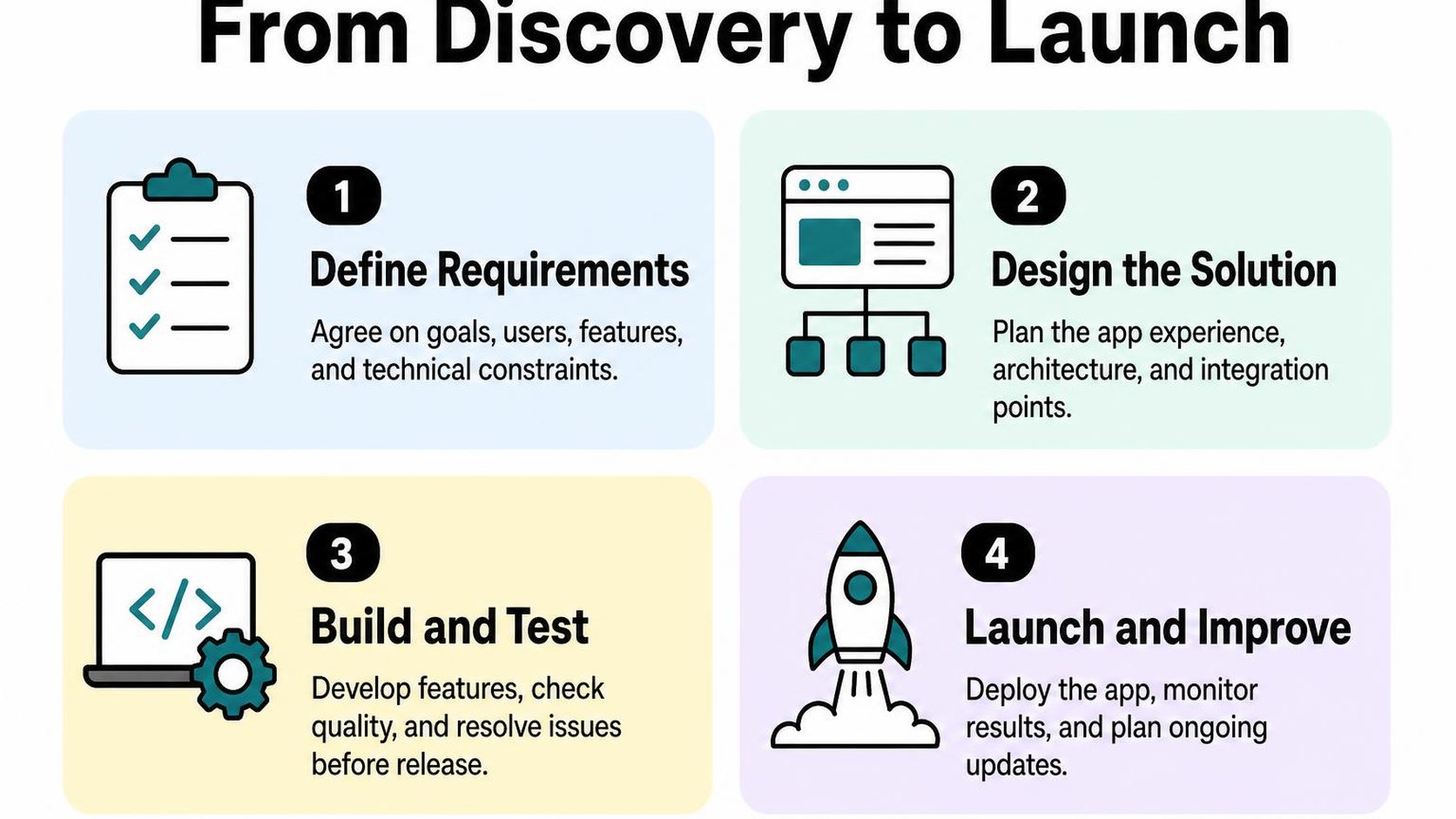
You stay involved throughout the project, even when the developer handles the code. Expect to explain business rules, supply test cases, approve tradeoffs, and confirm that the finished app works for your staff.
Discovery, requirements, and technical planning
Discovery starts with the current workflow: who does the work, which systems hold the data, and where mistakes happen. Bring sample orders, screenshots, integration documentation, and exceptions such as partial shipments or cancelled orders.
Your developer turns those details into acceptance criteria: specific conditions you use to decide whether a feature works. “Send orders to the warehouse” is too vague; specify which orders qualify, what fields are sent, and what happens when the warehouse rejects a request.
Ask for a technical plan that explains data access, hosting, distribution, and dependencies. The Shopify app development timeline should identify decisions you must make and access you must provide, not just coding dates.
- Your input: Name one decision-maker and include the staff who handle the workflow every day.
- Provider deliverables: Request a scope, acceptance criteria, architecture outline, and estimate with assumptions.
- Scope boundary: Separate launch requirements from later improvements; adding features without adjusting budget or dates creates hidden compromises.
Build, integration, testing, and launch
During development, review working demonstrations rather than relying only on status reports. For Shopify app integration development, you can use a Shopify integration development example to see how a connection supports a store workflow, then ask your provider to demonstrate your own data path.
User acceptance testing means your team checks the app against the agreed criteria before launch. Test ordinary transactions and failures: duplicate events, missing fields, expired credentials, and unavailable third-party systems.
Agree on a launch window, a person authorized to approve release, and a recovery plan. Faster deployment means less time for validation; do not skip testing with realistic examples just to meet a promotional deadline.
- Your input: Supply representative test data and have the people who use the app verify results.
- Launch evidence: Ask for test results, setup instructions, and confirmation that production credentials are configured safely.
- Recovery plan: Decide how to pause the app and reconcile affected records if launch causes errors.
Post-launch monitoring, updates, and support
After launch, check whether orders arrive, jobs finish, and staff can spot failures. Agree on who receives alerts and how your team reports a problem with enough detail to reproduce it.
Maintenance includes compatibility work, not just bug fixes. Shopify’s API versioning guidance explains its quarterly release cycle and supported stable versions, so your provider should schedule version checks rather than wait for an integration to fail.
Practical rule: Treat launch as the start of operating the app. Reserve staff time for reviewing errors and approving updates; do not assume a successful release removes your store’s ongoing responsibilities.
Compare Shopify app development cost and timeline
You receive two estimates for the same order-routing app, but one includes testing and launch support while the other lists only development hours. A Shopify app development service is easier to compare when each proposal describes the same outcome, responsibilities, and exclusions.
When you ask how much Shopify app development costs, look for the assumptions behind the number. A lower quote may cover less work rather than offer a better price.
What drives the cost of custom Shopify app development
Custom Shopify app development costs depend on what your app must do and how reliably it must handle exceptions. Sending an order to one warehouse is different from splitting it across locations, retrying failed requests, and giving staff a way to correct mistakes.
Scope is the agreed set of features, workflows, and acceptance criteria your provider delivers. Ask your Shopify app developer to separate essential workflows from optional features so you can reduce the first release without removing necessary safeguards.
- Workflow complexity: Count business rules, user roles, and failure cases, not just screens.
- Integration work: Include authentication, data mapping, rate limits, and recovery when another system is unavailable.
- Data handling: Identify migration, sensitive data, and permission requirements before accepting the estimate.
- Commercial terms: Check whether pricing is fixed, time-based, or capped, and how scope changes receive approval.
How scope, integrations, and review affect delivery time
Your Shopify app development timeline includes more than coding. Discovery, access to test systems, merchant feedback, and release preparation all affect when your team can use the app.
Shopify app integration development can stall when a warehouse vendor provides incomplete documentation or no usable test environment. Ask which dependencies must be ready before work starts and who resolves missing access.
For Shopify public app development, allow for submission work and review uncertainty. Shopify’s app submission requirements cover automated checks, listing and configuration details, and compliance webhooks; completing development does not mean the app is approved.
| Estimate component | What to ask | Why it matters |
|---|---|---|
| Feature scope | Which workflows are included? | Prevents mismatched quotes. |
| Dependencies | Who supplies access and test data? | Exposes possible delays. |
| Testing | Which failure cases are checked? | Clarifies release readiness. |
| Release | Is submission or installation included? | Separates build completion from availability. |
Compare proposals by deliverables, assumptions, and total ownership cost
Total ownership cost is what you spend to build, run, support, and eventually change or replace the app. Compare hosting, third-party charges, support terms, and handover costs alongside the initial fee.
Before you hire a Shopify app developer, request written deliverables and acceptance criteria for each milestone. A Shopify app development agency and an independent developer may divide responsibilities differently; confirm who handles project coordination and whether that work appears in the quote.
Practical rule: Compare estimates against one shared brief. Do not choose the cheapest proposal until exclusions, recurring charges, change-request pricing, and ownership of the code are clear; a narrower first release is a safer saving than silently dropping testing or handover.
Check integration, security, and scalability requirements
Your inventory system shows stock, but Shopify still marks the product as sold out. Before you choose a Shopify app development service, ask how its proposed integration handles that mismatch, who receives the alert, and how you recover without creating duplicate updates.
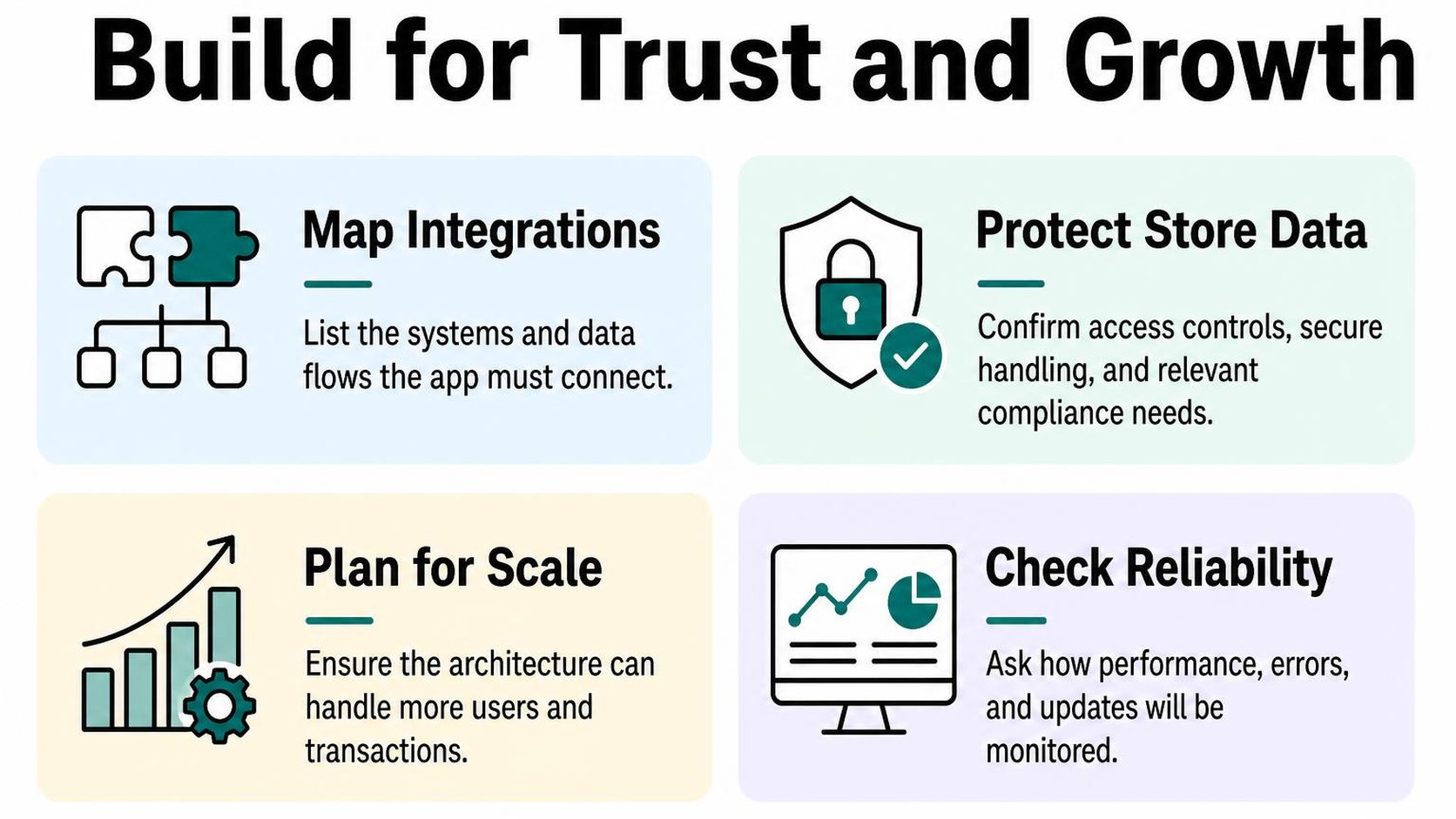
A working demo does not prove that an app handles delayed data, restricted access, or peak order volume. Assess those conditions before you approve the technical plan.
Confirm data flows and compatibility with store systems
For Shopify app integration development, request a map showing which systems exchange data, what triggers each transfer, and which system owns each field. A source of truth is the system whose value wins when two systems disagree; define it separately for inventory, pricing, orders, and customer records.
Give your developer the names of your ERP, warehouse software, subscription tools, and relevant theme customizations. Your Shopify software and integration considerations should cover the surrounding systems, not just the connection to Shopify.
- Direction: Specify whether each connection reads, writes, or does both, and how conflicting edits are resolved.
- Failure recovery: Ask what happens when credentials expire, a vendor is unavailable, or the same event arrives twice. Repeated processing must not create duplicate orders or adjustments.
- Acceptance tests: Include partial refunds, canceled orders, multiple locations, and delayed updates where relevant. Test against representative data, not only a single successful order.
Review permissions, privacy, and security responsibilities
Access scopes are permissions that control which Shopify data an app can read or change. Ask your Shopify app developer to explain each requested permission in terms of a feature you actually need.
Write down where customer information travels, how long it stays there, and who can access it. More access can simplify development, but it also increases exposure; do not accept broad permissions merely because they might be useful later.
- Data boundaries: Identify stored fields, hosting locations, external processors, retention periods, and deletion procedures, including what happens after uninstalling the app.
- Credential handling: Confirm how tokens and secrets are stored, rotated, and revoked. Do not send production credentials through ordinary email or place them in shared documents.
- Incident ownership: Name the person responsible for investigating unauthorized access, notifying you, and coordinating recovery. Confirm that logs avoid unnecessary customer data.
Plan for performance, maintenance, and future Shopify changes
Ask how the app behaves during a promotion, a large catalog import, or a backlog after an outage. Processing work in the background can protect storefront responsiveness, but it means updates may not appear immediately; agree on acceptable delays and visible status reporting.
Shopify releases API versions quarterly, so Shopify’s API versioning guidance supports making compatibility checks and supported-version upgrades part of ongoing maintenance. Confirm who schedules that work and whether your support agreement includes it.
Practical rule: Require measurable response and recovery targets, monitoring ownership, a rollback plan, and a handover checklist. Your custom Shopify app development agreement should identify who maintains hosting, dependencies, and integrations after launch. Do not treat “scalable” or “ongoing support” as deliverables until the provider defines the workload, coverage, and exclusions.
Make a confident hiring decision and prepare to start
You have two proposals open, but one quotes a fixed price while the other estimates weeks of work. Choosing a Shopify app development service means comparing what each provider commits to deliver, not just the number at the bottom.
Before you hire a Shopify app developer, turn your shortlist into a decision you can explain. A lower price can suit a tightly scoped project; it becomes less useful when testing, launch work, or handover remains undefined.
Use a scorecard to compare shortlisted providers
A provider scorecard is a weighted comparison of evidence against your store’s needs. Give each provider a score from one to five for every criterion, multiply it by the weight, and compare totals.
| Criterion | Weight | Evidence to request |
|---|---|---|
| Relevant experience | 30% | A comparable workflow and an explanation of its constraints |
| Scope and technical fit | 30% | A written approach tied to your requirements |
| Delivery and communication | 20% | Named contacts, demonstrations, and decision deadlines |
| Total cost and handover | 20% | Included work, exclusions, and ownership terms |
Use the same questions for an independent Shopify app developer and a Shopify app development agency. Ask who actually writes and reviews the code, rather than scoring the sales presentation.
Practical rule: Treat missing evidence as an unanswered question, not an average score. A high total should not override unacceptable ownership terms or an unexplained dependency.
Agree on scope, milestones, ownership, and acceptance criteria
Acceptance criteria are observable conditions that show a feature works as agreed. “Sync inventory” is a feature label; “an approved stock change reaches the selected location within the agreed interval without creating duplicates” is something you can test.
Your Shopify app development timeline should include time for your feedback and any third-party dependencies. Keep the first release narrow, but do not remove essential testing just to meet a preferred launch date.
- Scope: Name the workflows, systems, data fields, and exclusions. Record how changes affect price and delivery dates.
- Milestones: Tie payments to reviewable deliverables, such as an approved specification, a working demonstration, and completed acceptance tests.
- Ownership: Specify rights to custom code, repository access, hosting accounts, documentation, and any licensed components.
- Acceptance: Assign a reviewer, test cases, a review window, and a process for resolving defects before sign-off.
Prepare store access, requirements, and launch priorities
Give the provider enough context to begin without giving unrestricted access by default. Access scopes determine which store data an app can read or write; Shopify’s guidance on managing access scopes recommends requesting only what the functionality needs.
- Requirements: Share sample inputs, expected outputs, exceptions, and the staff member who answers workflow questions.
- Access: Arrange appropriate collaborator permissions, test data, and third-party credentials through an agreed secure channel.
- Priorities: Separate launch requirements from later improvements and identify dates when store changes are off-limits.
- Approval: Name the person who authorizes scope changes and decides whether the release meets the agreed criteria.
This hiring checklist comes from Yassine Malti, the developer writing from store work.
Shopify apps by Yassine Malti
Put this into practice
-

ALT SEO · Image alt text
AI alt text for every product image · 100 images/month free
-

RANKit · Meta titles & descriptions
AI meta titles and descriptions, sized for Google · 50 meta tags/month free
-

TAGit · Product tags
SEO-friendly product tags, generated in bulk · 50 tags/month free