A Shopify merchant can have one company name on the About page, another in the legal footer, and a third on the Google Business Profile. The logo may be current on the storefront but outdated in Merchant Center, while social profiles use a parent brand name customers rarely see. When search engines or AI tools encounter those conflicting details, they have to infer whether they describe one business or several.
Organization schema gives machines a structured description of the business behind the store. It can connect a storefront name to a legal name, official website, logo, contact details, and genuine social profiles. It doesn't fix conflicting facts by itself, and it won't make an invented identity credible. The practical job is to make the organization's real information easier to identify and verify across the homepage, About page, Google Business Profile, Merchant Center, social profiles, and legal pages.
That's a different task from chasing a ranking shortcut. A business needs a clear source of truth for its identity, then markup that reflects that information accurately. For a broader view of how business details should align across local listings, see this guide to local citation building.
Table of Contents
- Why Your Brand Info Is a Mess and What Organization Schema Fixes
- What Organization Schema Actually Is
- Two Angles Most Guides Get Wrong
- Core Properties and a Clean JSON-LD Example
- Deploying Organization Schema in Liquid, Blocks and Custom Apps
- Return Policies, Loyalty Programs and Shipping in Organization Schema
- Testing, Validating and Catching Entity Drift
- A Quarterly Maintenance Loop for Organization Schema
Why Your Brand Info Is a Mess and What Organization Schema Fixes
A store can operate under a customer-facing name while its legal entity uses a different name. That's normal. The trouble starts when no page explains the relationship, or when separate profiles list inconsistent phone numbers, logos, and addresses. A search system then has to guess whether it's looking at one business, a parent company, or unrelated organizations that happen to share a name.
Organization schema adds a machine-readable identity layer to your site. It can state the organization's canonical name, connect alternate names, identify its official URL and logo, and link to profiles that belong to the business. For a Shopify merchant, those details should match visible and trustworthy information on the storefront and relevant third-party profiles, including the Google Business Profile and Merchant Center.
Schema isn't a replacement for cleaning up the underlying facts. If the footer, policy pages, and social bios disagree, adding JSON-LD creates another version of the story rather than resolving the mismatch. Start by deciding which name is the storefront brand, which is the legal entity, and how the two relate. Then document who owns each detail and where changes must be made.
Practical rule: Mark up a real, supportable business identity. Don't use structured data to make an unclear relationship look settled.
That distinction matters for brands with a parent company, marketplace storefront, or regional presence. The useful outcome isn't a valid code block. It's a coherent description that helps systems distinguish the merchant from similarly named businesses and connect the right profiles, pages, and policies to it.
What Organization Schema Actually Is
Organization schema is a description of a business entity using the Schema.org vocabulary, usually expressed as JSON-LD. Think of it as a digital business card for machines: it identifies the organization and labels important details so systems don't have to guess what a name, logo, or phone number refers to.
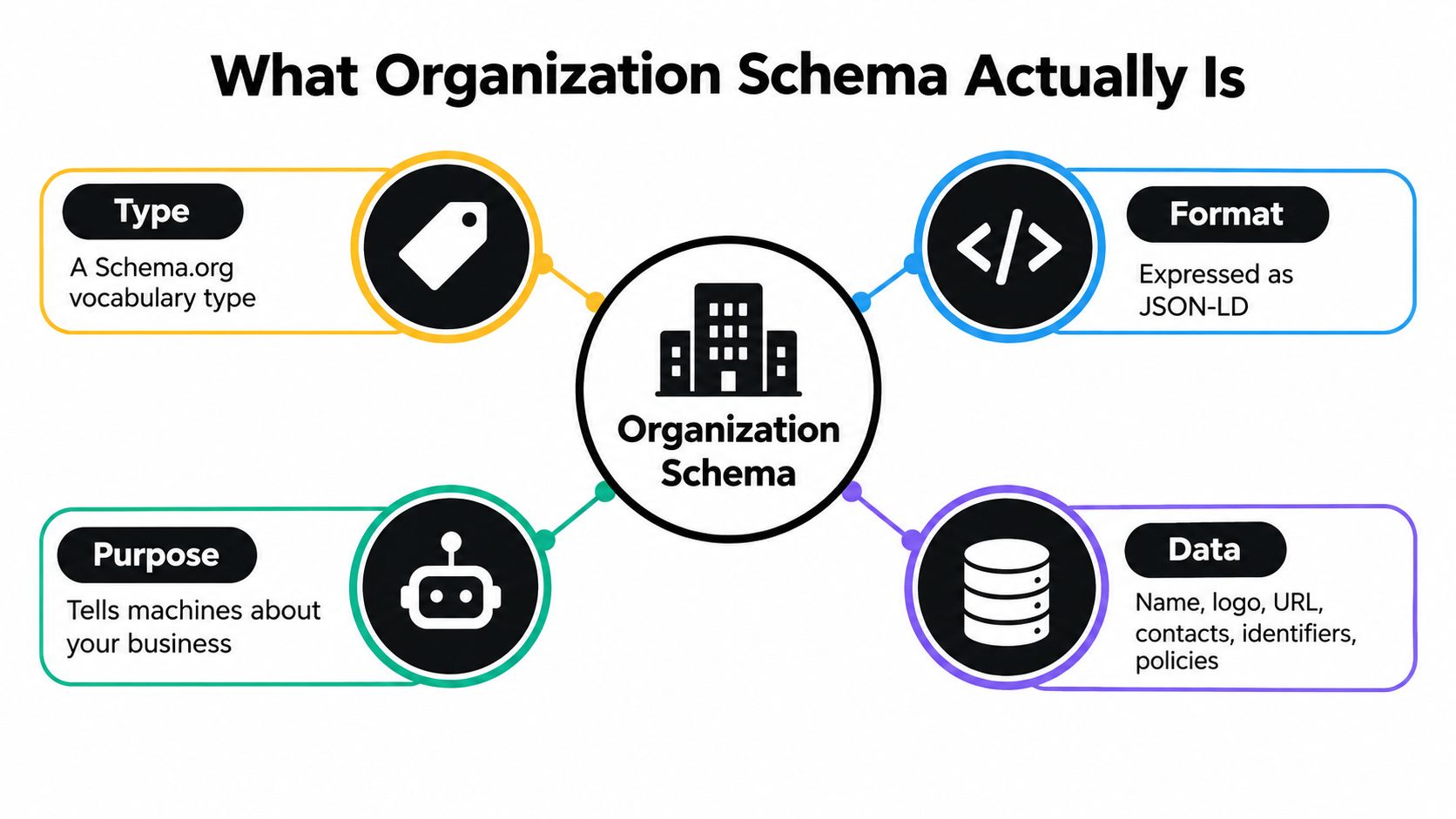
Schema.org launched on June 2, 2011, through a collaboration among Bing, Google, and Yahoo, with Yandex later joining the initiative. It established a shared vocabulary for describing entities across the web. An analysis of pages from Google's index and Web Data Commons found Schema.org markup on 31.3% of pages, compared with 22% one year earlier, and estimated at least 12 million websites used the vocabulary (Schema.org background).
The Organization type describes the business as an entity. It's different from Product, which describes an item for sale; BreadcrumbList, which describes a page's position in site navigation; or Article, which describes editorial content. Those types can coexist on a site, but each has a distinct purpose. A product's price and availability belong with the product information, not in a general description of the organization.
For most Shopify stores, put the primary Organization description on the homepage or another authoritative company page. Google's guidance recommends placing Organization structured data on the homepage or an About page, where the business identity is clear (Google's Organization structured data guidance). Supporting pages may describe a department or subsidiary when it is a distinct entity, but don't create multiple competing descriptions for the same company.
The key is to keep the markup aligned with what customers can verify on the site. Structured data describes the business; it doesn't establish its legitimacy or guarantee a particular search display.
Two Angles Most Guides Get Wrong
Organization schema has two different jobs that are often blended together. Entity consistency is about keeping the business's facts aligned across platforms. Search or AI visibility is about whether a search result or answer system shows or cites the business. The first is a practical implementation goal. The second is an outcome you can't promise by adding more properties.
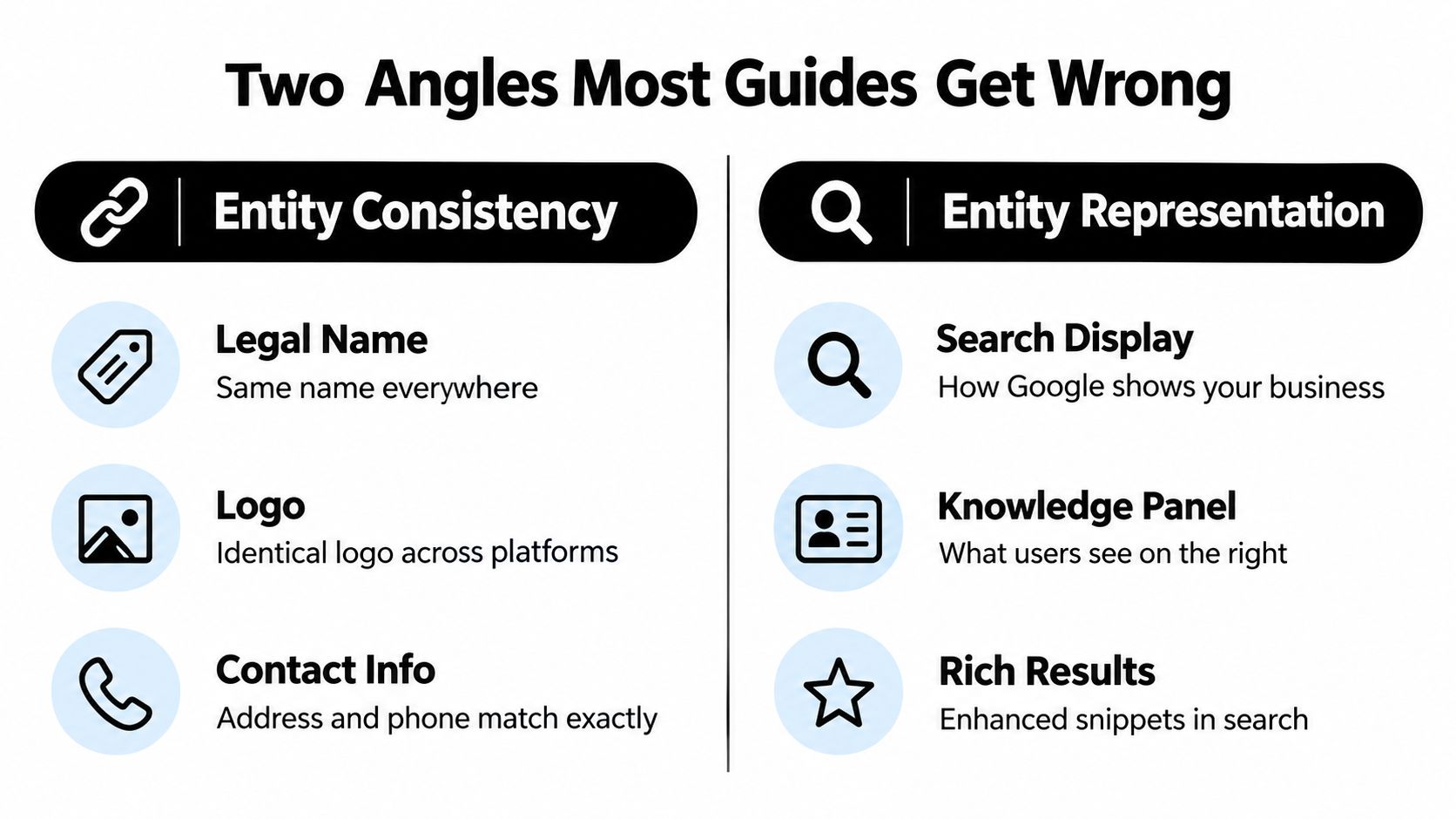
For consistency, compare the organization name, logo, address, phone, and official profile links in your JSON-LD with the visible site, Google Business Profile, Merchant Center, and social accounts. A legal name and storefront name can differ, but the relationship should be clear and the values should be used consistently where each is appropriate.
For visibility, the evidence calls for restraint. An analysis reported that greater schema coverage didn't reliably correspond to more visibility across Perplexity, Gemini, and OpenAI systems. A separate study of 1,885 pages found no major citation uplift after JSON-LD was added and reported an association with a 4.6% decline in Google AI Overview citations (Search Atlas analysis). Those findings don't prove schema causes lower visibility. They do show why a merchant shouldn't treat added markup as a reliable AI citation lever.
Schema can clarify which business a page describes. It can't guarantee that a system will rank, display, or cite that business.
Measure the work against the outcome it can reasonably support: consistent entity details and correctly connected profiles. Track organic search performance and AI mentions separately, and don't attribute a visibility change to schema without a way to isolate its effect. If a brand is difficult to distinguish from another company, accurate Organization data may help reduce ambiguity. It still isn't a substitute for useful product information, visible brand evidence, credible reviews, or maintained content.
Core Properties and a Clean JSON-LD Example
Google's Organization specification has no universally required properties. Include the fields that accurately describe the business, not the longest list you can populate. These are common fields that earn their place when they apply:
| Property | Purpose | Common mistake to avoid |
|---|---|---|
name |
Identifies the organization customers know | Using a legal name where the storefront name is the clearer primary identity |
legalName |
Records the registered name when it differs | Treating it as a replacement for the public-facing name |
url |
Connects the entity to its canonical site | Using a temporary URL or a non-canonical domain |
logo |
Identifies the organization's logo | Providing a relative path instead of a complete URL |
alternateName |
Connects a genuine alternate brand or trading name | Listing unrelated or obsolete names |
description |
Summarizes the organization | Adding claims that aren't supported by visible site content |
sameAs |
Links to official profiles that identify the same entity | Adding fan, directory, or third-party pages the business doesn't control |
contactPoint |
Describes an applicable contact channel | Publishing a phone number or department that customers can't reach |
address |
Represents a legitimate business location | Combining several locations into one vague address |
identifier |
Supplies an applicable official identifier | Guessing an identifier or leaving its type unclear |
The example below uses a fictional merchant and fictional contact details. Replace every value with information you can verify. Keep full, canonical URLs in url, logo, and sameAs, and don't publish a location or phone number the business doesn't present as official.
{
  "@context": "https://schema.org",
  "@type": "Organization",
  "name": "Northstar Goods",
  "legalName": "Northstar Goods LLC",
  "alternateName": "Northstar",
  "url": "https://www.example.com/",
  "logo": "https://www.example.com/cdn/shop/files/northstar-logo.png",
  "description": "Northstar Goods sells home and travel accessories.",
  "sameAs": [
    "https://www.instagram.com/example-brand/",
    "https://www.facebook.com/example-brand/"
  ],
  "contactPoint": {
    "@type": "ContactPoint",
    "contactType": "customer service",
    "email": "[email protected]"
  },
  "address": {
    "@type": "PostalAddress",
    "streetAddress": "123 Example Street",
    "addressLocality": "Example City",
    "addressRegion": "Example Region",
    "postalCode": "00000",
    "addressCountry": "US"
  },
  "identifier": {
    "@type": "PropertyValue",
    "propertyID": "Business identifier",
    "value": "REPLACE WITH VERIFIED IDENTIFIER"
  }
}
This is a starter pattern, not a reason to publish fictional values. For a Shopify store, check the logo URL after deployment and confirm every social profile points to the actual business. If image descriptions are also part of the store's SEO and accessibility work, ALT SEO: AI Alt Text Generator can create and update image alt text; that task is separate from Organization markup.
Deploying Organization Schema in Liquid, Blocks and Custom Apps
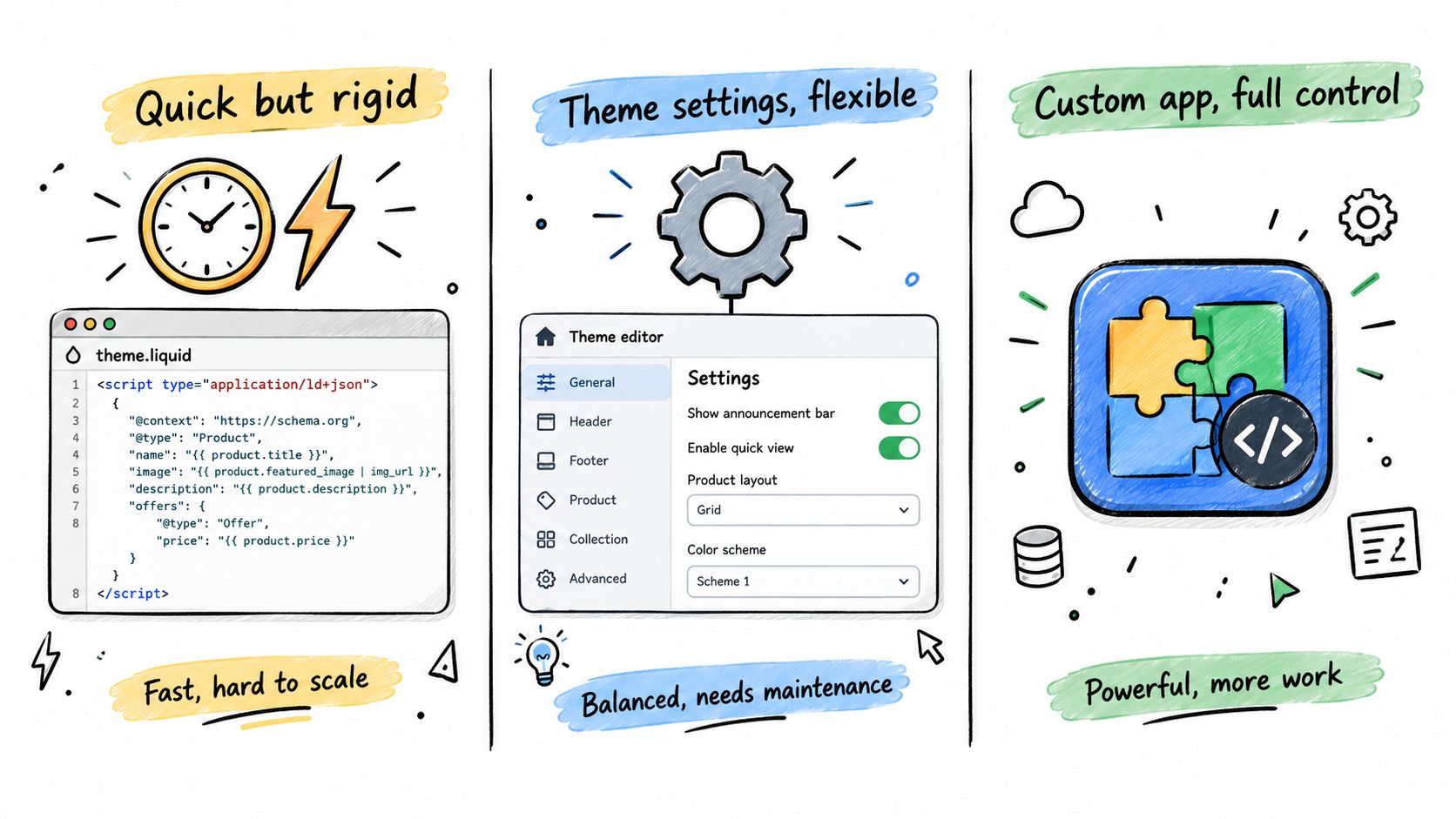
Shopify merchants generally have three deployment paths. The right one depends on who maintains the business details and how often the store changes, not on which option produces the most code.
Theme code for a straightforward store
Editing theme.liquid is direct and easy to inspect. Add a JSON-LD script inside the document's <head>, and use Shopify settings or carefully maintained values to populate it. Hardcoding is quick but brittle: theme replacement or updates can remove the code, and edits require someone comfortable working in Liquid.
{% if request.page_type == 'index' %}
<script type="application/ld+json">
{
  "@context": "https://schema.org",
  "@type": "Organization",
  "name": {{ shop.name | json }},
  "url": {{ shop.url | append: "/" | json }},
  "logo": {{ settings.organization_logo | image_url: width: 600 | prepend: "https:" | json }}
}
</script>
{% endif %}
Set organization_logo in the theme settings, or adapt the snippet to a verified logo URL. Confirm the final rendered URL is absolute. Shopify themes and settings vary, so test the output on the live storefront rather than assuming Liquid produces the intended JSON.
App blocks for merchant-managed fields
A theme app extension or app block can render Organization JSON-LD without embedding all the logic in the theme. It's easier to manage during theme changes, but check whether another SEO app already outputs an Organization entity. Duplicate, conflicting blocks defeat the point.
A block should output the same basic JSON-LD shape as the example above, with values sourced from merchant settings or metafields. Keep the information editable, and make sure the block appears on the authoritative page.
For stores already organizing their site hierarchy, keep markup and navigation concepts distinct. This guide to breadcrumb navigation and SEO covers a different Schema.org type.
Custom apps for multiple brands or markets
A custom app makes sense when identity data comes from a central record or the merchant manages separate brands, locations, or regional policies. It can read shop metafields or the Shop API and render the right entity information for the relevant storefront.
Useful metafield keys might include organization.legal_name, organization.alternate_name, organization.logo_url, organization.same_as, organization.phone, organization.contact_email, organization.addresses, and organization.identifier. Define the namespace and types deliberately, then assign an owner to each field.
After any deployment, view the rendered homepage source and check that the script exists, parses as JSON, uses accurate values, and doesn't duplicate another Organization block. A theme preview alone isn't enough if the live storefront uses a different theme or app configuration.
Return Policies, Loyalty Programs and Shipping in Organization Schema
Organization markup can describe more than a company's name and contact details. Google expanded support for organization-level return policies in June 2024, loyalty-program information in June 2025, and shipping-service information in November 2025 (Google policy structured-data changes). For merchants, the operational question is whether the marked-up policy matches what shoppers see and what the business honors.
A general return policy belongs at the organization level when it applies across the business. Use product-level policy information for genuine exceptions, such as a category with different conditions. Don't put every special case into the company-wide policy and leave customers to work out which rule applies.
Here's a simplified pattern for a fictional Shopify store. The values are illustrative. Replace them with the store's actual policy and supported Schema.org values before publishing.
{
  "@context": "https://schema.org",
  "@type": "Organization",
  "name": "Northstar Goods",
  "url": "https://www.example.com/",
  "hasMerchantReturnPolicy": {
    "@type": "MerchantReturnPolicy",
    "applicableCountry": "US",
    "returnPolicyCategory": "https://schema.org/MerchantReturnFiniteReturnWindow",
    "merchantReturnDays": 30,
    "returnMethod": "https://schema.org/ReturnByMail",
    "returnFees": "https://schema.org/FreeReturn"
  }
}
The values in this example are not a recommendation for your store's terms. Confirm the appropriate properties and allowed values in Google's current documentation before deploying, and don't add a free-return claim unless the business offers it.
The hard part is governance. Shopify checkout language, Merchant Center information, the visible policy page, and JSON-LD can drift when different teams update them separately. Pick a canonical policy source, document who can change it, and require updates to every dependent surface when terms change. For businesses with different rules by country, customer segment, product category, or loyalty tier, make the distinctions explicit and review them with the appropriate policy owner.
More detailed policy markup raises the maintenance bar. A stale return promise is worse than leaving out a property that doesn't apply.
Testing, Validating and Catching Entity Drift
Start with the live homepage, not just the code in your theme editor. Testing the rendered page catches placement problems, theme conflicts, and output that differs from what you expected Liquid to produce.
- Check Google's Rich Results Test. Submit the live homepage URL and confirm that the Organization data is detected. Detection doesn't guarantee a special display, but it can reveal whether Google can access the markup.
- Run a schema validator. Use the Schema Markup Validator to spot syntax errors and type or property mismatches. For a convenient starting point, browse the schema checker and compare its output with the rendered page.
- Review Search Console later. Once Google has crawled the page, check available enhancement or structured-data reports for issues. A clean test result confirms markup can be parsed; it doesn't confirm how Google will use it.
- Compare the entity facts across surfaces. A small script or manual audit can compare
name, phone, and address in the JSON-LD against the visible About page, footer, and Google Business Profile. Make mismatches easy to assign and correct.
For a Shopify-specific walkthrough of checking structured data on products, see how to check Shopify product schema. Product markup and Organization markup describe different entities, so validate each type where it appears.
The failures that recur are straightforward: a relative logo URL that doesn't resolve as intended, JSON-LD placed in the wrong part of theme.liquid or omitted from the live homepage, and sameAs links to profiles that don't exist or belong to someone else. Fix the source values, redeploy, then run the checks again.
A Quarterly Maintenance Loop for Organization Schema
Treat Organization schema as store infrastructure, not a one-time SEO installation. Business names, logos, contacts, locations, and policies change; markup that once matched the business can become another conflicting version if nobody owns updates. A simple loop keeps the work tied to real business facts: audit the public details, update the source record, redeploy the JSON-LD, validate the live page, then review Search Console after recrawling.
Use this checklist during a quarterly review:
- Legal and storefront names: Confirm both remain accurate and the relationship between them is clear.
- Logo and profiles: Check that the logo is current and each
sameAslink is live and controlled by the business. - Contact details and locations: Verify every address and phone number against the information customers see.
- Returns and shipping: Match organization-level policy markup to Shopify, Merchant Center, and the visible policy page.
- Loyalty details: Include loyalty-program information only when the store offers the represented program.
- Deployment and validation: Check the rendered homepage after theme, app, or policy changes, and fix errors rather than leaving them for the next redesign.
The same discipline helps with businesses that operate across markets or brands. One source of truth can feed multiple storefronts, but each storefront still needs the right localized details and applicable policies. When local business information is part of a broader growth project, teams can also compare their needs with local SEO services for contractors to understand the work involved in managing local visibility.
Organization schema pays off when it supports entity clarity: the same real business, described accurately wherever it appears. Keep the facts visible, assign an owner to changes, and measure consistency separately from rankings or AI citations.
Yassine Malti builds Shopify apps and custom automations for SEO, content workflows, and merchant operations, including solutions that can fit into a broader structured-data workflow. If you need help connecting accurate business information to a maintainable Shopify implementation, visit Yassine Malti to explore his apps, development services, and practical Shopify guidance.
Shopify apps by Yassine Malti
Put this into practice
-

ALT SEO · Image alt text
AI alt text for every product image · 100 images/month free
-

RANKit · Meta titles & descriptions
AI meta titles and descriptions, sized for Google · 50 meta tags/month free
-

TAGit · Product tags
SEO-friendly product tags, generated in bulk · 50 tags/month free