You open a Shopify product page and find the same pattern across the catalog: the product images look polished, but their alt text fields are blank. Search Console isn't showing much image-search activity, and a customer has reported that browsing the catalog with a screen reader is difficult. The gap is easy to miss until someone checks the actual experience.
Writing descriptions one image at a time may work for a small shop. Across a growing catalog, it becomes a time-consuming editorial job, and rushed descriptions can be just as unhelpful as missing ones. An AI alt text generator can draft descriptions at scale, but speed alone doesn't make those descriptions accurate or accessible. The practical question is what each image is for, and whether it needs text at all.
Table of Contents
- The Hidden Cost of Untagged Images on Your Store
- What an AI Alt Text Generator Actually Does
- Why Missing Alt Text Is a Measurable Problem
- A Merchant's Decision Framework for Every Image
- Implementing Alt Text on Shopify from Manual to Automated
- Where AI Drafts Go Wrong and How to Catch It
- Privacy, Data Handling, and Vendor Due Diligence
- Measuring Impact and Iterating Over Time
The Hidden Cost of Untagged Images on Your Store
A merchant usually discovers the problem while looking for something else. Perhaps an image report shows little search activity, or a support message explains that a screen reader user can't tell which product a linked image opens. A spot check of the Shopify catalog then reveals blank alt fields on product photos, collection tiles, and promotional graphics.
The immediate impulse is to fill every field. That's understandable, but “describe every image” isn't a reliable rule. Some images communicate product details, some act as links or buttons, and some are decorative. A useful process has to distinguish between those roles before it generates language.
For product pages, a clear description can help a customer understand what an image adds beyond the product title. For a functional image, the alt text should communicate its action or destination, not merely narrate what it looks like. For a decorative image, the right value may be empty, allowing screen readers to skip it rather than announce redundant content.
Practical rule: Treat alt text as part of the customer experience, not a place to append keywords.
AI can make the first pass faster, particularly when a catalog has many images and inconsistent metadata. But an automatically generated sentence can still invent a feature, miss text printed on packaging, or describe an atmospheric background that should be ignored. The payoff comes from pairing automation with rules and review, not from publishing every draft untouched.
That balance matters for search, too. Useful descriptions give search engines additional context, but keyword-heavy or repetitive text doesn't make an image more meaningful to a shopper or a screen reader user. A strong workflow aims to improve coverage without trading blank fields for misleading ones.
What an AI Alt Text Generator Actually Does
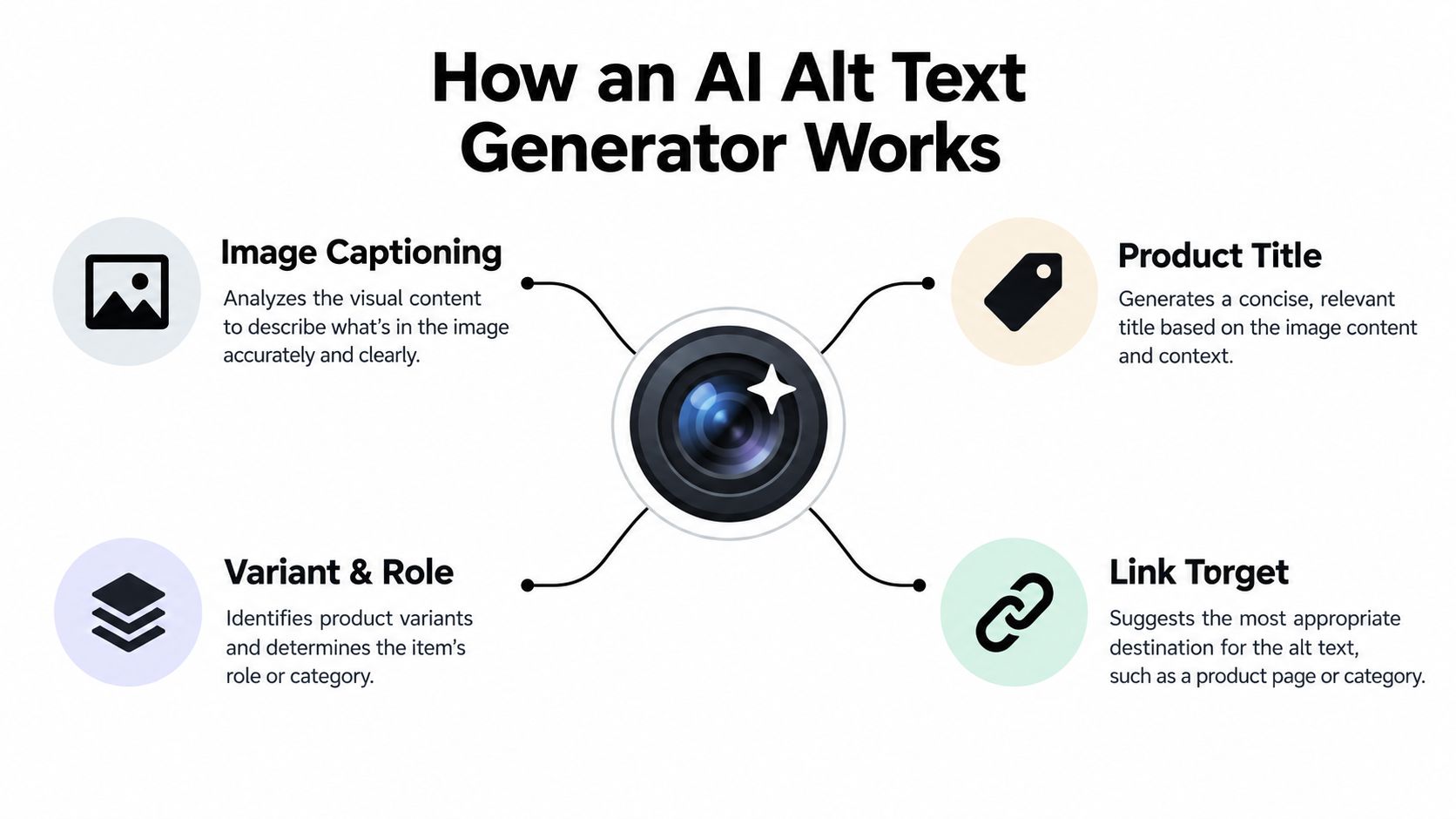
An AI alt text generator analyzes an image and drafts text for its HTML alt attribute. In a Shopify store, a useful system should also consider the image's page context: the product title, variant, surrounding heading, image role, and link target. A captioning tool that sees pixels but ignores those signals can describe a scene accurately while missing why the image is on the page.
The workflow starts with classification. Is the image informative, functional, or decorative? If it's informative, the system drafts a concise description of the relevant subject and distinguishing details. If it's functional, it should describe what happens when a customer activates the image or link. If it's decorative or redundant with nearby text, an empty alt="" may be the appropriate output.
Context makes the draft useful
Consider a photo showing a person wearing a jacket. A pixel-based caption might say, “Person standing outdoors in a jacket.” If the Shopify page identifies the product as a navy waterproof shell, and the image shows a relevant hood or pocket detail, that context can guide a more useful description. It should still avoid claiming features that aren't visible or confirmed in product data.
Functional images need a different treatment. A linked campaign tile should tell the user where the link goes or what action it triggers, rather than merely listing objects in the picture. And where an image contains meaningful text, the system should check whether that information is already available in nearby HTML or needs an equivalent elsewhere.
This context-first view also helps when evaluating AI in retail beyond image metadata. BEDHEAD's mattress retail AI guide offers a related perspective on applying AI to retail customer experiences. For alt text, the same practical question applies: does the automation serve the user's task, or is it producing plausible language without enough context?
Why Missing Alt Text Is a Measurable Problem
Missing and weak descriptions aren't edge cases. In WebAIM's 2021 analysis of the world's top one million home pages, 26% of images lacked alternative text, excluding images deliberately given an empty alt value because they were decorative. Nearly half of the images missing alt text were linked images, so many image-based links offered no descriptive information to screen reader users. WebAIM's Million analysis also found that 9.6% of images with alt text had questionable or repetitive wording, including generic terms, filenames, or text duplicated from nearby images.
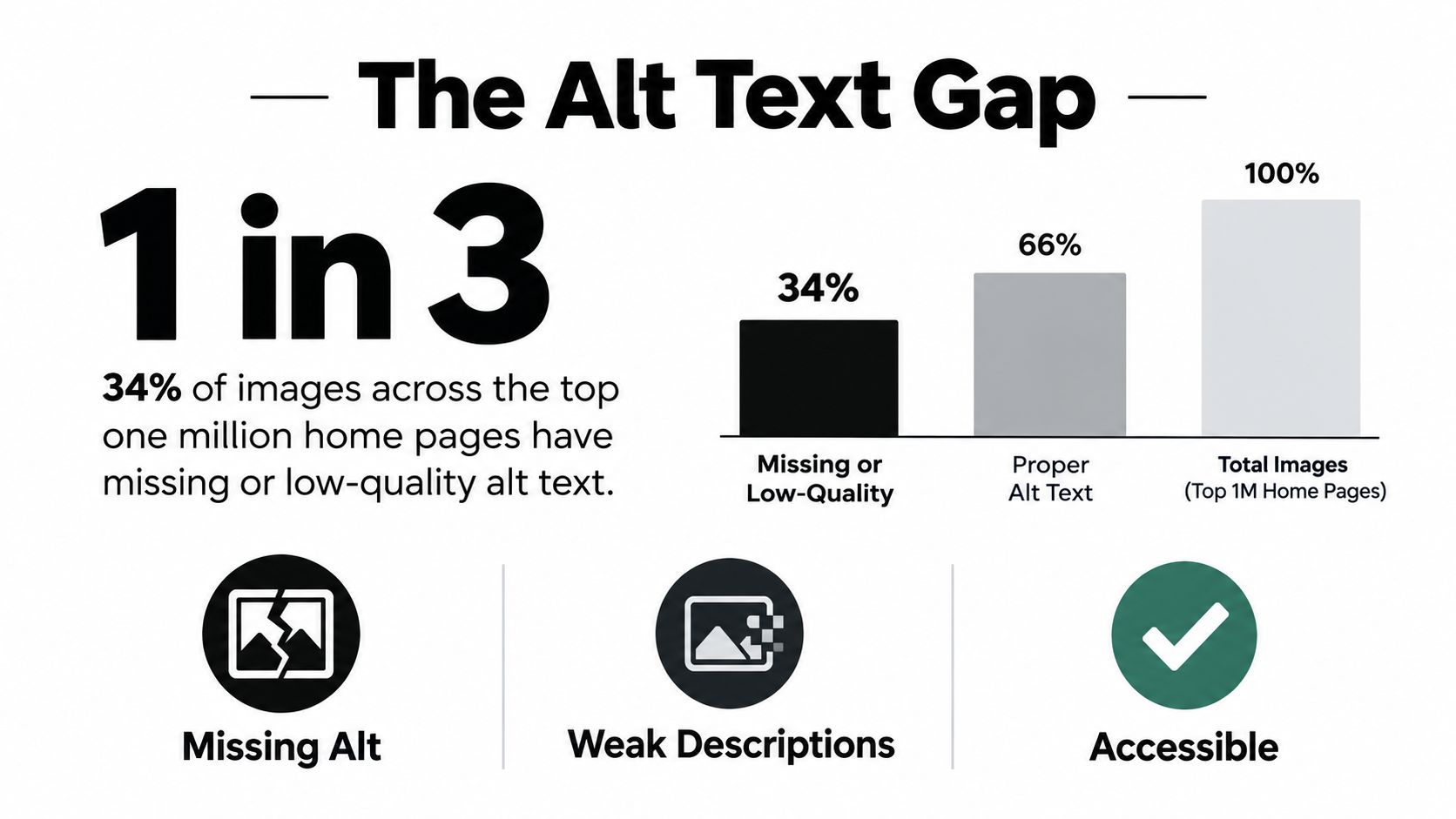
WebAIM concluded that more than one-third of images could be expected to have missing, questionable, or repetitive alt text. Those findings don't predict the exact condition of any particular Shopify catalog, but they show why relying on ad hoc manual entry leaves gaps. The larger the catalog, the more important it is to have a repeatable way to find missing or unusable descriptions.
Coverage isn't the same as quality
Automation can help a merchant identify blank fields and create a draft for review. It can also multiply a mistake. If a generator inserts the same “image of product” phrase across a collection, it replaces an empty field with repetitive text rather than providing useful context. If it fills linked images with scene descriptions, it may still fail to communicate their destinations.
That's why I'd track separate quality questions: Does the image have the right treatment for its role? Is the description specific and accurate? Does it avoid repeating surrounding copy? Does a functional image communicate its purpose? For a deeper look at image discoverability and Shopify product imagery, see this guide to Shopify image SEO and product photos.
The point isn't to chase a perfect completion percentage. It's to close genuine accessibility gaps while avoiding bulk-generated wording that adds little for customers or search engines.
A Merchant's Decision Framework for Every Image
Before writing a sentence, decide what job the image performs on the page. W3C guidance distinguishes informative images from functional and decorative ones, and recommends concise wording that communicates purpose without routinely adding labels like “image” or “picture.” W3C's Images Tutorial gives a practical foundation for applying that distinction.
| Image role | Alt treatment | Example |
|---|---|---|
| Informative product image | Describe the product and useful visible detail. | “Navy canvas backpack with a roll-top closure and front zip pocket.” |
| Functional linked image | State the destination or action. | “View the spring bedding collection.” |
| Decorative or redundant image | Use alt="" when it adds no information. |
Empty alt for a background flourish beside an unchanged heading. |
| Graphic with meaningful text | Convey the text in the page or a concise equivalent. | Include a promotion's offer in nearby HTML; don't rely on the image alone. |
| Complex chart or sizing diagram | Give a short identifier and provide the detail in nearby text or an extended description. | “Size chart for the cotton shirt; measurements by size are listed below.” |
A quick pre-publication check
For a hero product shot, lead with product identity and the visible detail that differentiates that view. A lifestyle photo needs a description only if its content adds information beyond the product copy; don't narrate scenery merely because it's visible. For customer photos, describe relevant product use without guessing the person's identity, location, or circumstances.
For a sizing chart or infographic, check every meaningful label and measurement. If the information is too dense for a short alt value, provide it in visible text or a linked long description instead. A photo metadata editor can help manage image information beyond alt text; RevelRaw's photo metadata editor guide is a useful reference for that separate workflow.
Before publishing, ask: What role does this image serve? What information would disappear if it were omitted? Is the same information already available nearby? Is the image a link or button? If the answers point to no additional information, an empty alt value may be more accessible than an unnecessary caption.
Implementing Alt Text on Shopify from Manual to Automated
Shopify merchants can start with built-in editing, then choose bulk or automated tools as their catalog and team capacity require. The right path depends less on a universal catalog-size threshold than on how often images arrive, who reviews content, and whether the store has a reliable product-data source.
Choose a workflow that matches your catalog
Manual editing suits a small catalog or a focused cleanup. In Shopify admin, open a product, select the image, and enter or edit its alt text in the image details. Save, then check the storefront to confirm the result fits the image's actual role. This gives the merchant control over context, but repeated one-by-one edits become laborious as the catalog grows.
Bulk editing can be a practical middle ground for an established catalog. Export product data with an appropriate CSV workflow or use a compatible matrix export/import tool, update image alt fields carefully, and import the changes. Test with a small batch first, confirm the correct image-to-description mapping, and keep a backup of the original export. A spreadsheet can speed up review, but it won't decide whether an image is decorative or functional for you.
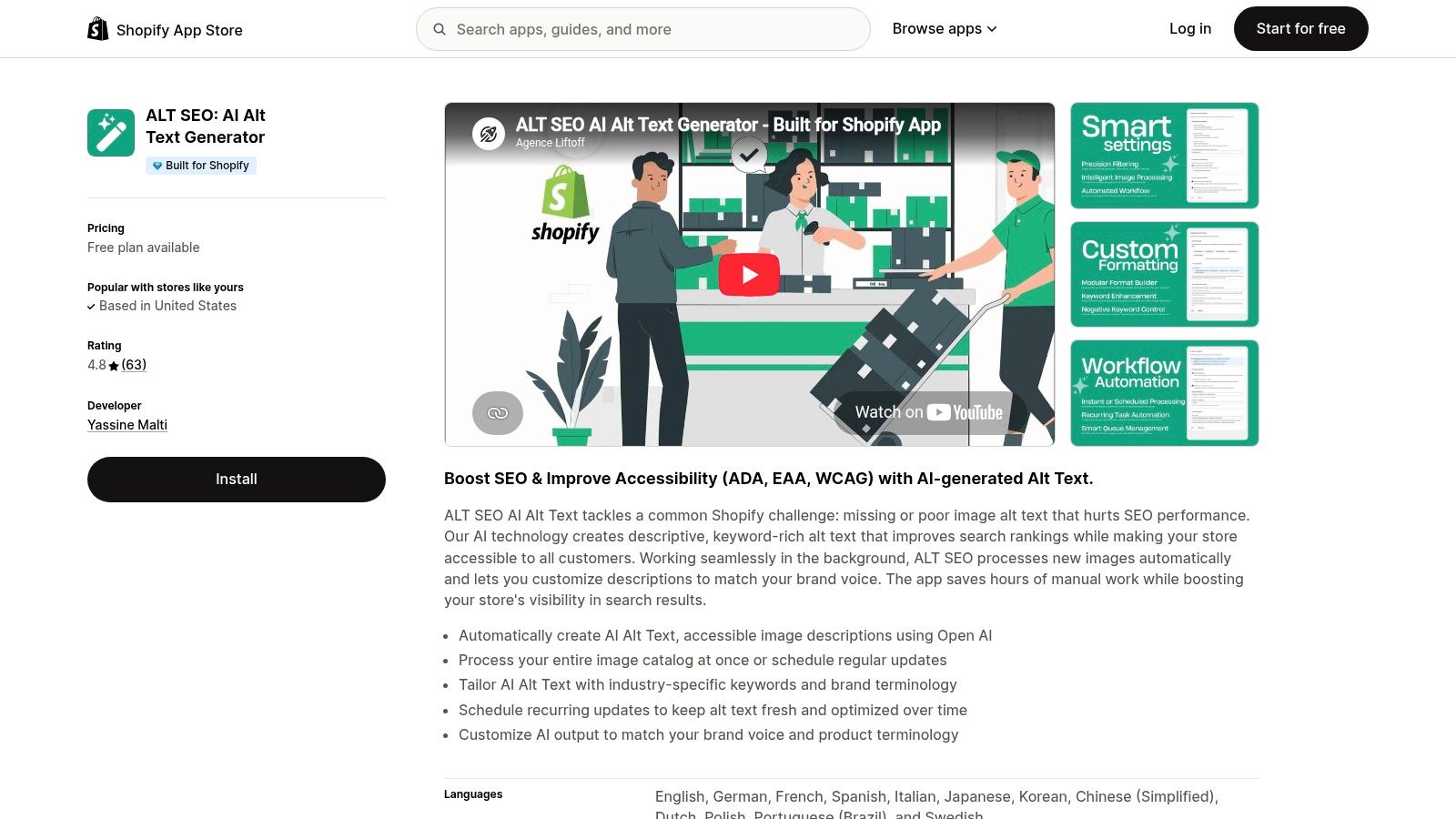
An app-based workflow is worth considering when new images arrive regularly or the store needs a catalog-wide first pass. Compare whether an app supports batch processing, recurring updates, brand terminology, and review before publication. ALT SEO: AI Alt Text Generator describes capabilities including AI-generated alt text, bulk catalog processing, scheduled updates, and customization for brand voice and product terminology. Those features describe workflow options, not a guarantee that every draft will be correct.
A store already evaluating automation may also find this overview of AI tools for Shopify useful when comparing where automation fits into its broader operations.
A Shopify app can create descriptions for new uploads or process existing images, depending on its features and configuration. Confirm how it handles existing alt text, how it classifies image roles, what the review process looks like, and what data it sends to external services. Don't turn on automatic overwriting until you've checked sample outputs across product types.
For a visual example of an alt-text app workflow, see the product walkthrough below.
Where AI Drafts Go Wrong and How to Catch It
A fluent caption can still be an inaccessible or misleading alt value. Image-captioning research discusses SPICE as an evaluation metric with comparatively strong correlation to human ratings, but a semantic similarity score can't establish whether a sentence conveys the information a particular product page needs. The SPICE research paper describes caption evaluation; it doesn't replace checks for role, facts, or context.
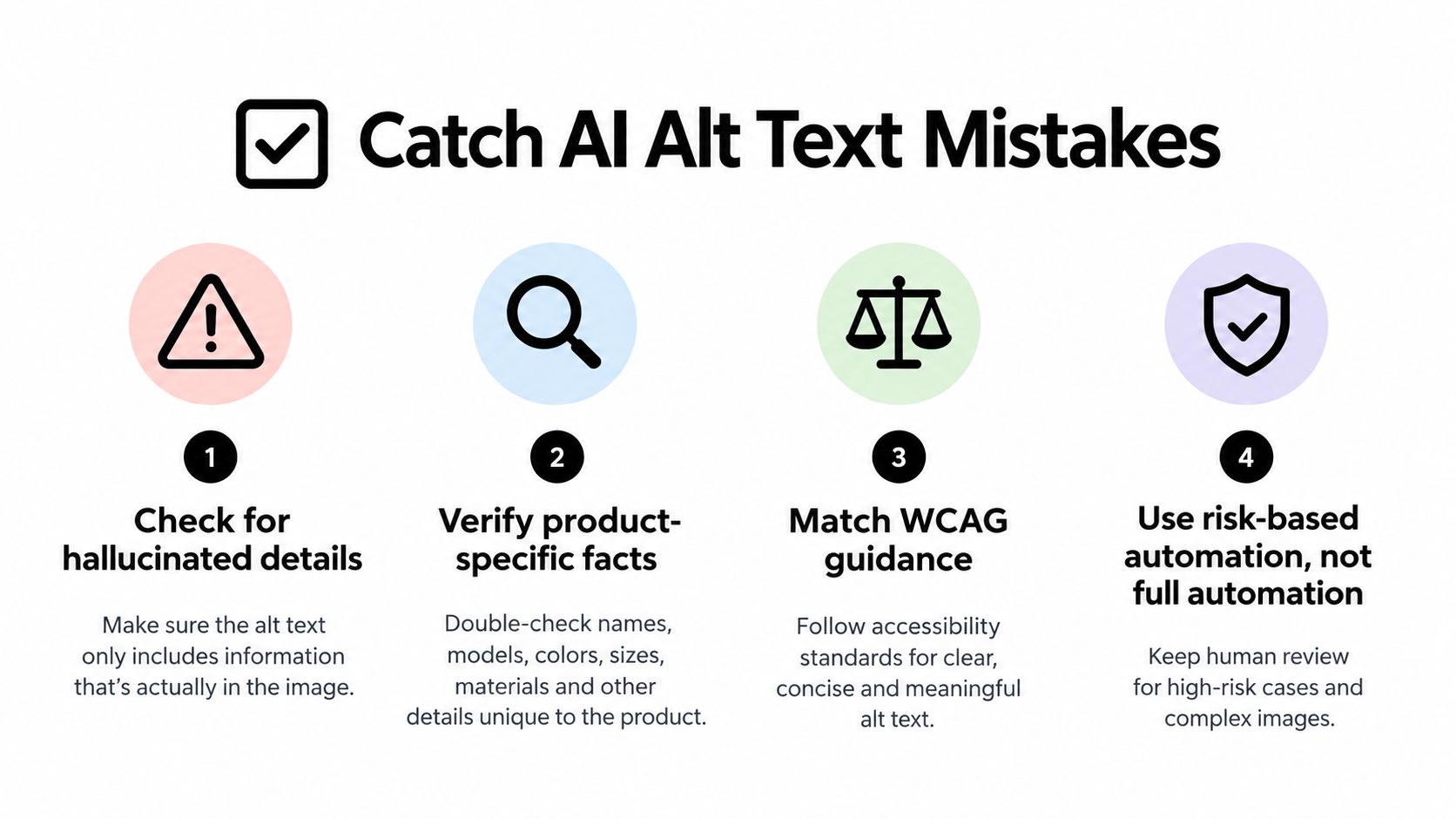
Common failure modes are easy to understand. A generator may call a product “leather” when the material is synthetic, mistake a shade, or invent a feature that the image doesn't show. It may also miss text printed on packaging, or describe a decorative banner that should be skipped. These errors are especially consequential when the wording affects a purchasing decision.
Automate by risk, not by default
A safer workflow separates routine images from those that need a person's attention. Straightforward product photos can receive AI drafts for batch review, especially when product titles and variant data are reliable. Images with embedded claims, ingredients, measurements, charts, or dense text should be flagged for human verification. If the image's purpose isn't clear from the available context, hold the draft rather than guessing.
W3C's guidance also makes clear that complex images may need more than a short alt value. A concise identifier can point to a detailed explanation elsewhere on the page, where a chart or diagram's information can be presented fully. For meaningful text embedded in an image, verify that customers can access the same information in alt text or nearby body copy.
Review the facts, not the fluency. A polished sentence can still name the wrong product detail.
Set rules to reject generic outputs such as “image of product,” flag unsupported attributes, and check whether OCR detects meaningful text. Keep a human sampling audit running after launch, and use corrections to refine prompts and classification rules. The aim isn't to eliminate review. It's to direct review toward the descriptions where an error would matter most.
Privacy, Data Handling, and Vendor Due Diligence
A Shopify app that processes product images raises practical questions about where those images go and what happens afterward. Before enabling an AI alt-text workflow, read the vendor's data terms and verify that the tool's processing model fits your store's privacy obligations and internal policies. Avoid assuming that an app's Shopify integration answers every data-handling question.
Ask the vendor directly:
- Processing location: Where are image files and related product details processed?
- Model training: Are submitted images or text used to train external models, and can that use be disabled?
- Retention and deletion: How long does the vendor retain images, prompts, and generated descriptions? What happens when a product is deleted or an app is uninstalled?
- Sub-processors: Which service providers receive store data, and where are they located?
- Incident response: How will the vendor notify merchants about a data breach or other security incident?
A Shopify-connected workflow may reduce the need to copy image URLs and product details into a generic AI service, but that isn't proof of privacy or compliance. Check the app's permissions, privacy policy, and service terms, and confirm that the data it accesses is limited to what the workflow needs.
Keep a record of the answers, especially if your store handles sensitive product categories, customer-submitted images, or region-specific data. If the vendor can't explain retention, training use, or deletion in clear terms, pause deployment until those points are resolved.
Measuring Impact and Iterating Over Time
Treat launch as the beginning of a quality process, not the finish line. In Google Search Console, review image performance separately from overall web search where the available reporting supports it. Watch for changes in image impressions and clicks over time, but interpret them alongside page updates, merchandising changes, and seasonal demand. Alt text can improve image understanding; it can't guarantee a ranking or traffic lift.
Accessibility checks should run alongside search monitoring. Use tools such as Lighthouse or Axe to catch issues that automated scanners can detect, then manually inspect how representative product, collection, and promotional pages work with a screen reader. A scanner can flag missing attributes, but it can't reliably determine whether a description is accurate or whether an image should have empty alt text.
Keep a correction log
Track how many AI drafts reviewers edit, what kinds of errors recur, and which image roles trigger the most corrections. If reviewers repeatedly fix color or material details, tighten the source data or add a review rule for those attributes. If decorative banners keep receiving captions, revisit the role-classification logic rather than merely changing individual descriptions.
Schedule a regular review of prompts, brand terminology, language handling, and the rules for decorative images. Compare the current output with the store's product pages and accessibility checks, then adjust the process based on actual corrections. A Shopify SEO checklist can help place image metadata checks within a broader store optimization routine.
Start with a sample of product and collection images, classify each one by purpose, and review the generated drafts before expanding automation. That gives your team a practical baseline for deciding what can be safely automated and where human judgment should stay in the loop.
Yassine Malti builds Shopify apps and custom automations for SEO, content workflows, and store operations. If you're refining an alt-text process or planning a broader Shopify automation, visit Yassine Malti to explore the available tools and development services.
Shopify apps by Yassine Malti
Put this into practice
-

ALT SEO · Image alt text
AI alt text for every product image · 100 images/month free
-

RANKit · Meta titles & descriptions
AI meta titles and descriptions, sized for Google · 50 meta tags/month free
-

TAGit · Product tags
SEO-friendly product tags, generated in bulk · 50 tags/month free