Most agencies and brands reach the same point: the store needs a capability that no app listing quite covers. A ready-made tool may solve the immediate task, but it can also introduce duplicated data, manual review, awkward workflows, or another dependency your team has to support. The question is whether to buy something close, build the missing capability, or combine both.
I've designed, built, launched, and supported 10 public Shopify apps, reviewed more than 100 times by merchants. I bring that experience to custom and public Shopify apps for agencies, brands, and SaaS companies, from the first scope to App Store approval and long-term maintenance. This guide tests five ready-made tools against that build-or-buy decision, with practical notes for teams integrating apps into your Shopify store.
Table of Contents
- 1. VEOit AI Bulk Videos Generator for Shopify
- 2. RANKit AI Meta Tags Generator for Shopify
- 3. PROMPTit AI Bulk Images Editor for Shopify
- 4. TAGit AI Product Tag Generator for Shopify
- 5. REMOVEit AI Background Remover for Shopify
- Custom Shopify App Tools: 5-Tool Comparison
- Turning the Shortlist Into a Build-or-Buy Decision
1. VEOit AI Bulk Videos Generator for Shopify
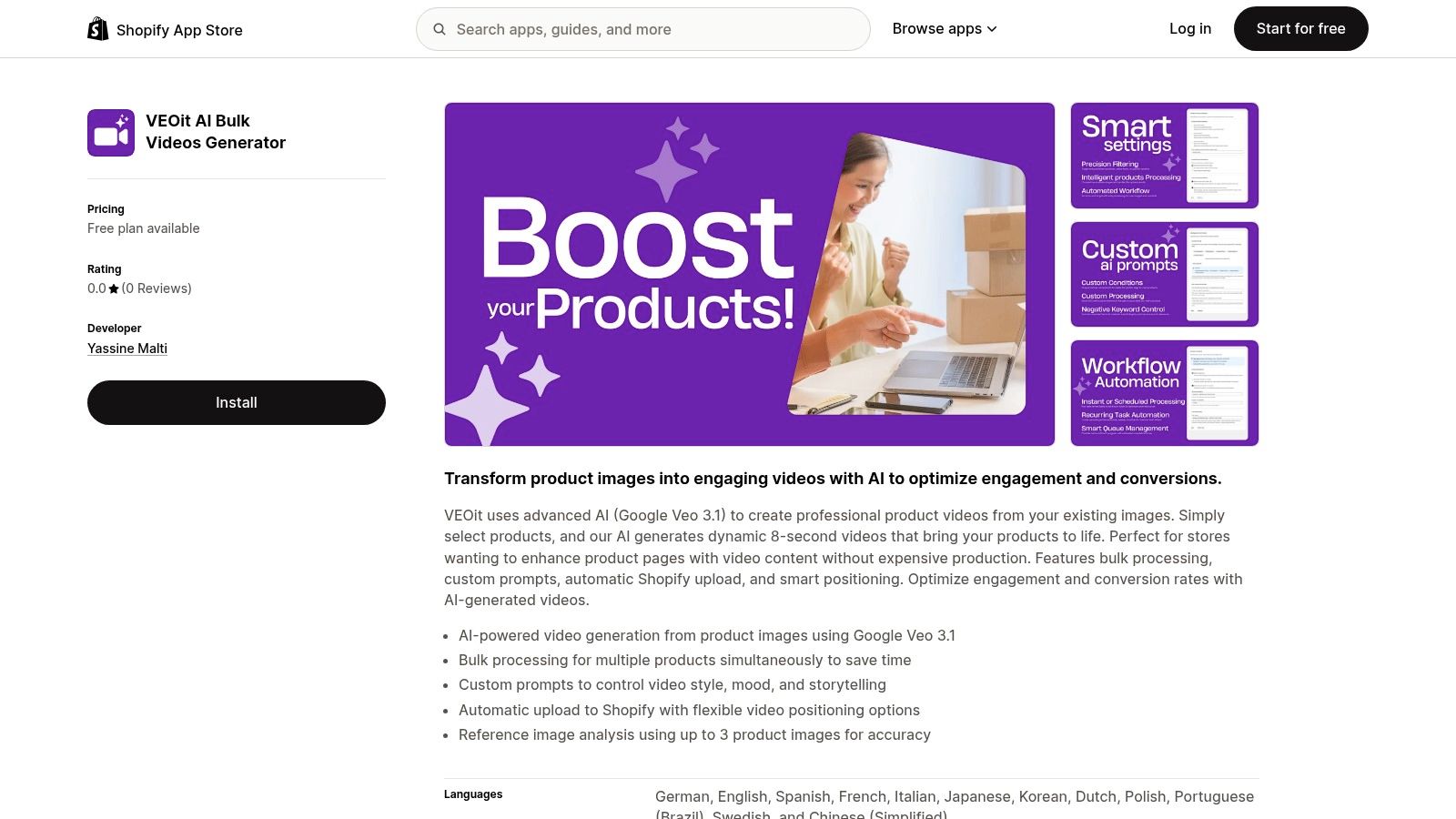
A catalog can have polished product photography and still lack usable motion content. Creating videos one product at a time adds scripting, filming, editing, resizing, and uploading to the merchandising workflow. VEOit AI Bulk Videos Generator for Shopify addresses the narrower production problem by turning existing product images into AI-generated videos with Google Veo 3.1.
The ready-made workflow lets merchants select products, provide creative direction, and generate short product videos without arranging a separate shoot. VEOit supports bulk processing, custom prompts, automatic Shopify upload, and flexible positioning. It can also analyze up to three product images as references, giving the generation process more information about the item.
Where the ready-made app fits
VEOit is a reasonable buy when the requirement is clear: create product-focused motion from existing images, process several products, and place the finished videos in Shopify. Custom prompts give content and merchandising teams control over mood, pacing, and storytelling without forcing every product into one fixed template.
The fit is also practical for agencies producing assets across client catalogs. VEOit can sit alongside content creation tools for social media when approved product images already exist and the team needs more visual variations. For a deeper look at visual asset generation, see this product images AI guide.
The limits appear in review and governance. A ready-made generator does not automatically apply every brand rule, product claim, market requirement, or approval stage. Generated motion may also add details that require checking when the product's shape, materials, controls, or packaging must remain exact.
Practical rule: Treat generated video as a draft asset until a human checks product accuracy, brand fit, accessibility, placement, and publishing status.
When custom development earns its place
Custom Shopify app development becomes easier to justify when video generation is one step in a larger content operation. An agency may need client-specific prompt templates, approval queues, naming rules, localization, campaign tags, or an external digital asset manager. A brand may want generation to run only when products meet defined conditions, send rejected outputs to review, and record approved assets against the source product.
That scope includes permissions, status handling, retries, logging, and rollback. If a merchant also needs image preparation before generation, a separate image-editing workflow can handle upscaling, unwanted-element removal, enhancement, background processing, and lifestyle-image generation first.
Buy VEOit when video production is independent and the team can review outputs within a manageable process. Choose a custom build when video must connect to product data, approvals, analytics, or agency operations across markets.
2. RANKit AI Meta Tags Generator for Shopify
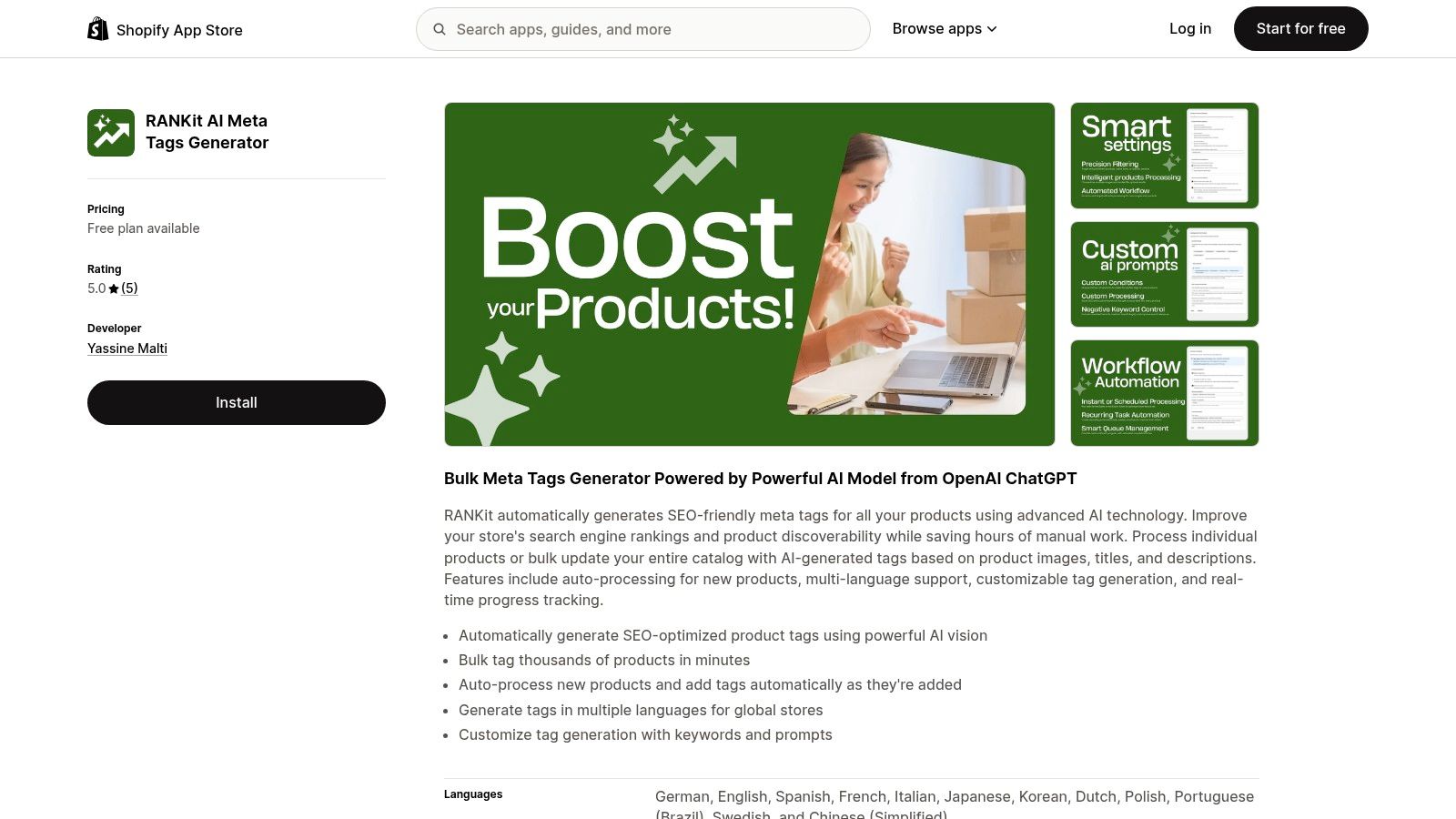
A catalog can grow faster than a merchandising team can label it. Products arrive in batches, markets require different languages, and new launches create another round of repetitive metadata work. RANKit AI Meta Tags Generator for Shopify addresses that operating problem by generating product tags from images, titles, and descriptions, processing products in bulk, and handling new products automatically.
The build-or-buy test starts with the job tags must perform. RANKit can produce a first pass quickly, while the merchant defines which terms are valid, how tags map to collections and filters, and which outputs need review before publication.
The buy case is strongest for catalog acceleration
RANKit supports bulk tag generation, customizable prompts, multiple languages, automatic processing for new products, and real-time progress tracking. Those capabilities suit teams replacing manual entry with a repeatable workflow that still allows staff to inspect and edit results.
The app can fit a structured SEO process alongside ecommerce SEO best practices. A team could define approved product attributes, exclude vague promotional wording, and check a sample of generated tags before extending the process across the catalog. For guidance on the copy side of this workflow, see MyMentions on AI product copy.
RANKit reaches its limit when tags become part of a tightly governed information system. Generated terms can be plausible yet too broad, duplicated, commercially weak, or inconsistent with the store's taxonomy. They also support only one part of SEO. Titles, descriptions, canonical handling, structured data, collection organization, internal links, and indexation still require separate decisions.
Generated metadata can be fast without being final. The approval rule belongs to the merchant, not the generator.
The build case begins with taxonomy and workflow
Custom development earns its cost when tags trigger business processes beyond product organization. An agency may need separate rules for each client, market, product type, or sales channel. A brand may need the system to compare output with an approved vocabulary, flag conflicts, route uncertain results to a reviewer, and preserve a history of every change.
A bespoke workflow can connect generation with product information management, translation, merchandising approval, and reporting. It should keep draft generation separate from publication, validate output against a defined schema, and support rollback. Useful evaluation covers factual accuracy, metadata completeness, duplicate rate, editing time, and rejected outputs.
Buy RANKit when the need is catalog-scale tag production with a manageable review process. Build when taxonomy is a competitive asset, tag changes must trigger downstream actions, or an agency needs one governed workflow across clients. What separates the two paths is the degree of control required after AI produces the draft.
3. PROMPTit AI Bulk Images Editor for Shopify
A store can have accurate product information and still present an inconsistent visual catalog. Older assets may be low resolution, product photos may contain unwanted text, and campaign imagery may lack useful lifestyle context. PROMPTit AI Bulk Images Editor for Shopify addresses these tasks with AI features powered by Google Gemini Nano Banana Pro.
The app combines several image operations in one workflow: upscaling low-resolution photos, removing graphic elements, sharpening blurry images, processing backgrounds, and generating lifestyle images. That makes it a practical buy when the team needs recurring image cleanup without sending every asset through a separate editor.
What it handles well
PROMPTit fits merchants whose requirements are broad but predictable. An upscaler can improve older product assets, an enhancer can clarify blurry photography, and a magic eraser can remove unwanted elements. Background processing can make a catalog more consistent, while lifestyle generation can create additional contexts from existing product photos.
Bulk processing addresses a common operational bottleneck. Editing products one at a time consumes staff time and makes results harder to standardize. A shared workspace lets the team apply a selected operation across multiple assets, inspect the output, and decide whether the result is ready for the storefront.
The buy case has limits. Background removal can damage fine edges, transparent materials, hair, shadows, or reflective surfaces. A generated lifestyle scene may also misrepresent a product's dimensions, color, use, or surroundings. Keep the original asset, record the transformation applied, and require review for images that affect product accuracy.
When a custom image pipeline is justified
Custom development earns its cost when image processing follows catalog rules rather than a single editing task. A brand may need different background standards for marketplaces and its own storefront, automatic selection of a particular product image, or region-specific asset variants. An agency may need separate prompts, permissions, and review stages for each client while maintaining one reusable system.
A custom app can enforce rules such as processing only products in a certain collection, blocking replacement of the primary image without approval, or sending low-confidence results to a reviewer. It can also publish variants to selected channels, connect with a digital asset management system, preserve versions, and roll back rejected changes.
Before treating resizing as a complete image strategy, review this practical guide to resizing a JPEG image. Resizing is only one part of the workflow. File selection, visual consistency, accessibility, product accuracy, delivery performance, and approval rules also affect the result.
Buy PROMPTit when image work is varied but self-contained. Build when transformations must follow complex product conditions, connect to external asset systems, or run through a controlled publishing pipeline.
4. TAGit AI Product Tag Generator for Shopify
TAGit AI Product Tag Generator for Shopify overlaps with the metadata problem, but the build-or-buy decision is slightly different. TAGit focuses on generating product tags from product images, titles, and descriptions, with bulk processing, automatic handling of new products, multilingual generation, customizable prompts, and progress tracking.
That makes it a practical option for a merchant whose immediate issue is inconsistent product tagging. The distinction from a broader SEO platform is important. TAGit is useful for producing and maintaining product tags, but it isn't a substitute for a complete information architecture or an SEO strategy.
A useful buy for simple tagging systems
TAGit fits stores where product tags are mainly used for filtering, organization, merchandising, or internal catalog management. It can also help an agency handle a catalog cleanup without asking a team to manually inspect every product and create each tag from scratch.
The strongest workflow starts with a controlled vocabulary. Define which attributes matter, how similar terms should be normalized, and which tags must never be generated. Then use the app to produce candidates, review representative outputs, and monitor how tags affect collections, filters, search behavior, and merchandising operations.
A multilingual capability is useful for international catalogs, but translation doesn't automatically preserve taxonomy consistency. Each market may use different commercial language, product conventions, or legal requirements. Human review remains necessary when tags affect customer-facing navigation.
Build when tagging controls the business
Custom Shopify app development becomes worthwhile when tags are not just labels. Some agencies and brands use product attributes to trigger collection membership, feed rules, content workflows, reporting dimensions, or channel-specific merchandising. In that environment, a generated tag can have operational consequences, so the app needs validation before it writes anything.
A bespoke workflow could compare proposed tags with a master taxonomy, identify conflicts, assign confidence states, and require approval for sensitive categories. It could also connect new-product events to a queue, notify the right team, and record who approved each change. These controls reduce the risk of an AI-generated term unexpectedly changing navigation or product visibility.
If a tag controls a collection, feed, or customer-facing filter, treat it as structured business data rather than casual copy.
Choose TAGit when the team needs a focused product-tagging tool and can manage review with existing processes. Choose custom development when tags drive multiple systems, when each client needs different rules, or when the organization needs auditability and controlled release rather than simple bulk generation.
5. REMOVEit AI Background Remover for Shopify
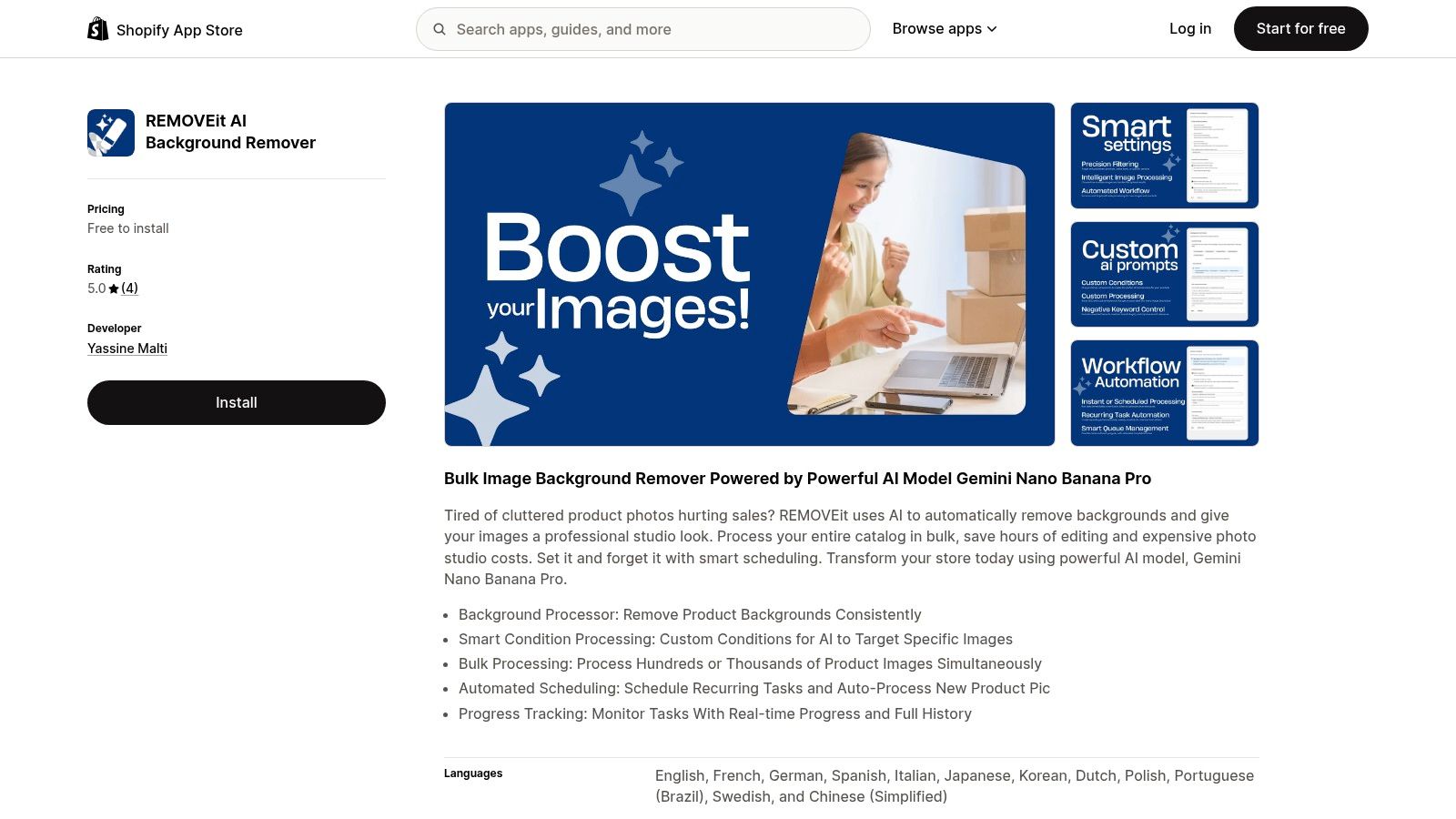
Background removal sounds like a narrow task until a catalog contains many product photos with different backgrounds, crops, lighting conditions, and file histories. REMOVEit AI Background Remover for Shopify focuses on that specific production problem with bulk processing powered by Google Gemini Nano Banana Pro.
The app supports consistent background processing, custom conditions for targeting specific images, scheduled tasks, automatic processing of new product pictures, progress tracking, and task history. That makes it more useful than a one-off editor when a merchant wants an ongoing catalog operation rather than a single cleanup.
Buy it for a repeatable visual standard
REMOVEit is a good fit when the desired result is clear: remove backgrounds from selected product images, apply the operation in bulk, and keep track of task progress. Scheduling and new-image processing are particularly useful for catalogs that receive regular product additions.
The conditions feature also gives the team more control than an indiscriminate bulk action. A merchant can target particular images or product groups instead of changing every visual asset in the store. That reduces the chance of overwriting imagery that intentionally uses a lifestyle setting or campaign background.
The main trade-off is that background removal isn't always a simple quality decision. Shadows, transparent products, thin edges, reflective surfaces, and unusual shapes can produce results that look clean in isolation but inaccurate on the product page. Preserve originals, compare outputs against a representative sample, and define when a human must intervene.
Build for channel-specific image governance
Custom development earns its cost when the brand needs different image rules for different destinations. A marketplace feed may require a plain background, while the storefront may use lifestyle imagery. An agency may need to apply separate rules by client, collection, product type, or image position, then send exceptions to a review queue.
A bespoke app could connect image conditions to product metadata, create channel-specific variants, preserve asset history, and expose approval status to a client portal. It could also add retry handling, structured logs, permission controls, and rollback procedures. Those features matter when image processing runs automatically and a bad transformation can affect many products.
Buy REMOVEit when background cleanup is the isolated problem and the team can review outputs through a straightforward process. Build when background treatment is part of a multi-channel content system with strict rules, multiple stakeholders, or a need to preserve and audit every transformation.
Custom Shopify App Tools: 5-Tool Comparison
| App | Key Features ✨ | Value Proposition 💰 | Target Audience 👥 | Quality ★ | Standout 🏆 |
|---|---|---|---|---|---|
| VEOit AI Bulk Videos Generator for Shopify | AI video from images, bulk processing, custom prompts, auto Shopify upload | Boosts engagement & conversions; cuts video production costs | Merchants wanting product videos & higher conversions | ★★★★ | Fast bulk video creation (Google Veo 3.1) |
| RANKit AI Meta Tags Generator for Shopify | Bulk AI meta tags, auto-process new products, multi-language, customizable prompts | Improves SEO & discoverability; saves hours of manual work | Stores with large catalogs focused on SEO | ★★★★ | Bulk tag automation with AI vision |
| PROMPTit AI Bulk Images Editor for Shopify | Upscaler, magic eraser, enhancer, background replace, lifestyle image generator | Elevates product visuals; reduces editing/studio expenses | Merchants needing pro-quality images at scale | ★★★★★ | All-in-one Gemini Nano image toolkit |
| TAGit AI Product Tag Generator for Shopify | Bulk product tags, auto-processing, multi-language, customizable keywords | Faster tagging & better catalog organization; boosts searchability | Stores needing structured tags & multilingual catalogs | ★★★★ | Fast, configurable tag generation |
| REMOVEit AI Background Remover for Shopify | Bulk background removal, smart conditions, scheduling, progress tracking | Consistent studio-like images; huge time savings on editing | Merchants aiming for clean product photos at scale | ★★★★ | Scheduled bulk removal with smart rules (Gemini Nano) |
Turning the Shortlist Into a Build-or-Buy Decision
Start with the outcome, not the technology. Decide whether the store needs more usable product video, cleaner images, stronger product organization, better multilingual metadata, faster content production, or a workflow that connects several of these jobs. Then define how the team will judge success, including factual accuracy, editing time, approval effort, duplicate output, publishing errors, and operational reliability.
Test each ready-made app against that list. A focused tool is often the right answer when the workflow is independent, the rules are simple, and the team can review outputs without custom software. VEOit can handle a direct image-to-video workflow. RANKit and TAGit can accelerate product-tag generation. PROMPTit and REMOVEit can support catalog image operations without requiring an agency to build every editing function from scratch.
The case for custom work appears in the gaps:
- Connected workflows: The app must pass data between Shopify, a product system, a content platform, analytics, or an agency portal.
- Governed AI: Outputs need schemas, confidence checks, approval states, citations or provenance where relevant, and rollback.
- Client-specific rules: An agency needs reusable foundations with different taxonomies, prompts, permissions, and publishing rules for each brand.
- Channel variation: Images, tags, or content must change by market, storefront, marketplace, or customer segment.
- Operational ownership: Teams need logs, retries, monitoring, migration plans, and a clear maintenance process.
Shopify's ecosystem is mature enough that app composition is normal. Historical ecosystem reporting described more than 7,000 apps in the Shopify App Store in 2021, more than 1.7 million merchants, and an average merchant using approximately six apps during that period, as reported by Business Insider's coverage of Shopify's app strategy. That makes compatibility and governance part of the build, not optional extras.
AI adoption creates the same distinction. One industry synthesis reports that 89% of retail and consumer-goods companies were using or testing AI, while only 7% had fully scaled it across the organization, according to the cited AI commerce analysis. The practical lesson is simple: a demo proves that generation works, but production requires review, measurement, permissions, failure handling, and ownership.
For agencies, custom Shopify app development can create reusable infrastructure, but only if the foundation stays modular. Keep authentication, permissions, data handling, logging, deployment, and integration patterns separate from client-specific business rules. For brands, commission custom work when the missing capability affects a differentiated process or when buying several disconnected apps would create more manual work than it removes.
Yassine Malti builds custom and public Shopify apps from first scope through App Store approval and ongoing maintenance. If a ready-made tool solves the immediate task but leaves a critical workflow gap, Yassine Malti can help define the smallest bespoke solution that closes it.
Yassine Malti builds SEO-focused, AI-powered Shopify apps and custom automations for content generation, product optimization, image workflows, and connected store operations. If your agency or brand has outgrown ready-made apps, visit Yassine Malti to discuss a maintainable custom solution from scope through launch.
Shopify apps by Yassine Malti
Put this into practice
-

RANKit · Meta titles & descriptions
AI meta titles and descriptions, sized for Google · 50 meta tags/month free
-

TAGit · Product tags
SEO-friendly product tags, generated in bulk · 50 tags/month free
-

VEOit · Product videos
AI product videos made from your product images · 5 credits/month free