
You update your Shopify theme, but your wholesale ordering workflow still depends on spreadsheets and manual emails. An app could connect the steps, yet one developer quotes a small fixed fee while another proposes several months of work. Your Shopify app development cost depends on what the app needs to do, which systems it touches, and how reliably it must handle orders when something fails.
Shopify App Development Cost: What Affects Your Project Budget? explains how scope, integrations, design, testing, and ongoing support shape your budget. You also learn how to compare a Shopify app development quote, separate launch requirements from later improvements, and decide whether your project needs a custom solution at all.
A tool built only for your store has different requirements from a public app offered to other merchants. Your Shopify custom app development cost can rise when you need an ERP connection, complex pricing rules, or historical data migration. A higher Shopify app development hourly rate does not automatically mean a higher total bill; experience, clear requirements, and fewer revisions can change the outcome.
Start with the workflow you need to fix and a measurable result, such as fewer manual order corrections. Budget for testing, deployment, and Shopify app maintenance cost alongside the initial build. Do not compare quotes by their headline price alone: a cheaper launch can leave you paying separately for monitoring, bug fixes, and API updates.
Table of Contents
- What Shopify app development cost includes
- Choose the app type before estimating the budget
- The main factors that shape your app development quote
- Estimate development time and hourly costs
- Plan for maintenance and future changes
- Build a budget that matches your business goals
- Prepare a clear brief before requesting a quote
What Shopify app development cost includes
Your budget covers more than the code that connects a button to an action. It also covers deciding what that action should do, testing what happens when it fails, and keeping the workflow working after launch. A useful estimate makes those responsibilities visible rather than hiding them inside a single development fee.
How much does Shopify app development cost?
There is no reliable universal price without a defined scope. An app that adds an internal stock alert has different requirements from one that synchronizes inventory across several systems and lets multiple merchants manage their own accounts.
Scope is the agreed set of features, workflows, constraints, and deliverables your project includes. Your Shopify custom app development cost becomes easier to estimate when you specify the users, data sources, expected volumes, and exceptions—not just the ideal workflow.
Before requesting a number, scope a custom Shopify app project so developers can price the same requirements. Otherwise, the cheaper proposal may simply exclude work that another proposal includes.
- Planning: Workflow mapping, technical discovery, requirements, and acceptance criteria.
- Implementation: Interface design, Shopify integrations, business logic, and any necessary hosting setup.
- Launch: Testing, deployment, documentation, and a handover that explains how to operate the app.
Separate build costs from ongoing expenses
Build costs cover the work needed to deliver the agreed initial release. Ongoing expenses cover operating and maintaining it afterward, including infrastructure, usage-based services, monitoring, and developer support.
Ask whether your Shopify app development quote includes a post-launch defect-fixing period, and distinguish that from paid maintenance. Correcting an agreed feature that does not work is different from adding a new warehouse or changing your fulfillment rules.
- Infrastructure: Hosting, databases, storage, and external services can create recurring bills separate from development.
- Maintenance: Compatibility updates, dependency updates, and troubleshooting need an owner and an agreed billing arrangement.
- Support: Business-hours assistance and urgent incident response require different levels of availability.
Practical rule: Request separate figures for the initial build, expected operating expenses, and ongoing support. Do not treat a launch price as the total cost of ownership.
Why estimates vary between projects
The main Shopify app development cost factors are complexity, integrations, distribution, and delivery approach. Shopify distinguishes public and custom distribution, with different requirements described in its app distribution documentation. A public app budget can therefore include work that a tool built for your store does not need.
Your Shopify app development hourly rate is only one part of the calculation. A lower rate does not guarantee a lower total if the estimate leaves out testing, error recovery, or deployment.
- Fixed scope: A fixed fee helps with budget certainty, but changes usually require a revised agreement.
- Iterative delivery: Hourly or milestone-based work allows adjustments, but needs spending limits and regular reviews.
- Uncertainty: An undocumented supplier integration may need paid discovery before a dependable build estimate is possible.
Compare proposals against the same deliverables, exclusions, and acceptance tests. Do not choose on the headline fee alone.
Choose the app type before estimating the budget
Your operations team needs inventory updates from a supplier, but the first proposal includes merchant signup screens and subscription billing. Before comparing Shopify app development cost, decide whether you need software for your own business or a product that other merchants install. That choice changes what you pay to build, test, and support.
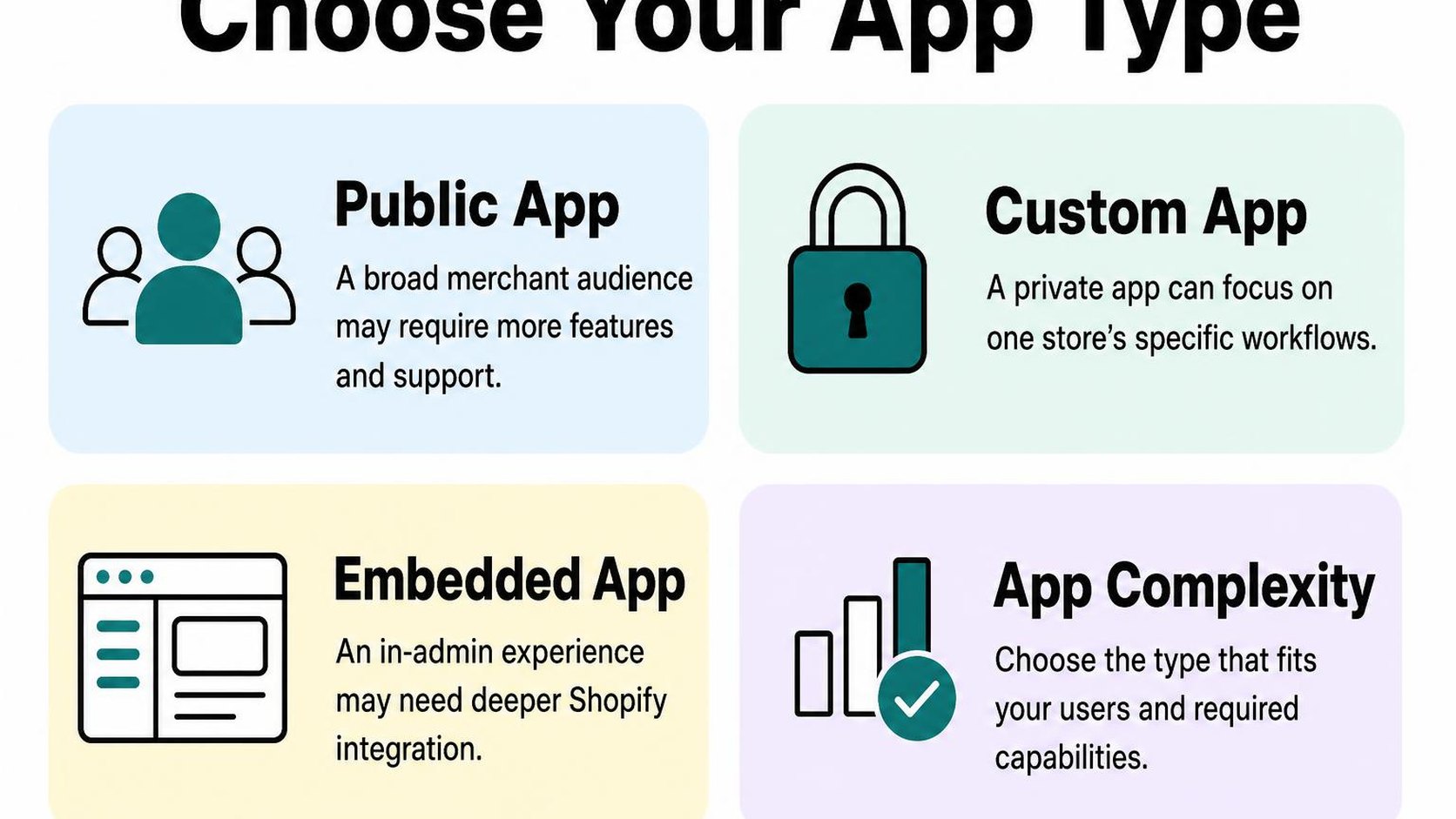
Shopify public app development cost
A public app is built for distribution to multiple merchants, rather than one business’s workflow. Its budget needs to cover differences between stores: settings, data volumes, permissions, and the themes or interfaces your features touch.
Onboarding becomes part of the product. A merchant needs to install the app, connect any required services, understand its settings, and recover from common errors without a developer guiding every step.
- Distribution: Allow for applicable review requirements, submission preparation, and fixes before release.
- Store separation: Keep each merchant’s credentials and data isolated, and test that isolation.
- Commercial features: Budget for billing, plan limits, and subscription changes if your business model requires them.
- Support: Include useful error messages, setup guidance, and diagnostics so installation problems do not always require engineering time.
A public app is not simply a single-store tool with a signup page added. Do not price it around the happy path on one test store.
Shopify private app development cost
“Private app” is an older term you may still use when requesting an internal tool. For a new project, specify a custom app: an app built for a particular business, with its distribution and access method agreed before development.
You can usually leave out public signup, subscription plans, and broad self-service onboarding. However, Shopify custom app development cost can still be substantial when the app handles sensitive data, complex supplier rules, or business-critical updates.
| Budget area | Public app | Business-specific custom app |
|---|---|---|
| Onboarding | Repeatable setup for different merchants | Setup for an agreed team and workflow |
| Feature scope | Configurable across supported stores | Focused on defined business requirements |
| Testing | Supported merchant scenarios and plan limits | Specific systems, data, and failure cases |
Access requirements also affect scope. Shopify explains in its authentication and authorization guidance that authentication depends on where an app runs and how it is distributed. Do not assume an internal tool can skip secure access or permission handling.
Custom app versus existing integrations
Before commissioning a build, check whether an existing integration handles your required workflow, including exceptions. Compare subscription fees and configuration work with development, hosting, and ongoing maintenance—not just the initial quote.
Custom development makes sense when a documented gap creates enough manual work, errors, or operational risk to justify ownership. The guide to custom app development for brands and agencies provides context for that decision.
Practical rule: Ask your developer to price the smallest complete workflow first, including failure recovery. Keep optional dashboards and broader distribution separate so you can see what each decision adds to the budget.
The main factors that shape your app development quote
Your developer quotes an order-routing tool, then discovers that two warehouses need different rules and your support team needs an override. The screen still looks simple, but the workflow now includes more decisions, permissions, and failure cases.
Shopify app development cost depends on those details more than the number of screens. A useful quote explains what each workflow includes, which assumptions affect the estimate, and what sits outside the agreed scope.
Features, workflows, and user roles
A feature name rarely describes all the work behind it. “Sync inventory” might mean a scheduled update in one direction, or near-real-time updates across several locations with conflict handling and manual corrections.
Acceptance criteria are the conditions a feature must meet before you approve it. Defining them before development makes Shopify app development pricing easier to compare because each developer estimates the same outcome.
- Workflow depth: Include triggers, business rules, exceptions, and recovery actions. A process that stops for manual review usually costs less to build than one that resolves every exception automatically.
- User roles: Separate who can view records, change settings, approve actions, and access sensitive information. Each permission boundary adds implementation and testing work.
- Interface scope: Price essential controls separately from dashboards, advanced filters, and reporting. Do not remove the controls your staff need to recover from mistakes just to reduce the estimate.
Shopify APIs, external systems, and data migration
Connecting two systems is not just sending data between them. Your developer needs rules for matching records, handling missing fields, respecting API limits, and deciding which system wins when values disagree.
Data migration means moving existing records into the new setup. Its cost depends on data quality, volume, mapping rules, and whether you need a trial run before switching over.
| Scope decision | Usually less work | Usually more work |
|---|---|---|
| Integration direction | One-way updates | Two-way sync with conflict rules |
| Existing records | Clean, consistent identifiers | Duplicates and missing identifiers |
| Update timing | Scheduled batches | Near-real-time processing with recovery |
| External service | Documented, stable API | Incomplete documentation or limited testing access |
- Discovery access: Supply sample records, API documentation, and test credentials before requesting a fixed quote. Unknown integration behavior otherwise becomes a contingency allowance or a later scope change.
Security, testing, and operational requirements
Security and reliability belong in the build budget, not in an optional cleanup phase. Shopify’s app security guidance calls for authenticating requests and keeping data access scoped to the authenticated shop.
The testing scope grows with the number of roles, integrations, and failure paths. Shopify app maintenance cost also continues after launch through monitoring, dependency updates, API compatibility work, and incident response.
- Data exposure: Specify what you store, who can access it, and when it is deleted. Avoid collecting customer data your workflow does not need.
- Operational coverage: Agree on alerts, backups where applicable, recovery procedures, and support expectations. Faster response commitments require an ongoing budget.
Practical rule: Ask your Shopify app development quote to separate implementation, testing, deployment, and ongoing operations. Compare complete scopes, not just hourly rates.
Estimate development time and hourly costs
Your developer estimates three weeks, but your team needs the app before a promotion starts. Before you accept that schedule, check whether it means three weeks of engineering effort or three calendar weeks that include approvals, testing, and waiting for access.
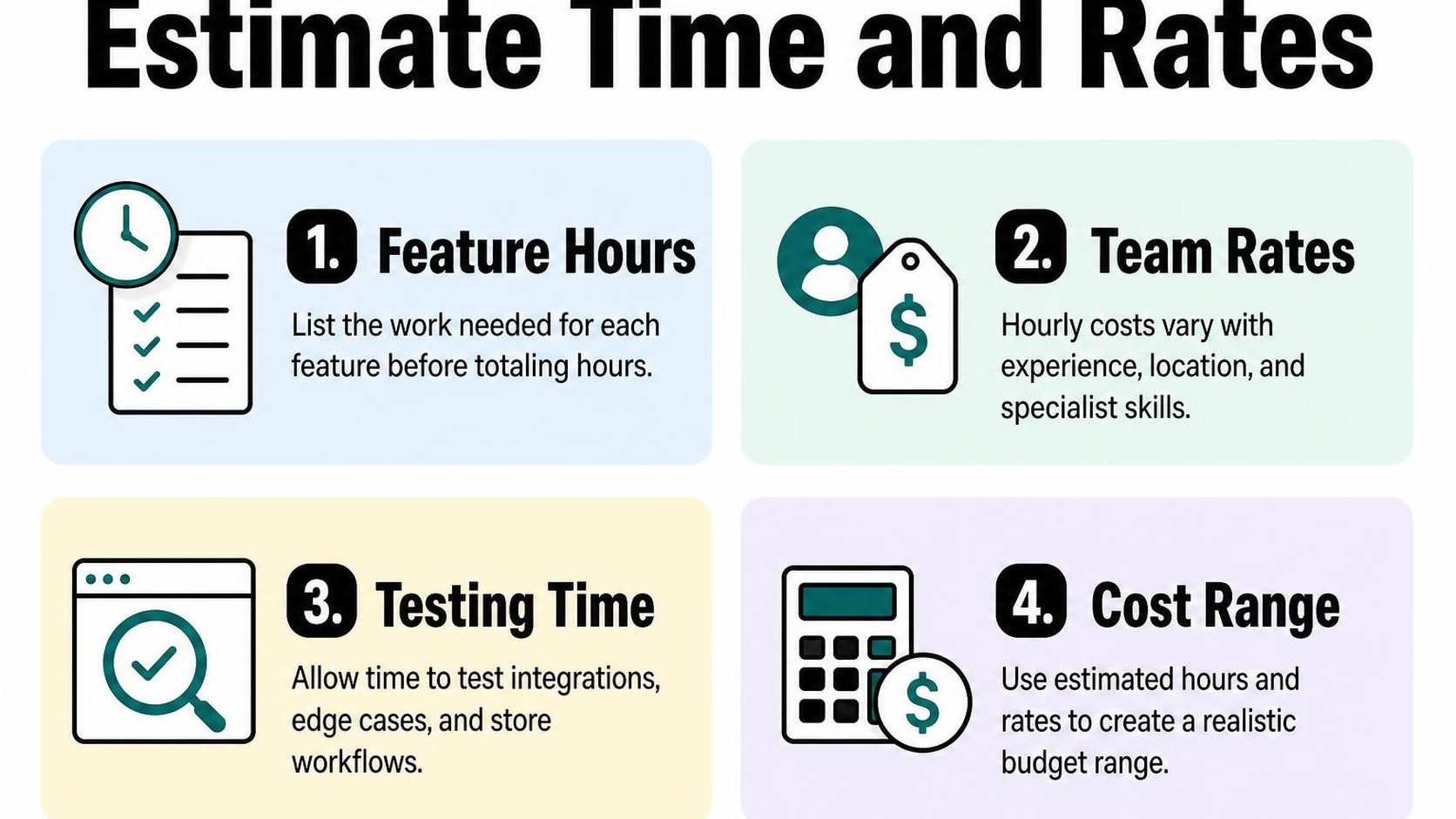
Shopify app development cost becomes easier to estimate when you price defined tasks rather than a delivery date. Ask for an effort range by phase, with assumptions that explain what could move each estimate.
Break the project into discovery, build, and launch
Discovery is the work that turns your operational problem into agreed requirements and technical decisions. You define the workflow, inspect sample data, and decide what a successful result looks like before committing to the full build.
For a small custom inventory integration, an illustrative estimate might look like this. These hours demonstrate the calculation; they are not market benchmarks or a quote for your store.
| Phase | Example effort | Expected result |
|---|---|---|
| Discovery | 8–16 hours | Workflow map and acceptance criteria |
| Build | 40–72 hours | Working integration and error handling |
| Launch | 12–24 hours | Store testing, deployment, and handover |
| Total | 60–112 hours | Agreed initial release |
At an illustrative USD 100 per hour, that range produces USD 6,000–11,200 in development fees. Hosting, paid services, taxes, and any contingency sit outside that calculation unless the proposal explicitly includes them.
Understand Shopify app development hourly rate
A Shopify app development hourly rate tells you the price of time, not how much time your project needs. A developer charging USD 150 for 40 hours costs less than one charging USD 90 for 80 hours, provided both deliver the same agreed result.
Evaluate the Shopify app developer cost against relevant experience, technical judgment, and delivery responsibilities. Use these questions to ask when hiring a Shopify app developer to test how clearly a candidate explains those responsibilities.
- Comparable experience: Ask how the developer handles a workflow similar to yours, including failures and recovery.
- Billable work: Confirm whether meetings, investigation, project management, and release support count toward the estimate.
- Budget control: Set a spending checkpoint before uncertain work continues beyond its allowance.
Practical rule: Compare estimated hours, deliverables, and exclusions together. Do not choose a lower hourly rate while leaving the scope undefined.
Account for review, revisions, and dependencies
Dependencies are inputs or decisions the developer needs before work can proceed. Missing supplier API credentials, unavailable test orders, or delayed feedback can extend the calendar without adding the same number of engineering hours.
Shopify app development timeline and cost also depend on distribution. For a public app, Shopify’s app review requirements require a production-ready submission; allow time for review and potential corrections rather than promising approval on a fixed date.
- Revisions: Agree on feedback rounds and distinguish fixes against agreed requirements from new feature requests.
- Ownership: Give each access request, approval, and test task an owner and deadline.
- Uncertainty: Reserve a separate allowance for named risks, then revisit it after discovery.
Plan for maintenance and future changes
Your inventory sync works at launch, then a failed background job leaves yesterday’s stock count on your storefront. Your Shopify app development cost needs room for what happens after delivery, not just the work required to get the first version running.
Shopify app maintenance cost is the ongoing expense of keeping your app reliable, compatible, and supported. Separate it from planned improvements so a new reporting screen does not consume the budget needed to fix broken order processing.
Budget for monitoring and bug fixes
Monitoring means checking whether your app’s services and business tasks work as expected. A server can be online while product imports fail, so ask for checks tied to the jobs your store depends on.
Your recurring budget may cover hosting, error tracking, backups, and developer time to investigate alerts. Confirm which costs you pay directly and which appear on the developer’s invoice; a maintenance fee does not automatically include infrastructure.
- Detection: Track failed jobs, unusual error rates, and missed synchronizations, with alerts sent to someone responsible for acting.
- Recovery: Allow time to retry failed work safely, investigate causes, and verify that affected orders or products are correct.
- Coverage: Ask which defects fall under the launch warranty and which require paid maintenance, including problems caused by third-party changes.
Do not buy monitoring without agreeing who responds. An alert that nobody reviews gives you a record of the failure, not a recovery plan.
Allow for Shopify platform and API changes
Your app depends on interfaces that change over time. According to Shopify’s API versioning guidance, API versions are released quarterly, and stable versions receive support for at least 12 months.
Budget for regular compatibility reviews rather than waiting until an upgrade becomes urgent. Not every release requires a large rewrite, but your developer needs time to check affected functionality, update dependencies, and test critical workflows.
- Review: Identify the API versions and dependencies your app uses, their support windows, and any announced changes that affect your features.
- Testing: Check inventory updates, order handling, permissions, and other relevant workflows before deploying compatibility changes.
- Improvements: Keep optional features in a separate backlog, with their own estimates and approval process.
Practical rule: Fund the work that keeps existing workflows running before approving features that expand them. Treat compatibility updates as recurring work, not unexpected extras.
Decide what support your team needs
A support arrangement should match the consequences of downtime. A reporting tool that can wait until tomorrow needs different coverage from an integration that blocks fulfillment.
Ask your Shopify app development quote to distinguish response time from resolution time. A promise to acknowledge an incident within two hours is not a promise to fix it within two hours.
- Availability: Specify business hours, time zones, holiday coverage, and the channel for urgent incidents.
- Capacity: Confirm included hours, overage rates, and whether unused time carries forward.
- Ownership: Keep access to source code, hosting accounts, deployment instructions, and recovery documentation so support can transfer if needed.
Build a budget that matches your business goals
Your team copies orders into a warehouse system every afternoon, and a developer proposes an app to automate the handoff. Before approving the Shopify app development cost, define what success looks like: fewer manual steps, faster processing, or fewer fulfillment errors.
Build your budget around that outcome rather than a long feature list. A useful spending ceiling reflects the problem’s business value and the cash you can commit without depending on immediate returns.
Prioritize a minimum viable scope
A minimum viable scope is the smallest release that delivers your target outcome safely and reliably. For an order handoff, that might mean sending eligible orders, recording failures, and allowing a retry—not adding forecasting or a reporting dashboard.
Write down the current workload and choose a measurable target. If your team spends ten hours a week transferring orders, estimate how much of that work the first release can realistically remove, including time spent checking exceptions.
- Essential: Include the main workflow, required permissions, error handling, and a way to verify that records reach the destination.
- Deferred: Separate useful additions such as extra integrations, advanced filters, or historical imports unless the first release depends on them.
- Acceptance: Define testable results, such as transferring an eligible test order once and displaying a failed transfer for review.
This makes Shopify custom app development cost easier to control without cutting safeguards. Reduce breadth before reducing testing or recovery behavior.
Set a contingency and define exclusions
A contingency is money reserved for uncertainty within the agreed project, not a hidden allowance for extra features. As a planning example, you might reserve 15–20% above the implementation estimate, then adjust that reserve after discovery identifies the actual risks.
Keep optional features outside this reserve. An undocumented warehouse API creates uncertainty; a newly requested dashboard creates additional scope and needs its own decision.
- Separate costs: Budget for discovery, implementation, testing, launch, hosting, third-party services, and ongoing maintenance without counting the same work twice.
- Exclusions: Record whether data cleanup, historical migration, staff training, and changes to other systems fall outside the estimate.
- Change approval: Require a written cost and schedule impact before work proceeds beyond the agreed scope.
Practical rule: If the essential release plus contingency exceeds your ceiling, remove a workflow or phase the rollout. Do not assume future sales will cover the gap.
Compare proposals on deliverables, not price alone
Send every developer the same brief, workflow examples, and acceptance criteria. Shopify app development pricing becomes comparable only when each proposal covers the same responsibilities and assumptions.
A lower Shopify app development hourly rate does not necessarily mean a lower total bill. Compare estimated effort, included deliverables, and how uncertainty affects the final amount.
- Scope match: Check that each Shopify app development quote includes the same integrations, failure scenarios, testing, and launch tasks.
- Payment terms: Tie milestones to demonstrable outputs and clarify whether estimates are fixed, capped, or billed for actual time.
- Dependencies: Identify who provides credentials, sample data, and approvals, and what happens when those inputs arrive late.
Choose the proposal you can verify, not simply the smallest number. Clear boundaries make the budget a decision tool rather than a guess.
Prepare a clear brief before requesting a quote
You approve an order in Shopify, then copy its details into a supplier portal before fulfillment can start. Before asking someone to automate that handoff, document what happens between those steps. Your Shopify app development cost depends on the work behind the button, not just the screen you want built.
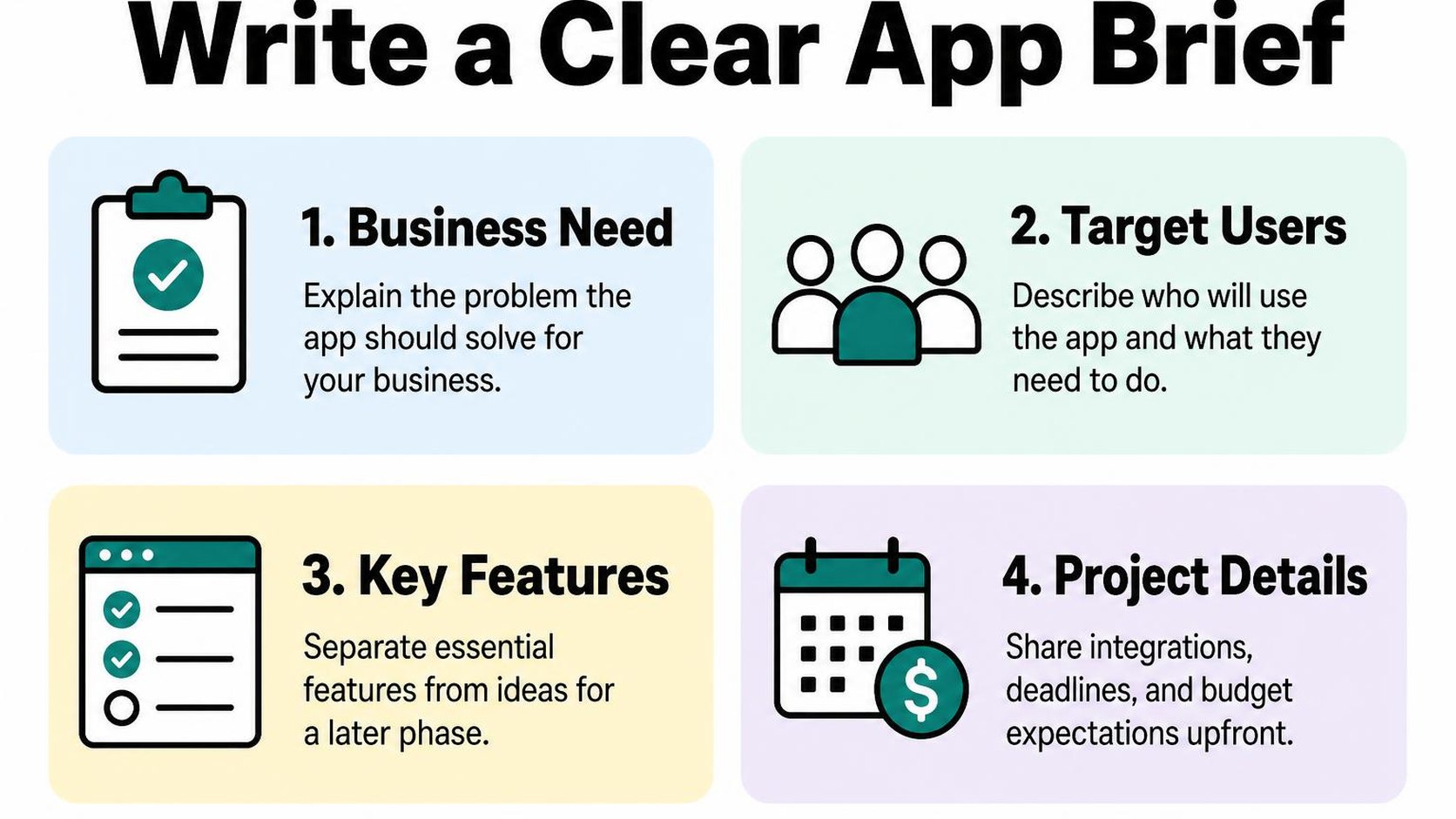
A useful brief does not need technical diagrams. It needs enough detail for a developer to identify missing decisions before those decisions become paid development work.
Document users, workflows, and success measures
Describe who uses the app, what triggers the task, and what a completed result looks like. Include the awkward cases your team handles manually, such as a supplier rejecting an address or an order changing after submission.
Define acceptance criteria: observable conditions that show a feature works as agreed. “Send eligible orders to the supplier and display rejected submissions for staff review” gives you something testable; “improve fulfillment” does not.
- Users: Name each role, the actions it needs, and any information it must not access.
- Workflow evidence: Attach anonymized sample orders, screenshots, and the rules staff currently follow.
- Business measure: Record your current handling time or error count and the result that would justify the investment.
- First release: Separate essential tasks from improvements you can postpone without breaking the workflow.
List integrations, constraints, and launch needs
Name every system the app must read from or write to, including who controls access. A supplier API with documentation and a test account presents a different planning problem from a portal that only accepts spreadsheet uploads.
Specify whether the app serves your store or needs broader distribution. Shopify’s app distribution guidance explains the different requirements for public and custom distribution, so this decision belongs in the brief rather than after development begins.
- Data boundaries: Identify required fields, expected order volume, retention needs, and sensitive information the app can avoid collecting.
- Technical constraints: List your Shopify plan, relevant theme customizations, external API limits, and available testing environments.
- Launch conditions: State blackout dates, staff training needs, historical data imports, and how you return to the existing process if launch fails.
Use the brief to validate the estimate
Ask the developer to mark unresolved decisions directly in your brief. A credible Shopify app development quote distinguishes understood work from items that need investigation; an unexplained allowance leaves you guessing about what your budget buys.
Practical rule: If an unknown could change the architecture or delivery date, request a bounded discovery task before committing to the full build.
- Scope check: Confirm which brief requirements are included, excluded, or awaiting discovery.
- Timeline check: Ask where testing, your feedback, and external approvals fit into the delivery schedule.
- Assumptions check: Get written limits for data volume, supported workflows, and change requests.
- Maintenance check: Confirm who handles monitoring, API updates, support, and ongoing charges after launch.
Use this checklist when discussing your brief with Yassine Malti, the developer writing from store work.
Put this into practice
Start with the store you already have, then use the guides on the blog for the next page that needs the same treatment.
Shopify apps by Yassine Malti
Put this into practice
-

ALT SEO · Image alt text
AI alt text for every product image · 100 images/month free
-

RANKit · Meta titles & descriptions
AI meta titles and descriptions, sized for Google · 50 meta tags/month free
-

TAGit · Product tags
SEO-friendly product tags, generated in bulk · 50 tags/month free