
You copy order details from Shopify into your supplier’s portal every afternoon. When order volume rises, the task takes longer, and a missed field delays a shipment. You start looking at custom Shopify app development, but “automate the supplier workflow” is not yet a brief a developer can estimate.
Custom Shopify App Development: How to Scope Your First Project shows you how to turn that recurring problem into a project with clear boundaries. You identify the users, map the data, write Shopify app development requirements, and set acceptance criteria before you ask for quotes. You also learn what affects Shopify app development cost and which questions help you compare proposals.
Start with the decision behind a custom Shopify app vs public app: does an existing tool handle the essential workflow, or does your process need behavior it cannot provide? A custom build gives you control, but you also take on maintenance, access permissions, and changes to connected systems. Do not commission a new app just to avoid adjusting a minor internal habit.
Before you hire a Shopify app developer, choose one outcome you can test, such as sending eligible orders to your supplier without retyping them. Record the exceptions, the systems involved, and what happens when a transfer fails. That smaller scope makes the Shopify app development timeline easier to discuss and keeps optional features out of your first release.
Table of Contents
- Step 1: Define the store problem and desired outcome
- Step 2: Choose the right app type and delivery approach
- Step 3: Document users, workflows, and functional requirements
- Step 4: Specify Shopify data, APIs, and external integrations
- Step 5: Estimate the budget, timeline, and ongoing ownership
- Step 6: Select a developer and agree on project controls
- Step 7: Turn the scope into a launch-ready project brief
Step 1: Define the store problem and desired outcome
Before you price custom Shopify app development, describe the business problem without naming a feature. “Build a dashboard” describes a possible solution. “Your operations lead cannot see which paid orders still need supplier confirmation” identifies a problem you can investigate and measure.
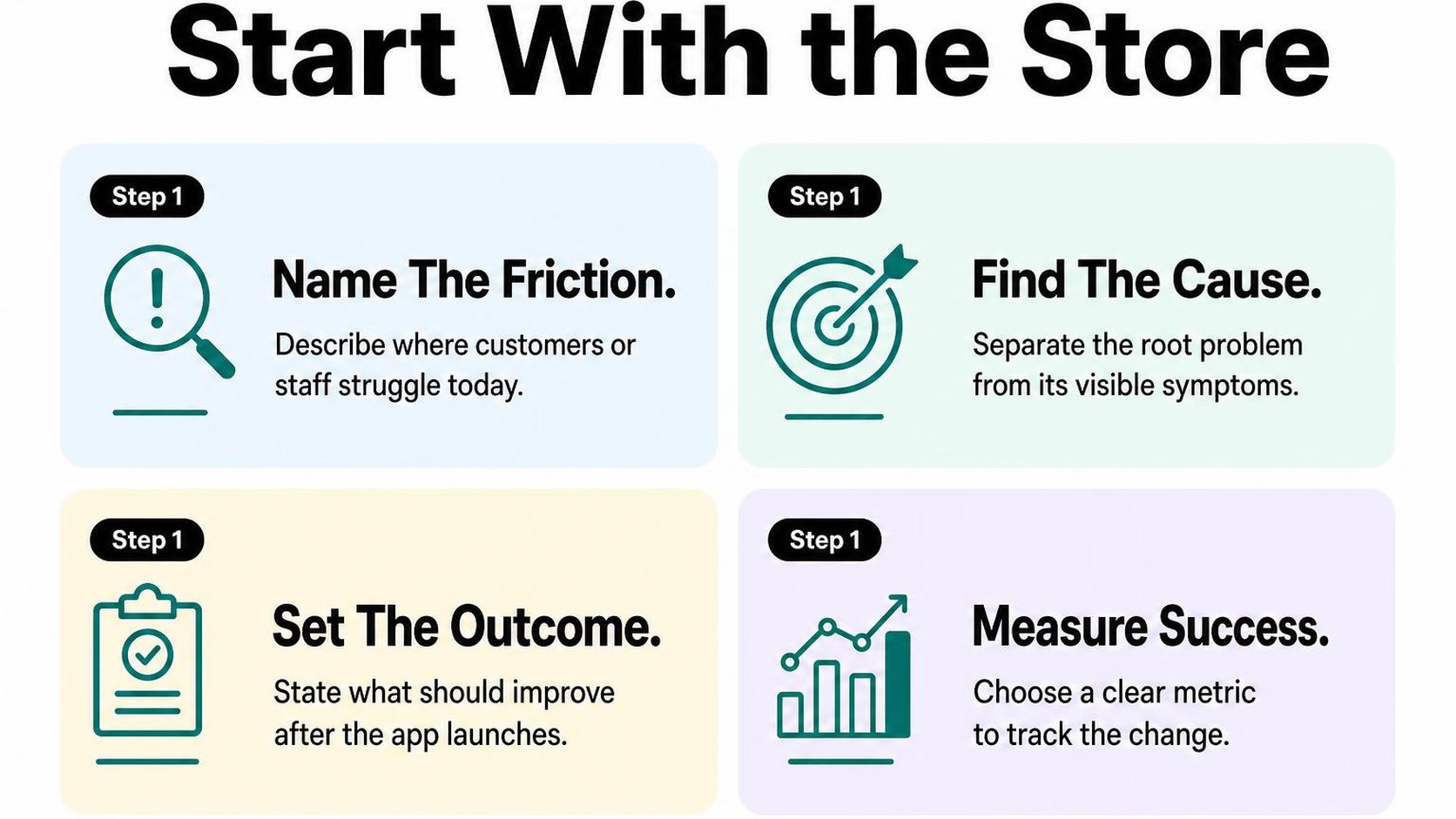
Your first deliverable is a short problem statement: a description of who struggles, what happens, and what that costs your store. Keep it specific enough that a developer can question your assumptions rather than guess what you mean.
Describe the workflow that needs to change
Walk through one recent order with the person who handles it. Record what starts the task, which systems they open, what information they move, and where they stop to make a decision. Your Shopify app development requirements become clearer when you capture actual steps instead of an ideal version of the process.
Separate the person doing the work from anyone affected by it. Your warehouse coordinator may enter the data, while customer support handles complaints when it arrives late. Both perspectives help you find the real bottleneck.
- Trigger: Identify the event that starts the work, such as payment confirmation or an approved wholesale account.
- Inputs: List the fields, files, and systems involved. Note whether the supplier accepts an API request, a CSV upload, or only manual entry.
- Friction: Record repeated steps, missing information, and errors using recent examples, not estimates from memory.
- Exceptions: Identify cases such as split shipments, cancelled orders, or missing supplier codes that need different handling.
- Boundary: State what stays manual in the first release and who handles it.
If you need a framework for mapping triggers and actions, review these workflow automation basics before you write the brief. Do not assume every manual step needs automation: a low-volume exception may cost less to handle manually than to build and maintain.
Set measurable success criteria
Define a baseline, the current performance you compare against after launch. Measure a representative working week: orders processed, minutes spent, corrections required, and time between payment and supplier acceptance. Include busy periods if they change how the work gets done.
Then set targets with a measurement window and an owner. “Save time” is too vague to guide scope decisions. “Reduce daily order-entry time from 90 minutes to 20 minutes, measured by the operations lead over the first two full weeks after launch” gives you something testable.
Practical rule: Write your goal as “For this user, change this workflow so this metric moves from this baseline to this target, while keeping this safeguard.” Treat the target as a proposed acceptance criterion, not a guaranteed result.
Add a safeguard beside the efficiency target, such as no duplicate supplier submissions and a visible queue for failed transfers. Faster processing does not help if your team loses track of orders.
Use these outcomes when you hire a Shopify app developer. Ask which proposed features directly support them, and defer the rest. A smaller first release limits coverage, but it gives you a clearer way to judge whether the project solves the original problem.
Step 2: Choose the right app type and delivery approach
Your team finds an app that handles most of your supplier workflow, but the final handoff still needs a spreadsheet. Before you commit to custom Shopify app development, check whether that gap justifies owning software rather than adjusting the workflow.
Separate two decisions: whether to buy or build, and how a new app reaches its users. A tailored workflow does not automatically require public distribution, and installing an existing public app does not mean commissioning one.
Compare a custom app with public apps
An existing public app is software offered to multiple merchants, usually through the Shopify App Store. A custom app is built around a particular merchant’s requirements, such as sending orders to a supplier with unusual validation rules.
For the custom Shopify app vs public app decision, test your must-have workflow against existing products first. A subscription can cost less than maintaining your own integration, but compromises become expensive when staff must correct every order.
| Approach | Choose it when | Plan for |
|---|---|---|
| Existing public app | Its workflow meets your essential requirements | Subscription fees, configuration, and vendor limits |
| Custom app for one merchant | Your rules or systems need tailored integration | Development, hosting, monitoring, and maintenance |
| App for independent merchants | You intend to offer a repeatable product | Public distribution, review, onboarding, and ongoing support |
- Test the exception: Run a difficult order through the existing app, not just a clean demonstration.
- Price the ongoing work: Compare subscription costs with hosting, fixes, API updates, and staff time over the same period.
- Check ownership: Specify who controls the source code, hosting account, credentials, and deployment instructions if you commission development.
Use these custom app development options to frame the build discussion after you identify the gap. Do not treat a feature list as proof that a bespoke build is necessary.
Decide whether the app is for one store or multiple merchants
Distribution is the route through which merchants install your app. Shopify’s app distribution guidance distinguishes custom distribution for a single store, stores within one Plus organization, or development stores from public distribution for multiple independent merchants.
Custom distribution does not use Shopify’s app billing system. Public distribution requires Shopify approval, so review preparation belongs in your Shopify app development timeline rather than becoming a surprise before launch.
If a brief asks for Shopify private app development, clarify the terminology. “Private app” is legacy language, not the current distribution choice; document the intended stores and current installation approach instead.
- One merchant: Name the stores, required integrations, maintenance owner, and response expectations for failures.
- Independent merchants: Add tenant separation, repeatable onboarding, support procedures, and applicable review requirements to scope.
- Future expansion: Tell your developer before choosing distribution; do not assume a one-store build becomes a merchant-facing product without rework.
Practical rule: Choose the smallest delivery approach that serves your confirmed users. Budget for API compatibility, security updates, monitoring, and integration changes even when the first release serves only your store.
Step 3: Document users, workflows, and functional requirements
Your warehouse team exports paid orders, checks a spreadsheet, and emails a supplier each afternoon. Before custom Shopify app development replaces that routine, document who performs each action, what information they need, and what happens when something goes wrong.
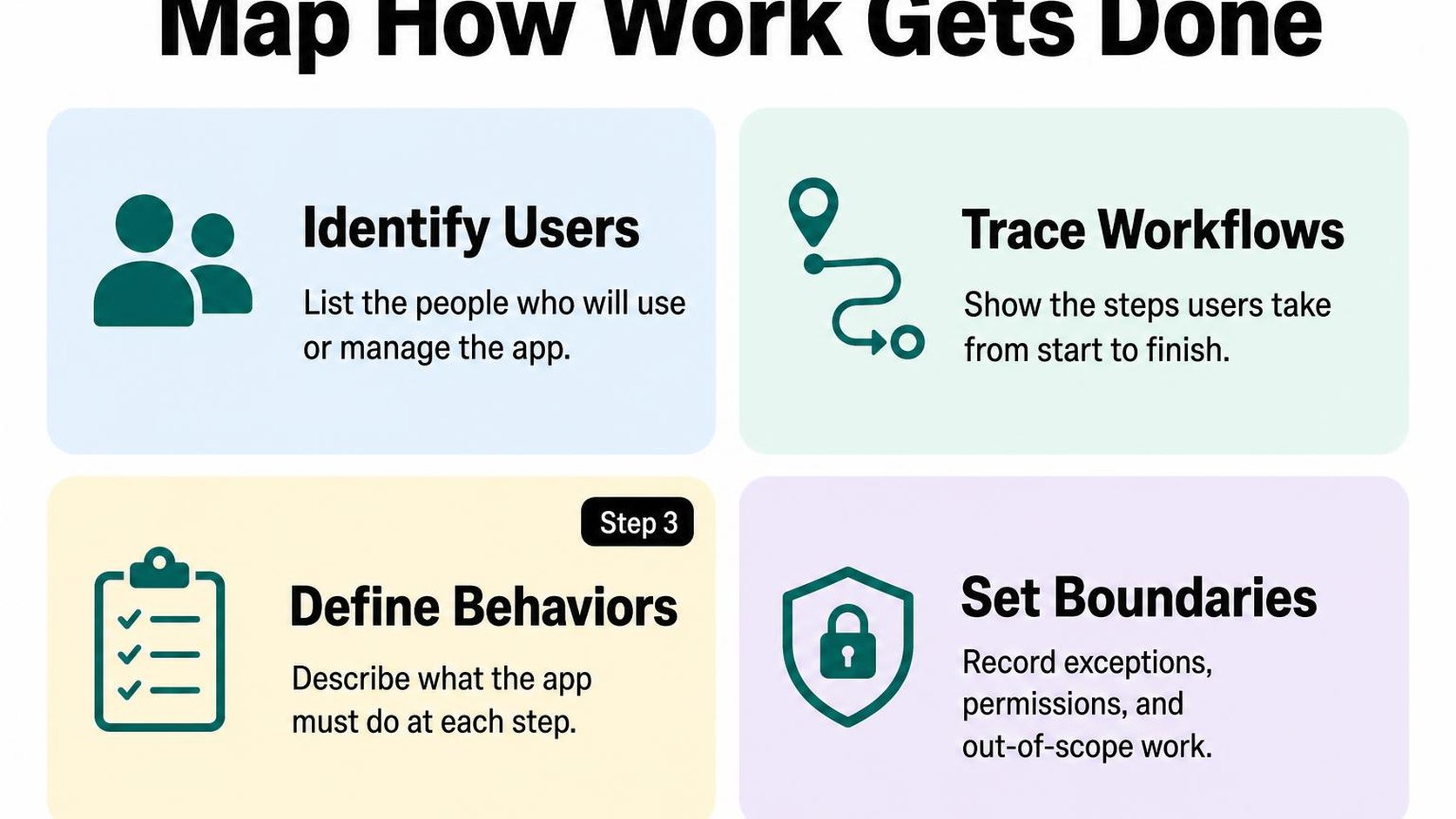
Functional requirements describe what your app must do in observable terms. Write your Shopify app development requirements so your developer can build from them and your team can test them without guessing what “automate fulfillment” means.
Map the user journey from trigger to outcome
Choose one real workflow and trace it from its starting event to its finished state. Name the person responsible, even when most steps happen automatically: someone still needs to handle failures.
For a supplier handoff, distinguish sending a request from receiving confirmation. Your app should not label an order “accepted by supplier” simply because an outgoing request succeeds.
- User: Your operations coordinator reviews supplier handoffs; your store administrator manages connection settings.
- Trigger: An order becomes paid and contains at least one item assigned to the supplier.
- Inputs: The workflow needs the order reference, supplier SKU, quantity, and required shipping details.
- Actions: Your app validates the fields, sends eligible items, and records the supplier’s response.
- Output: Your coordinator sees a confirmed handoff or a failure status with a next action.
Separate must-have features from later enhancements
Your first release needs a complete workflow, not every convenient screen. A must-have feature prevents a failed business outcome; an enhancement makes an already workable process faster or easier.
For this supplier workflow, field validation and visible failures belong in the first release. A dashboard comparing supplier performance can wait if your coordinator can already identify and resolve unsuccessful handoffs.
- Required now: Include eligible-order detection, field validation, duplicate prevention, status visibility, and a controlled retry action.
- Later: Defer trend reports, configurable dashboard layouts, and additional supplier connections unless your launch depends on them.
- Explicitly excluded: Record that the first release does not handle purchase orders, supplier invoices, or inventory forecasting.
Practical rule: If removing a feature still lets your user complete the agreed workflow safely, consider deferring it. Do not remove error handling just to preserve a polished dashboard.
Record permissions, edge cases, and acceptance criteria
List the data each action reads or changes, then ask your developer to identify the necessary permissions. Access scopes control which Shopify data your app can access; Shopify’s access scope documentation explains why you should request only what your app needs and check whether additional approval applies.
Acceptance criteria are testable conditions that define a completed feature. Pair each normal outcome with a failure case so “done” includes recovery, not just a successful demonstration.
- Permissions: Specify who can view statuses, retry failures, or change supplier credentials; keep credentials out of ordinary status screens.
- Exceptions: Define behavior for missing SKUs, cancelled orders, supplier timeouts, and repeated notifications for the same order.
- Completion test: Given an eligible paid order, your app records supplier confirmation; processing the same event again creates no duplicate submission.
- Recovery test: Given a supplier timeout, your coordinator sees an unresolved status and can retry without duplicating an accepted handoff.
Step 4: Specify Shopify data, APIs, and external integrations
Your orders look correct in Shopify, but your warehouse receives an old delivery address. For custom Shopify app development, “connect the warehouse” is not a complete requirement. You need a written map of which records move, what triggers each transfer, and which system controls the final value.
List the Shopify resources and events the app needs
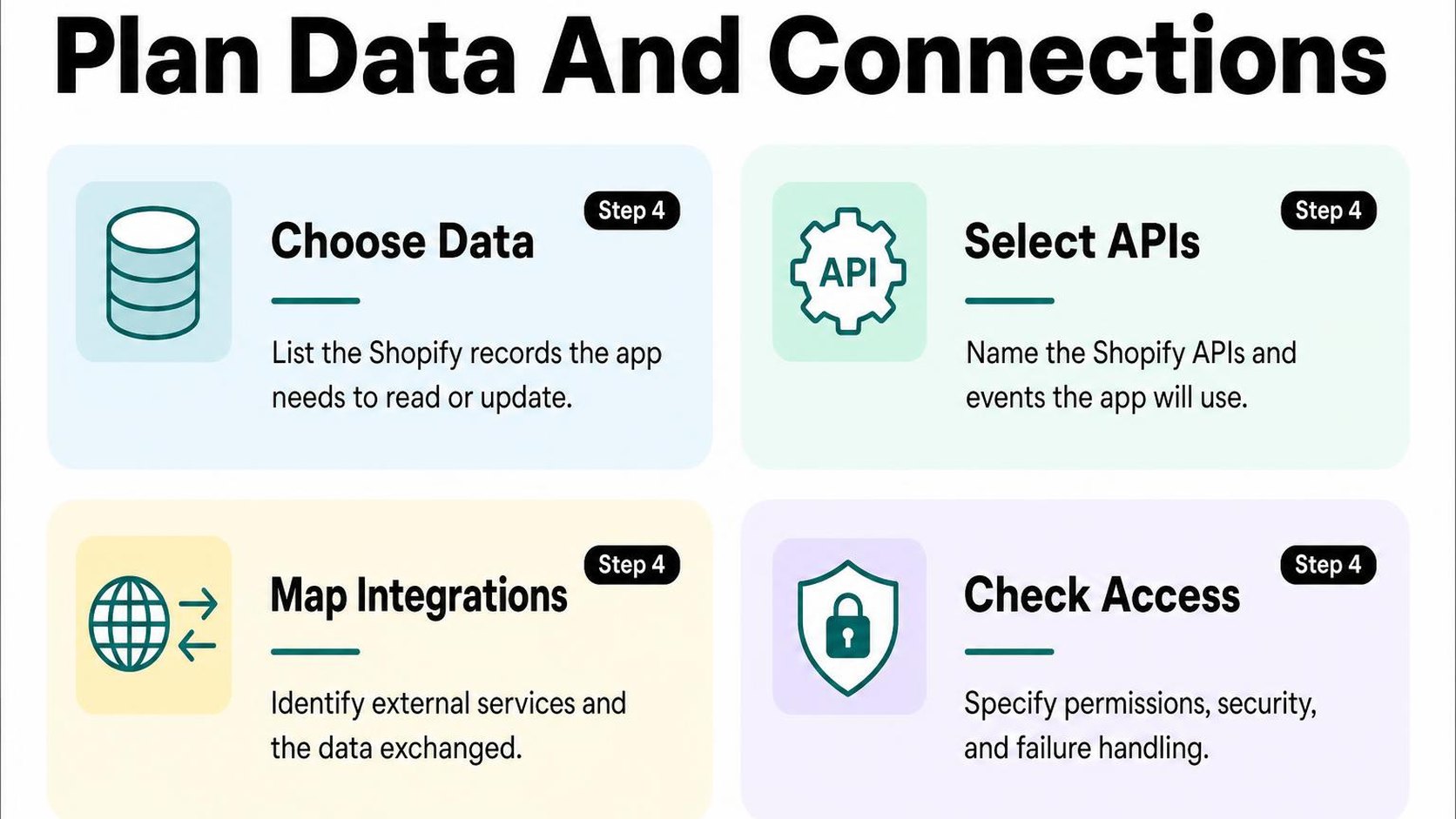
A resource is a type of Shopify record, such as a product, order, customer, or fulfillment. List the exact fields your app reads or changes, rather than requesting access to an entire business process. Separate required fields from optional enrichment so missing extras do not block essential work.
Use a small inventory to make your Shopify app API integration concrete. Your developer can turn this into API queries, mutations, and event subscriptions without guessing what “sync orders” means.
| Resource | Fields or identifiers | Action and trigger |
|---|---|---|
| Order | Order ID, line items, shipping address | Read when payment becomes eligible for dispatch |
| Inventory level | Inventory item ID, location ID, quantity | Update after an approved warehouse stock change |
| Fulfillment | Fulfillment order ID, tracking details | Create after the warehouse confirms shipment |
A webhook is an event notification Shopify sends to your app. Choose webhooks for timely changes, scheduled checks for reconciliation, and manual actions where someone must approve the transfer. According to Shopify’s webhook guidance, deliveries can be missed or arrive out of order, so notifications alone are not a complete synchronization plan.
- Identifiers: Record stable Shopify IDs and external IDs; do not rely on product titles or customer email addresses as permanent matching keys.
- Timing: State the acceptable delay, whether historical records need importing, and how the app detects changes missed during downtime.
- API boundary: Specify the Shopify API surface, selected version, and ownership of version upgrades. Budget for pagination and rate limits when estimating import times.
Document third-party systems, data flows, and failure handling
For each warehouse, CRM, accounting service, or internal database, name the technical contact and confirm that usable API documentation and test credentials exist. Include subscription requirements and external API limits in your Shopify app development requirements. An integration cannot deliver a feature that the receiving service does not expose.
Define the source of truth: the system whose value wins when records disagree. Your Shopify data integration planning should make those ownership decisions explicit before you estimate implementation work.
- Direction: Map each field from source to destination, including currency, timezone, location mapping, and whether changes travel back.
- Security: Specify encrypted credential storage, webhook signature verification, sensitive-field masking in logs, and retention and deletion rules.
- Recovery: Define retry limits, backoff, outage alerts, and reconciliation after service returns. Distinguish temporary connection failures from rejected records that need correction.
- Boundary: State whether the project includes historical cleanup, external account configuration, and ongoing monitoring; do not assume these come with the connector.
Practical rule: Approve each data flow only when you can name its owner, trigger, destination, acceptable delay, and recovery path.
Step 5: Estimate the budget, timeline, and ongoing ownership
You receive a quote for your app, but it shows one price and a delivery date without explaining either. Before approving custom Shopify app development, ask what the estimate includes, which assumptions support it, and what happens when those assumptions change.
A useful estimate separates implementation effort from waiting time and recurring expenses. Compare proposals against the same deliverables, not just the lowest total.
Break the estimate into discovery, build, testing, and launch
Ask your developer to price four phases separately, with a deliverable and approval point for each. Discovery is the work that turns your workflow, constraints, and unanswered questions into an agreed implementation plan.
If major unknowns remain, commission discovery first rather than requesting a firm price for an undefined build. Request a range for later phases, then refine it once the risky assumptions have been tested.
| Phase | Request in the estimate | Completion evidence |
|---|---|---|
| Discovery | Workflow review, feasibility checks, scope | Approved requirements and exclusions |
| Build | Features, integrations, configuration | Working app in a test environment |
| Testing | Test cases, merchant checks, defect fixes | Agreed acceptance criteria pass |
| Launch | Deployment, handover, rollback preparation | Live verification and ownership transfer |
For each phase, request estimated hours or days, the pricing basis, and payment milestones. Your Shopify app development timeline should also show calendar dependencies: a two-day task can take a week to finish if access or feedback arrives late.
Identify the factors that affect cost and schedule
Your Shopify app development cost depends on uncertainty as much as feature count. A single integration with incomplete documentation can require more investigation than several straightforward admin screens.
Give every bidder the same Shopify app development requirements and ask them to flag assumptions individually. Do not treat an unexplained contingency allowance as a substitute for identifying risks.
- Workflow complexity: Specify stores, user roles, approval steps, and exceptions rather than asking for “a simple dashboard.”
- Integration readiness: Confirm access to documentation, test accounts, representative data, and the external system’s technical contact.
- Testing coverage: Name the devices, data volumes, failure scenarios, and merchant acceptance checks included.
- Dependencies: Separate developer effort from waits for your decisions, external vendors, or required platform approvals.
- Scope changes: Agree how additions receive a written price and schedule adjustment before work starts.
Include hosting, support, and future changes
Total cost of ownership includes the initial build plus the expenses required to keep the app running. Request a first-year budget that separates one-time work, recurring services, maintenance, and optional improvements.
List hosting, database storage, monitoring, backups, and third-party usage charges with their billing owners. Define support hours, response targets, and the difference between a defect covered by warranty and a paid change.
Reserve maintenance time for platform changes. Shopify’s API versioning guidance states that stable versions arrive quarterly and receive at least 12 months of support; upgrades belong in your ownership plan, not an emergency budget.
Practical rule: Approve the estimate only when you know who owns the code, hosting accounts, credentials, documentation, and deployment process—and how another developer can take over.
Step 6: Select a developer and agree on project controls
You receive two proposals for the same inventory workflow, but one promises a quick launch while the other includes testing and recovery work. Before you hire a Shopify app developer, compare what each proposal actually delivers, not just the price and launch date.
For custom Shopify app development, the strongest fit is someone who can explain your workflow, identify its failure points, and turn both into a testable agreement. A polished portfolio helps, but it does not replace evidence that the developer can handle your specific integration.
Evaluate relevant experience and technical fit
Ask each candidate to walk through a comparable project: what data moved, what failed, and how the merchant recovered. If you choose a Shopify app development agency, meet the person responsible for implementation, not only the person presenting the proposal.
- Relevant work: Request custom Shopify app examples that match your operational problem, such as inventory synchronization or order routing. A storefront redesign alone does not demonstrate backend integration experience.
- Technical reasoning: Ask how the developer handles permissions, API limits, duplicate events, and interrupted connections. Shopify notes that webhook deliveries can be missed or arrive out of order, so a synchronization proposal should explain how it detects and repairs gaps.
- Communication: Agree on a named contact, update frequency, and where decisions are recorded. Ask for a sample progress report that distinguishes completed work, blockers, and decisions you need to make.
- Ownership terms: Confirm that the contract grants you the rights needed to use, modify, and transfer the commissioned work. Identify pre-existing components and third-party licenses that limit those rights.
A specialist may cost more upfront but need less discovery for a familiar workflow. Do not treat confidence as proof; ask candidates to explain their assumptions in language your operations team understands.
Agree on milestones, deliverables, testing, and change requests
Turn the Shopify custom app development process into small approval points before implementation starts. Define acceptance criteria as the observable results that determine whether a deliverable meets the agreed requirements.
- Milestones: Separate workflow approval, a working integration, merchant testing, and release. Tie payments to defined deliverables and review periods rather than vague percentages of completion.
- Deliverables: Specify the workflows, field mappings, error messages, and operating instructions included at each stage. Name the merchant-side reviewer who can approve them.
- Testing: Require tests for normal transactions, duplicate events, invalid data, and service outages. Agree on safe test data, who performs merchant acceptance testing, and which defects block launch.
- Change requests: Record every proposed addition with its reason, price, dependencies, and effect on the Shopify app development timeline. Require written approval before extra work starts, and distinguish new behavior from fixing an agreed requirement.
Practical rule: Approve a milestone when its agreed tests pass, not when a demo looks convincing. If a new request changes the budget or release date, choose explicitly whether to add it, swap it for existing scope, or defer it.
Keep these controls proportionate to the project. A small app needs clear decisions and a reliable review trail, not a meeting-heavy process that consumes the build budget.
Step 7: Turn the scope into a launch-ready project brief
You have requirements, estimates, and decisions scattered across emails and notes. Before you request proposals for custom Shopify app development, bring them into one brief that every developer receives unchanged.
A project brief is the shared reference for what you need, what you can spend, and what makes the app ready to launch. Keep it short enough to review in one sitting, with supporting examples attached rather than buried in the main document.
Summarize the MVP, exclusions, and acceptance checks
Start with the store problem and the smallest useful release, not a preferred technical solution. Your minimum viable product (MVP) is the smallest release that completes the intended workflow safely; it is not permission to leave essential behavior unfinished.
- Problem and users: Explain what happens today, who handles it, and where time, revenue, or accuracy suffers. Include a baseline, such as hours spent reconciling orders each week.
- Required workflow: Describe the trigger, input, action, and expected result. Attach representative records or screenshots so developers estimate the same behavior.
- Integrations and data: Name each system involved in the Shopify app API integration, the data exchanged, the source of truth, and expected volumes. Mark undocumented endpoints or unconfirmed access as open questions.
- Included and excluded work: Separate launch requirements from later ideas. State whether historical imports, multiple stores, reporting, and staff training belong in the first release.
- Acceptance and launch: Reference your agreed checks, identify the person who approves release, and specify what must be ready for go-live, including support contacts and recovery instructions.
Describe outcomes precisely without prescribing every implementation detail. That leaves room for a developer to suggest a simpler approach while keeping proposals comparable.
Confirm access, responsibilities, and the next decision
Your Shopify app development requirements also need commercial boundaries. A price without assumptions tells you little about what you receive or what could change before launch.
- Budget assumptions: Give a working range and request separate figures for discovery, implementation, hosting, third-party services, and maintenance. Ask which charges are recurring and which remain estimates.
- Timeline and dependencies: State your target launch window, unavailable review dates, and external dependencies. Distinguish a business deadline from a preferred date.
- Access and ownership: Identify who grants store and integration access through an appropriate secure process. Confirm who owns the code, hosting accounts, credentials, and handover documents.
- Responsibilities: Name one merchant decision-maker and the people responsible for data preparation, external vendors, launch coordination, and ongoing support.
- Proposal format: Ask each developer to return scope, exclusions, assumptions, milestone pricing, estimated dates, and unresolved risks in the same order.
Practical rule: If a missing answer could change the architecture, price, or delivery date, request a defined discovery phase before committing to the full build.
Finish with one next decision: approve discovery, request clarification, or select a proposal. Do not treat an attractive total as a complete offer when ownership, recurring costs, or launch responsibilities remain unclear.
Use this brief to connect your launch decisions with the store work that informs developer Yassine Malti’s practical writing.
Put this into practice
Start with the store you already have, then use the guides on the blog for the next page that needs the same treatment.
Shopify apps by Yassine Malti
Put this into practice
-

ALT SEO · Image alt text
AI alt text for every product image · 100 images/month free
-

RANKit · Meta titles & descriptions
AI meta titles and descriptions, sized for Google · 50 meta tags/month free
-

TAGit · Product tags
SEO-friendly product tags, generated in bulk · 50 tags/month free