You published a new collection last week, rewrote three product descriptions, and waited. Search Console still shows the same average position, and the pages you care about sit on page two. That stall is common on Shopify, and it usually isn't a writing problem.
Google can't rank a URL it never reaches. Theme apps, faceted filters, and JavaScript that paints price and stock after load can hide the pages you just edited. Rewriting copy on a URL that is noindexed, canonicalized to the wrong place, or missing from the crawl is wasted work.
I would start with the cheapest fix that touches the most URLs. Confirm the template can be crawled and indexed, assign one intent to one page, then edit what shoppers and Google see. That order is how to improve keyword rankings on a store that already has products live.
Table of Contents
- The Ranking Workflow at a Glance
- Audit Technical Eligibility Before You Write
- Map One Search Intent to Each Page
- Fix On-Page Elements and Product Data Markup
- Write Content That Fully Answers the Query
- Build Internal Links and Earn References
- Measure Each Change and Scale What Works
The Ranking Workflow at a Glance
Treat ranking work as a sequence, not a batch of unrelated edits. Each phase gives the next one a clearer target.
| Phase | Main Action | Signal It Is Working |
|---|---|---|
| 1. Audit | Check crawling, indexing and canonicals on each template | More valid URLs are indexed and fewer are excluded |
| 2. Map intent | Assign one primary URL and one intent to every target keyword | Each keyword has one owner page |
| 3. On-page | Improve titles, H1s, meta descriptions and alt text | Clicks rise on queries where the page already ranks |
| 4. Product data | Align price, availability and reviews with the markup | Structured data validates without mismatches |
| 5. Content | Answer the query fully with original detail | Impressions and average position improve for the query |
| 6. Links | Add internal links and earn references from relevant sites | Target pages gain impressions through new internal paths |
| 7. Measure | Change one variable at a time and track results by query | Each change has a clear before-and-after comparison |
The phases form a working loop. Map a page to one target intent before rewriting it, then measure the change against the query it is meant to serve. If content edits do not improve results, revisit the page's intent and the evidence from Search Console rather than repeating the same rewrite.
Templates make prioritization more efficient. A change to a product or collection template can affect many URLs, while a single-page edit has a narrower reach. After content work, check that later theme or app changes have not disrupted the template.
Practical rule: Start with the template that covers the most URLs, usually product or collection templates, before tuning individual pages.
Export a crawl of the top 50 URLs by organic sessions and tag each problem with its phase. That gives you a prioritized work queue, instead of a list of copy edits with no clear order.
Audit Technical Eligibility Before You Write
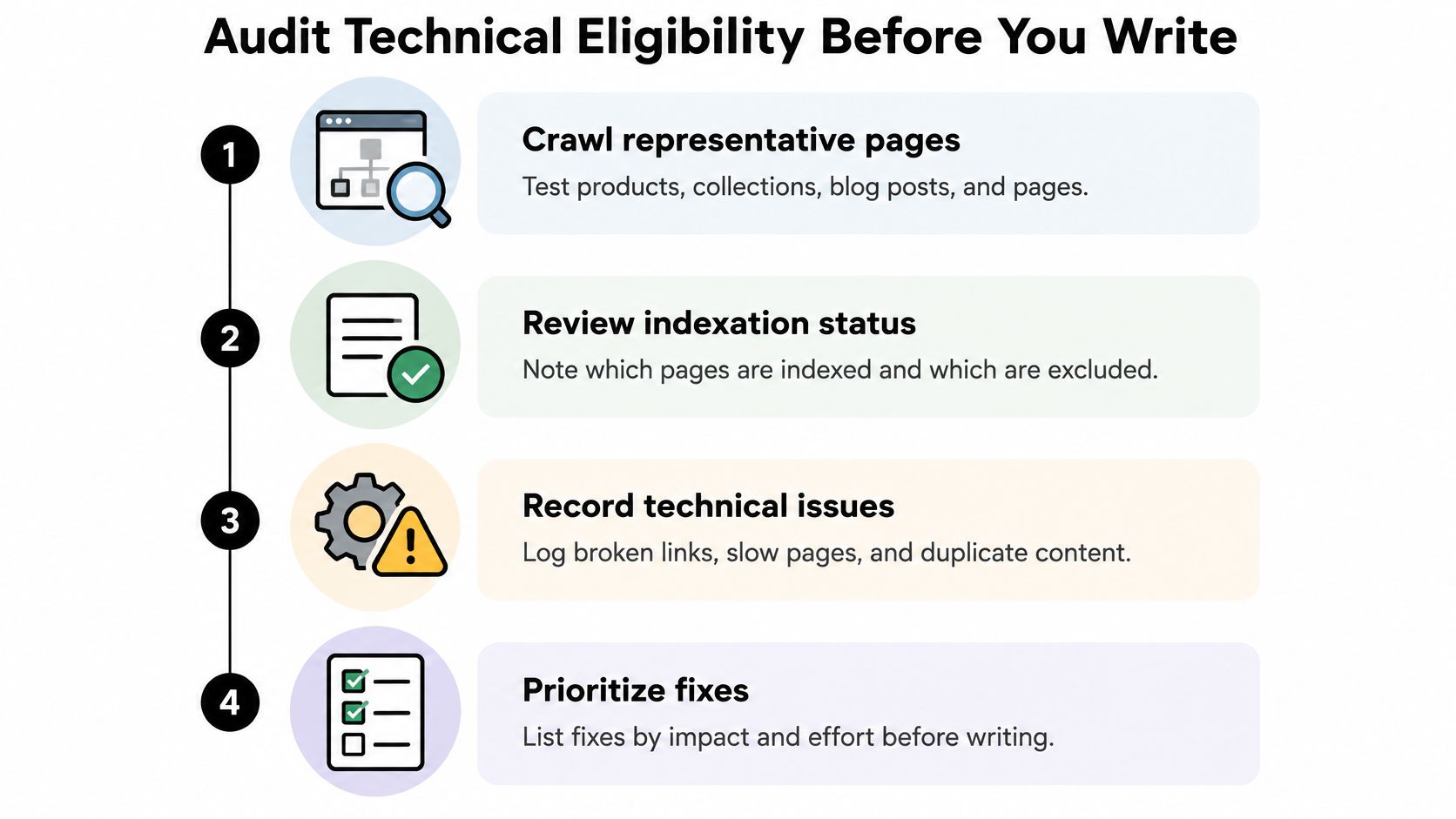
Technical eligibility comes before large-scale writing. Google's crawling and indexing guidance treats robots.txt, sitemaps, canonicalization, crawlable links, metadata, and noindex controls as the mechanisms that manage discovery and index selection. A sitemap helps Google discover and prioritize important pages. It does not guarantee crawling or indexing.
Run the seven checks
- Crawl a representative set. Products, collections, blog posts, and informational pages all need a sample. Export status code, indexability, canonical target, title, H1, word count, internal link count, and structured-data errors so one broken template doesn't hide inside a healthy average.
- Find accidental noindex tags and robots.txt blocks. One misplaced rule can hide an entire collection, including URLs you thought were live.
- Check redirect chains and stray canonicals. A canonical that points at an unrelated page tells Google to rank the wrong URL. A chain burns crawl budget before the final page is seen.
- Flag duplicated faceted URLs. Filter combinations such as color plus size plus sort order should stay out of the sitemap. Putting every filter URL in the sitemap is a common way to dilute the index.
- Publish an XML sitemap of canonical, indexable URLs only. Drop anything noindexed, redirected, or non-canonical.
- Inspect one URL per template in Search Console. Cover product, collection, blog, and page. Repeat that inspection after every theme or app change, because a new app can block a resource the renderer needs.
- Record valid indexed URLs and excluded reasons. That pair is the baseline you compare against when you measure later. Also open the Core Web Vitals report and log any template that fails, because a slow template drags down every URL built from it.
Fix the template, not the one-off
One corrected canonical or internal-link component can improve thousands of URLs. Editing one description affects only that page. Fix template-wide defects first, then individual copy.
While you are in the catalog, RANKit AI Meta Tags Generator for Shopify can bulk-generate meta tags from product images, titles, and descriptions, including new products and multiple languages. Generated tags still need a human accuracy check before you publish them. Don't treat canonical tags as a substitute for redirects, and don't launch unreviewed AI pages that repeat manufacturer copy.
Map One Search Intent to Each Page
A shopper types "buy 30 cm ceramic planter" and lands on a blog post about pottery styles. Another types "how to waterproof hiking boots" and hits a product grid with no steps. The same store has several URLs for each phrase, and none of them is the clear owner. Rankings stall because the intent never had a single page.
Give every target keyword one primary URL and one intent. Two product pages plus a blog post on the same phrase split signals, and Google picks a winner you did not choose.
Classify the intent before you assign the URL.
| Intent | Shopify page to own it | Sample query |
|---|---|---|
| Informational | Blog how-to guide | how to waterproof hiking boots |
| Commercial | Comparison or collection page | best waterproof hiking boots |
| Navigational | Brand or store page | merchant brand name |
| Transactional | Product page | buy 30 cm ceramic planter |
A how-to belongs on a guide. A "best of" query belongs on a comparison or a tight collection. A brand search belongs on the store or brand page. A buy query with a size or material belongs on the product, and only if that size, material, and variant sit in product data Google can reach. A URL that cannot be crawled, or that hides the spec inside an image, will not rank for the query you assigned it.
Compare the page with what already ranks
Open the query and read the current top results for topical completeness, first-hand usefulness, clear answers, and internal-link context. If those results are buying guides and yours is a thin product grid, the keyword does not belong on that grid.
Position still drives clicks. According to Backlinko's Google CTR statistics, an analysis of 4 million Google search results, covering 1,312,881 pages and 12,166,560 search queries, found that the first organic result received an average click-through rate of 27.6% and was 10 times more likely to receive a click than the result in position 10, and that queries containing 10 to 15 words generated 1.76 times more clicks than single-word queries.
That study is observational. A higher click-through rate does not prove that a closer intent match, by itself, will move a URL up the results, and it is not a guarantee for every market.
A product page aimed at a material, use case, or compatibility phrase can pull more qualified visitors than a one-word term, even at lower volume. Long-tail keyword research is the practical way to find those phrases before you build the page.
Keep the keyword on the page whose intent already matches it. Merge or redirect pages that compete for the same keyword so one URL owns the query. I would settle that ownership before rewriting product copy. A second page on the same phrase rarely earns its own rankings, and it spends crawl attention that the primary URL needs.
Fix On-Page Elements and Product Data Markup
Titles and snippets are what a searcher sees before they ever reach your store. Set the element, then the product data behind it.
| Element | Target | Rule |
|---|---|---|
| SEO title | Under 60 characters | Put the primary keyword near the start and name one clear benefit |
| Meta description | 150 to 160 characters | Describe what this specific page delivers, not the category |
| H1 | One per page | Match the main intent of the page rather than a slogan |
| Image alt text | One accurate phrase | Describe the image accurately and use the keyword only when it fits |
| URL slug | Short and stable | Keep the URL when rewriting; add a redirect if it must change |
Titles on pages that already rank
Fix titles and meta descriptions on pages sitting in positions 5 to 20 first. Those URLs already have impressions, so a clearer snippet can lift clicks without waiting for a new page to be discovered. Don't force a keyword into every alt attribute. A wrong description of the photo is worse than a plain one.
Missing alt text and weak meta tags are common, and they're easy to fix in bulk. That's often the quickest on-page win. Review every generated tag for accuracy before it goes live. A bulk tool that invents a material you don't sell will cost you more than a blank description.
Make product facts reachable
Google's search updates documentation recommends placing Product markup in the initial HTML for best results. JavaScript-generated markup adds technical requirements, including servers that must handle extra crawling traffic.
Rewriting product copy can be less valuable than making price, availability, and reviews reachable before JavaScript runs. Check it in this order.
- View source, not the live page. Inspect the raw HTML and confirm price, availability, and review signals are present before scripts execute.
- Compare raw HTML with the rendered DOM. If the facts appear only after render, Google may miss them or crawl harder to get them.
- Match markup to what shoppers see. Structured data that disagrees with the visible price or stock is a mismatch, not a ranking shortcut.
- Test a product URL for indexing. App blocks, client-side personalization, headless storefronts, and scripts that inject details after load are the usual culprits.
Stable canonical URLs and collection pages that link inward matter more than another round of generated descriptions. Ecommerce markup guidance is still being updated, so recheck templates after app installs rather than treating last quarter's setup as finished.
Write Content That Fully Answers the Query
The test is simple. Write the main question the page answers in one sentence, then look at the first screen. If a shopper still has to scroll to learn whether the boot is waterproof or the planter has a drainage hole, the page isn't answering the query.
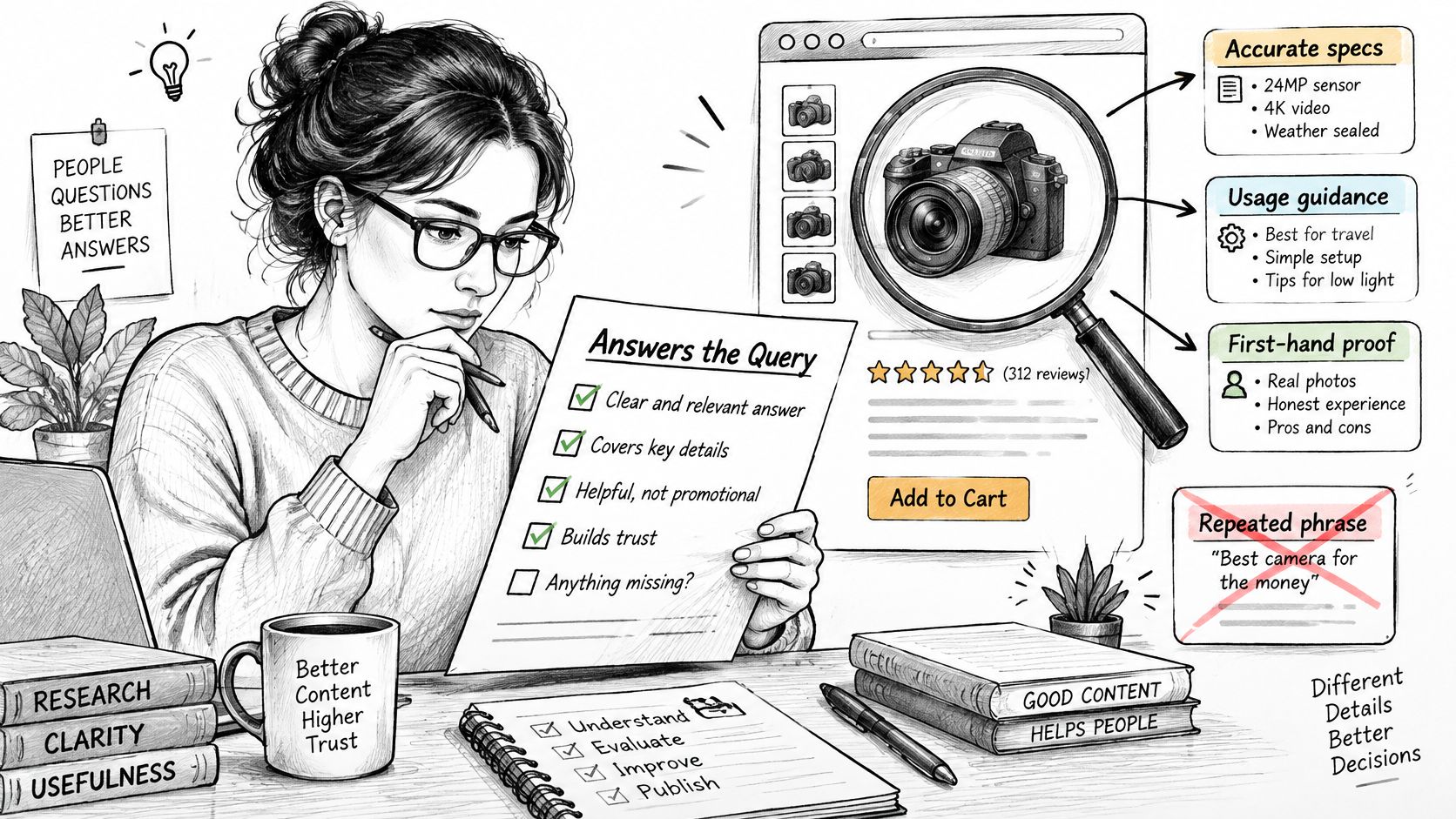
Google introduced its Helpful Content Update in 2022 to prioritize original, useful material written for people. In March 2024 that system became part of Google's core ranking systems, and current guidance says ranking systems aim to reward content showing experience, expertise, authoritativeness, and trustworthiness, as described in Google's ranking systems guide. Keyword research still tells you the vocabulary people use. Rankings hold when the page resolves the query.
What belongs on the page
For a category or product URL, include these and skip filler.
- Accurate specifications. A ceramic planter page should state drainage hole size and exact dimensions, not "generous size."
- Usage guidance. A hiking boot collection should cover waterproofing, sizing, and break-in time.
- First-hand experience. Say who wore the boots on which trail, or who measured the planter, so the reader can see the source.
- Transparent sourcing. Name the material origin or the supplier standard you use.
- Pre-purchase questions. Answer the three to five questions customers ask before they buy, in plain sentences near the top.
A draft from an AI tool can save time. Fact-check every claim, add original detail, and review for accuracy before publication. Unreviewed AI pages carry the most risk, especially when the same paragraph is stamped across dozens of URLs.
Scaled, repetitive copy and search-engine-first pages that repeat one phrase are the pattern that ages badly. Programs built on genuine customer detail hold up better than pages written only to attract traffic.
Organic visibility is still the base for newer answer formats. Google's AI Overviews and AI Mode use live search results. A March 2026 analysis reported that 37.9% of URLs cited in AI Overviews also appeared within the first 10 search-result blocks, down from 76% in an earlier 2025 analysis, as covered by Search Engine Journal. A top-10 rank can help a citation. It doesn't guarantee one. Write the first screen so the answer stands alone, with labeled facts and consistent product data. Track classic clicks and AI citations as separate outcomes.
This short walkthrough shows how a clear first screen and structured sections make a page easier to match to a query.
Build Internal Links and Earn References
Links tell Google which pages belong together. Internal links you control come first. References you earn come second.
Internal links you can place this week
Link from relevant, already-indexed pages to the target with descriptive anchor text. A buying guide should point at the exact product type it describes, not at the homepage with the words "click here."
Pull those links from pages that already get traffic, and from blog posts that answer the question the product solves. An orphan with no internal link pointing at it is easy to forget and hard for Google to treat as important. Changing a URL without a redirect breaks the paths both shoppers and crawlers already use.
Design the architecture on purpose. Group products into collections, link each collection to its parent category, and link supporting guides to the collection they feed. Every important URL should sit a short, logical path from the homepage. A deeper look at internal linking strategy covers anchor choices and hub pages if your catalog is large.
References you have to earn
Ask for a mention where your page adds something a reader can't find elsewhere. Original measurements, a wear test, or a comparison a reviewer would cite are worth a link. A rewritten manufacturer blurb is not.
Outreach that fits is a note to a relevant industry newsletter or a partner whose audience already shops your category. Paid link schemes and spam placements are the moves that don't hold. If the only reason a site would link is a fee, skip it.
Close each month with three checks.
- List each target page you are trying to move.
- Count the internal links already pointing at it.
- Add one new link source, internal or earned, and note the date.
Measure Each Change and Scale What Works
A product page can receive more impressions while its position and sales stay flat. Google's ranking systems evaluate pages using multiple signals, including relevance, location, language, and device. Crawling discovers pages, indexing stores them for retrieval, and ranking orders eligible pages for a query. Link-analysis systems also use how pages link to one another as evidence of subject matter and usefulness, as described in Google's guide to ranking systems.
Read the query, not the site total
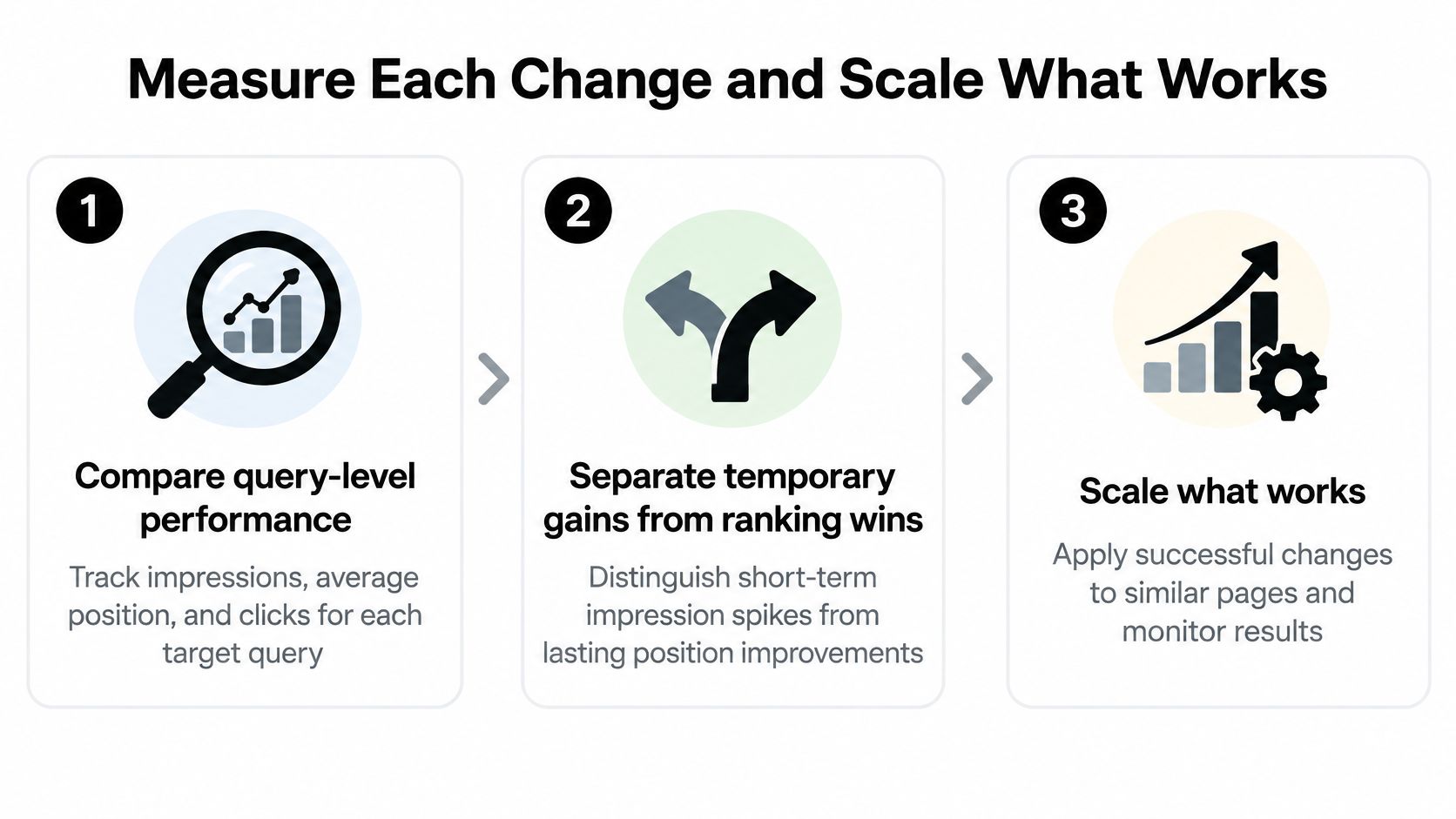
Track impressions, average position, clicks, and conversions for each target query over a full test interval. Record release dates in a shared change log and compare query-level results. Sitewide totals can conceal a page losing visibility while another gains it.
Use Google Search Console to review query performance. Include the change, affected URLs, query, release date, and results in each log entry. For example: “Updated product titles | 5 URLs | target query | release date | position, clicks, conversions.” Refresh the sitemap after a template change.
Test one variable at a time. You can update titles across five pages, for example, but avoid changing titles and internal links in the same test. Multiple URLs targeting one query, URL changes without redirects, and orphan pages can make results harder to interpret. A short-lived impression rise also needs follow-up before you treat it as a durable gain.
Scale a change when the query gains position and clicks over two consecutive intervals. Revert it if conversions fall, even when clicks rise.
Once a change proves useful on a small group of pages, apply it through the relevant template. Follow the product-data accuracy checks from the earlier on-page sections before publishing bulk changes.
Choose 20 URLs with the most search potential from the audit crawl. Run a 30-day test, recording one change per week, and judge each interval by query-level results rather than a single day's impressions.
Yassine Malti builds AI apps for Shopify SEO, product content, and product visuals, each with a free plan. Merchants can use them to address meta tags, image alt text, and product content. The blog also covers Shopify SEO, product content, and automation. Find the apps and articles at Yassine Malti.
Shopify apps by Yassine Malti
Put this into practice
-

RANKit · Meta titles & descriptions
AI meta titles and descriptions, sized for Google · 50 meta tags/month free
-

ALT SEO · Image alt text
AI alt text for every product image · 100 images/month free
-

TAGit · Product tags
SEO-friendly product tags, generated in bulk · 50 tags/month free