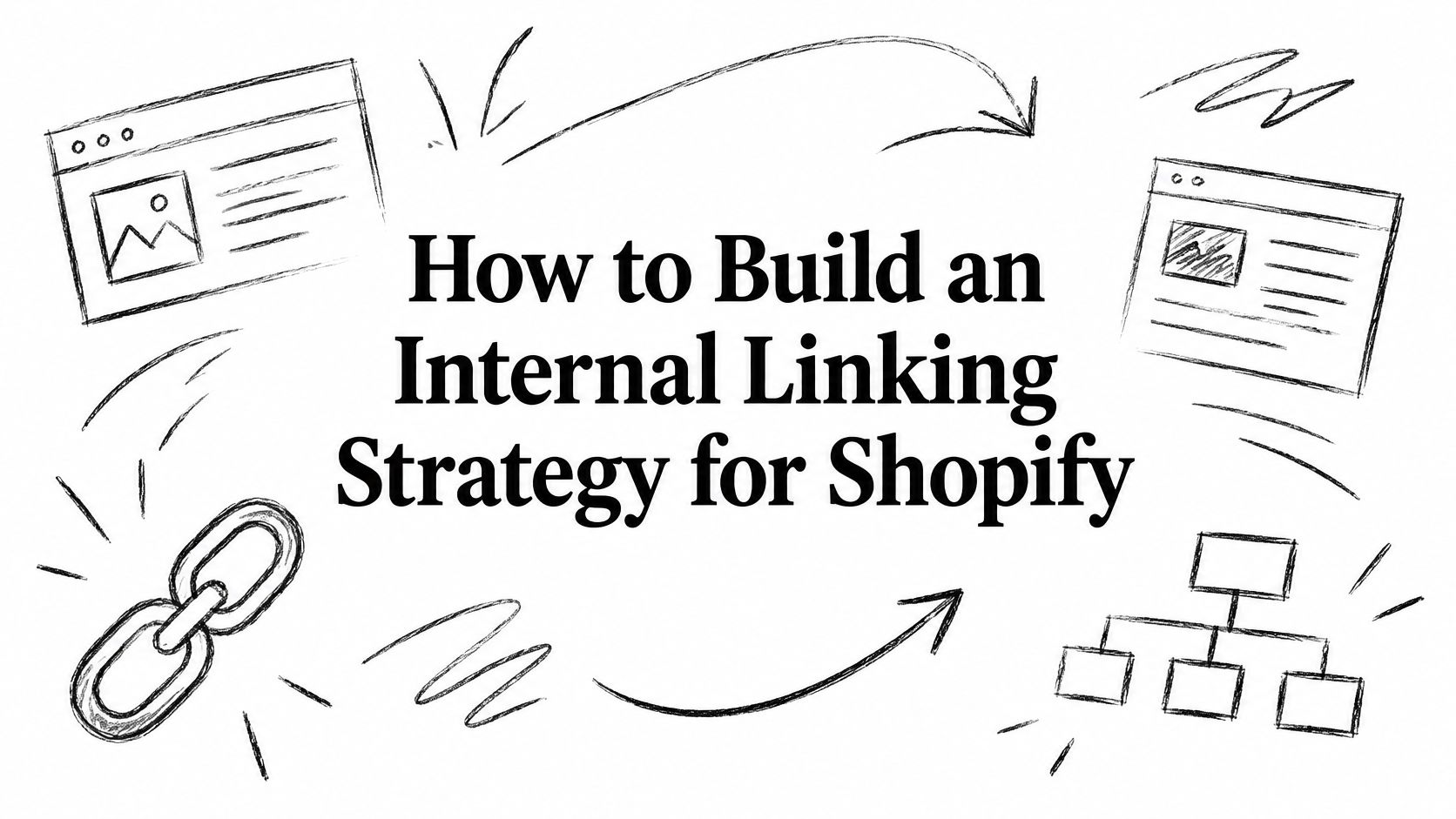
You've published useful buying guides, organized your products into collections, and checked that your important pages are indexed. Yet shoppers still struggle to reach a valuable collection, and your strongest articles send readers nowhere commercially useful. The pages exist, but the paths between them don't reflect what you want the store to sell.
A practical internal linking strategy closes that gap. Instead of counting links, treat each placement as a decision about which destination deserves attention, which source can provide it, and what the shopper should do next.
Table of Contents
- Why Shopify Internal Linking Gets Overlooked
- Audit the Current Internal Link Graph
- Design a Topical Link Architecture
- Choose Anchors and Link Placements
- Control Faceted Navigation and URL Variants
- Implement and Automate Link Changes
- Measure Impact and Maintain the Strategy
Why Shopify Internal Linking Gets Overlooked
Consider a hypothetical Shopify merchant reviewing an underperforming collection. The products are available, the collection answers a clear shopping need, and an indexed buying guide discusses the same topic. But the guide never links to the collection, and shoppers can reach it only through an obscure navigation route.
Nothing looks obviously broken in the storefront editor. That's why this problem is easy to miss: publishing a page and giving it meaningful internal support are different tasks.
The crawler's view is less about how polished each page looks and more about which paths connect them.
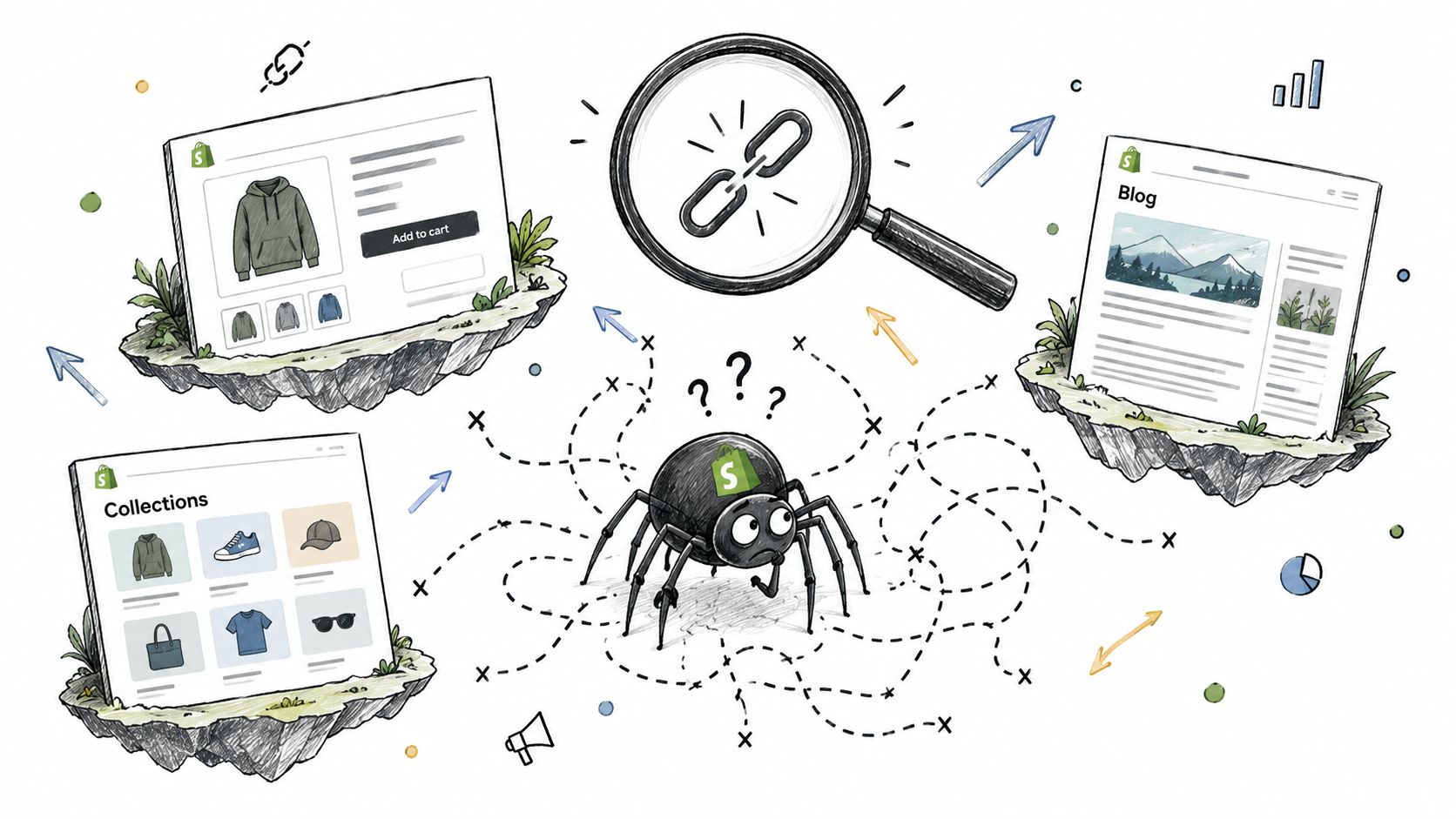
Navigation is also information architecture
Internal links aren't merely shortcuts. They help communicate page relationships, distribute authority, and establish a hierarchy. The historical foundation is the original PageRank paper by Sergey Brin and Larry Page, published in 1998, which described hyperlinks as citation-like signals of importance.
For a merchant, that means menus, collection links, breadcrumbs, and editorial links collectively express priorities. If an important collection receives almost no support while incidental destinations appear throughout the store, the architecture doesn't match the business plan.
Practical rule: A useful link connects a shopper's current question with a destination that helps resolve it.
Passive linking isn't a strategy
Menus and automatically generated recommendations can provide necessary paths without providing the right paths. A generic related-products module doesn't necessarily connect a detailed buying question to the collection that answers it.
Before adding a link, define its job:
- Discovery: Make a worthwhile destination reachable from a relevant entry point.
- Evaluation: Help shoppers compare options or resolve uncertainty.
- Purchase progression: Move readers toward a suitable collection or product without interrupting their task.
The trade-off is attention. Adding every possible destination makes prioritization harder for shoppers. Start with a crawl, identify commercially significant gaps, and use deliberate architecture rather than indiscriminate link accumulation.
Audit the Current Internal Link Graph
Audit URLs and their relationships together. A list of pages with low incoming-link counts isn't enough to decide what deserves implementation time.
Use a crawler to export the current graph, then combine that export with search and commerce data. Keep the original crawl as your baseline rather than overwriting it after changes.
Use this checklist to organize the initial review.
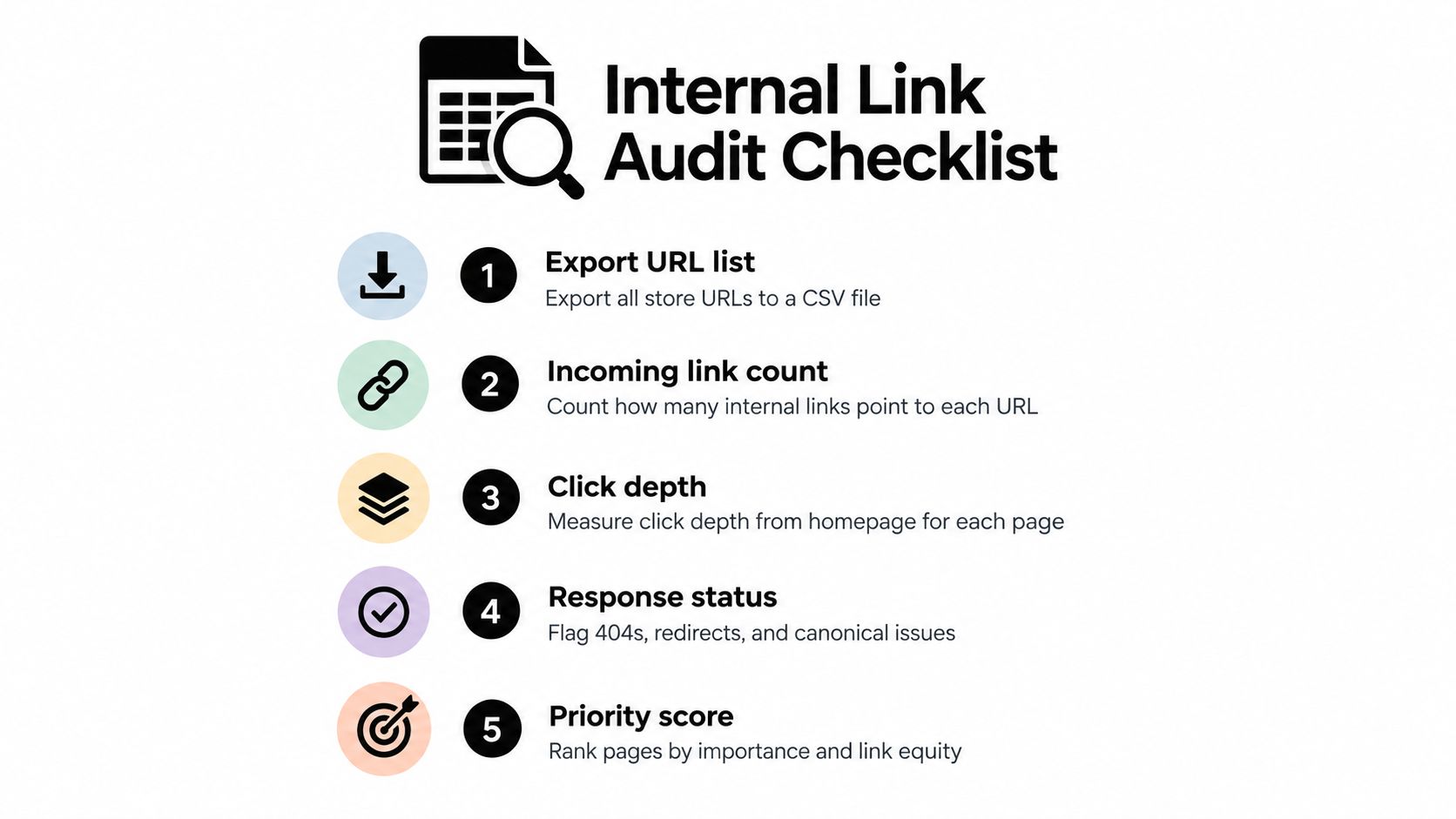
Build a decision-ready dataset
Include each URL's incoming-link count, click depth from the homepage, response status, canonical target, organic traffic, and conversion value. Add page type, inventory relevance, and the intended shopper action so the spreadsheet captures commercial context.
Compare crawl-discovered URLs with your known product, collection, and content inventory. Otherwise, pages absent from the crawled graph can also be absent from the audit.
Check unique linking pages, not just repeated link instances. A destination supported by the same reusable module across many pages needs a different review from one receiving editorial links from relevant guides.
Weak support deserves attention even when a page isn't fully orphaned. A large-scale internal-linking analysis attributed to Ahrefs examined 1,002,165 domains and reported that 66.2% contained a page with only a single dofollow incoming internal link. That's a fragility warning, not a recommended link target.
Shopify internal link audit priorities
| Audit signal | Likely risk | Useful response |
|---|---|---|
| Important URL absent from the crawl | No discoverable internal path | Reconcile against the page inventory and inspect relevant sources |
| Valuable page with fragile incoming support | A routine edit could remove its main path | Add independent, relevant source pages |
| Commercial page buried deep | Difficult discovery through normal browsing | Reconsider collection hierarchy and entry points |
| Redirecting or broken target | Shopper reaches an unnecessary detour or dead end | Repair the source placement |
| Conflicting canonical destination | Promoted URL differs from the intended destination | Resolve URL policy before adding support |
Rank fixes by business usefulness
Suppose a collection has little traffic but serves a valuable search intent and contains products you want to prioritize. A relevant, visible buying guide may be a better source than an unrelated page with stronger metrics.
Don't prioritize the collection solely because it has fewer links. Record the reason it deserves support, the proposed source, the placement, and the expected shopper action.
Inspect the mobile storefront separately, including menus, collapsed descriptions, and template-generated recommendations. Confirm that the audited paths exist in the rendered experience, not just in an implementation specification.
Use the broader Shopify SEO checklist to keep link remediation connected with other technical checks.
For a complementary walkthrough, use the video alongside your own crawl export.
Design a Topical Link Architecture
A useful architecture starts with the shopping problem, not the blog taxonomy. Choose a commercial hub for a meaningful topic, then decide which supporting pages help someone understand, evaluate, or buy within that topic.
The hub doesn't have to be an article. For a Shopify store, a collection can be the most appropriate destination when the underlying intent is to browse suitable products.
Connect expertise with a shopping destination
Consider a hypothetical skincare store organizing a dry-skin topic. Its moisturizer collection could act as the commercial hub, supported by a routine guide, a texture-comparison article, and relevant product pages.
The collection should offer access to guidance where shoppers need help choosing. The routine guide should return readers to the collection when they're ready to browse, while linking directly to a product only when the surrounding explanation justifies that recommendation.
This diagram illustrates the broader hub-and-supporting-page model.
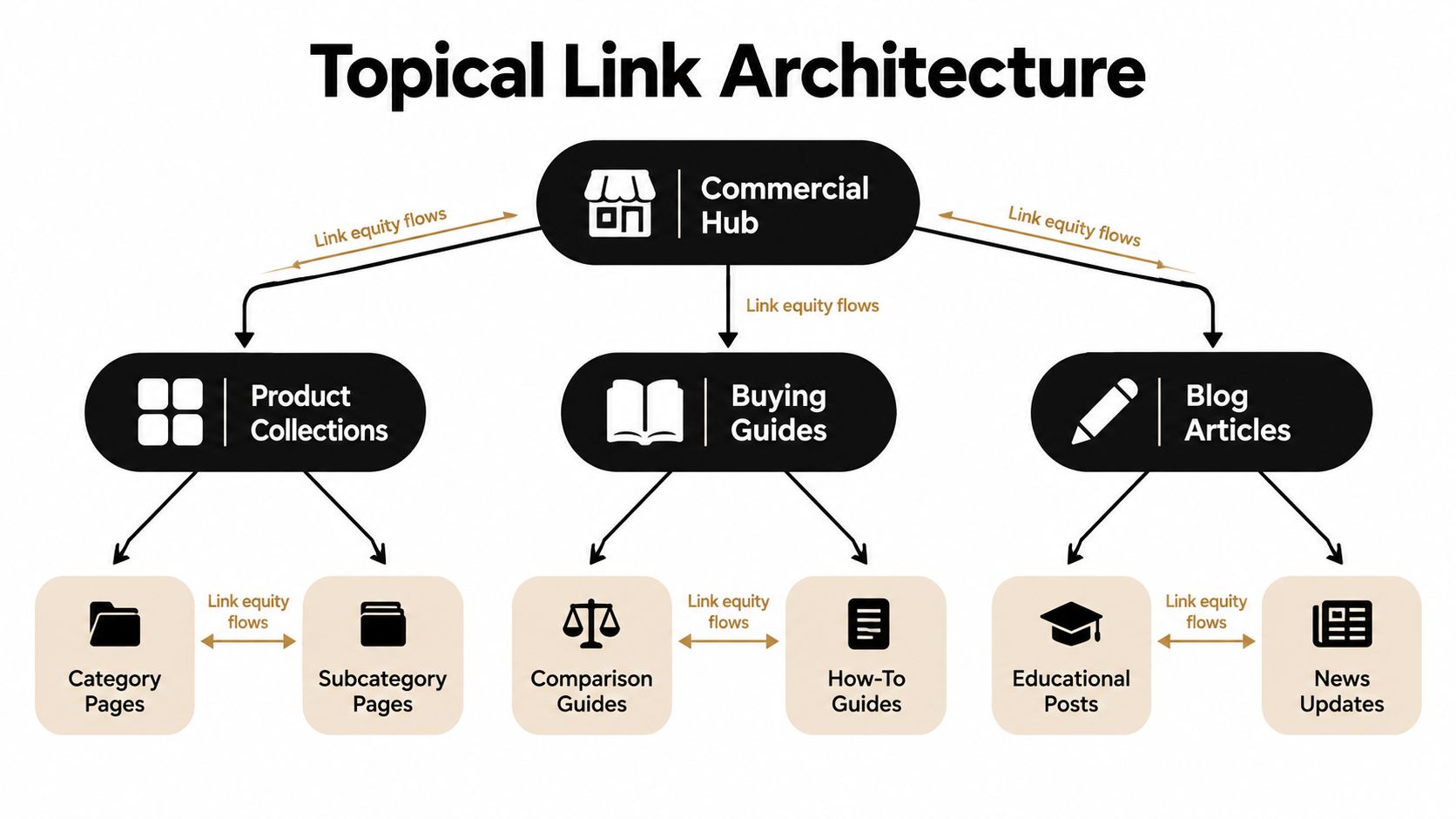
The hierarchy should guide decisions without becoming a rigid silo. A useful comparison may legitimately serve neighboring collections. Don't remove that connection just to preserve a tidy diagram.
For a cross-industry planning reference, consider SubmitMySaas-2's resource on information hierarchy for SaaS. Use it as a prompt to question organizational choices, not as an ecommerce-specific template.
Give overlapping collections distinct jobs
Collections organized around skin type, product texture, and routine stage may contain overlapping products. Before promoting them, write down the question each destination answers.
- Skin-type collection: Helps shoppers browse products suited to a stated need.
- Texture collection: Helps shoppers choose a preferred product format.
- Routine guide: Explains how to assemble or understand a routine.
- Product page: Supports evaluation of a specific item.
If you can't distinguish the intended action, stronger linking may amplify an unresolved architecture problem. Clarify the destinations before assigning more source pages.
Maintain an editorial map containing the destination, relevant source opportunities, placement rationale, and desired action. Include ownership so updates don't depend on someone remembering why a link was added.
A primary path should explain the page's place in the store. Supporting contextual paths should answer adjacent questions. When implementing that primary path, use this breadcrumb navigation SEO guide as a separate planning reference.
The practical test is whether a shopper can explain why the next destination belongs there. If the relationship requires an SEO justification rather than a shopping justification, reconsider the placement.
Choose Anchors and Link Placements
Choose the placement before polishing the anchor. A descriptive phrase can't rescue a link that interrupts the reader or points to the wrong kind of page.
Google's crawlable-link and anchor-text guidance recommends standard HTML anchors with a valid href, concise descriptive text, and contextual links that help users understand destinations. It also says important pages should receive a link from another page.
Match the placement to its job
Different link types solve different problems. Use them together without assuming they're interchangeable.
| Placement | Appropriate job | Common misuse |
|---|---|---|
| Main navigation | Expose enduring shopping categories | Filling menus with every campaign destination |
| Breadcrumbs | Show a consistent route through the hierarchy | Assigning arbitrary parents |
| Collection-to-product links | Let shoppers evaluate the collection's assortment | Presenting unsuitable items without explanation |
| Contextual body links | Answer a question at the moment it arises | Inserting commercial links into unrelated passages |
| Related-content modules | Offer a relevant next read | Repeating generic recommendations everywhere |
| Automated product recommendations | Support an appropriate product choice | Matching on a shared word alone |
A phrase such as waterproof hiking boots belongs with a collection that offers that assortment. How to choose trail footwear sets an informational expectation and should lead to a buying guide, not an unexplained product grid.
The surrounding sentence matters too. Explain why the destination is useful rather than inserting an isolated keyword phrase into otherwise unrelated copy.
Prefer accurate language over anchor formulas
Anchor variation should come from natural writing. Don't manufacture synonyms just to make an anchor report look diverse, and don't force the same commercial phrase into every paragraph.
- Describe the destination: Use wording that lets shoppers predict what they'll see.
- Keep the promise: Don't label a product link as a comparison guide.
- Use the final URL: Update placements rather than relying on redirect chains.
- Check the context: Make sure nearby text explains the relationship without overselling it.
Repeated boilerplate is another trade-off. A reusable module can maintain coverage efficiently, but a generic destination list may offer little help on a highly specific article.
If you wouldn't recommend the destination to a shopper asking that question, don't add it solely for search engines.
Review links in the actual page layout. A technically valid anchor can still be poorly placed, surrounded by competing actions, or visually detached from the explanation that makes it useful.
Control Faceted Navigation and URL Variants
Faceted navigation requires a different decision from ordinary collection linking. A filter may help a shopper narrow an assortment without deserving a permanent place in your search architecture.
Color, size, price, sorting, search, and variant parameters should therefore enter the audit as URL-policy decisions, not automatic opportunities for more links.
Separate SEO destinations from shopping utilities
Google's ecommerce URL-structure guidance recommends avoiding internal links to temporary or user-specific parameters and using consistent URLs across internal links, sitemaps, and canonical tags. It also recommends linking to products intended for indexing, with sitemaps or Merchant Center feeds providing additional discovery where navigation can't expose everything.
Apply that distinction before promoting filtered destinations:
- Demand: Does the filtered assortment answer a recognizable search need?
- Commercial value: Does it support worthwhile margin and conversion potential?
- Inventory: Can the store maintain a useful assortment?
- Intent: Is this destination meaningfully different from the parent collection?
- Stability: Will its purpose remain useful after a campaign or merchandising change?
A hypothetical footwear merchant might find recurring interest in waterproof styles and wide-fit styles. Dedicated collections could make sense for those needs, while combinations involving temporary availability, narrow price settings, and sort order remain shopping utilities.
The distinction is controlled promotion, not the removal of useful filtering.
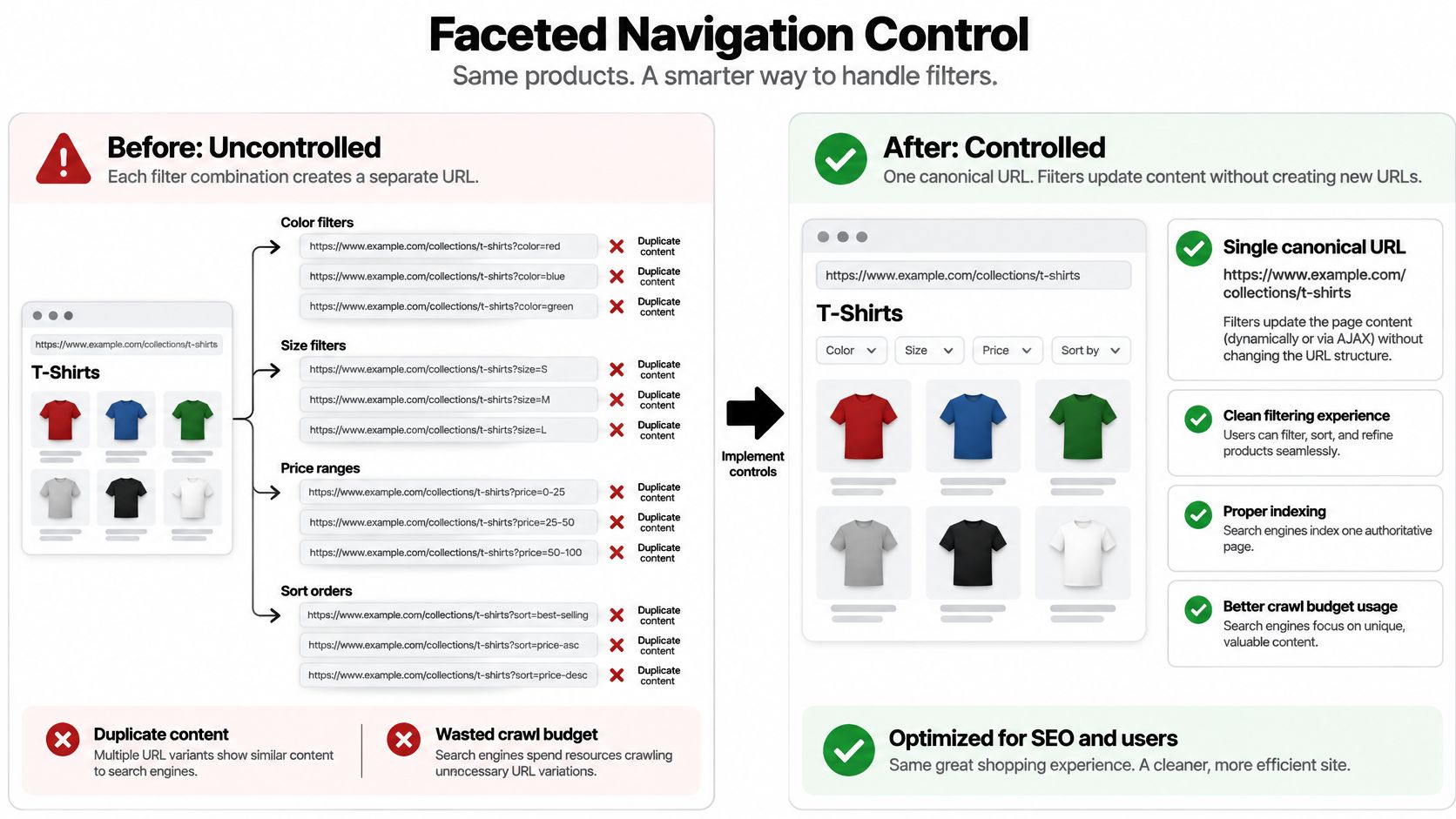
Validate the URL policy before scaling it
Don't interpret the diagram as a requirement that every filter share an unchanged address. The implementation decision is which destinations you intend to promote and index, then whether the theme's URL and canonical behavior support that decision.
Use canonicalization or controlled indexing where appropriate, but review actual outputs rather than assuming the settings achieve the intended result. Don't promote a filtered URL as an independent destination while leaving an unresolved canonical policy pointing elsewhere.
For troubleshooting context, IndieTool's guide to why your page isn't indexed is a useful companion. Keep that diagnostic work separate from deciding whether the page deserves indexing at all.
Review impressions and conversions for existing candidate URLs before strengthening their internal support. Where performance evidence is absent, document the demand and merchandising rationale, then test cautiously rather than treating missing data as proof of no opportunity.
Use the faceted navigation SEO guide when documenting those rules. Record approved destinations and excluded combinations so editors and developers don't make conflicting decisions.
Implement and Automate Link Changes
Implementation should produce maintainable rules, not a spreadsheet of edits that nobody can explain later. Separate editorial placements, template changes, and URL-policy work so each can be reviewed and reversed independently.
Start with a focused group of approved destinations. A smaller, clearly documented deployment is easier to validate than an unreviewed store-wide rewrite.
Establish a publishing workflow
For every new article or landing page, select relevant existing destinations before publication. Then update an established, appropriate page to introduce the new URL, rather than assuming it will receive meaningful support automatically.
Give the editor a destination brief containing the page's purpose, preferred URL, eligible source topics, and unsuitable contexts. That brief is more useful than a blanket instruction to add product links.
- Before publication: Check destination accuracy, assortment relevance, and the proposed shopper action.
- During editing: Read the linked sentence as a recommendation, not just a keyword placement.
- After publication: Inspect the rendered page and confirm that the intended links appear correctly.
- During follow-up: Assign responsibility for links affected by product or collection changes.
Automate repeatable relationships
Theme templates can support breadcrumbs, article recommendations, collection descriptions, and related products. Use automation where you can describe the matching rule clearly enough for someone else to maintain it.
For example, an article tagged to an approved topic could display a manually assigned collection. That controlled mapping may be preferable to selecting products from incidental keyword matches.
A maintained Shopify app is a reasonable option when its controls fit your editorial workflow. Custom development becomes more appropriate when you need unusual matching rules, inventory-aware exclusions, integrations, or approval behavior that available tools don't provide.
Blogger SEO AI Blog Agent for Shopify is an option for teams seeking automated SEO blog generation, scheduling, multilingual publishing, and product linking within Shopify blog content. Treat generated links as suggestions requiring review, not as evidence that the destination is commercially appropriate.
Automation boundary: Automate the approved relationship, not the assumption that every similar phrase deserves a link.
Test representative templates before deployment. Review relevance, final destinations, HTML rendering, canonical behavior, mobile presentation, and the effect on pages that weren't the original implementation target.
Reusable modules need an owner and an exception process. Without those, a rule that initially worked can keep recommending stale collections or unsuitable products after merchandising changes.
Keep a change log with affected templates, source groups, destination groups, and rollback instructions. Automation should reduce repetitive work without making the store's priorities harder to inspect.
Measure Impact and Maintain the Strategy
A successful deployment should change more than the incoming-link column. Measure whether the intended destinations became better supported, gained useful search visibility, and contributed to commercial outcomes.
Compare the pre-deployment baseline with a follow-up 28–56 days after implementation, using the measurement workflow associated with the earlier Google link-guidance reference. Treat that as a review window, not a promise that search performance will change on schedule.
Separate implementation evidence from outcomes
First confirm what shipped. A planned link does not belong in the results discussion if the template failed to render it or the destination changed during deployment.
Then compare structural, search, and commercial measures.
| Measurement layer | What to track | What it helps establish |
|---|---|---|
| Crawl structure | Orphan count, incoming-link distribution, depth, destination status | Whether the intended paths exist |
| Indexing and search | Indexed-page coverage, impressions, clicks, ranking distribution | Whether target visibility changed |
| Shopper acquisition | Organic sessions to target pages | Whether search visibility brought visits |
| Commercial contribution | Assisted conversions and revenue per target URL | Whether the destinations supported sales |
Revenue deserves context. A guide may help shoppers evaluate products without becoming the final page before purchase, while a collection's revenue can change because inventory or merchandising changed.
Annotate deployment dates alongside promotions, content revisions, redirects, and theme releases. Don't attribute every ranking movement to internal links when other changes occurred at the same time.
Make maintenance part of store operations
Assign ownership across merchandising, content, and development. Each team should know which events trigger a link review rather than waiting for another audit.
- New products and collections: Confirm their intended role and eligible source pages.
- New articles: Check that publishing tasks include appropriate incoming support.
- Theme releases and redesigns: Recheck navigation, modules, and mobile rendering.
- Redirects and discontinued products: Remove misleading recommendations and repair affected placements.
- Faceted-navigation changes: Verify that approved destination rules still match implementation.
- Seasonal merchandising: Reassess links whose usefulness depends on assortment or availability.
Keep remediation tied to the original business rationale. If a destination remains relevant but hasn't improved commercially, investigate the assortment, search intent, and on-page experience before adding more links.
The lasting priorities are straightforward: deliberately promote useful destinations, strengthen fragile high-value pages, and remove links that mislead shoppers. Don't rewrite the strategy in response to short-term fluctuations when the implementation and commercial rationale remain sound.
Yassine Malti builds SEO-focused Shopify apps and custom automations for content, on-page optimization, and store workflows. Visit Yassine Malti to explore ready-made tools or discuss a custom internal-linking workflow built around your collections, publishing process, and commercial priorities.
Shopify apps by Yassine Malti
Put this into practice
-

Blogger · SEO blog posts
An AI blog agent that writes and publishes for you · 50 credits/month free
-

ALT SEO · Image alt text
AI alt text for every product image · 100 images/month free
-

RANKit · Meta titles & descriptions
AI meta titles and descriptions, sized for Google · 50 meta tags/month free