You refreshed the orders screen a few minutes ago. A customer wrote that the box arrived, the size is wrong, and tracking still says out for delivery. The tracking page blames a delay. The cause sits upstream, in a stockroom count, a pick from the wrong bin, or a label swapped at the packing bench, and it reaches you as doubt.
Order fulfillment is the whole cycle between a customer clicking buy and that customer holding the right product. Seen that way, it works less like a shipping task than a trust system. Each stage hands the order to the next, and a slip at any handoff shows up at the customer's door. A delayed parcel, a missing insert, a silent refund: on their side, all three feel identical. You didn't do what you said.
Hold your operation to that standard before you scale it. Volume doesn't repair a broken handoff. It repeats the break more often, in front of more customers.
Table of Contents
- What Order Fulfillment Means for Your Store
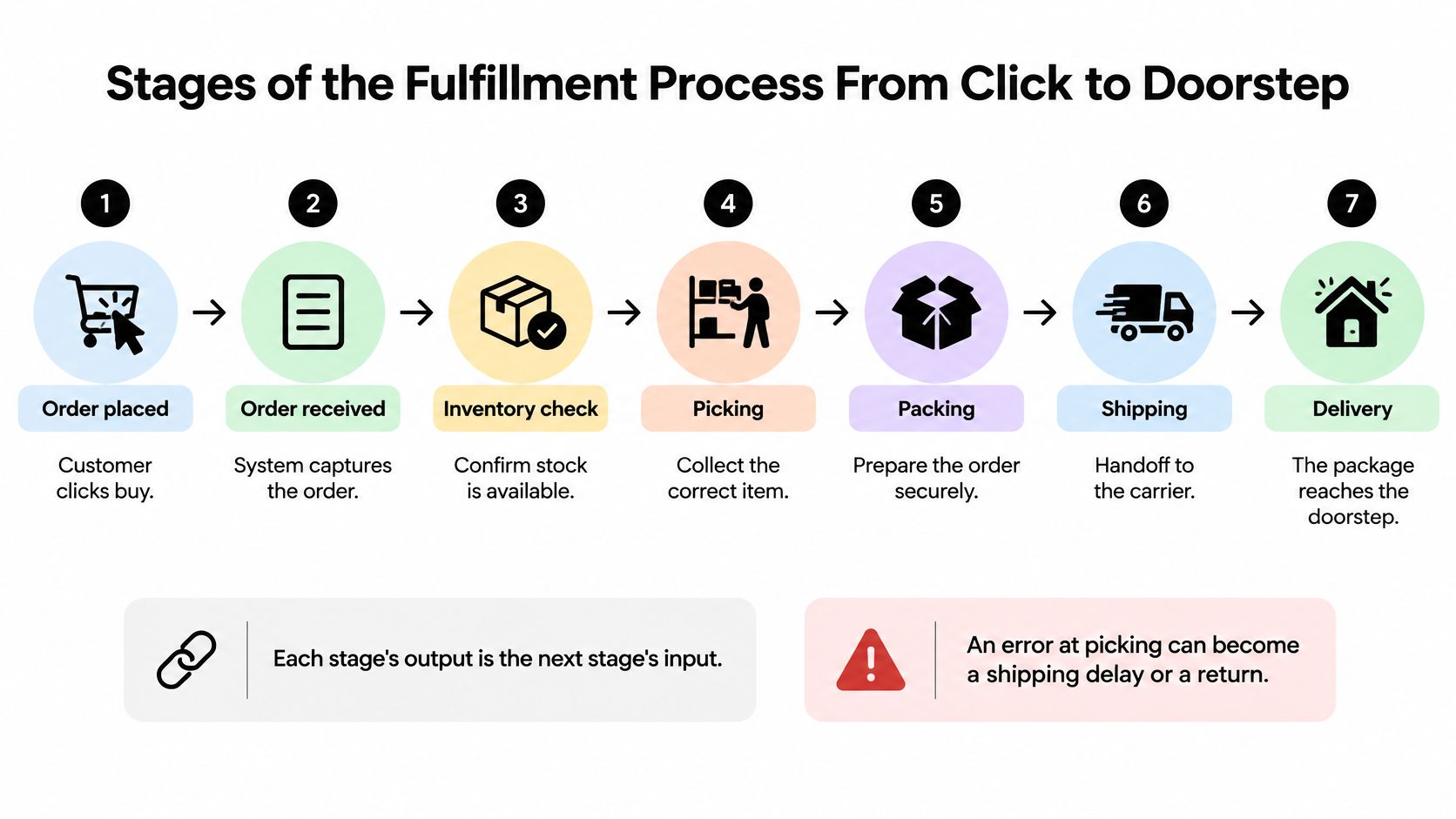
- Stages of the Fulfillment Process From Click to Doorstep
- Fulfillment Models and Which One Fits
- Metrics That Show Whether Fulfillment Works
- Audit Your Fulfillment Before You Scale Orders
- How to Automate Fulfillment on Shopify
- Fulfillment FAQs for Store Owners
What Order Fulfillment Means for Your Store
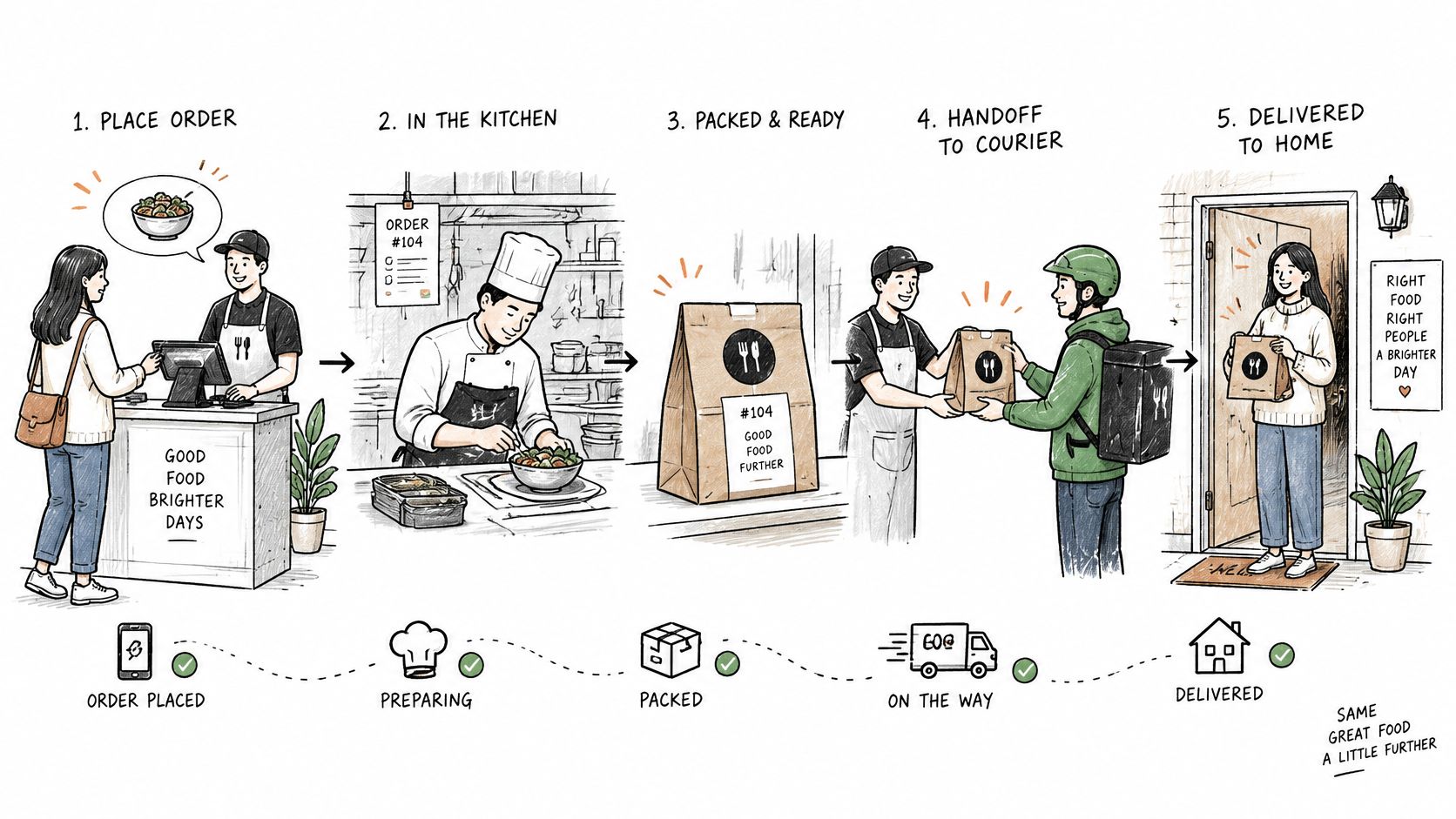
Say you also run a takeout counter beside the dining room. Taking the ticket isn't the meal. A fast line that bags the wrong dish has still failed the diner, even when the bag left the pass on time. Your store works the same way. A perfect label doesn't rescue a wrong product.
The cycle is a set of stages, not a single ship button. Order receipt and processing captures the sale and checks the address. Inventory allocation reserves a real unit. Then come picking, packing, shipping, and delivery. Where the model needs it, returns or customer service close the loop. Skip a handoff and the shopper tastes the mistake, just as the diner does.
That work used to be mostly manual. Retailers pulled orders from store shelves or small backrooms. E-commerce in the late 1990s and early 2000s changed the scale. Instead of a few large consignments to stores, merchants had to ship many individual orders, often with different products and different addresses. The order fulfillment glossary from item traces how that shift sped up warehouse-management systems, barcode scanners, conveyors, wireless networks, and third-party logistics. By the early 2000s, warehouse software and scanning were already checking inbound shipments, sending stock to storage or cross-docking, and tightening pick accuracy.
Fulfillment isn't shipping. It's the coordinated management of inventory, information, warehouse labor, transportation, and post-purchase service across the whole order lifecycle. Pair that view with understanding the order management process so the sale, the stock hold, and the status updates stay one record instead of three spreadsheets.
A simple test for a bad order
When an order is late or wrong, don't open with the carrier. Ask which stage failed. Was the address bad at receipt? Did the shelf sit empty after the storefront said it was full? Did the picker grab the neighboring SKU? Did packing skip the insert? Did the parcel miss the cutoff?
Practical rule: If you can't name the stage that failed, you don't have a fulfillment process yet. You have a shipping habit.
Stages of the Fulfillment Process From Click to Doorstep
Every stage hands the next one a packet of information along with the goods, and most late or wrong orders trace back to a handoff where that packet went missing. New operators watch the physical handoff, the box moving from shelf to picker to van. The handoff that decides whether the customer gets what they paid for runs between the storefront and the shelf, and it stays invisible until it fails.
A storefront listing three units that the shelf cannot cover works like a menu still offering a dish the kitchen ran out of an hour ago. The guest orders, the kitchen stalls, and the apology arrives at the table. In a store, the same gap opens when a return is logged as damaged and never restocked, when a manual stock edit skips the sync, or when a pick is confirmed without adjusting the count. The order clears checkout. The picker reaches an empty bin. The buyer hears about it two days later, and the message is an apology rather than a tracking number.
That gap is a data problem wearing warehouse clothes, and a clean data sync between storefront and warehouse is what closes it.
Order receipt and validation catches bad addresses and duplicate checkouts before anyone walks to a bin. Inventory allocation forces the storefront promise and the physical count to agree. Picking and packing produce most reshipments: a wrong SKU, a short quantity, a missing insert. Shipping fails at the clock, where a correct box misses the daily carrier cutoff. Delivery and tracking fail when a status update never reaches the buyer. Returns fail when the refund stalls and no one records why the item came back.
The video below follows the same handoffs in motion.
| Stage | What Happens | Where It Breaks | Check to Run |
|---|---|---|---|
| Order receipt and validation | Order captured, payment and address verified | Bad addresses, duplicate orders | Confirm orders sync from storefront to warehouse |
| Inventory allocation | Stock reserved for each order | Oversold items, stock shown but not on the shelf | Compare storefront stock with warehouse count |
| Picking | Items pulled from storage bins | Wrong SKU or wrong quantity | Confirm a barcode scan for every item |
| Packing | Items boxed, protected and labelled | Missing inserts, wrong box size | Match the packing slip to the order |
| Shipping | Carrier chosen, label printed, parcel handed over | Late handover, wrong service level | Set a daily cutoff time and carrier rules |
| Delivery and tracking | Carrier delivers and updates status | Failed delivery, no tracking updates | Send tracking events to the customer automatically |
| Returns and service | Return received, refund or exchange issued | Slow refunds, unclear policy | Log a reason code for every return |
Find the stage that waits the longest
Time one week of orders and record how long each order sits at each stage. Sort the stages by average wait. The longest average is your bottleneck, and it usually holds more orders than the rest combined.
Fix inventory allocation first when the storefront and the shelf disagree, because every later stage is packing a promise the bin cannot keep. Once counts match, look at picking, since a wrong scan is the error a customer can photograph and post. The customer never sees your warehouse. They see the promise, and a promise the shelf cannot back turns into a refund conversation.
An error at picking doesn't stay in the aisle. It shows up as a shipping delay or a return with your name on it.
Fulfillment Models and Which One Fits
Four models cover almost every Shopify store. They differ in who holds the stock, how much say you keep over speed, and how the bill arrives.
| Model | Who Holds Stock | Speed Control | Cost Pattern | Best Fit |
|---|---|---|---|---|
| In-house warehouse | Merchant | High | Fixed rent, staff and software | Steady volume and custom packing |
| Third-party logistics (3PL) | Provider's warehouse | Medium | Per-order and storage fees | Growing stores without warehouse space |
| Dropshipping | Supplier | Low | Per-item cost, no storage | Testing products with little capital |
| Hybrid | Split between own stock and 3PL | Medium to high | Mix of fixed and per-order costs | Stores with both fast and slow sellers |
Say a store ships about 30 orders a week. Dropshipping is a sane start while you test which products people reorder. Once a few bestsellers ship every day, holding those units at a 3PL can beat paying a supplier to pack each one. Slow or bulky items can stay with the supplier. That split is the hybrid.
What should decide the choice
Don't pick a model because a podcast liked it. Judge order volume, product size and weight, margin per item, how fast you promise delivery, and how many returns you expect. A heavy item with a thin margin hates a far warehouse. A fragile bestseller hates a supplier you can't see.
Dropshipping removes the warehouse. It doesn't remove the responsibility. When the supplier ships late, the complaint still lands in your inbox, because the customer bought from you.
Shoppers decide before they buy. Recent global research in DHL's 2025 survey of 24,000 online shoppers in 24 markets finds that 81% abandon a cart when their preferred delivery option is unavailable, and 79% abandon when the preferred returns option is missing. Pickup points, parcel lockers, and other out-of-home options belong in the model decision, not only in a shipping-rate table. If you're weighing outside storage, compare third-party logistics storage options against the space you'd otherwise rent yourself. An order management system is what keeps a hybrid from selling the same unit twice.
Answer two questions before you sign anything. Who is allowed to promise a delivery date to the customer? Who pays when that date is missed?
Metrics That Show Whether Fulfillment Works
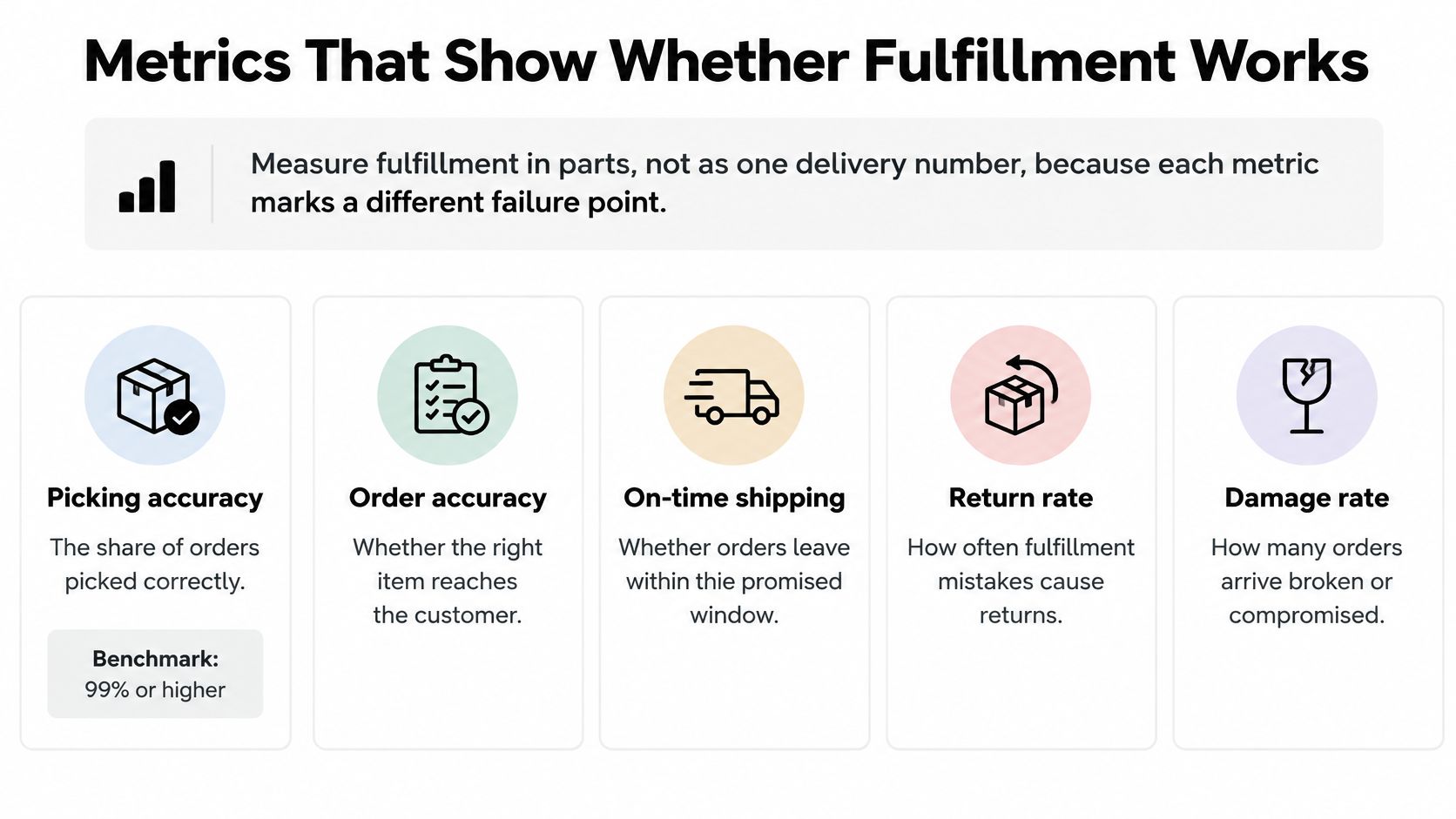
The customer sees one box arrive late, wrong, or not at all. Behind that moment sits a chain of separate promises, and any one of them can break. A single delivery score averages those promises into a blur, the way one restaurant star can hide a dirty kitchen. Split the score so each miss has an owner and a fix.
The Yale distribution-center benchmarking paper tracks on-time shipments, dock-to-stock cycle time, capacity utilization, and order-picking accuracy because each one marks a different break in the chain. It puts best-in-class picking accuracy at approximately 99.68% or higher, with leading operations approaching 99.9%. Those decimals look academic until you translate them into orders. At 100,000 orders, a 99.68% rate leaves roughly 320 picks that may be wrong before packing or shipping controls catch them. If the rate slips to 99.38%, a 0.3-point drop, the pile grows by about 300 more. That is how a tiny percentage becomes a week of reshipments and support tickets.
| Metric | What It Measures | Warning Sign |
|---|---|---|
| Picking accuracy | Share of picked items that match the order | Rising reshipments and refunds |
| On-time shipment rate | Orders leaving by the promised date | Missed cutoffs on most days |
| Order cycle time | Hours from order placed to shipped | Morning backlog that grows each week |
| Dock-to-stock time | Hours from goods received to available to sell | Items on shelves but shown as out of stock |
| Fill rate | Share of order lines shipped complete | Single orders split into several shipments |
Where the money leaks
When those metrics slip, the bill shows up in labor per order, packaging, storage, shipping, reshipments and refunds, and customer-service time spent on wrong or late orders. Track cost per order every month. A rise in reshipments tends to show there before it shows in revenue, because each bad pick gets paid for twice: once to ship, once to replace.
Say labor, packaging, storage, shipping, reshipment, and refund costs total $4,200 in a month and 1,400 orders ship. Cost per order is $3.00. If the next month is $3.40 at the same volume, check picking accuracy first. Reshipments are the most likely cause.
If storefront inventory, warehouse stock, and fulfillment-status events live in separate systems, connect them through reliable APIs or webhooks before you trust a weekly number. Review picking accuracy, on-time shipment rate, and order cycle time every week as separate KPIs. A pretty on-time rate can sit on top of a pick error you keep paying to fix.
Audit Your Fulfillment Before You Scale Orders
Before you add products or another sales channel, run a 30-minute fulfillment audit. Scaling a broken stage only makes the apology emails faster.
- Pull the last 30 days of orders. Calculate picking accuracy as the share of items that matched the order, using reshipment and refund records. Then calculate on-time shipment rate and cost per order with the same definitions you already track.
- Time one week of orders at each stage. Sort the stages by average wait and mark the slowest as the bottleneck.
- Compare storefront stock with the warehouse count for your ten best-selling products. Log every mismatch, including units that exist on one side only.
- Check delivery options and the returns policy against what shoppers expect. Flag any free shipping you offer without a margin check.
- Choose the single metric or stage that performed worst. Write one fix for it. Hold off on new products or channels until that fix is in place.
Write down the one number you'll check next week. That number is the baseline. Don't automate a stage you haven't timed.
When the fix really is software, merchants install any app for free from the Shopify App Store and test it on real products before paying. Apps can run in bulk on all products, a collection, or a hand-picked selection, now or on a schedule repeating weekly, monthly, or quarterly. Yassine Malti is a Shopify Partner, and that test-before-you-pay path is the one we walk with store owners so a new tool doesn't outrun the audit.
How to Automate Fulfillment on Shopify
Automating fulfillment works like a relay race: the order record passes from storefront to stock system to pick list to carrier, and each handoff either protects the customer's expectation or breaks it. A late, wrong, or missing order is usually the visible end of a handoff that had no clear rule. Automate only the handoffs you already know how to run by hand. The software should copy a decision you make today, not invent one.
- Set one stock count as the source of truth. Sync warehouse counts to Shopify inventory so the storefront stops selling what isn't on the shelf. A second spreadsheet will drift by Friday.
- Send new orders to the warehouse automatically through a fulfillment app or a webhook. Re-keying is where address and SKU errors begin, usually on the busiest afternoon.
- Tag orders by rule, such as express, multi-item, backordered, or high value. Staff should see priorities before they see the pile.
- Batch orders that share products into one pick run. Reserve single-order picks for urgent or awkward shipments so the batch doesn't hold them hostage.
- Push tracking to the customer when the carrier scans the parcel. That single event cuts a large share of “where is my order” contacts.
- Route exceptions, such as address errors and out-of-stock lines, to a daily review queue. An exception left in the main list can pull the wrong item into a pick.
One record when you sell in more than one place
In 2025, 43% of surveyed mid-market retailers identified managing order fulfillment and logistics across multiple platforms as a leading commerce-operations challenge, according to Linnworks' State of Commerce Ops Report. If you sell on Shopify and a marketplace, you need one shared order record, not a tab for each channel. A practical path into that shared record is order fulfillment automation built around the same stock count.
Choose an off-the-shelf app when volume is modest and the warehouse already speaks a common connection. Choose custom automation when you have several channels, odd packing rules, or exceptions a generic app keeps dropping.
Listing data belongs to the same trust system. When the product page leaves fit, size, or materials unclear, the shopper has to guess, and a guess turns into a return that re-enters fulfillment as an exception. Tidy the catalog before the order volume makes every unclear listing more expensive to resolve.
Fulfillment FAQs for Store Owners
Should a small store aim for the 99.68% picking benchmark?
That figure comes from large distribution centers. A small store should aim for no repeat errors on its bestsellers and a barcode check on every item before packing. Chasing a warehouse percentage you can't measure will waste the week.
What should I do when a customer receives the wrong item?
Send the correct item or refund quickly. Log a reason code for the error, then trace which stage failed so the same mistake doesn't ship again tomorrow. Speed without a reason code only hides the pattern.
How do I tell whether a late order is my problem or the supplier's?
Compare the order's timestamps with the stage list. If the order sat in your queue, the delay is yours. If the supplier's confirmed ship date slipped, the delay is theirs, and your customer still needs a plain update from you.
If your orders are growing faster than the process behind them, we build Shopify automations that keep stock, order status, and the customer message on one path. Yassine Malti is a Shopify Partner who designs those workflows for store owners who want fewer wrong boxes, not another dashboard. Visit Yassine Malti and tell us which stage is failing first.
Shopify apps by Yassine Malti
Put this into practice
-

Describer · Product descriptions
Product descriptions written from your own product data · Free: 50 descriptions/month
-

LLMs TXT · llms.txt for AI tools
A short llms.txt of your real store links · Free
-

Blogger · SEO blog posts
An AI blog agent that writes and publishes for you · 50 credits/month free