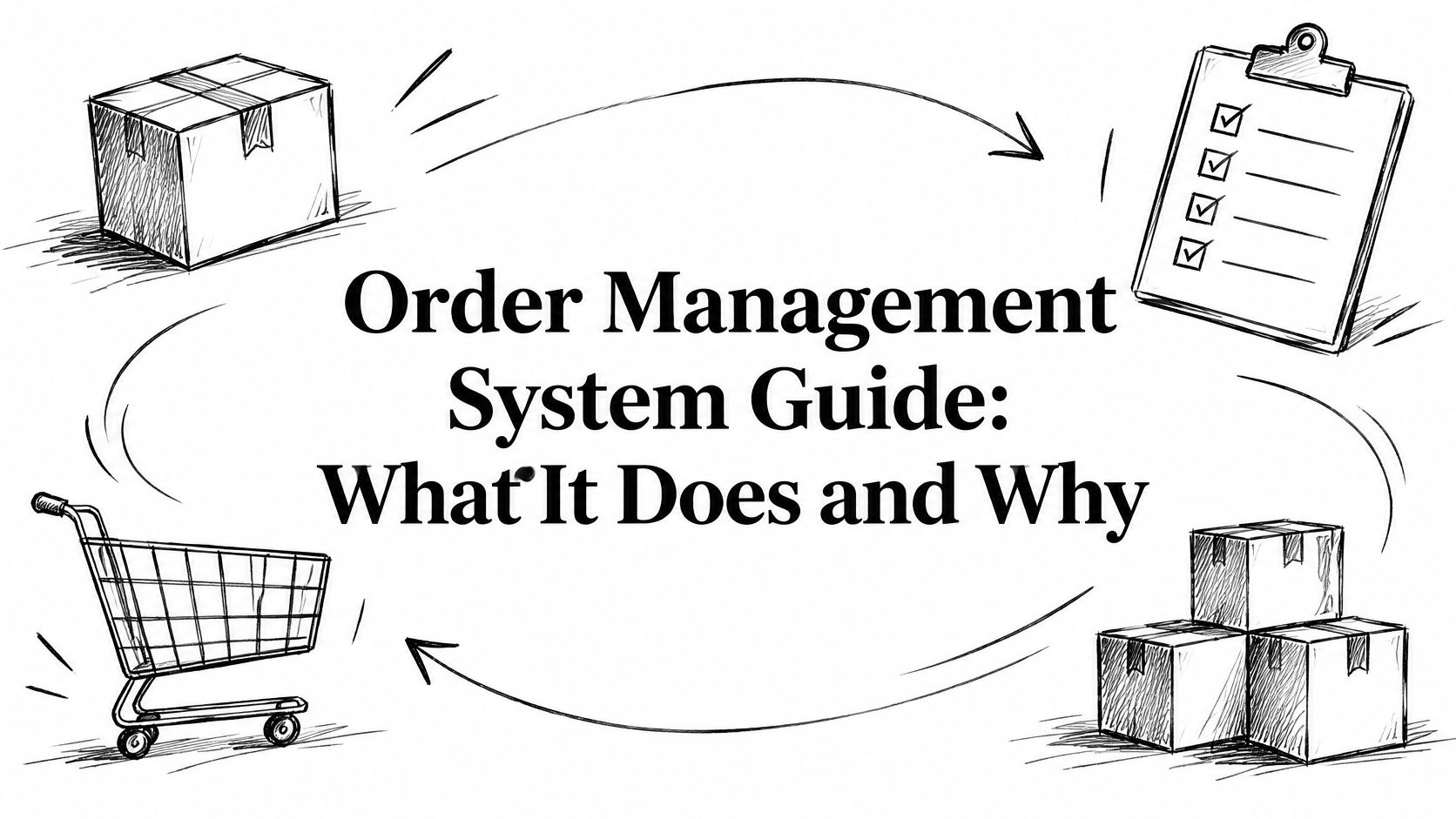
A customer adds the last medium jacket to the cart on your online store. That same jacket is also hanging in your shop, and a marketplace order for it lands five minutes later. Checkout still shows "in stock" and a two-day delivery date, because each channel is looking at its own count. Without one set of rules, you sell the same unit twice, then spend the afternoon apologising.
An order management system is the rules layer that decides which promises customers see, and whether you can keep them. It sits between the storefront, the shop floor, the warehouse and the returns desk.
Table of Contents
- What an Order Management System Does for Your Store
- The Order Lifecycle an OMS Controls
- Core Features Every OMS Should Have
- How Inventory Sync and Order Routing Work
- Running Warehouse Picking and Order Routing in Boostmyshop
- Handling Returns, Exchanges and Exceptions
- Myths About OMS Software Worth Dropping
- Shopify Integration Options Compared
- Choose and Implement Your Order Management System
What an Order Management System Does for Your Store
Say the jacket sells on the website at 2:14 p.m. The shop still shows one unit, and the marketplace listing still says available. Two more buyers check out before anyone updates a spreadsheet. You've now promised three people one physical item.
The order management system receives every order from every channel, holds the single record of what was promised, and decides what happens next. Think of an air traffic controller. Planes leave from many airports, but one tower assigns each runway and tracks every movement until the plane is down.
That job used to be back-office order entry. Forrester forecast global spending on OMS software at approximately $1.9 billion by 2026, up from $1.0 billion in 2021, an estimated compound annual growth rate of 12.8%. The category grew because merchants needed a layer that connects storefronts, marketplaces, inventory, warehouses, delivery and returns across the full order life, from capture through refund.
Practical rule: If two channels can sell the same unit before either one knows, you already need a shared promise, not another spreadsheet tab.
Ask yourself a blunt question. Have orders from your store, a marketplace, or a shop become hard to keep consistent? If the answer is yes, the rules layer is the gap, not another person checking stock by hand.
The Order Lifecycle an OMS Controls
Follow one jacket order and you'll see more stages than a "paid, then shipped" mental model allows. Capture, payment and risk review, allocation, picking and packing, tracking, then a cancellation, exchange or refund. A mistake at allocation becomes a refund problem days later.
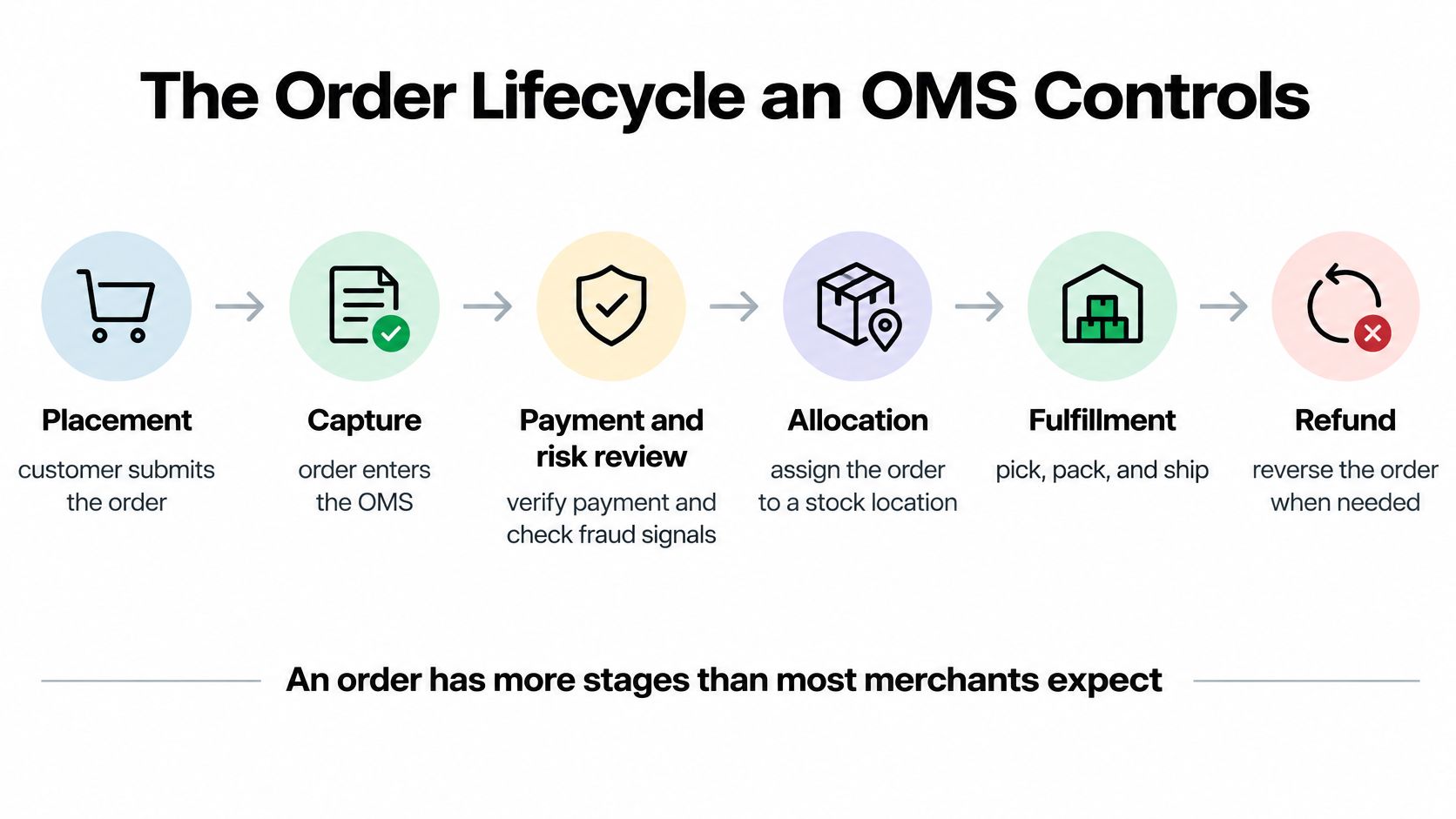
An order has more stages than most merchants expect. The table is the map for that jacket, and for the next order that looks nothing like it.
| Stage | What Happens | What the OMS Does | What Breaks Without It |
|---|---|---|---|
| Order capture | Order arrives from store, marketplace or point of sale | Standardizes data and merges duplicates | Same order processed twice |
| Payment and risk check | Payment is authorized and the order is screened | Holds or releases orders by rule | Unpaid or risky orders ship |
| Allocation | Stock is assigned to a location | Picks the source location by rule and reserves stock | Overselling and late cancellations |
| Picking, packing and shipping | Items are picked, packed and labelled | Sends status and tracking to every channel | Customers get no tracking updates |
| Cancellation, exchange and refund | Order changes after dispatch | Restores stock and updates payments | Stock counts drift from reality |
Where one early miss shows up later
Capture is where a marketplace and the online store can both send the same purchase. If nothing merges them, the warehouse picks twice.
Allocation is where the promise gets a location. Promise the jacket from a warehouse that is empty, and the picker finds an empty bin. The customer gets a cancellation, not a parcel.
Shipment fails when status never returns to the storefront. The jacket leaves, and the buyer never gets a tracking email, so they open a ticket.
Refund is where the count drifts. Cancel the order and forget to put the unit back, and tomorrow's checkout still hides a jacket you can sell. Teams that automate order fulfillment still need this handoff, because a clean pick doesn't repair a missed stock restore.
Pull your last ten orders and mark the stage where each one stalled. That list is your implementation brief.
Core Features Every OMS Should Have
A feature list only helps if every item reads and writes the same order and the same stock record. Treat this as a buying checklist, not a brochure.
- Central order hub. Orders from the online store, marketplaces and shops land in one queue, so a duplicate doesn't get fulfilled twice.
- Real-time inventory with reservations. A unit is held at checkout, not after the picker walks to the bin.
- Routing rules. Nearest location, lowest cost, or deepest stock, written as rules you can explain to a new hire.
- Split shipments. One order can leave from two places when no single location holds every line.
- Status sync and customer messages. Tracking and cancellations reach the storefront without a manual paste.
- Returns tied to refunds and restocking. The money movement and the stock movement stay in the same workflow.
- A short scoreboard. Fulfillment time, cancellation rate and oversell rate, reviewed weekly.
- Open APIs or webhooks. The OMS talks to the ERP, the warehouse system and the helpdesk without a nightly CSV.
A long feature page is not proof. Ask every vendor to run live test orders that touch two of these at once, such as a split shipment that also creates a partial refund. If the stock number and the customer email disagree, the tools aren't sharing one record.
How Inventory Sync and Order Routing Work
The core rule is simple. You need one trusted stock position per product and location. Channel-specific counts create overselling and cancellations, because each channel is confident and wrong.
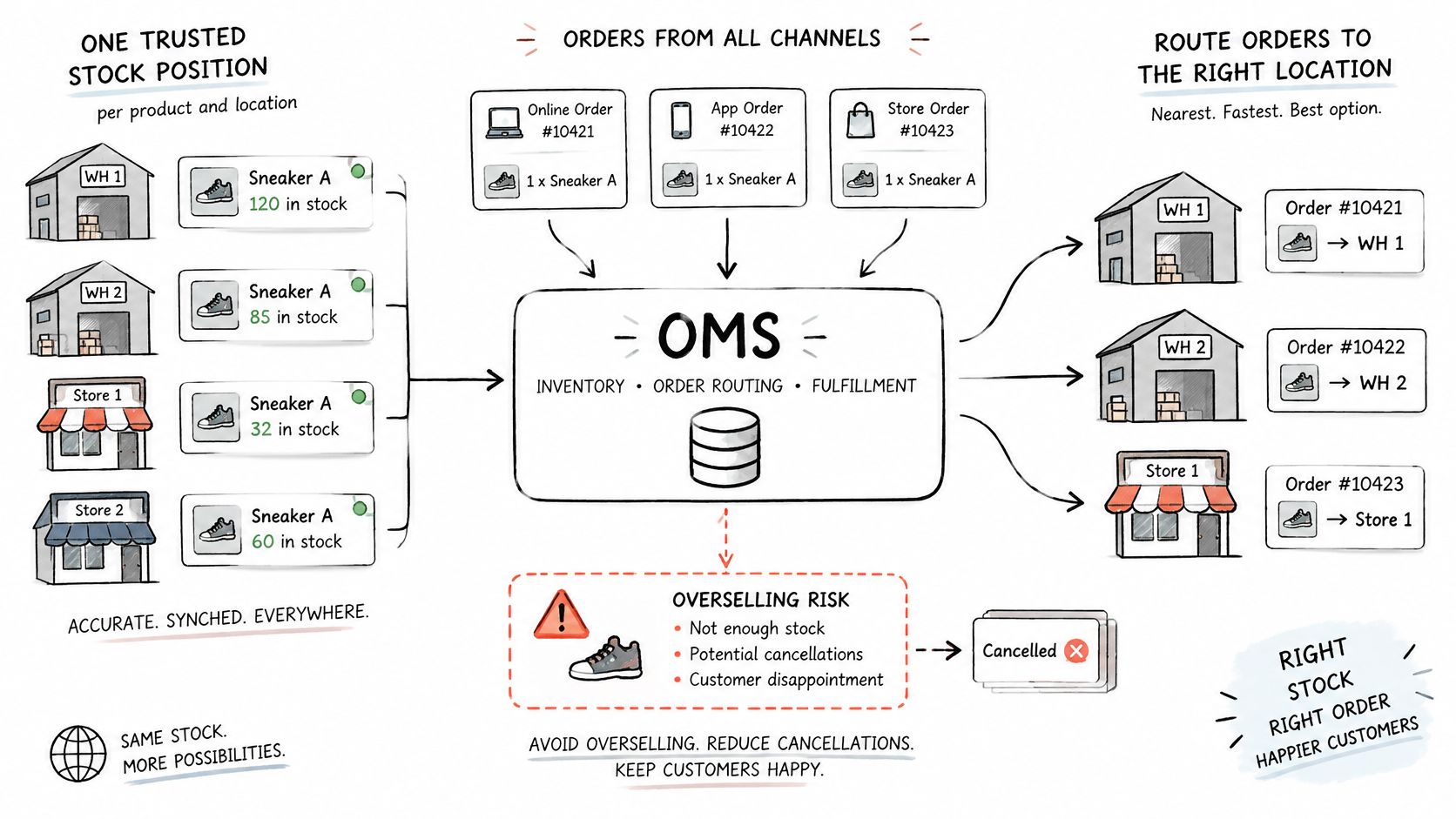
In a 2024 omnichannel benchmarking survey, only 30% of retailers reported giving shoppers real-time inventory data, while 61% said multiple ordering and delivery options, such as buy online, pick up in store, were critical to their strategy, according to Radial's benchmarking report. Delivery choice without a fresh count is a promise you can't defend.
How the count stays honest
Sync at SKU and location, not at a company-wide total. Reserve the unit when the order is placed. Decrement that quantity in one atomic step, so two checkouts can't both win. Process webhooks so a repeated event doesn't subtract twice, and run a reconciliation job when an event is late or missing. A clean data sync between store and warehouse is what makes those reservations trustworthy.
Accuracy looks abstract until you count the bad records. A warehouse benchmarking study tied a best-in-class inventory accuracy rate of 99.946% to cycle counting and systems that enforce procedures, which is about 54 wrong records per 100,000. At 95% accuracy, the exposure is 5,000 records per 100,000, as reported in the University of Arkansas inventory accuracy study. That gap changes promised dates and replenishment triggers.
Product identity matters too. If titles and tags drift, staff reserve the wrong variant. RANKit AI Meta Tags Generator for Shopify generates SEO-oriented tags from product images, titles and descriptions, including bulk updates, which keeps catalog labels consistent before routing ever runs.
Watch inventory freshness, reservation leakage, oversell rate and cancellation rate. This short walkthrough shows the same flow from checkout to a location choice.
| Order Situation | Routing Decision | Metric to Watch |
|---|---|---|
| All items in stock at one location | Ship from the nearest location with full stock | Average fulfillment time |
| Some items out of stock at the nearest location | Split the order or use the next full location | Split shipment rate |
| Customer chooses store pickup | Reserve stock at the chosen store | Pickup completion rate |
| Stock count disagrees with the system | Hold the order and trigger a cycle count | Reservation leakage |
| Stock is low across all locations | Show a delayed delivery date at checkout | Oversell rate |
This month, cycle-count your ten fastest-moving SKUs. Fix those before you tune routing rules for slower items.
Running Warehouse Picking and Order Routing in Boostmyshop
A common assumption is that routing rules and warehouse work live in separate products, and that merchants should glue them together later. That split is where orders stall. The promise is set in one tool, the pick path lives in another, and nobody owns the moment they disagree.
Boostmyshop is an e-commerce operations platform that configures warehouse, pricing, point of sale and AI workflows together. It combines an OMS with a warehouse system in myFulfillment, repricing in myPricing, a cloud POS tied to inventory in myWebPOS, and AI agents in AICommerce. Orders, stock, shipping and margin rules sit in one place across a large set of channels and carriers.
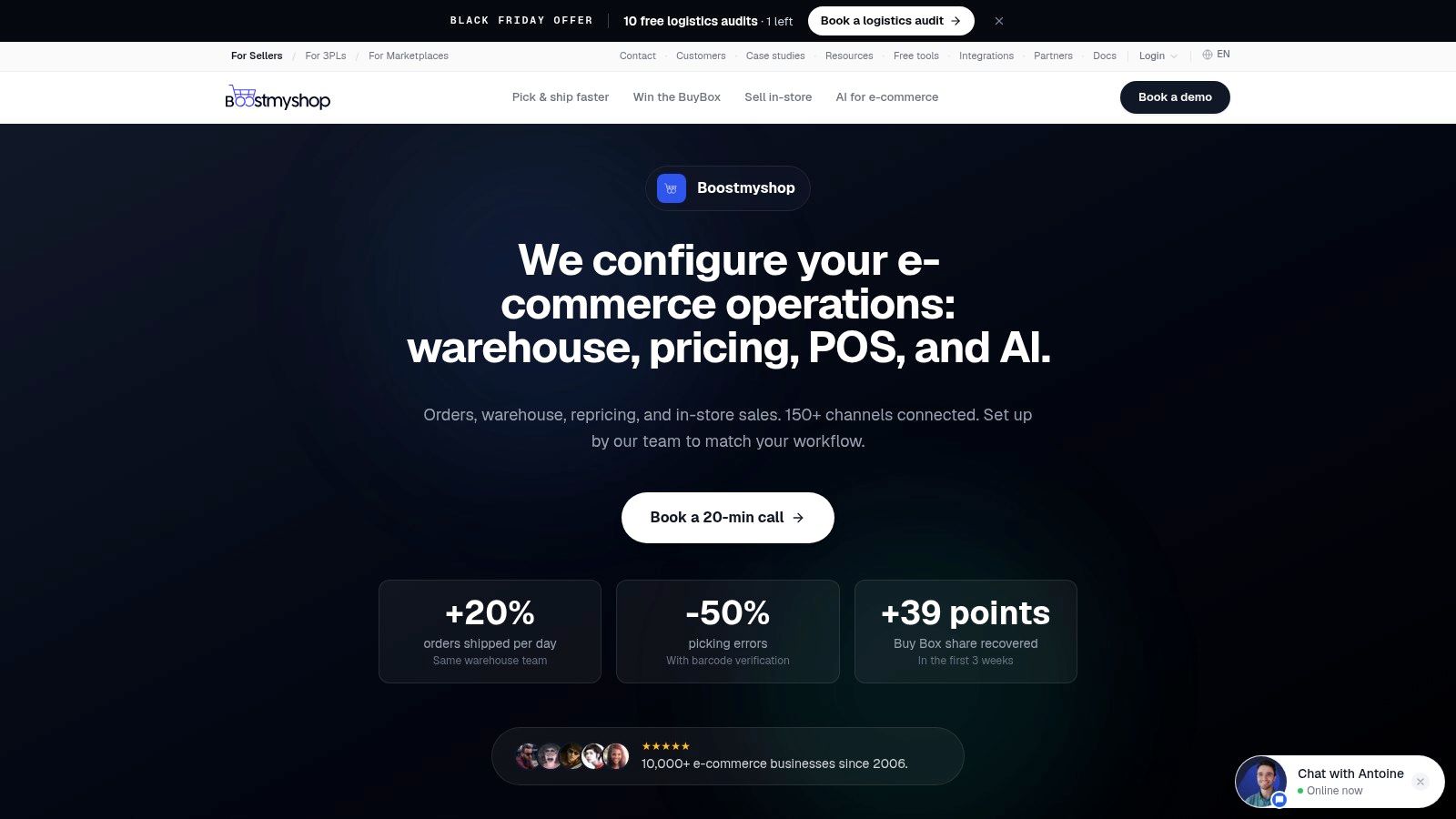
What changes on the floor
Picking is barcode-verified in waves and batches, so a mis-pick is caught before the label prints. Stock syncs as items move. Carrier rules can generate a label in one click instead of a separate portal login. Click and collect and ship-from-store use the same availability the counter sees.
Marketplace pricing is the other half of the same decision. Floor prices and velocity-based strategies try to win the Buy Box without giving away margin, and product matching reduces the chance you reprice the wrong listing.
The rollout is a guided implementation, typically mapped over a few weeks, connecting Shopify, Amazon, eBay and ERPs, then training staff through go-live. That suits a team whose volume has outgrown native locations, and whose warehouse already needs wave picking, not only a routing screen. If you still ship from one room with a weekly count, this stack is heavier than you need. For a closer look at how the rules layer and the warehouse fit, the OMS e-commerce guide walks through the operating model without treating picking as an afterthought.
Handling Returns, Exchanges and Exceptions
A customer sees one promise before checkout and tests another when returning an item. The return path belongs in the same decision model as delivery choice: together, inventory accuracy, available services, and return rules shape what the store can promise and what it can afford to honor.
The National Retail Federation estimates that U.S. consumers will return approximately $849.9 billion of merchandise in 2025, equal to 15.8% of annual retail sales, as reported by Digital Commerce 360. The offer at checkout and the workflow after a parcel comes back are connected commercial decisions.
Write the policy, then run the workflow
Policy sets the return window, any fee, and which categories are final sale. Execution authorizes each return, chooses a carrier, times the refund, and routes the item to restock, refurbish, or liquidation. Free returns can reduce friction, but shipping costs, margin, fraud risk, item condition, and the chance of resale all affect whether they make sense.
Four common exceptions require different rules:
- Partial refund for a missing accessory: refund only that line and log the reason, so the main item is not written off.
- Exchange that needs new stock: allocate the replacement before waiting for the inbound parcel, or the customer may wait twice.
- Damaged goods: send the item to inspection before adding it back to available stock.
- International returns with duties: compare duty and shipping costs with the item's margin before approving a free label.
| Exception | Routing or Policy Decision | Metric to Watch |
|---|---|---|
| Partial refund for a missing accessory | Refund only the missing item and log the reason | Refund latency |
| Exchange needing new stock | Allocate a new unit before the return is received | Return cycle time |
| Damaged goods | Route to inspection before any restock decision | Return-to-resale rate |
| International return with duties | Weigh duty and shipping costs before approving a free return | Cost per returned order |
Measure refund latency across recent returns before changing the policy. A generous offer can still frustrate customers if the refund takes twelve days.
Myths About OMS Software Worth Dropping
An OMS is only for large enterprises. In 2024, 36% of global digital business strategy decision-makers reported using an order management system, according to Forrester's Digital Business Strategy Survey. In 2025, only 10% of retailers reported using a common enterprise OMS for orchestration and execution across all channels, according to Retail Consultancy Partners. Plenty of teams use some form of order software. Very few run one shared system across every channel. The useful question isn't headcount. It's whether two channels already disagree on the same SKU.
An OMS replaces the warehouse system. It sets the customer promise and the routing decision. Bins, pick paths and labour still belong to the warehouse system. Buying one product and deleting the other usually leaves either empty bins unmanaged or promises with no pick confirmation.
Installing the software fixes inventory accuracy. Software records what people scan and count. Accuracy still depends on receiving discipline, cycle counts and an event log for every quantity change. A clean go-live on bad counts just publishes the bad counts faster.
If you sell on one channel, from one location, and you count stock weekly, a native setup can be enough. Write down the myth you currently believe, then check it against ten real orders before you buy anything.
Shopify Integration Options Compared
Most readers land in one of three setups. A single Shopify store. A store plus a marketplace. Or a brand whose stock sits with a separate warehouse or 3PL. The route should match that shape, not a feature matrix from a demo.
Native Shopify locations and fulfillment settings fit one or two locations and simple shipping rules. You can assign inventory per location and fulfill from the admin. Routing stays limited, and returns depth is thin once exceptions pile up.
A ready-made OMS connector app fits multi-channel stores that want a managed sync. Confirm three things with the vendor before you subscribe. How long a stock change takes to appear, which channels are supported, and the per-order fee at your volume. Those numbers differ by app, so a screenshot from someone else's store isn't your quote.
A custom API integration fits unusual rules, such as margin-based routing or a direct link to an ERP. A Shopify developer such as Yassine Malti builds bespoke connections between the store and existing stock and warehouse tools when a connector can't express the rule. You own the logic, and you also own maintenance after launch.
Middleware between Shopify and the warehouse fits several sales channels plus a third-party warehouse. The trade-off is an extra integration layer you have to monitor when a message fails.
| Integration Route | Best For | Main Trade-off |
|---|---|---|
| Native Shopify locations and fulfillment settings | One or two locations and simple shipping rules | Limited routing logic and returns depth |
| Ready-made OMS connector app | Multi-channel stores that want managed sync | Sync delay and fees to confirm with the vendor |
| Custom API integration | Unusual rules or links to an ERP or 3PL | Development time and ongoing maintenance |
| Middleware between Shopify and warehouse | Several sales channels and a third-party warehouse | Extra integration layer to monitor when messages fail |
On every route, verify webhook handling, how duplicate orders are blocked, and who maintains the code after launch. Price the choice against your order volume. Compare the monthly subscription, per-order fees, setup or development cost, and the maintenance time a custom build needs in its first year.
List every system the Shopify store must talk to before you compare routes. If that list is only Shopify, stay native until a second channel appears.
Choose and Implement Your Order Management System
Work in order. Skipping ahead is how teams buy routing software and then discover their counts are wrong.
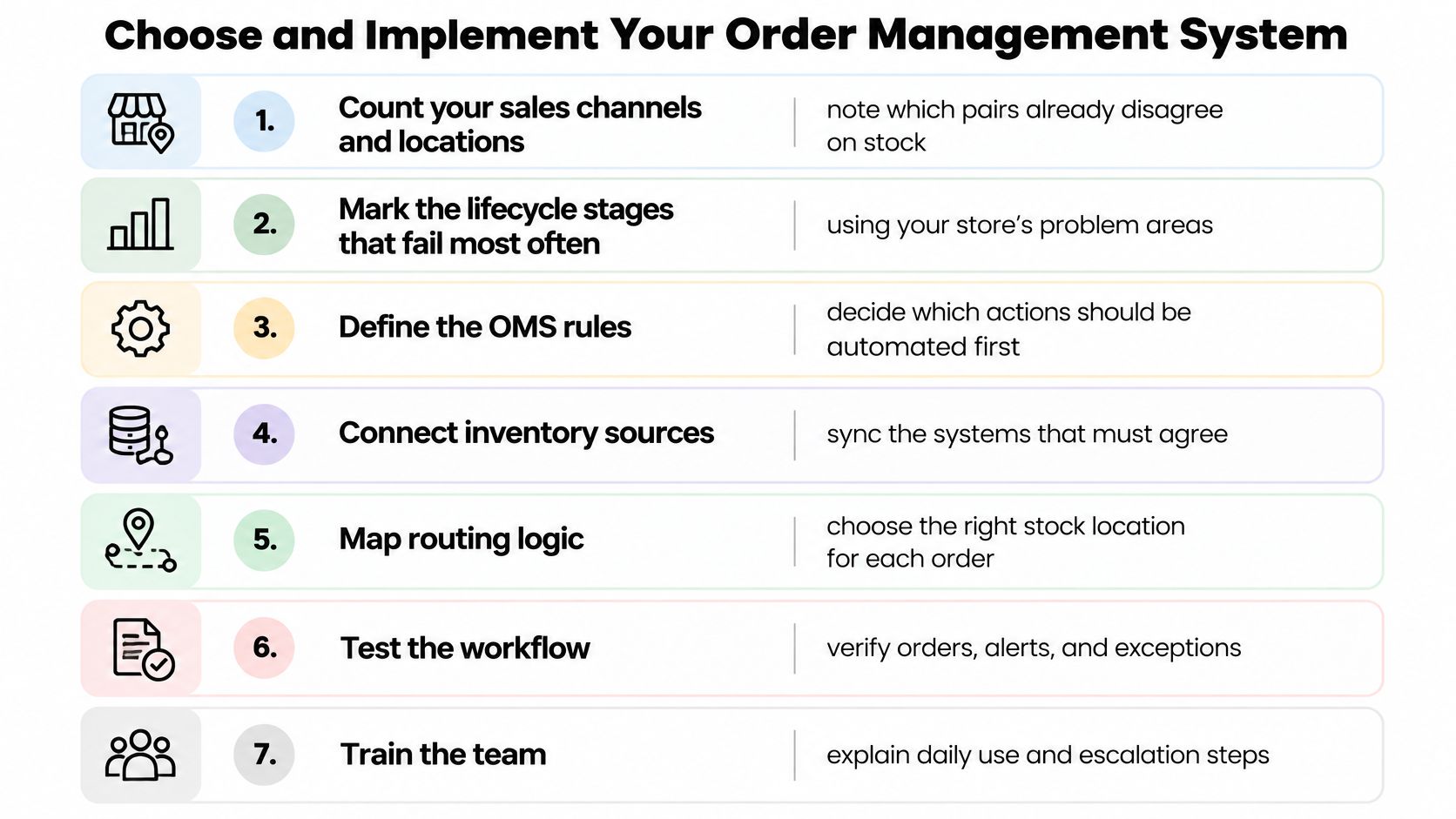
- Count channels and locations. Note which pairs already disagree on stock.
- Mark the stages that fail. Use last month's orders, not a wishlist.
- Write the routing rules. Nearest-location shipping and store pickup eligibility are enough to start.
- Set returns and the exceptions you must support. Partial refunds and damaged goods, if those are your real cases.
- Shortlist native, a connector or a custom build. Check each against your integrations. The Shopify apps you already run are part of that list.
- Test with live orders. Run a split shipment, a cancellation and a refund before you switch traffic.
- Track three numbers for 90 days. Oversell rate, refund latency and fulfillment time.
Favour a hosted platform
A 2025 market study projected worldwide OMS software spending to rise from $2.2 billion in 2024 to $4.3 billion in 2029. Within that, SaaS and cloud spending was forecast to grow from $1.4 billion in 2024 to $4.0 billion in 2029, while on-premises spending was expected to fall from $416 million to $180 million, according to DataIntelo's OMS market report. Hosted tools get continuous updates, which suits a Shopify store whose apps and carriers change often. An on-premises box you patch twice a year will lag the promises you show at checkout.
Pick one routing rule and test it this week on a handful of orders. Nearest location with a hard reservation is a good first rule. You'll learn more from those orders than from another vendor demo.
Open your last ten orders tonight and mark where each one stalled, whether that was a double sale, a missing tracking email or a refund that never restored stock. Bring that list to your next vendor call, or to a working session with your developer, and ask them to run those exact cases as live test orders before you sign anything.
Shopify apps by Yassine Malti
Put this into practice
-

RANKit · Meta titles & descriptions
AI meta titles and descriptions, sized for Google · 50 meta tags/month free
-

Describer · Product descriptions
Product descriptions written from your own product data · Free: 50 descriptions/month
-

LLMs TXT · llms.txt for AI tools
A short llms.txt of your real store links · Free