Data sync is the ongoing, controlled process of keeping the same information consistent across two or more systems so every copy reflects the same current state.
You might already need it without knowing its name. A shopper buys your last blue hoodie, but your warehouse spreadsheet still shows stock available. Your support team checks another app and gives a different answer. The problem isn't that information hasn't moved. It's that nobody has defined which value to trust, how quickly updates must arrive, or what to do when they don't.
Table of Contents
- What Data Sync Means in Plain Terms
- One-Way, Two-Way and Timing Sync Types Explained
- Why Inventory, Orders and Product Data Depend on Sync
- APIs, Webhooks and ETL Compared
- How a Single Change Travels Between Systems
- Resolving Conflicts When Two Systems Edit the Same Record
- How Fresh Each Data Type Needs to Be
- Monitor, Govern and Launch Your First Sync
What Data Sync Means in Plain Terms
Say your Shopify storefront marks that hoodie as sold out while the warehouse still lists it as available. Until the warehouse receives the sale, staff may promise stock you can't ship. Data synchronization keeps those corresponding records aligned as the business changes.
Think of a shared family calendar. When someone adds a dentist appointment on their phone, everyone else's calendar should show it. If someone else changes the appointment while offline, the calendar also needs a rule for reconciling the edits.
A store integration has the same responsibilities:
- Create: Copy a new product, customer, or order into the destination.
- Update: Carry changed prices, addresses, or fulfillment statuses across.
- Delete: Remove obsolete information, or record its deletion where appropriate.
- Resolve: Decide what happens when systems change the same information independently.
Sync isn't a one-time import
An import moves a dataset once. A sync continues checking or receiving changes afterward. Importing your product catalog into a marketing app doesn't guarantee tomorrow's price changes will reach it.
The growing number of copies explains why this matters. IDC's Data Age 2025 white paper projected that worldwide data created, captured, and replicated would grow from 16.1 zettabytes in 2016 to 163 zettabytes in 2025. That was a projection about the global datasphere, not a measurement of merchant integrations.
For Shopify owners asking what is data sync, the useful answer is operational: it keeps products, inventory, orders, customers, and marketing events usable across connected tools.
Before trusting a setup, ask who owns the information, how quickly other systems must catch up, and what happens if they can't.
One-Way, Two-Way and Timing Sync Types Explained
Direction and timing are separate decisions. Direction determines who can send changes. Timing determines when another system receives or retrieves them.
With one-way sync, an authoritative source sends information to a destination that doesn't write changes back through that flow. A Shopify product catalog sent to a marketplace is a straightforward example.
With two-way sync, both systems send and receive changes. That can be necessary when warehouse staff record stock adjustments while storefront orders create inventory movements. It also creates more opportunities for conflicting edits.
Sync types, direction and timing
| Sync type | Direction | How changes travel | Shopify example |
|---|---|---|---|
| One-way sync | Source to destination only | Source pushes changes; destination never writes back | Product catalog pushed to a marketplace |
| Two-way sync | Both directions | Each system sends and receives changes | Inventory shared between Shopify and a warehouse system |
| Batch sync | Either direction | Changes grouped and moved on a schedule, such as nightly | Accounting export of daily orders |
| Near-real-time sync | Either direction | Changes move shortly after detection, without guaranteeing immediate delivery | Order status shown to customer service |
| Event-driven sync | Either direction | A change triggers a message when it occurs | Paid order triggers fulfillment |
| Request-time retrieval | Pull only | Current value fetched when the system needs it | Live price check at checkout |
These labels aren't competing products. An integration can be both one-way and event-driven, or two-way and batch-based.
Event-driven also doesn't guarantee instantaneous arrival. The sender might produce a message immediately, but a queue, unavailable destination, or retry can delay its application. Request-time retrieval avoids keeping a local copy for that lookup, but the request still needs a fallback if the source is unavailable.
Practical default: Make each field one-way unless both systems genuinely need to create or change it.
Apply that rule at the field level, not just the app level. Shopify might own a product's selling price while a warehouse owns its storage location. Connecting the same applications doesn't mean every field needs the same direction.
Why Inventory, Orders and Product Data Depend on Sync
Suppose your website and a marketplace both display the same stock as available. Orders arrive through both channels before either receives the other's sales. Each checkout looks reasonable on its own, but together they commit inventory you don't have.
That isn't only an inventory problem. Each business record has a different consequence when its copies disagree.
The records customers notice first
- Products: Titles, variants, prices, and images need consistent identifiers and mappings. A missed price change can leave a marketplace advertising an offer you've withdrawn.
- Inventory: Availability belongs to a specific variant and location. Updating the right quantity against the wrong location can still make the storefront wrong.
- Orders: Payment, fulfillment, cancellation, and refund states need to reach the teams that act on them. An accounting system that misses a refund can overstate revenue.
- Customers: Profiles, tags, and communication preferences need careful matching. Duplicate profiles can trigger duplicate messages and split a customer's purchase history.
Product feeds add another layer. A destination may require different category names, image formats, or attribute fields, so product feed optimization needs both reliable updates and suitable formatting.
More applications mean more responsibility
IDC's Global Datasphere white paper forecast that 49% of the world's stored data would reside in public-cloud environments by 2025. The practical issue for a merchant is simpler: business information no longer stays in a single local system.
Every app that stores your catalog or customer profiles creates another copy with its own identifiers, permissions, and update behavior. Adding a sales channel therefore means more than authorizing a connection. Someone must decide what it receives and how discrepancies get repaired.
A customer may notice a failure before your team opens an error log. They see the wrong price, receive an unwanted email, or ask why a refunded order still appears outstanding.
A fast but incorrect sync is still a failure. Judge the integration by whether staff and customers can safely act on its output, not merely whether its dashboard says connected.
APIs, Webhooks and ETL Compared
When a product's stock changes, the integration needs a way to notice and pass that update along. An API, or application programming interface, lets one system request information or ask another system to make a change. Polling means checking repeatedly on a schedule, much like refreshing a shared spreadsheet to see whether a new entry has appeared.
A webhook sends a notification when an event occurs, such as an order being placed. ETL, short for extract, transform, load, collects data, reshapes it into a consistent format, then sends it to a destination such as a reporting system. These methods handle different parts of the handoff.
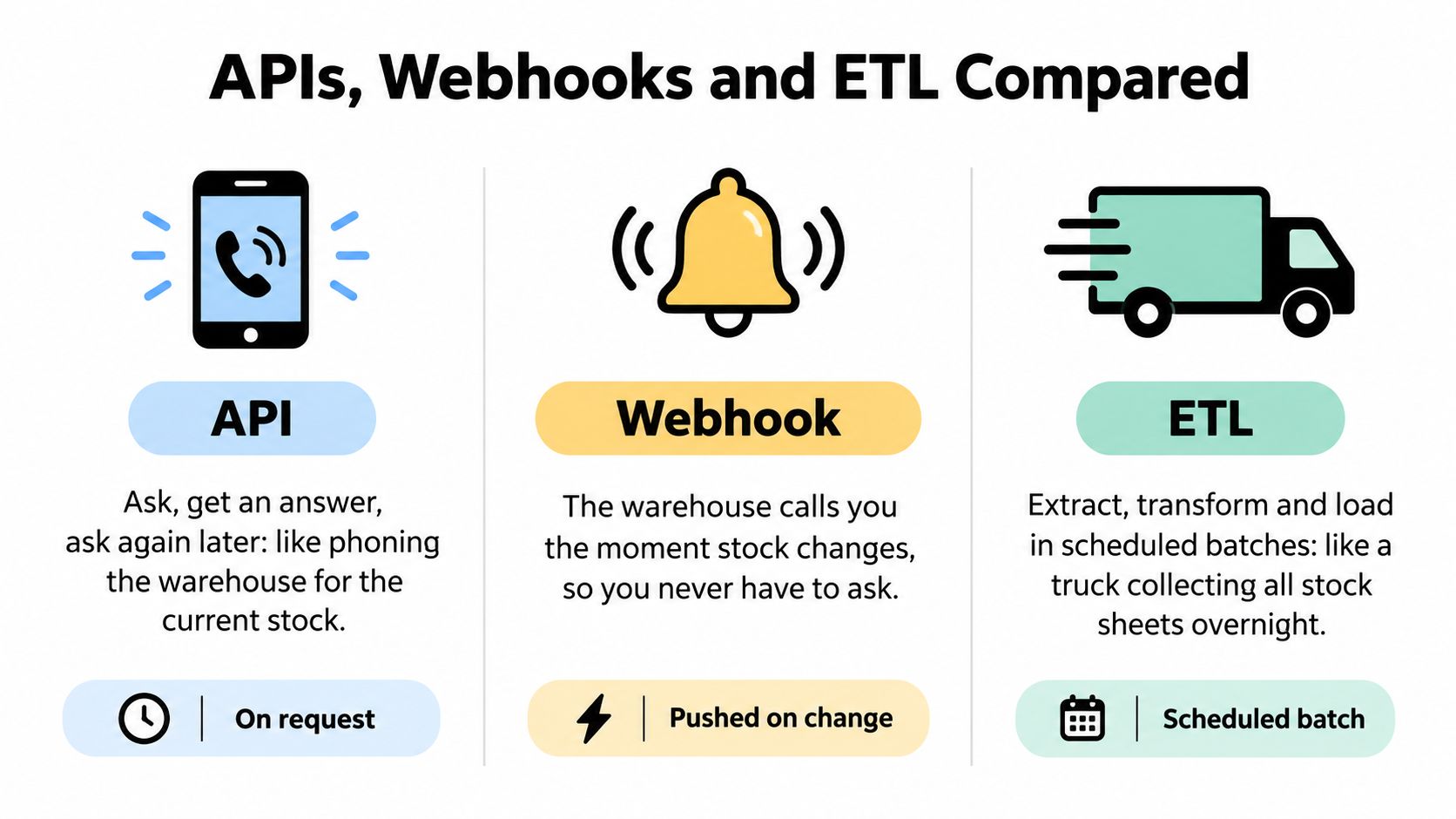
Sync methods compared
| Method | How it moves data | Timing | Best for | Main trade-off |
|---|---|---|---|---|
| API polling | Your system asks for changes on an interval | Batch to near-real-time | Systems without event messages | Unnecessary calls and rate-limit pressure |
| Webhooks | The platform sends a message when an event occurs | Event-driven, subject to delivery and processing delays | Orders, inventory, and product changes | Duplicate and missed deliveries need handling |
| ETL | Data is pulled, reshaped, and loaded into a data warehouse or reporting system | Scheduled batches | Reporting, business intelligence, and accounting | Stale data between runs; mappings need upkeep |
| Prebuilt connectors, or iPaaS | A hosted integration platform runs mapped flows between apps | Scheduled or event-triggered, according to the flow | Standard connections between common tools | Usage-based costs and less control over edge cases |
The difficult part is often the mapping
In ISG's 2025 Market Lens Data and AI Program Study, 69% of enterprises identified preparing data for analysis as the most time-consuming part of the analytics process. Making received data usable is usually the harder task.
For example, a developer must match product identifiers, interpret order statuses, preserve currency information, and decide what to do when fields are missing. Customer records need careful matching too, especially when customer data integration brings profiles together from several applications. Field-level ownership matters: if two systems can edit the same value, set a rule for which one wins. A timestamp can show which change is newer, but it cannot decide whether a customer has given consent for a message.
Before mapping Shopify inventory locations, check the Shopify Admin API field list so the integration uses the fields your store needs. For another API example, you can explore wine pricing API docs.
For Shopify operations, a practical setup uses webhooks for operational changes, scheduled API reconciliation for safety, and ETL for reporting. Respect API rate limits, divide large jobs into manageable batches, and preserve progress if a run stops. A prebuilt connector can handle standard flows; choose custom logic when business rules require more than matching field names.
How a Single Change Travels Between Systems
A reliable sync resembles a relay race where each runner keeps a receipt for the handover. Sending a message isn't enough. You need evidence that the receiving system applied the intended change.
This diagram shows the basic journey before adding recovery safeguards.
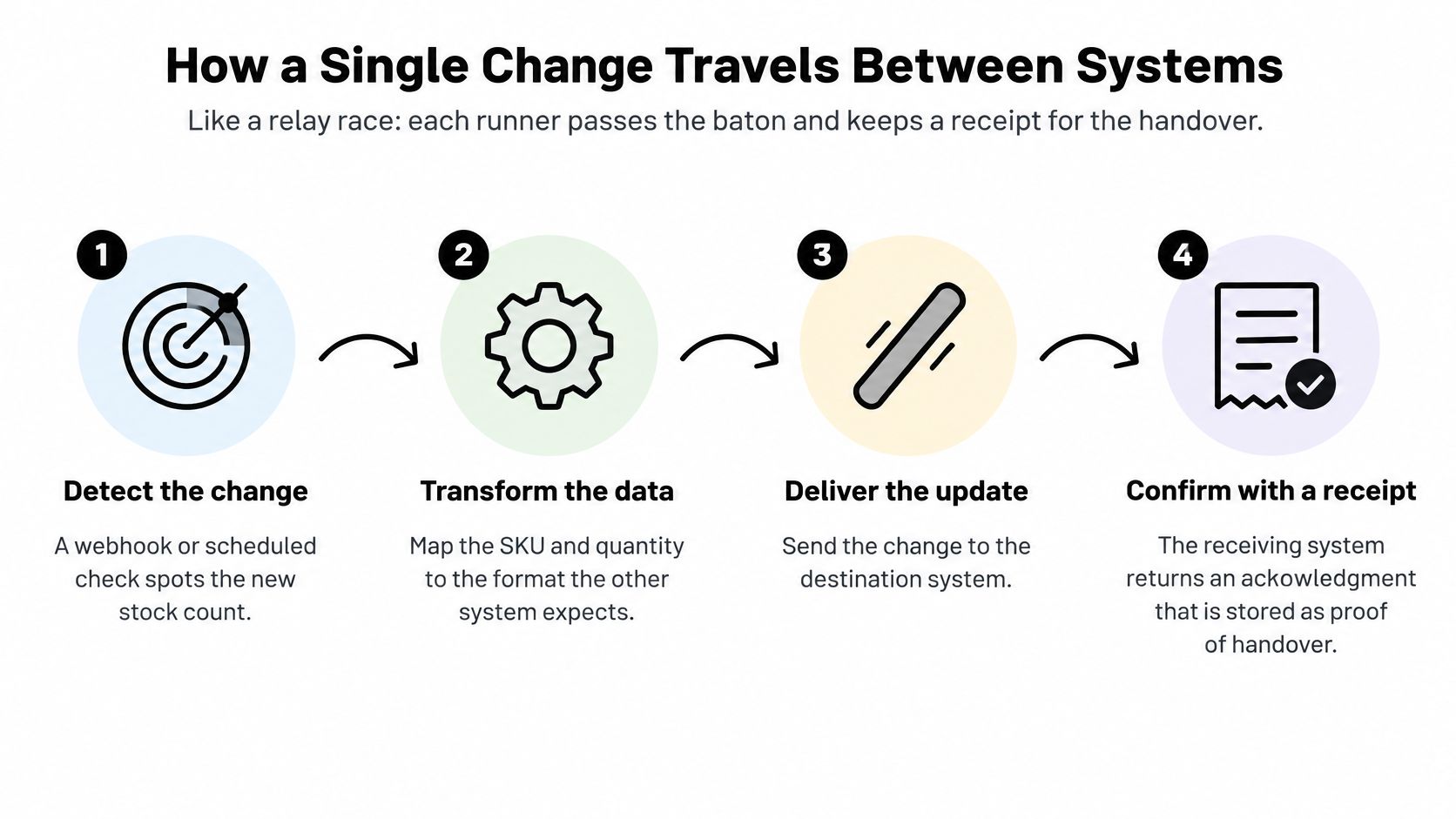
Follow an order through the pipeline
- Detect the change. Shopify sends an order notification, or a scheduled API check finds a new order. A saved cursor, meaning a checkpoint, records how far the check has progressed.
- Record and map it. Store an operation identifier, affected record, relevant values, and event time. Translate identifiers and fields into the warehouse's expected format.
- Transport it. Put the work into a durable queue before processing it. That allows the integration to retain pending work while the warehouse is unavailable.
- Apply it safely. Check whether the operation was already processed before recording the order's stock movement. Make that check and the update atomic, so overlapping attempts can't both apply it.
- Confirm or retry. Save the destination's acknowledgment. Retry temporary failures with increasing delays, then move persistent failures into a review queue and notify an owner.
- Reconcile. Compare source and destination records on a schedule. This catches changes that never entered the delivery pipeline.
The safety property in the application step is idempotency: processing the same operation again doesn't create another business effect. Microsoft's SQL Server replication documentation provides background on distributing database changes, although an application integration also needs its own business rules.
For order fulfillment automation, test a duplicated order notification deliberately. The warehouse should retain the correct order and stock movement, not repeat the deduction.
Carry only the information the destination needs
An event should contain enough information to perform its job, not an unrestricted customer profile. For a contrasting sensitive-data workflow, TOOLii's privacy considerations for Australian clinic bookings offers context for reviewing what booking-related information moves between tools, rather than a substitute for legal advice.
Content automation needs boundaries too. ALT SEO: AI Alt Text Generator generates image descriptions and supports scheduled updates; an integration should still distinguish generated text from a merchant's approved edits.
For an additional explanation of data movement, watch the accompanying video.
Resolving Conflicts When Two Systems Edit the Same Record
Warehouse staff record a physical stock count while Shopify records a sale at nearly the same time. Both events can be valid, yet choosing whichever message arrives last could erase a real stock movement. The challenge is deciding how the events relate, not which copy is newer.
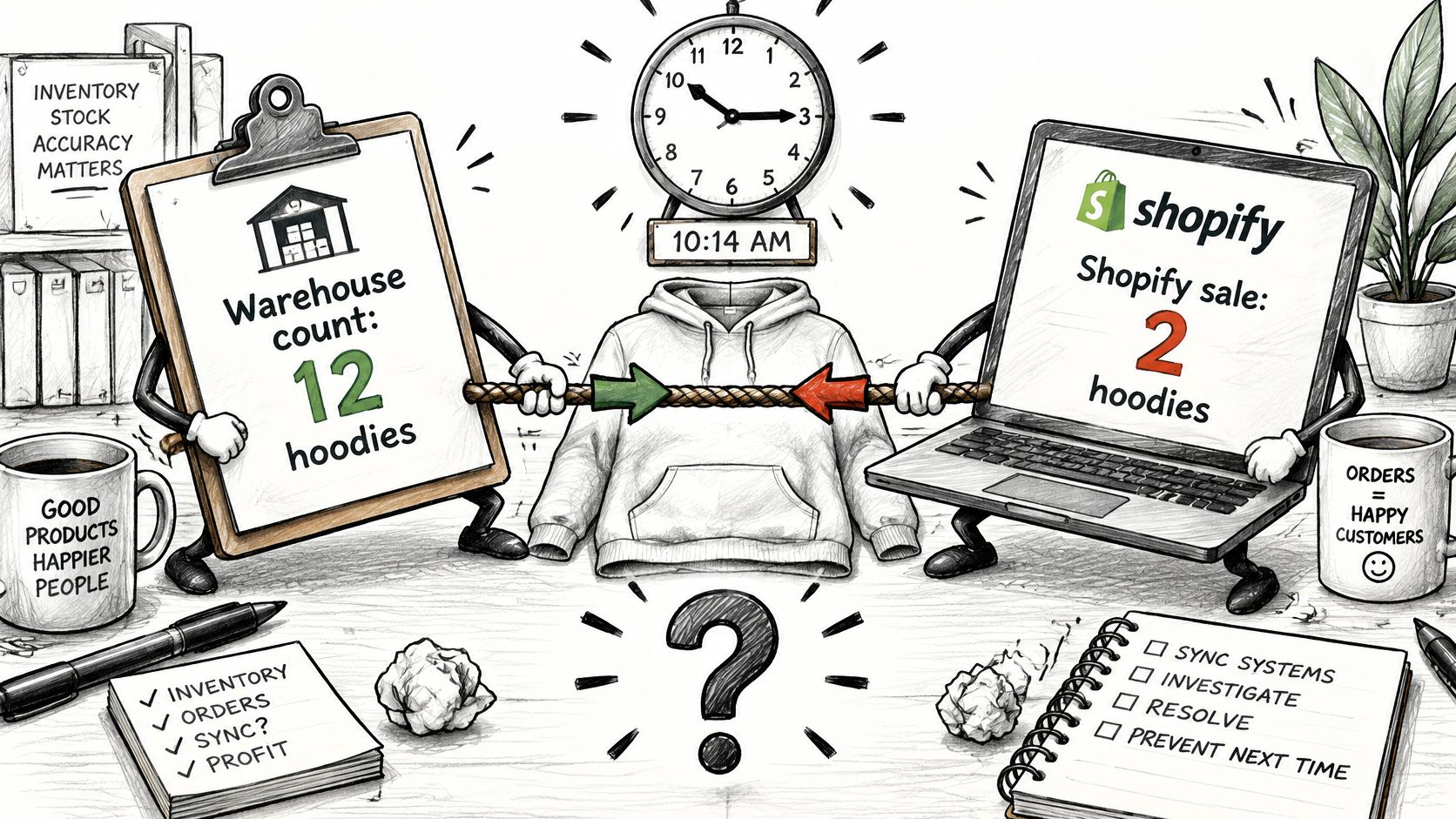
Choose rules that match the field
| Strategy | Suitable use | Main caution |
|---|---|---|
| Last-write-wins | Replaceable, low-risk descriptive fields | A later timestamp doesn't prove greater authority |
| Field-level ownership | Prices owned by Shopify; physical counts owned by the warehouse | Other writers must respect the boundary |
| Merge compatible changes | Combining independent customer tags | Removal and contradictory tags need explicit rules |
| Movement ledger | Sales, returns, receipts, and stock adjustments | Counts need a defined cutoff and reconciliation process |
| Manual review | Ambiguous or high-impact changes | Hold unsafe actions while someone investigates |
Last-write-wins is simple: keep the version with the latest timestamp. But clocks can disagree, messages can arrive late, and an automated refresh can be newer than a deliberate human decision.
Field-level ownership prevents many conflicts by assigning each field an authoritative system. A ledger handles inventory differently, recording movements instead of repeatedly replacing a total. For example, sales, returns, receipts, and adjustments each become separate events. A physical stocktake still needs a cutoff, so the system can distinguish movements already included in the count from later ones.
Converging Copies Still Need Business Rules
Conflict-Free Replicated Data Types, or CRDTs, are data structures designed to make independently updated copies converge when they receive the same operations. The ACM publication on CRDTs explains this approach and its trade-offs.
CRDTs can suit collaborative or offline workflows, where updates may happen separately before systems reconnect. Convergence means copies settle on the same value; it does not guarantee that the value fits the store's rules.
Systems can agree on a value that's still wrong for your business.
After merging, check business invariants, the rules that must remain true. If backorders are not allowed, available-to-sell inventory must not become negative. If a customer has opted out, merging an older marketing profile must not authorize another campaign. A timestamp can order edits, but it cannot decide whether a new use of customer data has consent.
Version checks can reject changes based on outdated records. When software cannot settle a case safely, a manual review queue can hold the action while preserving the original operations for investigation.
Before enabling writes, decide who owns each field and what happens when edits conflict. A transport can deliver both changes correctly while the integration still applies the wrong business rule.
How Fresh Each Data Type Needs to Be
Fresher isn't always better. Shorter delays require more API traffic, closer monitoring, and greater capacity to process bursts. Spending that effort on low-risk content can distract from inventory or payment failures.
Correctness also deserves its own test. Enterprise research cited in Shopify's discussion of data-management problems reports that 84% of respondents experience measurable disruption from duplicate records, inaccuracies, or missing verification.
Acceptable delay and fallback by data type
Treat these as recommended starting policies, not platform guarantees. Tighten them where stale information could cause financial loss or inappropriate communication.
| Data type | Acceptable delay | Sync mode | If the update fails |
|---|---|---|---|
| Inventory quantity | Brief enough to prevent unsafe selling | Event-driven or near-real-time | Pause the affected SKU or reserve safety stock; alert the team |
| Order status and fulfillment | Before the next dependent operational action | Event-driven | Retry with backoff, then alert operations |
| Product prices | Before a changed offer must take effect | Near-real-time or scheduled | Keep the last valid price where safe; flag or pause the SKU otherwise |
| Product descriptions and SEO metadata | Until the next planned publishing cycle | Batch | Publish existing approved copy; retry on the next run |
| Customer consent and opt-outs | Immediate enforcement at the sending decision | Event-driven with policy rules | Block marketing sends until confirmed |
| Analytics and accounting exports | Before the reporting or close deadline | Batch | Rerun the affected reporting period |
Define the fallback alongside the deadline
A freshness target without a failure response isn't an operating policy. Someone must decide whether an unavailable value means continue, hold, or stop.
Inventory may need conservative selling limits while a destination catches up. A failed description update can usually leave approved text in place. An unconfirmed opt-out propagation needs a different response: prevent sending rather than assume permission.
Marketing events also need purpose-specific handling. A delayed behavioral event might still be useful for analysis but no longer suitable for triggering a time-sensitive message.
Decision test: What breaks if this field remains wrong until the next customer or staff member acts on it?
Use the answer to set the deadline. Then document who gets alerted and who can authorize an exception. The fastest available connector isn't automatically the right operating model.
Monitor, Govern and Launch Your First Sync
Monitor sync lag, failed-event rate, retry depth, and reconciliation differences. Together, they reveal whether updates are late, failing, repeatedly struggling, or leaving records inconsistent.
Set separate alerts for each data type's operational deadline. A successful connection test won't tell you whether inventory updates are accumulating in a queue.
Use this checklist to make those checks visible.
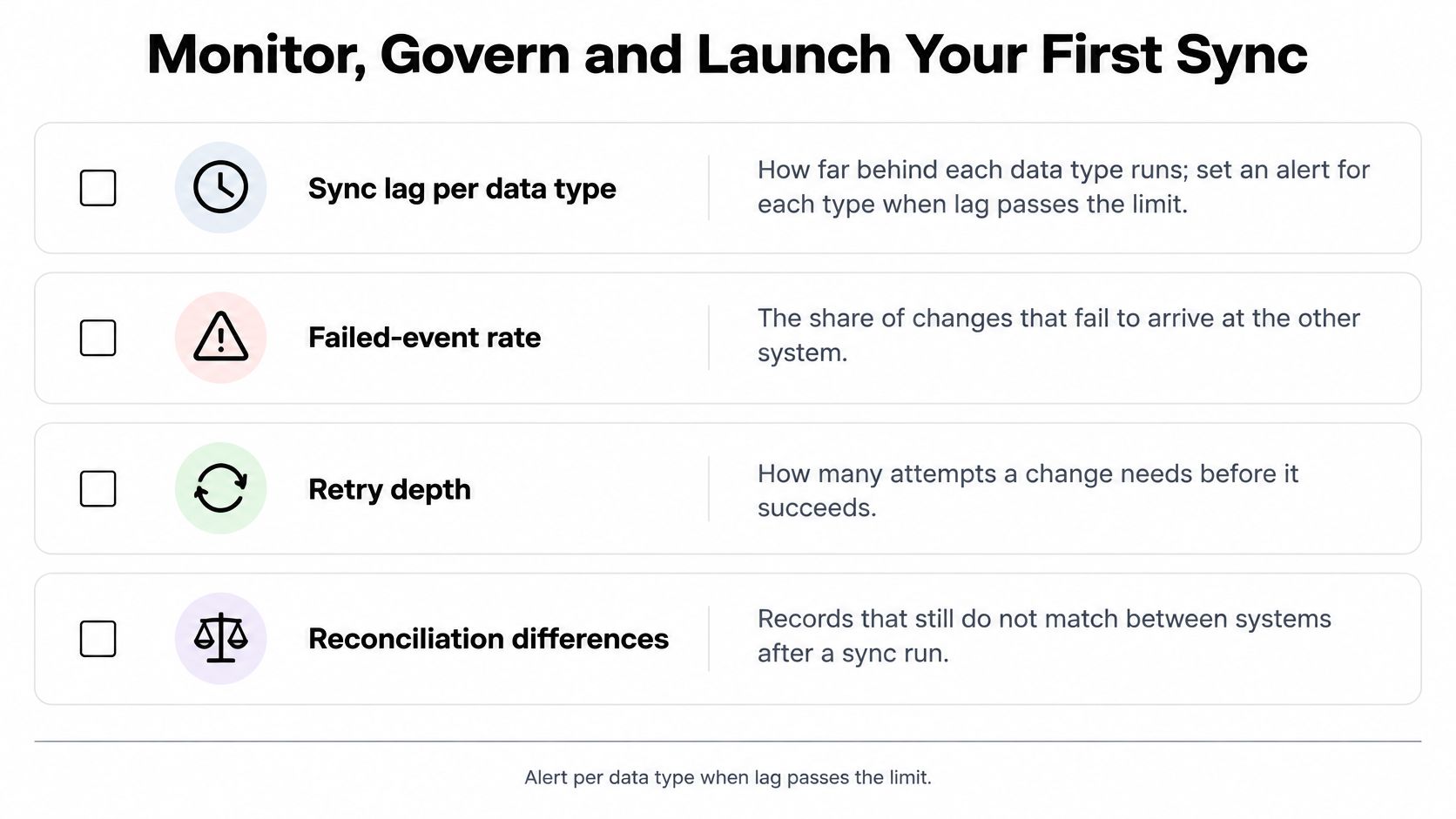
Write a data contract
A data contract records what each field means and how connected systems may use it. Include:
- Ownership: The authoritative system and responsible person.
- Destinations: Which applications may receive the field.
- Retention: How long each destination may keep it.
- Deletion: How requests propagate and how completion is verified.
- Conflict policy: Which changes prevail, merge, or require review.
NIST's 2025 announcement of its draft Privacy Framework update addresses privacy risks associated with personal information moving through complex technology environments. For merchants, that makes privacy part of integration design, not a separate cleanup exercise.
Consent and deletion must follow applicable legal and contractual rules. Don't let a destination recreate a deleted profile from an old import or replace a verified preference with an incidental update.
Launch a narrow flow with recovery ready
Start with inventory for a limited product scope. Compare Shopify and warehouse records regularly, investigate every mismatch, and increase checking frequency when selling risk warrants it.
Before launch, confirm idempotent handlers, saved checkpoints, operation IDs, replay tests, and working alerts. Assign someone to the failure queue and test what happens when the destination goes offline.
For another troubleshooting context, doornoc's solutions for campaign data not syncing can inform a support checklist, though campaign workflows aren't identical to commerce integrations.
Expand only after your team can explain a failed update, repair it safely, and verify the resulting records.
Yassine Malti builds custom Shopify apps and automations for workflows that need more than a standard connector. Visit Yassine Malti with your source systems, field owners, and failure requirements to discuss an integration with explicit sync rules, monitoring, and recovery behavior.
Shopify apps by Yassine Malti
Put this into practice
-

ALT SEO · Image alt text
AI alt text for every product image · 100 images/month free
-

Describer · Product descriptions
Product descriptions written from your own product data · Free: 50 descriptions/month
-

LLMs TXT · llms.txt for AI tools
A short llms.txt of your real store links · Free