A shopper opens three product pages in your Shopify store, compares sizes, and leaves without choosing. Another reaches checkout but pauses because the delivery date is unclear. Your inbox fills with questions that your product pages almost answer. Looking at shopify chatbot examples helps you see where a short conversation can remove friction—and where a bot needs to hand the shopper to a person.
Shopify Chatbot Examples for Product Discovery and Customer Support covers practical conversations you can adapt to your store, from narrowing a collection by budget to explaining a return policy. You see how welcome messages, product recommendations, order updates, and checkout questions work as distinct Shopify chatbot use cases, rather than one script that tries to handle everything.
For product discovery, your chatbot needs to ask useful questions and suggest items that match the answers. For customer support, it needs accurate policies, appropriate access to order information, and a clear route to human help. The tradeoff is straightforward: more automation can reduce repetitive work, but a confident answer based on missing information can create another support ticket.
Use these conversations as starting points, not promises about what every chatbot can do. Keep the first message short, test recommendations against your actual catalog, and never let the bot invent stock availability, delivery dates, or refund eligibility.
Table of Contents
- 1. Welcome shoppers and set expectations
- 2. Help shoppers discover the right product
- 3. Answer common questions before checkout
- 4. Resolve customer support requests and escalate smoothly
- 5. Share order status and tracking updates
- 6. Recover abandoned carts without pressuring shoppers
- 7. Choose the right chatbot use cases and improve them
1. Welcome shoppers and set expectations
A shopper opens your chat widget while comparing two jackets. Your first message should explain what help is available, not ask for an email address before answering anything. The useful tradeoff is visibility without pressure: make assistance easy to find while keeping the product page usable.
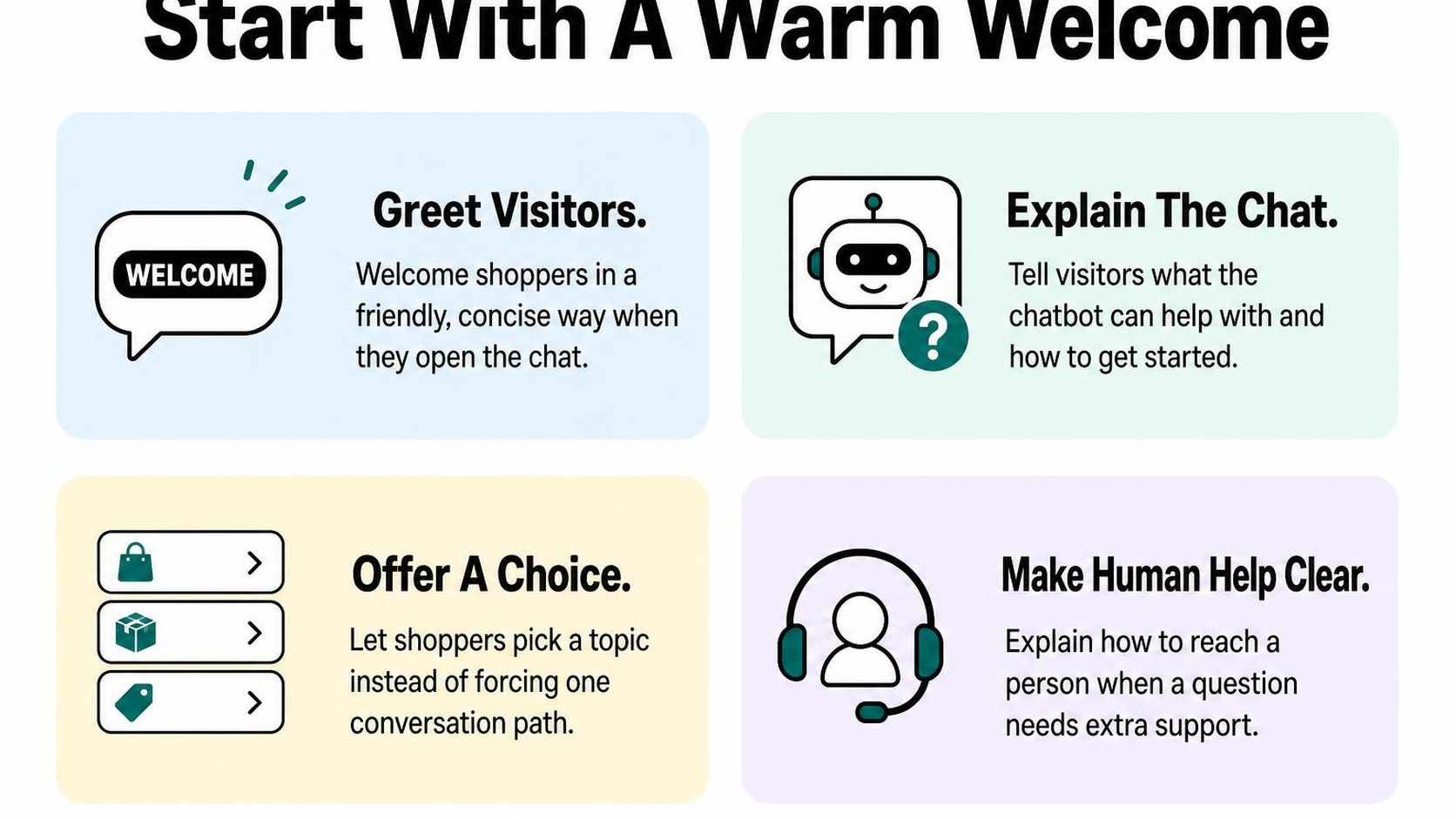
A welcome message is the first greeting a shopper sees when opening your chatbot. Keep it short enough to scan, identify it as an automated assistant, and offer routes that your store can actually support. Do not suggest that a person is typing when the reply comes from a bot.
Shopify chatbot welcome message examples
Start with a greeting that covers product questions, existing orders, and human help. These Shopify chatbot conversation examples give each route a clear purpose without promising that the bot can solve every request.
- General welcome: “Hi! You’re chatting with an automated assistant. You can get help choosing a product, finding order updates, or contacting the support team. What do you need?”
- Product discovery: “Need help choosing? Share what you’re shopping for and your budget. You can get suggestions from the store’s catalog or ask for a person.”
- Order support: “Looking for your order? You can find tracking instructions here. Order-specific details may require verification.”
- Outside support hours: “The support team is offline. You can still ask product questions or leave a message for a person. Replies resume during the support hours shown below.”
Replace the last line with your actual support schedule and time zone before publishing. Only promise a reply window if your team consistently meets it. If the bot cannot check stock, compare variants, or access orders, say so when that limitation becomes relevant.
For tracking requests, offer the order-status page rather than claiming unrestricted access to order details. Shopify explains that customers can use order-status pages and shipping notifications to track shipments. Your greeting can point shoppers toward those destinations without collecting sensitive information immediately.
Offer clear choices without interrupting browsing
Use three initial choices: “Help me choose,” “Track an order,” and “Contact support.” These labels describe outcomes, so shoppers do not need to understand your internal support categories. Keep the chat collapsed until they open it, or use a small, dismissible prompt rather than a panel that covers product details.
For product discovery, the next message can ask one useful question: “What will you use it for?” For customer service, route directly to tracking instructions or a message form. A human handoff means transferring the conversation to a person or collecting a support request; explain which one your setup provides.
Practical rule: Offer only choices that lead somewhere useful. If “Contact support” opens a message form rather than live chat, label the next step “Leave a message” and show when your team replies.
Test each route on a phone before publishing. Check that shoppers can close the widget, return to the product, and request a person without repeating the same menu. A concise welcome succeeds when it gets out of the way once the shopper chooses a path.
2. Help shoppers discover the right product
A shopper opens your bag collection, sees thirty similar options, and asks, “Which one works for commuting?” Useful Shopify chatbot examples turn that broad request into a short conversation, not another long product list. Your chatbot asks what matters, narrows the selection, and explains why each suggestion fits.
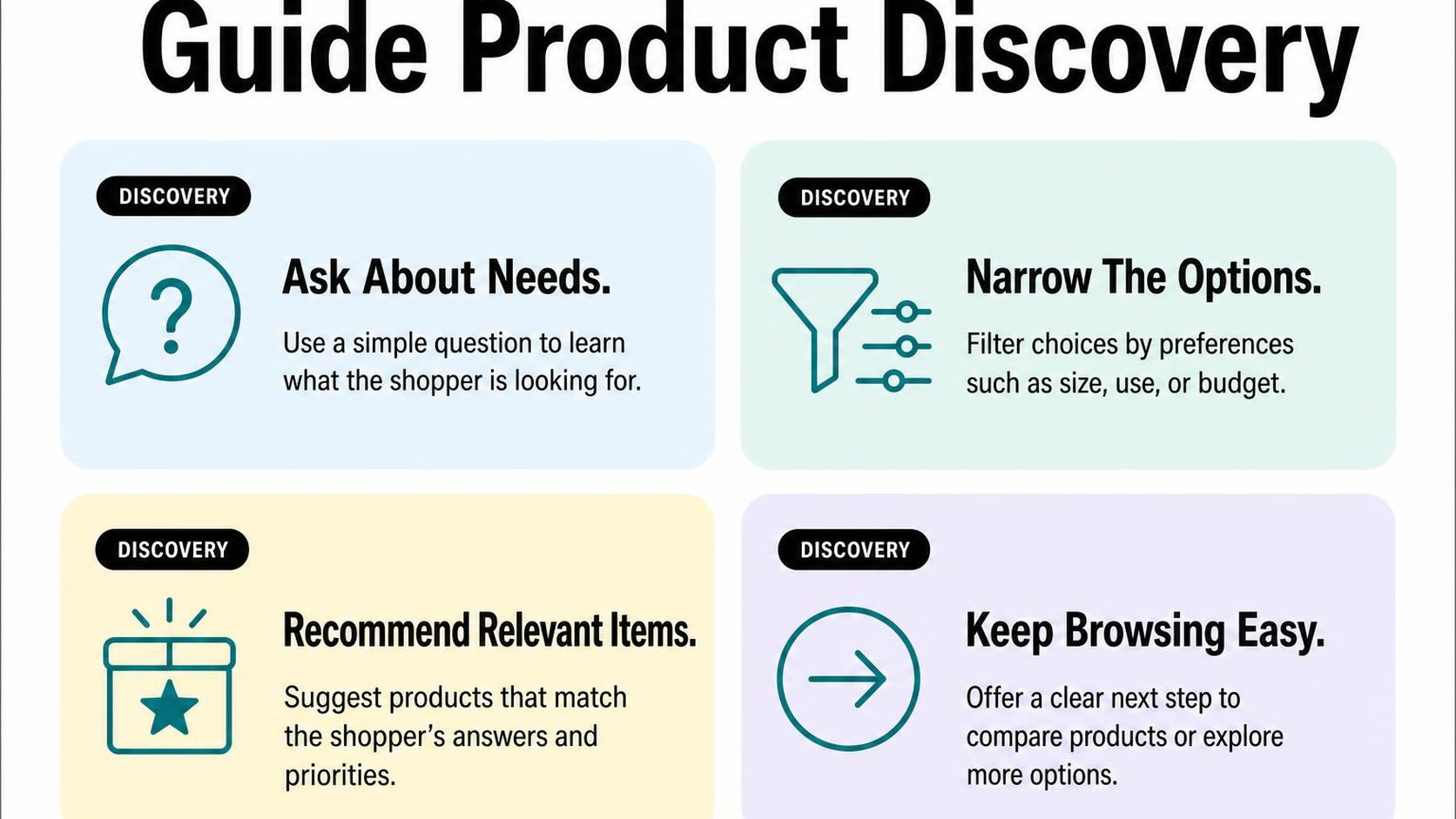
The tradeoff is speed versus detail: too few questions produce weak matches, while too many feel like a survey. Ask only what changes the recommendation, and let shoppers browse products without finishing every question.
Ask about needs, preferences, and budget
Start with intended use, then ask about the preference that most affects fit. For a commuter bag, that might mean laptop size; for a moisturizer, it might mean fragrance preference. Ask about budget before showing options that could fall outside it.
Progressive questioning means asking the next question based on the previous answer rather than presenting a fixed questionnaire. Keep each turn short, offer selectable answers where useful, and include “Not sure” when the shopper may need guidance.
Example conversation: Shopper: “You need a bag for commuting.” Chatbot: “What size laptop does it need to hold?” Shopper: “15-inch.” Chatbot: “Do you prefer a backpack or shoulder bag?” Shopper: “Backpack, under $100.” Chatbot: “Here are two options with listed 15-inch laptop compartments under $100.”
In your live conversation, the shopper’s first message would naturally be “I need a bag for commuting.” Keep the bot focused on that request rather than asking for an email address before showing recommendations.
Recommend products using accurate catalog details
Your recommendations need a dependable source for product titles, variant availability, prices, dimensions, and materials. These Shopify chatbot examples for product discovery work only when the chatbot can retrieve relevant catalog details instead of inventing plausible answers.
- Match: Explain the connection: “This backpack has a listed 15-inch laptop compartment and costs $89.” Avoid vague claims such as “perfect for everyone.”
- Destination: Link each recommendation to its product page, ideally with the matching variant selected when your setup supports it.
- Availability: Check the relevant variant before describing it as available. If current stock cannot be verified, direct the shopper to the product page to confirm.
- Boundary: Do not infer waterproofing, compatibility, certifications, or health benefits from a product name or image. Say when the catalog does not provide the answer.
Before you set up chatbot product recommendations, identify which catalog fields your chatbot can actually access. A detailed answer is not useful if its supporting information is missing or outdated.
Make it easy to compare options
Show two or three relevant choices with the same comparison points. For commuter bags, use price, laptop compartment size, capacity, and material rather than repeating each product’s promotional description.
Explain the tradeoff plainly: one option costs less, while another offers more capacity. If no product meets every requirement, ask which constraint can change instead of quietly recommending something over budget.
Practical rule: Every recommendation should answer “Why this product?” with a verified detail. When a comparison depends on information you do not have, acknowledge the gap and offer the product page or a support route.
3. Answer common questions before checkout
A shopper adds a jacket to the cart, then opens chat: “Can I return this if it doesn’t fit?” Your answer needs to resolve the uncertainty without promising an exception your store cannot honor. These Shopify chatbot examples for customer support show how to answer common questions while keeping policy details and product facts separate.
Grounded answers use information from an approved source, such as your current returns policy or the selected product’s size chart. A confident answer is not enough: your chatbot needs access to the right information and a clear fallback when it cannot verify a detail.
Shopify chatbot FAQ examples for shipping and returns
Start with the questions shoppers ask just before paying: delivery timing, shipping costs, return eligibility, and refund conditions. Shipping answers often depend on destination and shipping method, while returns may depend on the item, purchase date, or sale terms.
The following Shopify chatbot conversation examples are templates, not policies to copy. Replace the conditions with your actual rules and test whether the chatbot retrieves them correctly.
- Delivery timing: Shopper: “Will this arrive by Friday?” Chatbot: “What country and postal code are you shipping to? I can check the published delivery estimate, but I cannot guarantee Friday delivery.” Request only the location detail needed for the estimate.
- Return eligibility: Shopper: “Can I return a sale item?” Chatbot: “Which item are you considering? Return eligibility can differ for discounted products. I’ll check its sale terms against the current returns policy.” Do not treat every discount as final sale.
- Return costs: Shopper: “Are returns free?” Chatbot: “Your return shipping cost depends on the conditions in our returns policy. Which country would you return it from?” Give a specific answer only when the applicable rule is available.
Keep one maintained source for each policy rather than copying policy text into several chatbot scripts. When you change a return window, shipping threshold, or excluded destination, update that source and rerun the relevant test questions. For setup guidance, see how to use a Shopify chatbot to answer questions.
Clarify sizing, materials, and product availability
Product questions need product-level evidence. A general statement that your clothing “fits true to size” cannot replace a garment’s measurements, and availability for one color does not establish availability for another.
- Sizing: Shopper: “Should I choose medium or large?” Chatbot: “Which product are you viewing? I can compare its size-chart measurements with your preferred fit.” If the chart is missing, offer support rather than inventing measurements.
- Materials: Shopper: “Is this bag waterproof?” Chatbot: “The product page describes it as water-resistant, not waterproof.” Preserve that distinction instead of turning a limited claim into a guarantee.
- Availability: Shopper: “Is the blue version available in large?” Chatbot: “I’ll check blue, size large.” Report stock only if your chatbot can access current variant availability; otherwise, direct the shopper to the variant selector.
Practical rule: When a policy conflicts with a saved answer, or product data is missing, stop short of a promise. Explain what you can verify and give the shopper a support route.
4. Resolve customer support requests and escalate smoothly
A shopper opens your chat after a shipping email arrives without a delivery estimate. Useful Shopify chatbot examples for customer support start with that immediate problem: explain what you can verify, offer the next step, and make human help easy to request.
Routine answers save time, but a fast response is not necessarily a resolution. Your chatbot should distinguish between explaining a published policy and making a decision about someone’s order.
How to use a chatbot for Shopify customer service
Start with questions whose answers come from approved support content or authorized order data. These Shopify chatbot conversation examples keep the response narrow enough to check:
- Order tracking: Shopper: “Where is my parcel?” Chatbot: “Open the order-status link in your shipping email to check tracking. If it shows no recent update, you can ask support to investigate.” Do not invent a delivery date.
- Return eligibility: Shopper: “Can I return an opened item?” Chatbot: “Which item are you returning, and when did it arrive? You can review the return conditions while support checks any exceptions.” Only state eligibility when the relevant policy and order details support it.
- Address changes: Shopper: “Can you change my delivery address?” Chatbot: “This needs a support review. A change may not be possible once fulfillment starts.” Do not report success unless an authorized system confirms the update.
Shopify’s guidance on order-status authentication explains that full order details require customer authentication. An order number alone should not trigger disclosure of sensitive details; your chatbot also needs authorized access to retrieve them.
Recognize when a person should take over
A human handoff transfers the request and its context to a support person. Offer it when the shopper asks, when verification fails, or when the next action needs judgment rather than another saved answer.
- Repeated misunderstanding: After two unsuccessful clarification attempts, offer support instead of restarting the same questions.
- Financial or safety concerns: Route disputed charges, suspected fraud, injury reports, and refund exceptions to the appropriate team. Do not request passwords, full payment-card details, or unnecessary identity documents in chat.
- Unconfirmed actions: Treat cancellations, replacements, and compensation as pending until the responsible system or person confirms them.
Handoff example: “You’re asking about a charge you don’t recognize. This needs a person to review it. You can send this conversation to support; please don’t share your full card number here.”
Keep the conversation useful across support channels
Your shopper should not have to explain the problem again after moving from chat to email. Pass along a concise summary, relevant order reference, verification status, checks already completed, and the requested outcome through your approved support workflow.
To automate customer service without losing the human touch, keep ownership clear. Name the next channel and give a response window only when your team can meet it.
Practical rule: If live support is unavailable, say so before collecting a follow-up request. Confirm submission only after it succeeds, and explain how the shopper can continue the same case.
5. Share order status and tracking updates
Your shopper opens chat because a shipping email says “on its way,” but the carrier still shows no movement. Useful shopify chatbot examples answer that mismatch without posting an address, purchase history, or private tracking link into an unverified conversation.
Your bot’s job is to help the shopper reach the right status securely, not to turn chat into an open order database. Keep the first response short and explain what the shopper needs to do next.
Shopify chatbot order tracking examples
A transactional lookup retrieves information about an existing order rather than recommending products or sending promotions. Separate this flow from sales messages so a shopper asking about delivery does not have to dismiss a discount offer first.
Build responses around the information your integration actually receives. These Shopify chatbot conversation examples distinguish a recorded event from a delivery promise.
| Shopper asks | Bot response | Required safeguard |
|---|---|---|
| “Where is my order?” | “Please open the order-status link in your confirmation email. Complete any verification requested there to view your order.” | Offer a secure destination before collecting details in chat. |
| “Has it shipped?” | After verification: “A shipping label is created, but no carrier acceptance scan is available yet.” | Do not treat label creation as carrier pickup. |
| “Tracking stopped updating.” | After checking available data: “The latest carrier scan is dated Tuesday. No newer update is available. You can request a delivery review.” | Show the scan date and offer only an available next step. |
Verify the order before sharing details
An order number helps locate a record; it does not prove ownership. Start with the shopper’s confirmation email or authenticated account, and collect an order reference or email only when your approved verification process needs it.
Shopify explains that access to full order-status details requires customer authentication. Your chatbot should respect those protections rather than copying sensitive details into chat after a simple reference match.
- Minimum information: Ask only for fields your verification workflow requires. Do not request passwords, full payment details, or an entire shipping address in free-text chat.
- Authorized access: Connect lookups through a backend that checks the verified customer’s permission to access that order.
- Neutral failure: Say “These details could not be verified” rather than revealing whether an email address has orders.
- Safe recovery: If the shopper cannot access the confirmation email, offer your approved account-recovery or support process without exposing the order.
Explain delays and next steps clearly
Keep fulfillment status, carrier scans, and delivery estimates separate. An estimate is not a guarantee, and an old scan does not prove a parcel is lost.
If your connection fails, say that current tracking is unavailable. Do not present cached information as a fresh update or promise a refund, replacement, or arrival date that your workflow cannot authorize.
Practical rule: State the latest verified event, its timestamp, and the available next action. Explain when a carrier inquiry or support review becomes available under your shipping policy.
6. Recover abandoned carts without pressuring shoppers
Your shopper adds a jacket to their cart, reaches checkout, and leaves after seeing the delivery charge. These shopify chatbot examples treat that pause as a possible unanswered question, not permission to chase the shopper across every channel.
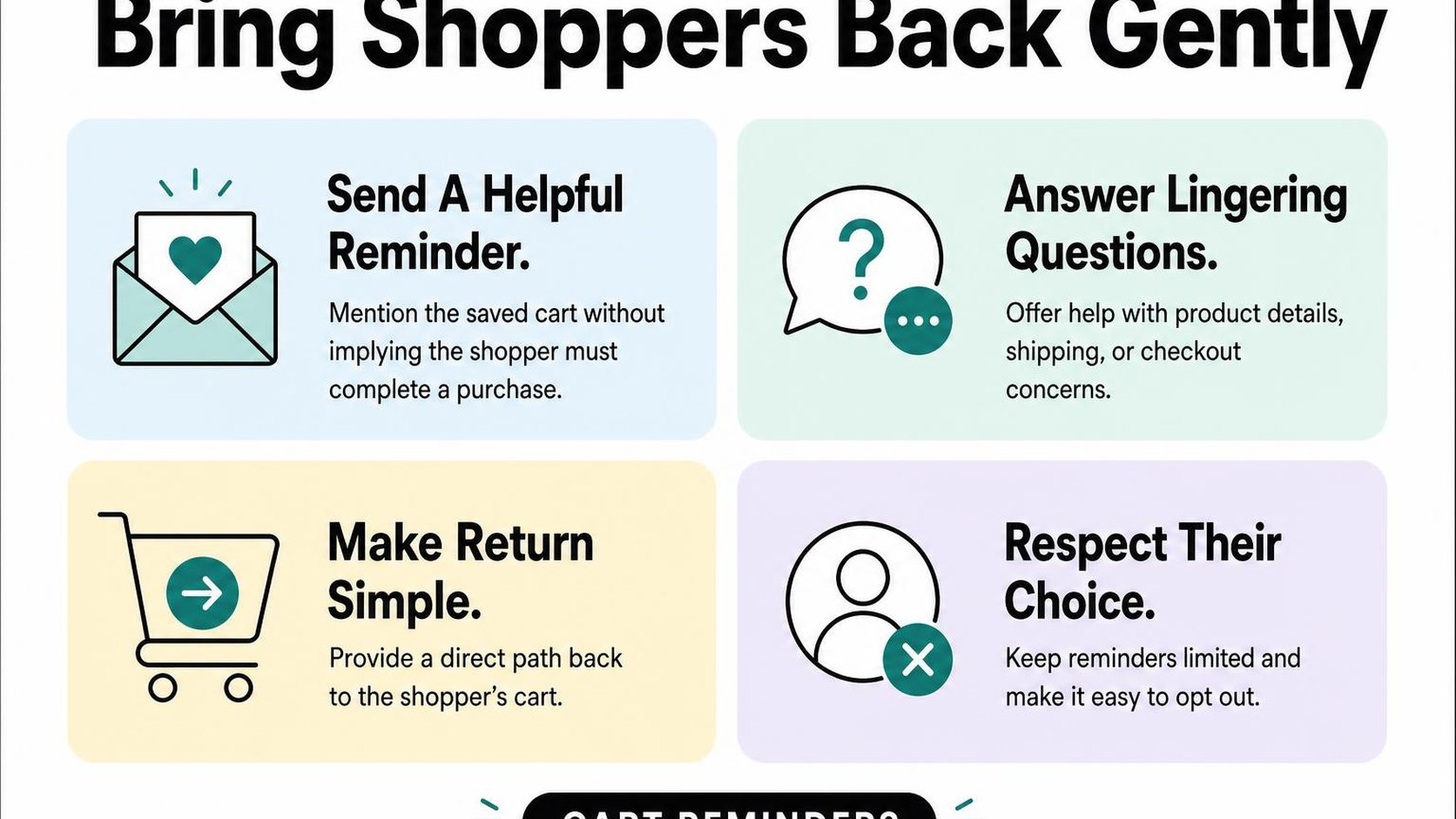
Conversational cart recovery means helping a shopper resolve a checkout concern and return to their cart if they choose. Your goal is to remove uncertainty, not manufacture urgency or assume every unfinished checkout needs a discount.
Shopify chatbot abandoned cart examples
Start with an optional offer of help while the shopper is still on your store. If they have already left, use a follow-up channel only when you have the appropriate consent and your messaging rules allow it.
- Product question: “Still deciding on the jacket? You can ask about sizing, materials, or care before checking out.” Offer answers from verified product information, with a support handoff when details are missing.
- Delivery concern: “Have a question about delivery costs? Share your destination country or region, and you can check the available shipping information.” Do not claim an exact total unless your connection can retrieve a current quote.
- Checkout problem: “Did something stop checkout from working? Describe the error, but please do not share your card details.” Offer an approved troubleshooting step or a route to support.
Keep each message tied to the shopper’s current task. A generic sales pitch adds another interruption when the actual problem may be an unclear size chart or an unavailable payment method.
Answer the concern behind the hesitation
Ask one useful question rather than presenting a long questionnaire. For example, “Is your question about fit, delivery, returns, or something else?” gives the shopper a simple way to direct the conversation.
Example conversation: Shopper: “The shipping cost is higher than expected.” Chatbot: “You can review the available delivery options at checkout. Would you like help finding your store’s shipping policy, or would you prefer to leave it here?”
Connect the response to information your chatbot can actually verify. If it cannot inspect shipping rates, stock, or discount eligibility, it should say so instead of filling the gap with a plausible answer.
- Discounts: Mention a code only after verifying its terms and applicability. Do not promise a saving just to keep the conversation going.
- Availability: Check current variant stock before making an availability claim. A saved cart does not reserve inventory.
- Return to checkout: Offer a working cart link when your integration supports it, while making clear that prices and availability may change.
Use helpful reminders and clear opt-outs
An unfinished checkout is not blanket permission for marketing messages. Shopify’s checkout consent guidance states that SMS marketing requires a separate opt-in and that its checkbox cannot be preselected.
Keep your reminder short: “You left items in your cart. If a product or checkout question stopped you, you can ask for help. You can also stop cart reminders using the unsubscribe option.” Use the channel’s supported opt-out method, and honor it across connected workflows.
Practical rule: Suppress further reminders after purchase or opt-out, set a frequency limit, and avoid repeated nudges when the shopper does not respond. Helpful recovery leaves room for the answer to be “not now.”
7. Choose the right chatbot use cases and improve them
Your chatbot recommends a product, but the shopper leaves without opening it. Another conversation ends after a delivery question, yet the same customer emails support ten minutes later. These shopify chatbot examples show why a finished conversation is not automatically a useful one.
Start with two or three conversations that address recurring customer needs. You get clearer results from a narrow, reliable flow than from a chatbot that attempts every task but frequently needs correcting.
Match each conversation to a measurable goal
Choose Shopify chatbot use cases based on questions you already receive, not features you might eventually need. If shoppers repeatedly ask which size fits their space, prioritize product selection. If your inbox fills with delivery questions, prioritize access to tracking information.
Give each flow one main outcome and one quality check. A resolution rate measures the share of eligible support conversations resolved without further help; define what counts as resolved before you report it.
- Product discovery: Measure product clicks after recommendations, then check add-to-cart activity where your tracking supports it. A click suggests interest, not a completed purchase.
- Order tracking: Measure successful visits to the tracking destination and whether customers still need help afterward. Do not count a displayed link as a resolved request.
- Policy questions: Ask whether the answer helped, and review repeat contacts about the same issue. Silence alone does not prove resolution.
Review unanswered questions and handoffs
Review a small sample of conversations each week, including successful ones. Look for repeated wording, unsuitable recommendations, and moments when shoppers rephrase the same question. These reveal where your script or store information needs attention.
A handoff transfers a conversation to a person or another support channel. Track why it happens rather than treating every transfer as failure: a damaged parcel or disputed refund may need human judgment.
- Missing information: Add verified answers when customers repeatedly ask about dimensions, compatibility, or delivery regions.
- Weak recommendations: Check whether your chatbot asks enough about budget, intended use, and essential requirements before showing products.
- Support friction: Pass along the question and relevant context where your integration allows it, so customers do not have to start again.
Practical rule: Fix the most frequent harmful misunderstanding before adding another conversation flow. A shorter answer with a clear next step beats a confident answer that sends shoppers the wrong way.
Test scripts and keep store information current
Test Shopify chatbot conversation examples against real changes: an unavailable variant, a revised return window, or a shipping restriction. Include misspellings and requests the chatbot cannot complete. Your fallback should explain the limit and offer a usable next step.
Change one part of a script at a time, then compare similar periods and customer groups. Keep a simple record of the change, its date, and the result; low conversation volume calls for caution, not a quick winner.
Assign someone to recheck answers whenever products or policies change, and stop any flow that repeatedly gives incorrect information.
You get this test-and-review approach from Yassine Malti, the developer writing from store work.
Put this into practice
Start with the store you already have, then use the guides on the blog for the next page that needs the same treatment.
Shopify apps by Yassine Malti
Put this into practice
-

PROMPTit · AI photo editing
Five AI image tools for your product photos · 5 images/month free
-

REMOVEit · Background removal
Clean, consistent product backgrounds in bulk · 5 images/month free
-

VEOit · Product videos
AI product videos made from your product images · 5 credits/month free