
A shopper opens your product page, checks the size chart, and still cannot tell whether the jacket fits over a sweater. Another reaches checkout but pauses over delivery timing. These are the moments where Shopify chatbot conversion work starts: helping shoppers get a reliable answer before uncertainty sends them away.
How to Use a Shopify Chatbot to Answer Questions and Increase Conversions shows you how to choose the questions your bot should answer, connect it to accurate store information, and offer product recommendations without pushing the wrong item. You also learn where to place it, when to hand a conversation to a person, and how to measure whether assisted shoppers actually buy.
A Shopify chatbot is a conversational tool on your store that responds to shopper questions through automated replies or AI-generated answers. It can explain your return policy, point to a compatible accessory, or clarify shipping options. A Shopify AI chatbot still needs clear boundaries: it should not invent delivery promises, discounts, or product details when information is missing.
The aim is not to make every visitor start a conversation. It is to remove a specific obstacle without interrupting browsing or covering checkout controls. Start with questions you already receive, keep human support available, and compare purchases alongside answer quality rather than treating more chats as proof of more sales.
Table of Contents
- Step 1: Set a conversion goal and identify shopper friction
- Step 2: Choose a chatbot setup that fits your Shopify store
- Step 3: Add the chatbot to Shopify and configure its knowledge
- Step 4: Define what the chatbot should answer and when to hand off
- Step 5: Build helpful product recommendations and checkout support
- Step 6: Measure chatbot conversions and improve the experience
- Step 7: Launch safely, review conversations, and refine
Step 1: Set a conversion goal and identify shopper friction
Before you decide what your Shopify chatbot says, choose the problem it needs to solve. Your Shopify chatbot conversion goal should connect a useful answer to an observable action, rather than reward the bot for starting more conversations.
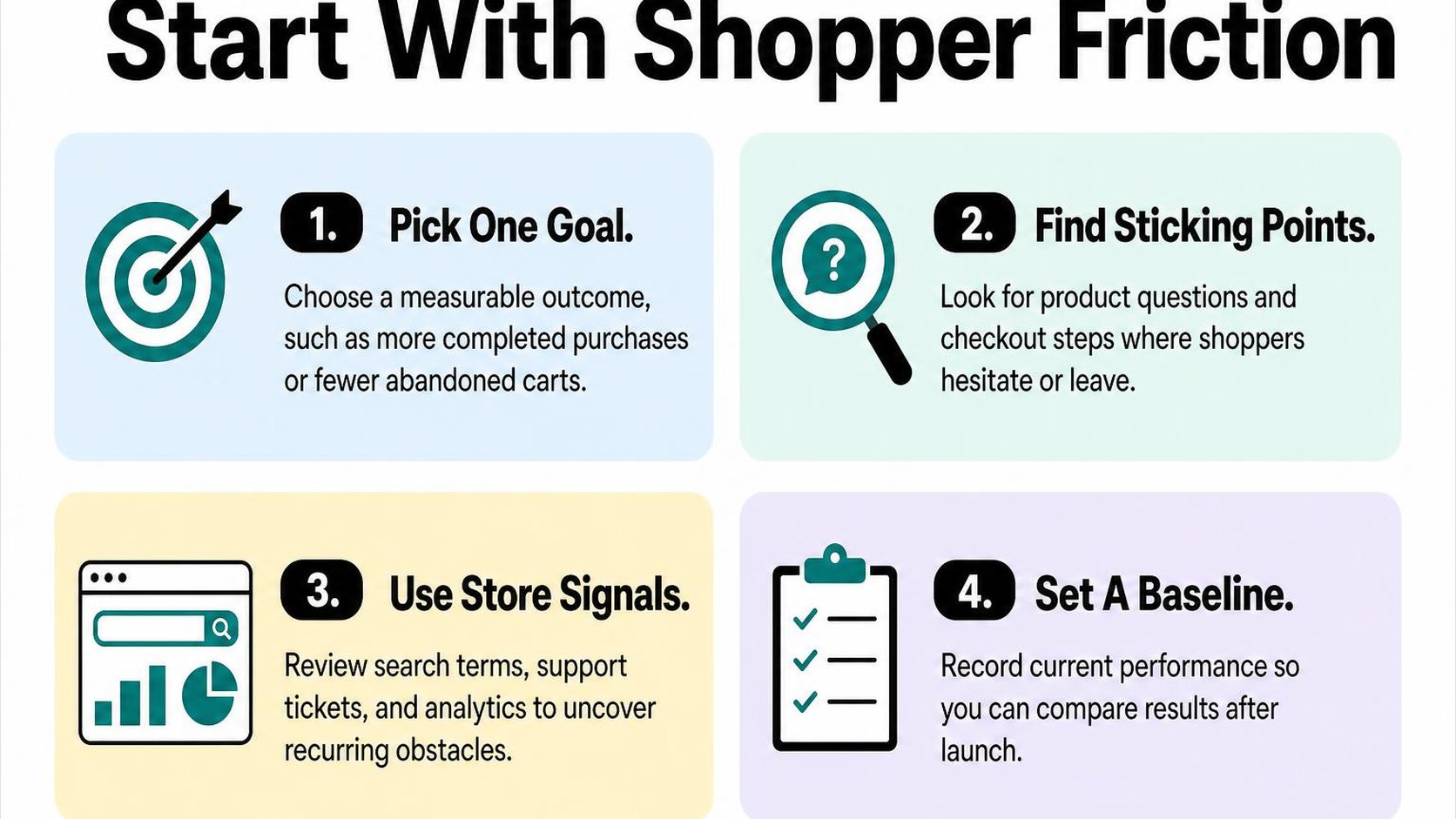
A busy chat window does not necessarily mean more sales. Start with one point of friction so you can judge whether the chatbot helps shoppers move forward without adding another interruption.
Choose the action the chatbot should support
A primary conversion goal is the single outcome you use to judge the chatbot’s performance. Choose an action close to the question you want it to answer: sizing help belongs near product selection, while delivery information can support a checkout decision.
- Product-page add-to-cart: Track the share of eligible product-page sessions that include an add-to-cart. Use this goal when shoppers hesitate over fit, compatibility, materials, or what comes in the box.
- Completed checkout: Track completed purchases against a consistent denominator, such as sessions that begin checkout. Choose this when questions about shipping costs, delivery estimates, or returns interrupt buying.
- Fewer support escalations: Track the share of chatbot conversations that require a person, alongside answer accuracy and shopper feedback. A lower escalation rate is not a success if shoppers leave with unresolved questions.
Record your current result, your target, and a review period before launch. For example, aim to raise add-to-cart rate on one collection from 6% to 7% over four weeks, while checking that returns and complaints do not rise.
Keep the denominator and audience consistent, and note promotions or traffic changes during the test. The same discipline applies to Shopify conversion rate optimization: define the action before changing the experience.
Practical rule: Treat purchases following a chat as assisted orders, not automatic proof of extra sales. Use a controlled comparison where practical before claiming the chatbot causes a conversion increase.
Find unanswered questions across the shopping journey
Use store analytics to locate drop-offs, then use support tickets and customer feedback to investigate why they happen. A weak product-page add-to-cart rate identifies somewhere to investigate; it does not tell you whether the problem is missing information, price, or product appeal.
- Product discovery: Review search terms and recommendation requests. Look for questions about intended use, budget, and differences between similar products.
- Product evaluation: Group tickets and reviews around sizing, specifications, care, compatibility, and stock. Prioritize recurring questions whose answers could change a purchase decision.
- Cart and checkout: Read delivery, payment, and returns questions alongside funnel drop-offs. Do not assume your chat tool can appear inside checkout; identify where it can provide answers before shoppers arrive there.
- After purchase: Separate order-status requests from buying questions. These may justify a customer-support goal, but they should not inflate your sales-conversion results.
Turn the recurring questions into a short priority list with a verified answer source and a human handoff route. Start with frequent, answerable questions; do not ask the chatbot to compensate for unclear policies or invent delivery promises.
Step 2: Choose a chatbot setup that fits your Shopify store
You install a chat widget, but it cannot read variant availability or pass a conversation to your support team. Before you commit, check how each setup connects to your storefront, your product data, and the people who handle exceptions. Shopify chatbot conversion results depend partly on whether those connections work reliably.
Compare Shopify chatbot options and integrations
Installing an existing chatbot gives you a prebuilt interface and a defined set of integrations. Commissioning a custom integration, a connection built around your store’s specific systems and workflows, gives you more control but adds development, testing, and ongoing maintenance.
| Setup | Check before choosing | Main tradeoff |
|---|---|---|
| Existing chatbot | Supported channels, catalog sync, permissions, and handoff | Faster setup, but limited to supported features |
| Custom integration | Data connections, hosting, monitoring, and maintenance ownership | More flexibility, but more responsibility and cost |
For how to add a chatbot to Shopify, follow the provider’s installation instructions rather than assuming every widget works the same way. Shopify’s guidance on theme app integrations describes app blocks, app embeds, and app-provided code; block support depends on your theme and section.
- Channels: Confirm whether you need storefront chat only or conversations across other messaging channels. Check whether conversation history follows the shopper between them.
- Support handoff: Test whether a person receives the transcript and relevant product context. Confirm what shoppers see when nobody is available.
- Maintenance: Assign responsibility for broken connections, theme changes, answer reviews, and usage limits. A managed setup still needs someone to check its output.
Use the AI chatbot customer support guide to plan how automated answers and human support work together. Do not choose a Shopify chatbot for sales based only on how natural its demo conversation sounds.
Plan how the bot will access products and store policies
A Shopify AI chatbot needs approved information, not just permission to generate text. Ask whether it reads live store data, periodically syncs a copy, or relies on files you upload. Those approaches create different risks when prices, inventory, or policies change.
- Catalog access: Check variant-level prices, availability, product links, and update frequency. A chatbot for Shopify product recommendations should not suggest an unavailable size because its catalog copy is stale.
- Policy sources: Identify the pages the bot may use and how updates reach it. Test conflicting or missing information and require a fallback rather than a guessed answer.
- Privacy: Review requested permissions, transcript retention, deletion options, and whether customer data is used to train models. Restrict access to what the selected workflow requires.
- Protected information: Keep public product guidance separate from account-specific details. Require an appropriate identity check before exposing order or customer information.
Practical rule: Choose the simplest setup that answers your priority questions from verified sources and hands uncertainty to a person. Pay for custom work when a necessary connection or workflow is missing, not simply to make the conversation sound different.
Step 3: Add the chatbot to Shopify and configure its knowledge
You enable the chat bubble, open a product page on your phone, and find it covering the size selector. Before you judge Shopify chatbot conversion results, make sure shoppers can use the widget without losing access to the controls they need to buy.
Install or connect the chatbot to your storefront
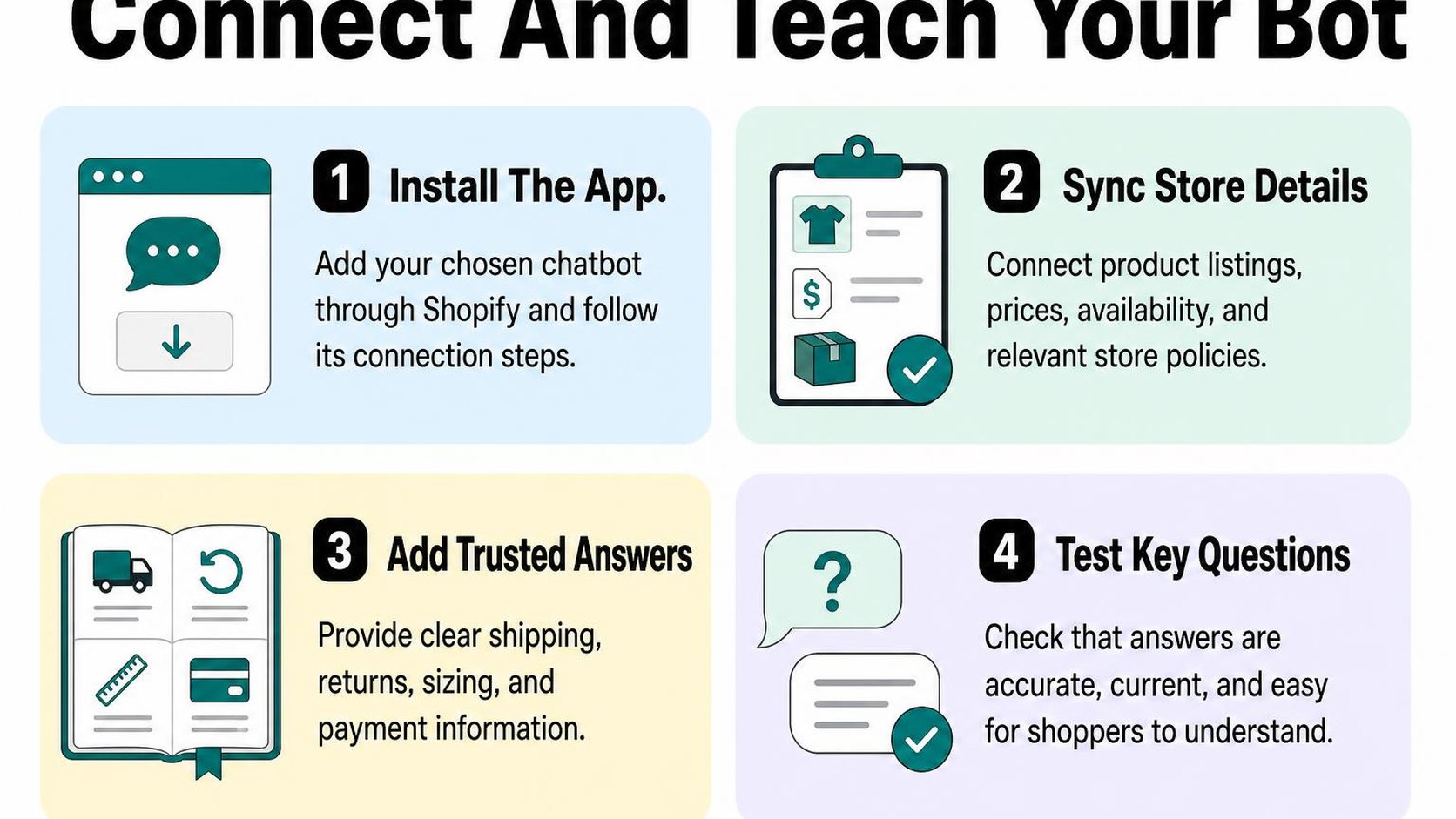
Follow your chatbot provider’s Shopify installation instructions, then connect the correct store and complete its setup. If the connection uses a separate dashboard, confirm that it points to your live storefront rather than a development store.
The storefront activation method varies. Shopify’s guide to extending your theme with apps explains app blocks, app embeds, and app-provided code, including theme compatibility limits. Use the method your provider documents; do not paste an extra script into your theme when the supported integration already loads the widget.
- Theme activation: Enable the relevant embed or add the supported block in the theme editor. Preview the change before saving it to your published theme.
- Mobile placement: Check the chat launcher with your cookie banner, sticky add-to-cart button, and navigation open. Reposition it if shoppers cannot reach those controls.
- Page coverage: Test the home page, a collection, a product, and the cart. Do not assume a storefront widget also appears in checkout; check the integration’s documented limits.
- Load behavior: Compare pages before and after activation. Check that product options, cart updates, and navigation still respond normally, especially on a phone.
Start with a quiet launcher rather than an immediate full-screen invitation. A visible help option gives shoppers a way to ask questions; an aggressive interruption can make browsing harder.
Provide accurate product, shipping, returns, and policy information
Connect the catalog and help pages supported by your integration, then inspect what the chatbot actually imports. A successful connection does not necessarily mean every variant, delivery condition, or policy exception is available to the assistant.
Your knowledge base is the information the chatbot uses to compose answers. Give it customer-facing facts with enough detail to answer buying questions, not internal notes or promotional drafts. Use a small set of representative products to check the imported information before expanding coverage.
- Product details: Include dimensions, materials, care instructions, compatibility, and variant differences. Keep measurements and units consistent with the product page.
- Shipping details: Separate processing time from transit estimates. Specify destinations, shipping charges, and any conditions attached to free shipping.
- Returns details: Include the return window, item-condition requirements, exclusions, and who pays return postage. Avoid reducing a conditional policy to “free returns.”
- Refresh checks: After changing a price, product specification, or policy, run the supported refresh process and ask a matching test question. Confirm that the answer reflects the published change before relying on it.
Practical rule: When the chatbot cannot confirm a delivery promise or policy exception, have it say what remains unconfirmed and offer your support route. Include your contact method and expected response window so the shopper has a usable next step.
Step 4: Define what the chatbot should answer and when to hand off
A shopper asks whether a jacket fits over a thick sweater, then asks whether it will arrive before Friday. Your chatbot needs different rules for each question: one needs verified product guidance; the other may require information it cannot access. Define that boundary before letting it answer shoppers.
Your Shopify chatbot conversion goal is to remove buying uncertainty, not keep every conversation automated. A useful answer helps someone choose or complete an order; an unsupported promise creates a support problem.
Cover high-intent product and order questions
Create an answer scope: a written list of questions the chatbot may handle, the information it must use, and the action it may offer. Start with questions that block a purchase rather than trying to automate every support topic.
- Product fit and sizing: Ask about intended use, measurements, or compatibility requirements before suggesting an option. Use documented specifications and size guidance; do not turn a general fit description into a guaranteed fit.
- Product recommendations: Suggest products that match the shopper’s stated needs and explain the relevant difference. If no verified match exists, say so rather than pushing the nearest available item.
- Availability: Report variant availability only when the connected data supports it. Do not infer a restock date or reserve inventory unless the system explicitly supports that action.
- Shipping and returns: Answer routine eligibility questions from published rules. Route deadline-dependent delivery requests and exception requests to someone authorized to assess them.
- Order status: Share order-specific information only through an approved identity-verification process. Without authorized order access, direct the shopper to secure tracking or human support rather than guessing.
- Checkout support: Explain where to enter a discount, how to choose a delivery option, or what an error message means when documented. Never request full card details, passwords, or payment security codes in chat.
These answers support your broader conversational commerce strategies by connecting a shopper’s question to a practical next step. Keep that step optional: a shopper asking about returns does not need an immediate sales pitch.
Set boundaries for uncertain, sensitive, or complex requests
Define a human handoff: transferring the conversation to a support person with enough context to continue. Trigger it when information is missing or contradictory, the shopper disputes an answer, or the requested action requires authority the chatbot does not have.
Send refund decisions, address changes, cancellation requests, disputed charges, and policy exceptions through your approved support workflow. The chatbot may explain the process, but it must not claim that a change or refund is complete without confirmation from the connected system.
Practical rule: After one unsuccessful clarification, offer a human rather than repeating the same answer. Say what cannot be verified, summarize the request, and explain whether the shopper is entering a live queue or leaving a message.
Pass along the question, relevant product or order reference, and troubleshooting already attempted through your approved support channel. Collect only the details needed to resolve the issue, and preserve the shopper’s place wherever possible. Test these boundaries with ambiguous questions before launch; a confident invented answer is a failed test, even when it sounds helpful.
Step 5: Build helpful product recommendations and checkout support
A shopper opens two similar product pages, adds one item to the cart, then asks whether it arrives before Friday. Your Shopify chatbot conversion strategy needs to address that decision, not interrupt it with another promotion. Give the shopper a useful next step while keeping availability, delivery estimates, and pricing tied to information your store can verify.
Ask focused questions before recommending products
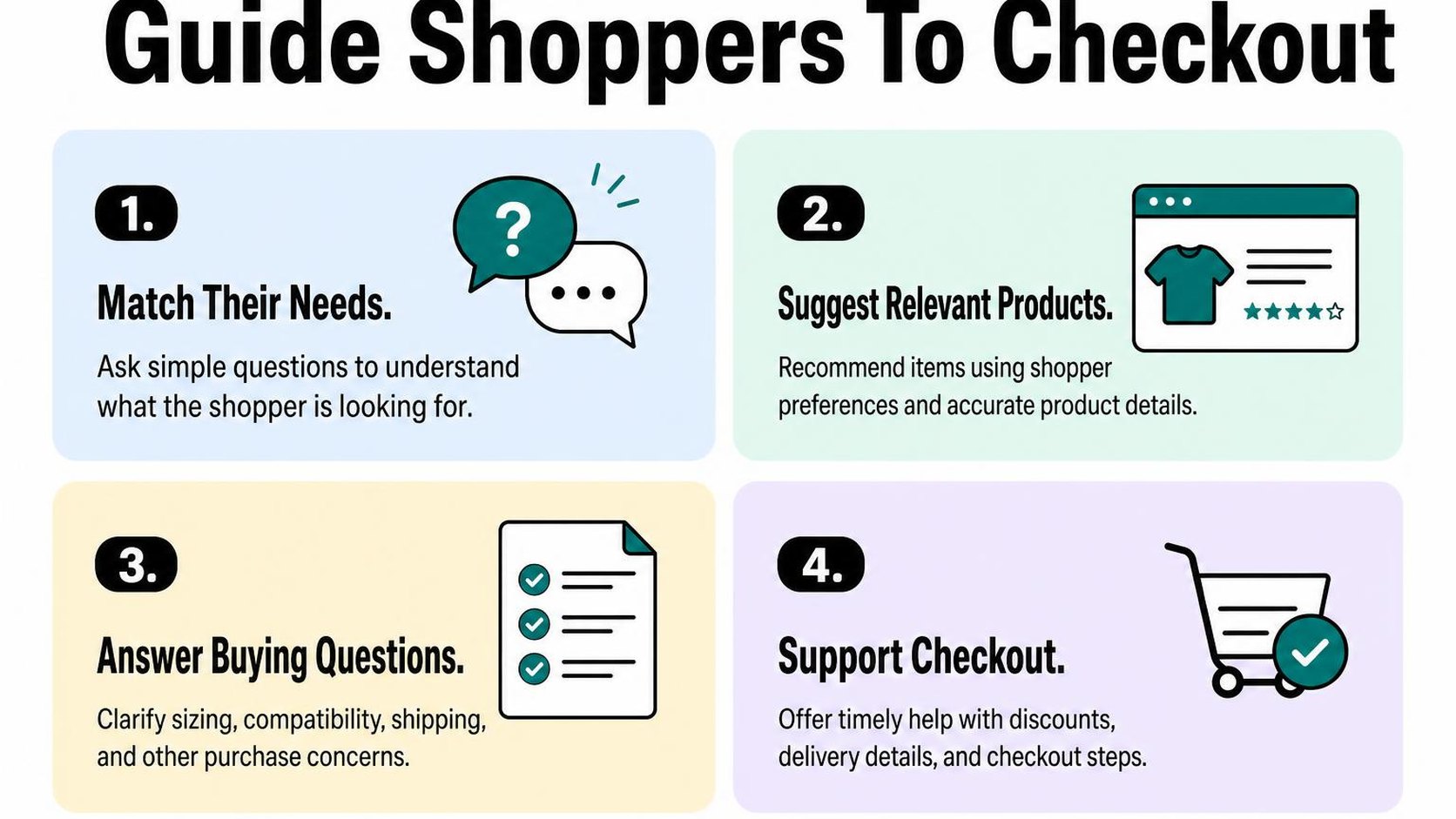
Start with the question that removes the most uncertainty. For a backpack, ask what the shopper needs to carry; for skincare, ask which product type they want rather than requesting a medical history. Use details already shared in the conversation so the shopper does not have to repeat them.
Product recommendation logic is the set of rules that connects a shopper’s stated needs to relevant catalog attributes. Base suggestions on verified details such as dimensions, materials, compatibility, price, and available variants. Do not let generated descriptions substitute for missing specifications.
- Ask one question at a time: Try “Does your laptop measure 13 or 16 inches?” rather than presenting a long questionnaire. Ask about budget only when it meaningfully changes the selection.
- Show a small shortlist: Offer two or three suitable products, explain the relevant difference, and link each suggestion to its product page. Preserve the selected variant in the link when your integration supports it.
- Explain the tradeoff: Say “This option fits your laptop and costs less, but it has no separate shoe compartment.” Avoid calling an item the best choice without explaining why.
- Respect catalog limits: If no product matches, say which requirement cannot be met. Do not quietly substitute an incompatible size or recommend an unavailable variant as ready to buy.
A chatbot for Shopify product recommendations should reduce comparison work, not create another browsing task. Let shoppers open the product page or return to their cart without answering extra questions or providing an email address.
Help shoppers resolve checkout hesitation without pressure
Shopify chatbot checkout support works best when it answers the obstacle in front of the shopper. Separate general policy information from cart-specific facts: a shipping policy may describe delivery ranges, but it does not confirm an arrival date for a particular address.
- Shipping: Explain published shipping thresholds and processing times. Direct shoppers to checkout for address-specific rates and available delivery options unless the chatbot has verified access to those results.
- Payment: Describe supported payment methods using current store information. Never request full card details, security codes, passwords, or one-time authentication codes in chat.
- Discounts: Explain published eligibility, expiry, and combination rules. Do not invent a code, promise a discount will apply, or claim that an offer stacks without verification.
- Cart questions: Help shoppers find quantity controls, review variants, or understand a visible total. Confirm a cart update only after the connected system reports success.
Practical rule: Answer the hesitation, then offer one optional next step: “You can check the available shipping options after entering your delivery address at checkout.” Do not add countdowns, unsupported stock warnings, or repeated purchase prompts.
Keep the chat easy to close, especially on mobile, and test that it does not cover checkout controls. Helpful support leaves the shopper in control of whether to continue.
Step 6: Measure chatbot conversions and improve the experience
Your chat dashboard shows more conversations, but your order count barely moves. To evaluate Shopify chatbot conversion, connect conversations to purchases and support outcomes rather than treating every opened chat as a success.
Keep your measurement rules consistent across reporting periods. Otherwise, a longer attribution window or a different traffic mix can make an unchanged chatbot look more effective.
Track engagement, assisted orders, and support outcomes
Define an attribution window, the period after a qualifying chat interaction during which you count a purchase as assisted. Start with the same session if your tools support it, and count a qualifying interaction as a shopper sending a question or selecting an answer—not merely seeing the widget.
An assisted order is a purchase associated with that interaction under your chosen rules; it does not prove the chatbot caused the purchase. If you also track purchases within seven days, report those separately instead of combining both windows.
Where your tools allow it, record analytics events for chat engagement, product-link selections, handoffs, and purchases. Use distinct events or tagged links that your analytics setup supports, but check that internal link tags do not overwrite the shopper’s original acquisition source.
| Metric | What it indicates | What to check |
|---|---|---|
| Engagement rate | Share of eligible sessions with a qualifying chat interaction | Whether shoppers use the assistant, not just open it |
| Assisted conversion rate | Share of engaged sessions that purchase within your window | Consistent session and order matching |
| Revenue per engaged session | Purchase value associated with chat engagement | Whether a few large orders distort results |
| Handoff rate | Share of conversations needing a person | Repeated gaps in answers or store information |
| Resolution and satisfaction | Whether shoppers receive useful help | Confirmed outcomes, not silence after an answer |
Test the tracking with a question, a product selection, and a test order where possible. Keep personal chat content out of analytics events, respect consent settings, and label results as incomplete when tracking cannot connect conversations to orders.
Compare performance and test one change at a time
Compare engaged sessions with non-chat sessions over the same dates, separating mobile from desktop and major traffic sources. Shoppers who ask questions may already have stronger buying intent—or more complicated problems—so this comparison identifies patterns, not incremental sales.
Shopify’s marketing reports explain attribution options for conversion reporting. Keep your selected rules stable when reviewing chatbot results alongside store performance.
- Choose one change: Test a clearer delivery answer, a different recommendation prompt, or a less intrusive opening message—not all three together.
- Use a fair comparison: Randomly assign eligible visitors to the current and revised experience when your tools permit it. Otherwise, treat before-and-after results cautiously, especially during promotions.
- Check the tradeoff: Review overall conversion, support workload, and satisfaction together. Fewer handoffs are not an improvement if shoppers leave without answers.
Practical rule: Set your test duration and success metric before starting. Do not declare success after a few assisted orders; keep the change only when the evidence supports a better shopping experience.
Step 7: Launch safely, review conversations, and refine
Your chatbot answers a delivery question correctly on desktop, but its mobile window covers the checkout button. Before you make it available to every shopper, check the full experience—not just whether the answers sound convincing. Shopify chatbot conversion depends on useful answers that do not interrupt the purchase.
Test common questions and failure cases before launch
Run a small launch checklist on your live theme, using test conversations without real customer details. Repeat the checks after theme updates, policy changes, or changes to the chatbot’s knowledge sources.
- Mobile usability: Open and close the chat on a real phone. Check that the keyboard, chat launcher, and consent banner do not hide product options, cart controls, or checkout buttons.
- Response accuracy: Ask about delivery destinations, shipping costs, return windows, sizing, and unavailable variants. Compare each answer with your current policies and product pages; reject invented delivery dates or discounts.
- Failure handling: Try misspellings, vague requests, conflicting instructions, and questions your store cannot answer. The chatbot should ask for clarification or acknowledge the gap rather than guess.
- Human escalation: Request a person, report a damaged order, and ask about an exception to your return policy. Confirm that the conversation reaches the right queue and that shoppers see realistic support hours.
- Privacy: Check what the chatbot collects, stores, and shares. Do not request passwords or full payment-card details, and require an appropriate identity check before revealing order information.
- Monitoring: Assign someone to watch conversations during launch. Confirm that you can pause automated answers quickly if shoppers receive incorrect information.
Set clear launch decisions before testing. A harmless wording issue can wait; exposed customer information or a false refund promise cannot.
| Test result | Launch decision |
|---|---|
| Correct answer, awkward wording | Record a copy improvement. |
| Unknown question, working handoff | Launch with monitored escalation. |
| Wrong policy or exposed order details | Pause automation and fix before launch. |
Review transcripts and update answers on a regular schedule
Review conversations daily during the first week, then move to a weekly review if answers remain reliable. A transcript review means checking the actual conversation, including unanswered questions, repeated requests, and where a shopper asks for help again.
Group recurring gaps by topic: delivery, fit, compatibility, returns, or order status. Correct the underlying store content when it is missing or outdated, then refresh the chatbot’s sources and repeat the relevant tests. Do not patch every failure with another instruction when the product page itself is unclear.
- Answer gaps: Prioritize unanswered questions that repeatedly block purchases or create unnecessary support contacts.
- Conversion data: Review chat-assisted orders alongside overall store conversion and handoff outcomes. Use the reporting rules you already selected, and investigate changes rather than assuming chat caused them.
- Small improvements: Update one answer or routing rule, record the date, and check subsequent conversations for the intended result.
Practical rule: Keep a named owner, a review date, and a way to disable automation; a chatbot should never become an unattended source of store policy.
Use this checklist as practical guidance from Yassine Malti, the developer writing from store work.
Put this into practice
Start with the store you already have, then use the guides on the blog for the next page that needs the same treatment.
Shopify apps by Yassine Malti
Put this into practice
-

PROMPTit · AI photo editing
Five AI image tools for your product photos · 5 images/month free
-

REMOVEit · Background removal
Clean, consistent product backgrounds in bulk · 5 images/month free
-

VEOit · Product videos
AI product videos made from your product images · 5 credits/month free


