You update a product page with sharper photos and a longer description, then ask an AI shopping assistant to suggest products like yours. Your store does not appear, or the answer misses a detail you clearly list. Shopify AI search visibility is not just about adding more copy. Your pages need to make product facts, buying conditions, and the relationships between products easy to identify.
How to Make Shopify Store Content Easier for AI Search to Understand walks you through checking what your storefront exposes, organizing product information, and keeping answers consistent across your catalog. You learn how to structure Shopify content for AI search without turning useful shopping pages into blocks of repetitive keywords.
Start with the questions a shopper needs answered: what the product is, who it suits, which sizes or materials are available, and where you ship. A description that says “made for every adventure” leaves more room for interpretation than one that names the fabric, intended use, and care requirements. Clear wording helps shoppers too, so this work remains useful even when AI referrals are small.
The tradeoff is detail versus clutter: include facts that support a buying decision, not every phrase someone might search. Better structure can help systems interpret your pages, but it does not guarantee recommendations. Treat Shopify AI search optimization as ongoing catalog maintenance, not a one-time shortcut to placement.
Table of Contents
- Step 1: Understand how AI search interprets Shopify content
- Step 2: Make your important Shopify pages accessible to crawlers
- Step 3: Write product pages that answer shopper questions
- Step 4: Structure Shopify content around clear topics and entities
- Step 5: Add accurate structured data and product attributes
- Step 6: Publish useful supporting content and make image information clear
- Step 7: Audit your Shopify AI search readiness and improve what you find
Step 1: Understand how AI search interprets Shopify content
Start by separating three outcomes: an AI system finds your page, understands its product facts, and chooses to use those facts in an answer. Shopify AI search visibility depends on more than publishing a detailed description. A page can be accessible without being cited, and a citation does not necessarily mean your product receives a recommendation.
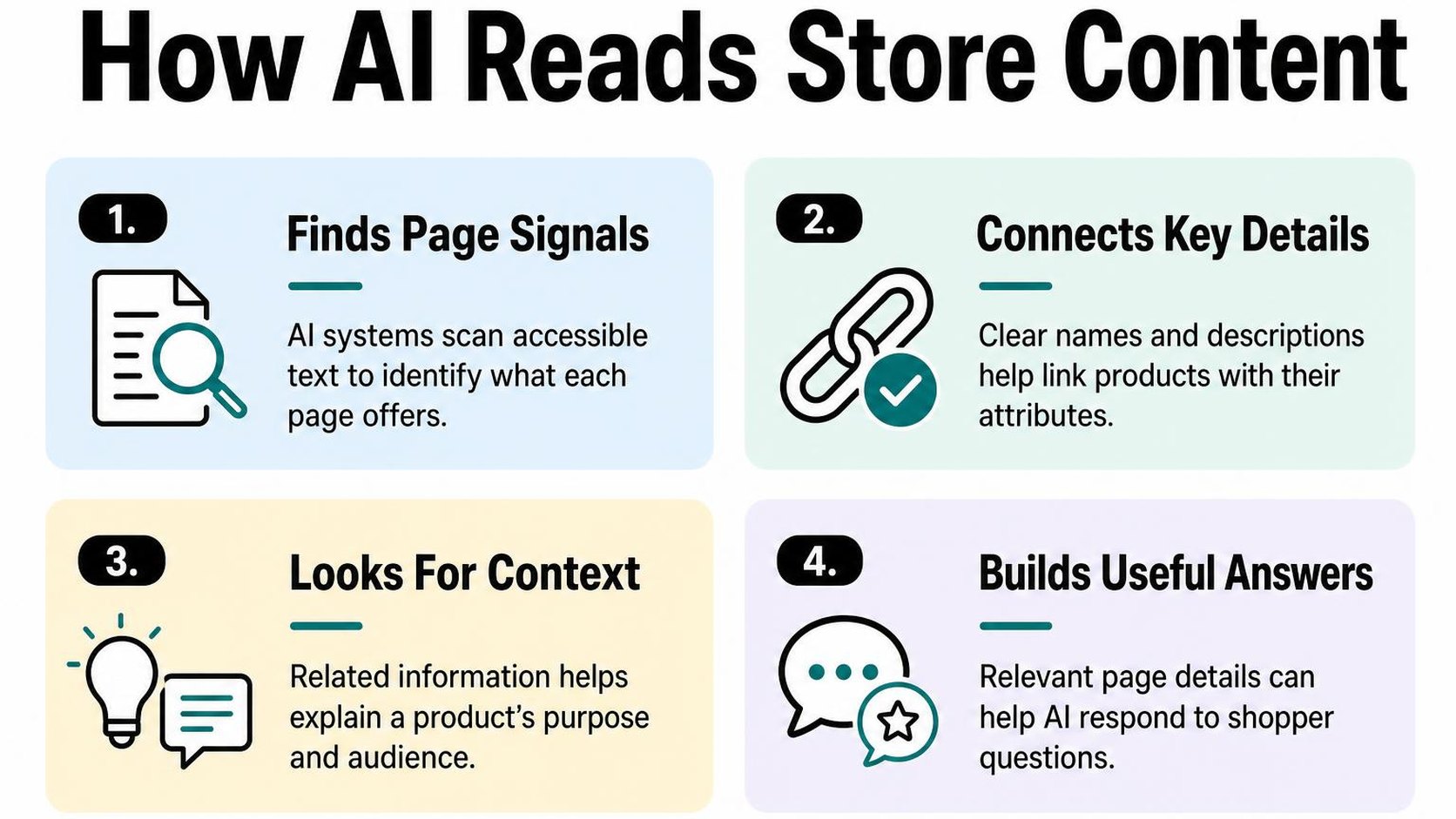
Your first job is to make the facts easy to verify. Treat AI search as another reason to improve useful store content, not as a reason to replace clear buying information with repetitive keywords.
How AI search finds and summarizes product information
AI search combines generated answers with information that may come from search indexes, retrieved web pages, shopping feeds, or other sources, depending on the service. There is no single discovery process shared by every AI assistant. Some answers use current retrieved information; others may rely on older information and miss recent store changes.
When a system retrieves your product page, it may extract details relevant to the shopper’s question rather than summarize everything. For a query about a machine-washable travel blanket, material, dimensions, and washing instructions matter more than a paragraph describing your brand’s journey.
Structured data is machine-readable markup that labels facts such as a product’s name, price, and availability. It can help supported systems interpret those facts, but it does not replace visible product information or force an assistant to select your store.
- Discovery: Keep product pages reachable through ordinary navigation and internal links. A published URL alone does not mean a search system has found or indexed it.
- Interpretation: State concrete attributes together, using explicit units and variant names. “500 ml stainless steel bottle” leaves less room for ambiguity than “your everyday essential.”
- Summarization: Put important restrictions beside the relevant claim. If only the lid is dishwasher-safe, do not describe the whole bottle as dishwasher-safe.
- Citation: Give each page a clear purpose and identifiable product facts. A system may still cite another source, omit a citation, or leave your product out.
What influences Shopify store visibility in AI search
Start with the requirements of the search service you want to reach. In its guidance on AI features and website eligibility, Google says existing SEO practices apply to AI Overviews and AI Mode, with no special optimization required. A supporting page must be indexed and eligible to appear in Google Search with a snippet; meeting those requirements does not guarantee inclusion.
For Shopify SEO for AI search, check whether your content answers a real buying question without contradicting your variants, shipping policy, or returns page. Consistent facts reduce ambiguity, while descriptive links help shoppers and search systems understand how your pages connect. The Google AI Overviews guide explains that specific search experience in more detail.
Practical rule: Optimize for accurate interpretation before chasing recommendations. Clear facts improve the information available to a system, but you cannot control its sources, ranking decisions, or final answer.
Do not hide essential details in images or add unsupported claims to sound more authoritative. Judge readiness by whether a shopper can verify your product’s fit, limits, and buying conditions directly on the page.
Step 2: Make your important Shopify pages accessible to crawlers
You update your theme, then notice that a key collection is missing from a Search Console report. Before rewriting its copy for Shopify AI search, check whether crawlers can reach the page and read the information you already publish.
Crawlability means a crawler can access a URL and retrieve its content. Access does not guarantee indexing or an AI recommendation, but blocked pages give search systems less information to work with.
Check robots directives, canonical URLs, and sitemap access
Start with one important product, its collection, and your shipping and returns pages. Open each while signed out, then inspect the URLs in Google Search Console to compare your browser view with Google’s reported access and indexing status.
Robots directives control crawling or indexing, depending on where you set them. A robots.txt rule controls fetching; a noindex directive asks supporting search engines not to index a page and must be accessible for them to read it.
- Review crawling rules: Open your domain’s /robots.txt file and look for custom rules that block /products/, /collections/, or essential resources. Follow the Shopify robots.txt guidance before changing rules; do not remove Shopify’s defaults just to allow every URL.
- Check indexing directives: Inspect page source and response headers for an unintended noindex directive. Remove it only if the page should appear in search; keep private, duplicate, or low-value pages out where appropriate.
- Verify canonical targets: A canonical URL identifies the preferred version of a page for indexing. Check that important pages point to the intended equivalent URL, not an unrelated collection, old domain, or unavailable product.
- Open the sitemap: Visit /sitemap.xml, follow its child sitemap links, and confirm that your intended public pages appear. Submit the sitemap in Search Console and investigate fetch errors rather than repeatedly resubmitting it.
Shopify automatically generates and updates these files, as its sitemap submission instructions explain. A sitemap helps discovery, but it does not guarantee crawling or indexing, and changes can take time to appear.
Keep key product and collection pages crawlable
Next, follow the route a shopper takes from your main menu to a collection and then a product. Your priority pages should have ordinary links, load without a login, and explain the offer without requiring a visitor to select options or open a chat.
Check that titles, descriptions, prices, availability, and policy links appear in the rendered page. JavaScript is not automatically a problem, but essential facts that load only after interaction can be harder for crawlers to retrieve.
- Keep discovery paths clear: Link important collections from navigation and products from relevant collections. Do not rely on your store’s search box as the only route to a product.
- Test supporting resources: Check that product images and scripts needed to render essential content load successfully. Investigate blocked requests and access challenges.
Practical rule: Make useful public pages reachable without opening every filtered URL to crawlers. Prioritize canonical product and collection pages over duplicate browsing combinations.
Step 3: Write product pages that answer shopper questions
A shopper opens your backpack page and finds “built for every adventure,” but cannot tell whether it fits a 16-inch laptop. That missing detail creates uncertainty for the shopper and leaves AI systems with less useful information about the product.
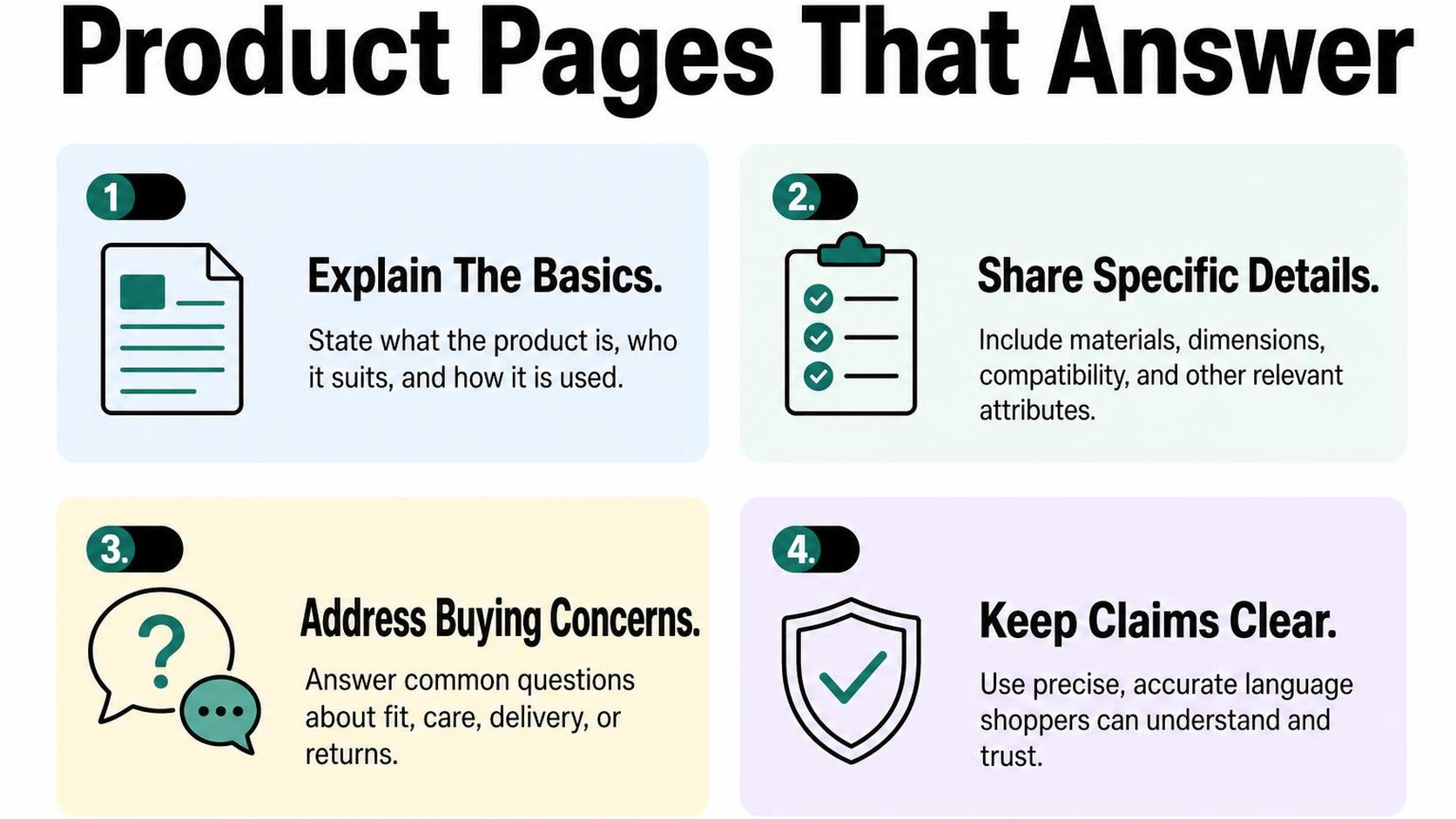
For Shopify AI search, prioritize clear facts over promotional language. Your page should explain what you sell, who can use it, and where it falls short without making readers piece the answer together from photos.
State what the product is and who it is for
Start your description with the product category, its intended use, and a distinguishing attribute. “A 20-litre water-resistant commuter backpack with a padded laptop compartment” communicates more than “your new everyday essential.”
Add the intended audience only when it helps someone decide. “For cyclists carrying a laptop and a change of clothes” identifies a practical use case; “for everyone who demands the best” does not.
- Product identity: Use a recognizable product name and category. Keep creative collection names, but pair them with plain language such as “linen duvet cover” or “adjustable dog harness.”
- Intended use: Explain the task or situation the product suits, such as daily commuting, indoor training, or packing carry-on luggage.
- Relevant limits: Say when it is unsuitable. A water-resistant bag is not necessarily waterproof, and a laptop compartment does not fit every device with the same advertised screen size.
Keep the first paragraph compact, then place supporting specifications below it. Your product description writing guide provides a process for turning product facts into readable copy without replacing specifics with filler.
Add specific, verifiable details and useful FAQs
Verifiable details are claims you can check against measurements, supplier documentation, testing, or your actual policies. Replace “large capacity” with a measured volume, and replace “easy care” with the washing instructions on the label.
Shopify’s guidance on optimizing stores for AI recommends clear titles, prominent accurate details, and comprehensive product information. Treat these as clarity improvements, not a guarantee that your products appear in AI search results.
- Measurements and materials: Give dimensions with units, material composition, weight, and capacity where relevant. Distinguish product measurements from package measurements.
- Compatibility and variants: Identify supported models, fit requirements, and differences between options. Do not describe every variant as having a feature that only one includes.
- Included items: State what arrives in the box and which pictured accessories you sell separately. Explain any assembly or additional equipment required.
- Purchase concerns: Answer recurring questions about care, fit, setup, and returns in the relevant page sections. Use support messages and return reasons to choose what needs clarification.
If shoppers ask whether the bag fits under an airline seat, provide its dimensions and explain that airline limits vary. Do not promise universal acceptance without evidence.
Practical rule: Publish the answer you can substantiate, including its limits. Clear product facts help people and AI systems interpret your offer; keyword repetition and unsupported claims do not make it more trustworthy.
Step 4: Structure Shopify content around clear topics and entities
A shopper lands on your backpack collection, but its headings say “Explore more” and its product cards use three different names for the same bag type. Shopify AI search optimization starts with making those relationships clearer, not adding more AI-focused wording.
An entity is a specific thing your content describes, such as a product, brand, material, or product category. Use recognizable names and a logical path between pages so readers and crawlers can understand what belongs together. Clear structure supports understanding; it does not guarantee recommendations in AI-generated answers.
Use descriptive headings and consistent product terminology
Give each page one clear purpose. A collection introduces a product category, a product page explains one item, and a supporting guide helps you choose or use that type of item. Your headings should reflect those different jobs.
On a collection for carry-on backpacks, “Carry-on backpacks for short trips” communicates more than “Your next adventure.” On a product page, headings such as “Laptop compartment size” and “Carry-on dimensions” tell shoppers what each section answers. Keep useful brand language, but do not let it replace the category or feature name.
Use heading levels to show the outline: the page title introduces the main topic, section headings divide it, and subheadings organize details within each section. Choose levels for meaning rather than visual size; adjust appearance through your theme settings where available.
- Product names: Use the same core name in the product title, collection card, and guide references. Avoid switching between an internal nickname and a customer-facing name without explanation.
- Category terms: Choose a clear category label, such as “carry-on backpack,” and use it consistently where relevant. Natural synonyms are fine when they do not suggest a different product type.
- Feature labels: Keep terms such as “capacity” and “laptop compartment” consistent across comparable products so shoppers can follow the same questions from page to page.
Connect products to relevant collections and supporting guides
Build a useful route through your store: navigation leads to a collection, the collection leads to products, and relevant guides help shoppers compare options. A guide about choosing a carry-on backpack can link to the carry-on collection and to products that genuinely match its advice.
Add a return path where it helps. A product page can point to a sizing guide beside the dimensions section, rather than placing every educational link at the bottom. This gives the link a clear purpose without distracting shoppers from the purchase decision.
Use anchor text, the visible words in a link, to describe the destination. “Compare carry-on backpack sizes” sets a clearer expectation than “Learn more.” Google’s link best practices explain how descriptive anchor text helps people and Google understand linked pages.
Practical rule: Add a link when its destination answers the shopper’s next relevant question. Do not link every product to every guide or repeat keyword-heavy links across the store. A smaller set of useful connections makes your topic structure easier to follow.
Step 5: Add accurate structured data and product attributes
You update a jacket’s price, but an old price still appears in the code your theme publishes. For Shopify AI search, that mismatch creates conflicting information about the same product. Check what your page communicates to machines alongside what your shopper sees.
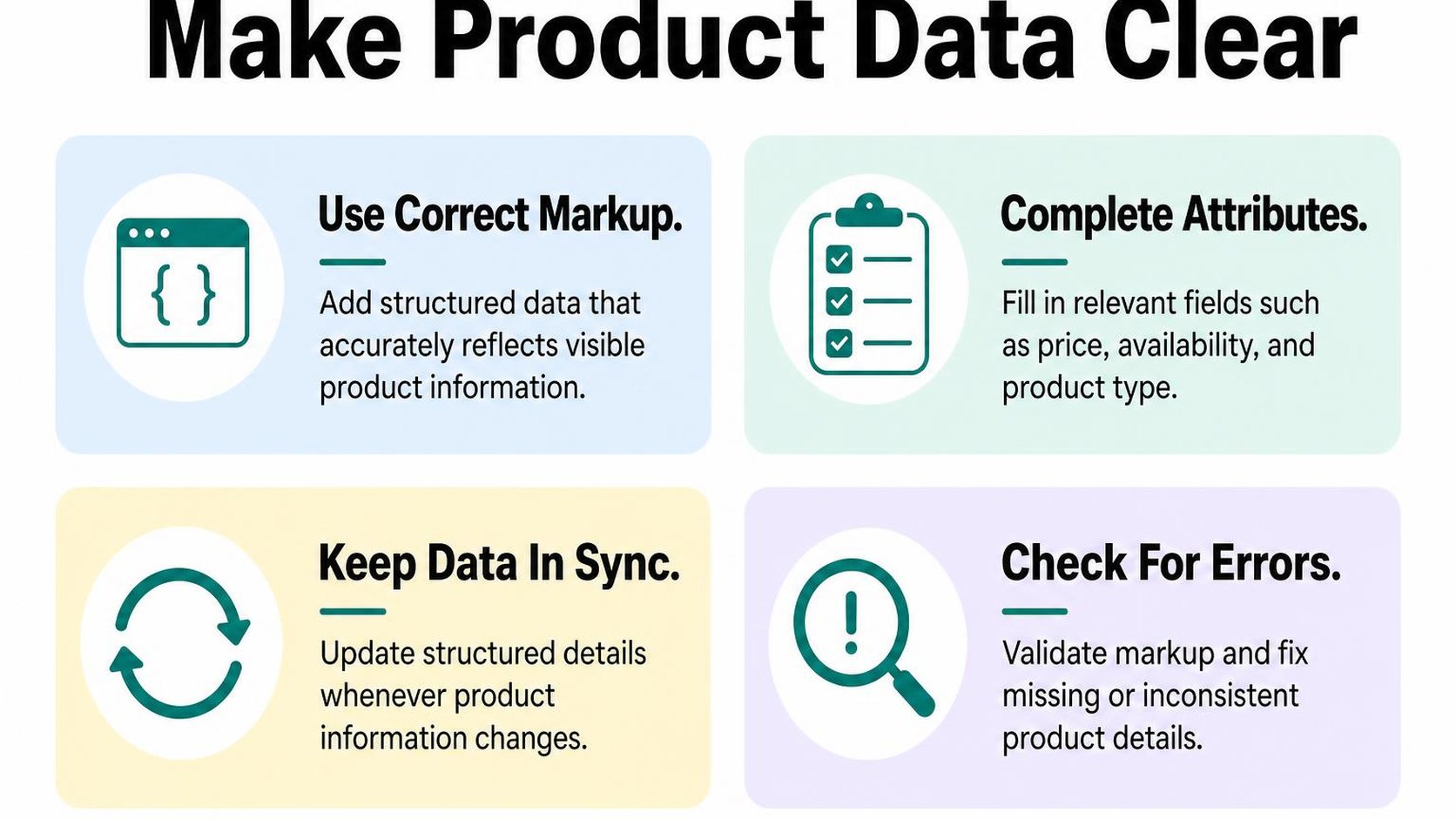
Structured data is machine-readable markup that labels information such as a product’s name, price, and availability. It helps supported systems interpret those details, but it does not guarantee that your products appear in AI answers or recommendations.
Review product structured data for accuracy
Open a live product page and inspect its source or rendered HTML. Search for “application/ld+json” and “Product” to locate common product markup. Your theme or installed integrations may already generate it, so inspect the existing output before adding anything.
Run the product URL through Google’s Rich Results Test to check supported markup and identify errors. Expand the detected product and offer details, then compare them with the page. A valid result confirms technical checks, not that every value reflects your actual product.
- Product identity: Check the name, brand, image, and identifiers against the item you sell. Use genuine identifiers where available; do not invent a barcode to fill an empty field.
- Offer details: Check price, currency, availability, and destination URL. Confirm that the offer refers to the product or variant shown.
- Duplicate output: Look for multiple Product blocks describing the same item differently. Multiple blocks are not automatically wrong, but conflicting prices or stock states need investigation.
Google’s merchant listing structured data requirements explain that accurate, valid markup can make a page eligible for supported shopping experiences, without guaranteeing display. Treat this as a consistency check within Shopify SEO for AI search, not a separate route into AI results.
Keep price, availability, and variant details consistent
Choose a product with several sizes or colors and switch between its variants. Compare the selected option, displayed price, stock message, and structured data associated with that selection. Also open a variant-specific URL directly to check what a new visitor receives.
Your implementation may describe variants individually or group them together. The key is to represent those relationships accurately rather than label a whole product unavailable because one size sells out.
| Detail | What to compare | What to correct |
|---|---|---|
| Price and currency | Visible purchase price against offer data | Old sale prices or mismatched currencies |
| Availability | Purchasable variants against stock labels | In-stock claims for unavailable options |
| Variant attributes | Selected size, color, material, and identifiers | Details copied from another variant |
- Source fields: Maintain accurate product options and relevant category metafields in Shopify. Keep essential attributes visible on the page too.
- Change checks: Retest after a theme update, pricing change, or inventory integration change. Fix the source generating incorrect markup instead of adding a competing block.
Practical rule: Publish only product facts you can verify. Accurate markup reduces ambiguity; it cannot replace useful product content or promise Shopify store visibility in AI search.
Step 6: Publish useful supporting content and make image information clear
A shopper reaches your linen bedding page but cannot tell whether the fabric feels crisp or soft, or how it changes after washing. Supporting guides and clear image descriptions fill those gaps. For Shopify AI search, they also give systems more explicit context about what you sell and which needs it addresses.
Create guides that address real buying questions
Start with questions from support messages, product reviews, and customer conversations. A guide comparing linen and cotton sheets serves a clearer purpose than a broad post about bedroom trends. Answer the question directly, then explain the differences that affect a purchase.
Supporting content is information outside the main product description that helps shoppers choose, use, or maintain a product. Publish sizing advice, material comparisons, compatibility explanations, or care instructions when you have reliable details to share. Keep essential purchase information on the product page rather than making shoppers hunt through a blog.
- Choose one decision: Build each guide around a specific question, such as “Which sheet fabric suits a warm sleeper?” Explain relevant conditions instead of declaring one option best for everyone.
- Show the basis: Use verified specifications, care labels, or documented testing. Separate measurable facts from preferences such as softness or appearance.
- Connect the next step: Link from the guide to relevant products or collections using descriptive wording. Add a link back to the guide where it answers a question on the product page.
- Keep advice current: Review guides when materials, sizing, or product ranges change. Remove recommendations that no longer match what you sell.
This approach to Shopify AI search optimization prioritizes useful explanations over publishing volume. Do not produce near-identical guides for every keyword variation. One maintained comparison can provide more useful context than several thin posts that repeat your catalog.
Write descriptive alt text for meaningful product images
Alt text is a text alternative for an image, used by screen readers and available when an image cannot load. Describe the image’s purpose in its page context, including visible details that help distinguish the product or view. Do not turn it into a second sales pitch.
For a close-up, “Natural linen duvet cover showing woven texture and coconut-button closure” communicates more than “Premium bedding.” Use those details only if the image actually shows them. For a different view, describe what changes rather than copying the same text across every image.
- Meaningful views: Describe relevant color, shape, texture, or visible construction. Include a model or product name when it helps identify what is pictured.
- Essential information: Put sizing instructions, compatibility details, and care advice in visible page text too. An image or its alt text should not be the only place shoppers can find them.
- Decorative images: Use an empty alt attribute when an image adds no information. Avoid filling decorative banners with search phrases.
Google’s image SEO guidance explains that alt text works alongside page context and computer vision to help Google understand images. Accurate descriptions support accessibility and interpretation; they do not guarantee AI recommendations.
Practical rule: Publish a guide when it resolves a real decision. Describe an image when its visible information matters. Neither needs repeated keywords to be useful.
Step 7: Audit your Shopify AI search readiness and improve what you find
You update a product template, then notice that several pages no longer show compatibility details or stock status clearly. A Shopify AI search audit helps you catch these gaps before you spread the same template across your catalog.
Use a readiness checklist: a repeatable review of whether your pages are accessible, understandable, and accurate. Treat it as quality control, not a score that predicts whether an AI service recommends your products.
Run a page-by-page readiness check
Start with your highest-selling products, your main collections, and a few buying guides. Include one unavailable product and one product with several variants so you test more than your simplest pages.
- Crawl access: Confirm that each intended public URL loads without a login or error. Check crawl restrictions, indexing directives, and the canonical URL—the preferred address for a page—before assuming a missing page needs better copy.
- Product clarity: Read the title and opening description without looking at the images. You should understand what the item is, who it suits, and which size, material, or compatibility limits affect the purchase.
- Structured data: Test the machine-readable product information with a structured-data validator. Compare price, currency, availability, and variant details against the visible page, and investigate conflicting markup from theme customizations.
- Content accuracy: Verify measurements, shipping claims, care instructions, and return conditions against your current policies. Remove unsupported claims rather than repeating them across descriptions and buying guides.
- Page discovery: Follow links from your navigation and collections to each product. Confirm that useful pages are reachable through descriptive links rather than only through your store’s search box.
For Google specifically, its guidance on eligibility for AI features says existing SEO practices apply, with no special optimization required. A supporting page must be indexed and eligible to appear with a snippet; meeting those requirements still does not guarantee inclusion.
Track crawl access, content quality, and product data over time
Keep a simple audit sheet with the URL, issue, evidence, owner, and next review date. Record the specific change you make so you can distinguish a template repair from a description rewrite.
| Priority | Example issue | Next action |
|---|---|---|
| Fix first | A public product page is accidentally blocked | Identify and correct the access restriction |
| Fix next | Visible availability conflicts with product markup | Correct the source of the mismatch |
| Improve afterward | A description omits a useful material detail | Add the verified specification |
Repeat the checks after theme changes, catalog imports, and major policy updates. Review Search Console indexing reports alongside page tests, but keep referral traffic and sales separate from readiness checks: neither proves that a particular edit causes an AI recommendation.
Practical rule: Fix access failures and misleading purchase information before polishing wording. Change one issue category at a time, then verify the affected pages again instead of rewriting your entire catalog for an uncertain visibility gain.
This checklist comes from Yassine Malti, the developer writing from hands-on Shopify store work.
Put this into practice
Start with the store you already have, then use the guides on the blog for the next page that needs the same treatment.
Shopify apps by Yassine Malti
Put this into practice
-

ALT SEO · Image alt text
AI alt text for every product image · 100 images/month free
-

RANKit · Meta titles & descriptions
AI meta titles and descriptions, sized for Google · 50 meta tags/month free
-

TAGit · Product tags
SEO-friendly product tags, generated in bulk · 50 tags/month free