LLMs.txt is a proposed text-file format that gives AI systems a concise overview of your website and links to useful content. For your Shopify store, that might mean pointing to product guides, collection pages, and shipping policies. If you search for llms txt Shopify after hearing that your store needs one, start with this distinction: the file offers guidance, but it does not require AI crawlers to follow it.
What Is an LLMs.txt File and Should Your Shopify Store Use One? explains what the file does, how it differs from robots.txt, and when maintaining one makes sense. This guide also covers how to check whether your store already publishes a file and what to review before adding one.
You might have clear product pages and a detailed returns policy, yet still see an AI assistant describe your store incorrectly. LLMs.txt gives you a place to organize references to those pages, but it cannot guarantee that an assistant reads them, cites your store, or answers accurately. It is not a proven shortcut to better Google rankings.
The tradeoff is another resource to keep accurate as your catalog and policies change. Treat it as an optional experiment, not a replacement for accessible pages, clear product information, or technical SEO fixes. A tidy guidance file cannot repair the content it points to.
Table of Contents
- What an LLMs.txt file is
- What LLMs.txt does for a Shopify store
- LLMs.txt vs. robots.txt and sitemap.xml
- Should your Shopify store use LLMs.txt?
- How to create an LLMs.txt file for Shopify
- Shopify LLMs.txt setup and verification
- A sensible next step for your store
What an LLMs.txt file is
You update a collection, publish a buying guide, and revise your returns policy. Those pages serve different purposes, but an AI tool exploring your store may need help identifying which ones explain your products and purchasing conditions most clearly. An LLMs.txt file offers a curated starting point rather than leaving that selection entirely to the tool.
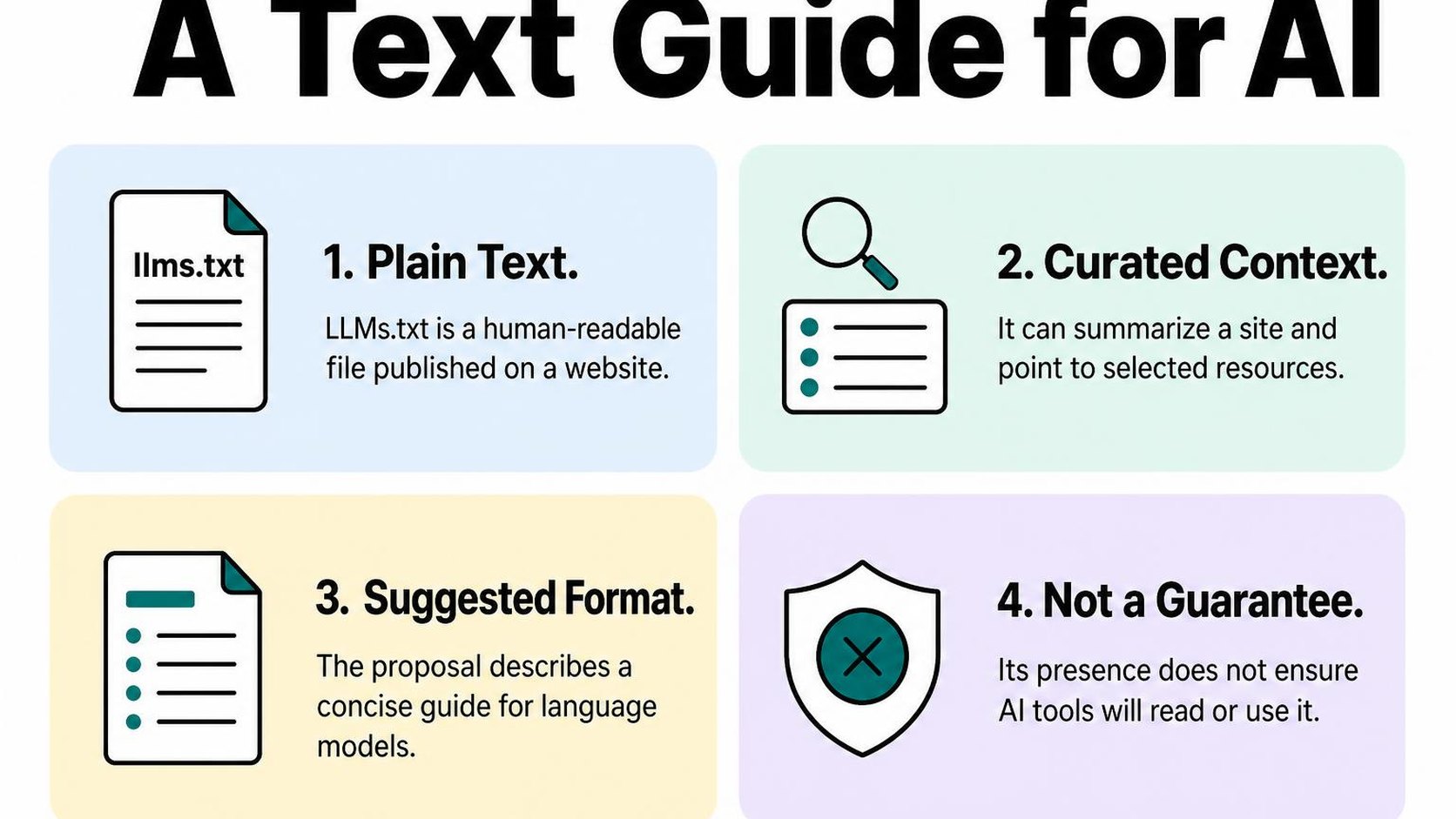
For a llms txt Shopify project, think of the file as an editorial map of information you already publish. Its value depends on whether those destinations are accessible, accurate, and useful—not simply whether the file exists.
A plain-text guide for AI systems
LLMs.txt is a proposed, human-readable guide that uses Markdown, a plain-text format with simple conventions for headings and links. Unlike a product feed, it does not require you to export every product attribute into a fixed catalog structure. You select context and links that help explain your site.
The LLMs.txt proposal describes the suggested file structure: a top-level site name, an optional short summary and explanatory text, then sections containing links. You can read that structure without special software, and an AI tool can potentially use it as a concise reference.
- Site context: Describe what you sell and who your products serve. Keep this factual rather than filling the introduction with promotional claims.
- Useful destinations: Point toward buying guides, product documentation, collection pages, or policies that answer common purchasing questions.
- Link descriptions: Explain what each destination contains so a reader or tool can distinguish a size guide from a returns policy.
A footwear store might point to its fitting guide and explain that sizing varies by brand. That is more useful than listing hundreds of product URLs without context. The tradeoff is maintenance: a shorter, deliberate guide is easier to keep accurate, but it cannot describe every detail of your catalog.
What the file can and cannot communicate
The file can communicate your preferred references and explain how your content fits together. For example, you can identify a materials guide as the place to check fabric care, while directing delivery questions to your shipping policy. This supports making store content easier for AI search to understand, but the linked pages still need to answer those questions themselves.
It cannot make an AI provider retrieve a page, accept a claim, cite your store, or recommend a product. The proposal is not a universally adopted requirement, and publishing the file does not establish that a particular system reads it. Do not treat its contents as enforceable instructions.
Practical rule: Use LLMs.txt to describe useful public information, not to control crawlers, protect private information, or promise AI visibility.
LLMs.txt also serves a different purpose from robots.txt, which communicates crawler-access rules. Neither a link nor an instruction in LLMs.txt creates a technical access restriction. Keep confidential material out of public files, and do not substitute this guide for clear product pages, current policies, or working navigation.
What LLMs.txt does for a Shopify store
You update a collection, publish a sizing guide, and clarify your shipping policy. An LLMs.txt file can point systems that choose to read it toward those resources, giving them a shorter route to information that otherwise sits across several parts of your store.
The useful way to think about LLMs.txt and AI search for Shopify is as an optional discovery aid. Its value depends on whether a system reads the file, follows its links, and finds something useful on the destination pages—not simply on whether the file exists.
How AI search and language models might use it
Retrieval means fetching information to help answer a question. An AI search service might retrieve store pages when a shopper asks about product compatibility, delivery options, or materials. A language model does not necessarily browse your store whenever someone mentions your brand.
For a system that supports it, the file may provide a useful starting point: a brief description of your business and selected links with enough context to distinguish them. That selection can reduce ambiguity between a general collection page and a detailed guide that answers a specific buying question.
- Product context: A link to your materials guide can direct a reader toward documented fabric composition, rather than leaving it to interpret a short product title.
- Buying guidance: A compatibility chart or size guide can provide a clearer destination for questions that span several products.
- Store policies: A direct link to your current returns page can identify the source to consult, but the policy itself still needs to be accurate and accessible.
These are possible uses, not evidence that any particular provider consumes your file. A visit to the file in your server logs shows a request; it does not prove that its contents influence an answer or lead to a sale.
Measurement rule: Treat publication as a small documentation task. Assess referral traffic, answer accuracy, and customer questions separately instead of counting the file’s existence as an AI search result.
Why it does not replace useful, crawlable store content
A shopper asking whether your jacket handles heavy rain needs a clear answer on the product page. If that page only says “ready for adventure,” a link from LLMs.txt does not supply the missing waterproof rating, testing conditions, or care limitations.
Crawlable content is content a crawler can access and read. Keep essential product facts available without requiring a customer login, and check that your theme displays them as readable text rather than only inside images.
If your question is “does LLMs.txt improve Shopify SEO,” separate optional guidance from ranking work. Google’s guidance on AI search features says Search does not use LLMs.txt as a special file, and creating one neither helps nor harms Google Search visibility or rankings.
Your priority remains the broader work behind appearing in AI search results: specific answers, accessible pages, and consistent product information. Maintain those first; do not spend hours polishing a guidance file while your shipping details or product specifications remain incomplete.
LLMs.txt vs. robots.txt and sitemap.xml
You update your theme and find three files that appear to tell bots about your store. They serve different jobs: one offers content guidance, one communicates crawl directives, and one helps crawlers discover URLs. If your llms txt Shopify setup treats them as interchangeable, you risk changing crawl rules when you only mean to highlight useful pages.
The different jobs of guidance, access rules, and URL discovery
LLMs.txt is an optional content guide that presents context and selected links for AI systems. The LLMs.txt proposal describes its Markdown structure and link sections, rather than defining a crawler-control standard. Adoption and interpretation vary, so publishing the file does not mean every AI service reads or follows it.
Robots.txt communicates crawl directives to crawlers that follow its rules, usually through user-agent groups and allow or disallow instructions. Sitemap.xml lists URLs for discovery; for your Shopify store, it helps expose the canonical product, collection, page, and blog URLs you want search engines to find.
| File | Main job | What it does not guarantee |
|---|---|---|
| LLMs.txt | Offer context and curated links for AI systems. | Adoption, crawler access, citations, or recommendations. |
| Robots.txt | Communicate crawl directives for specified crawlers and paths. | Compliance by every bot or removal from search results. |
| Sitemap.xml | Expose preferred canonical URLs for discovery. | Crawling, indexing, or selection as the canonical URL. |
A canonical URL is the preferred address for a page when similar or duplicate versions exist. Including that address in a sitemap supports discovery and signals your preference, but search engines still evaluate other signals. Do not use a sitemap as a substitute for consistent internal links and canonical tags.
Why the files should not be treated as substitutes
Suppose you add a buying guide to LLMs.txt while robots.txt disallows its path for a particular crawler. The link does not override that directive. Likewise, removing a product from LLMs.txt does not block access to its page or remove it from your sitemap.
For LLMs.txt vs robots.txt for Shopify, separate editorial choices from crawl policy. Before changing allow or disallow rules, review how Shopify robots.txt controls crawler access. A crawl restriction is not a privacy measure: protect confidential information with authentication rather than relying on a public text file.
- Guide selection: Use LLMs.txt to point toward useful, maintained resources, not to list every product variant.
- Crawl decisions: Review robots.txt when deciding which crawler may fetch which paths; check the crawler’s documented behavior.
- URL discovery: Keep sitemap destinations live and consistent with your preferred URLs. A listed URL can still remain unindexed.
Practical rule: Diagnose the job before editing the file. Missing discovery calls for sitemap and linking checks; an access issue calls for crawl-rule checks; optional AI content guidance belongs in LLMs.txt. Do not expect one file to repair another file’s problem.
Should your Shopify store use LLMs.txt?
You update your shipping policy, but your product pages still promise an older delivery window. If you are considering an llms txt Shopify setup, fixing that mismatch comes first: an optional guidance file cannot make conflicting information reliable.
Treat a custom file as a low-priority experiment: a small, reversible change with a clear purpose and no assumed traffic benefit. It may be worth maintaining once your store’s useful pages are accurate, accessible, and stable.
When a small, accurate file may be worthwhile
Your store has a detailed sizing guide, clear returns terms, and product-care instructions that answer recurring customer questions. A short file pointing toward those resources gives a consuming system a curated starting point, provided that system chooses to read and use it.
Before creating anything, check your primary domain’s /llms.txt address to see what your store already serves. Shopify can serve a default file, so the decision may be whether to review or customize an existing response rather than add another one.
LLMs.txt for Shopify stores makes the most sense when someone owns the contents. Choose a person who can check the selected links after policy changes, collection reorganizations, or a theme update, rather than treating publication as a finished task.
- Useful destinations: Select a few maintained pages that explain your products, materials, sizing, shipping, or returns. Prefer genuinely helpful resources over promotional landing pages.
- Stable information: Link to the current source instead of copying prices, stock levels, or delivery estimates into the file, where they can quickly become outdated.
- Clear ownership: Assign responsibility for reviewing links and descriptions when the underlying pages change. Keep the scope small enough for that review to remain realistic.
- Limited expectations: Record what you change and when, but do not treat publication, a crawler request, or an AI mention as proof of increased sales or visibility.
Practical rule: Consider a custom file when you already have useful, dependable pages and can maintain a short guide to them. If creating it requires postponing a customer-facing fix, postpone the file instead.
When to prioritize other SEO and content work first
If you ask, “does LLMs.txt improve Shopify SEO?”, separate Google Search from optional guidance for other systems. Google’s guidance on AI features in Search says Search does not use llms.txt as a special file; creating one neither helps nor harms Google Search visibility or rankings.
Your first priorities remain accurate product and policy information, crawlable pages, and a clear route through your catalog. If shoppers cannot find your size guide or understand your return conditions, improve the pages and navigation before preparing another summary of them.
- Content accuracy: Resolve conflicting specifications, missing measurements, and outdated policies before directing systems toward those pages.
- Crawlability: Investigate inaccessible pages, broken links, and unintended indexing restrictions rather than expecting a guidance file to bypass them.
- Customer usefulness: Answer buying questions on the actual storefront. Do not hide essential explanations in a file most shoppers never read.
How to create an LLMs.txt file for Shopify
You open your store’s collections, shipping policy, and buying guides, then notice that several URLs no longer match your navigation. Start your Shopify LLMs.txt setup by checking those destinations, not by generating a summary of every page. A short, accurate reference is easier to maintain than a catalog-sized file that goes stale.
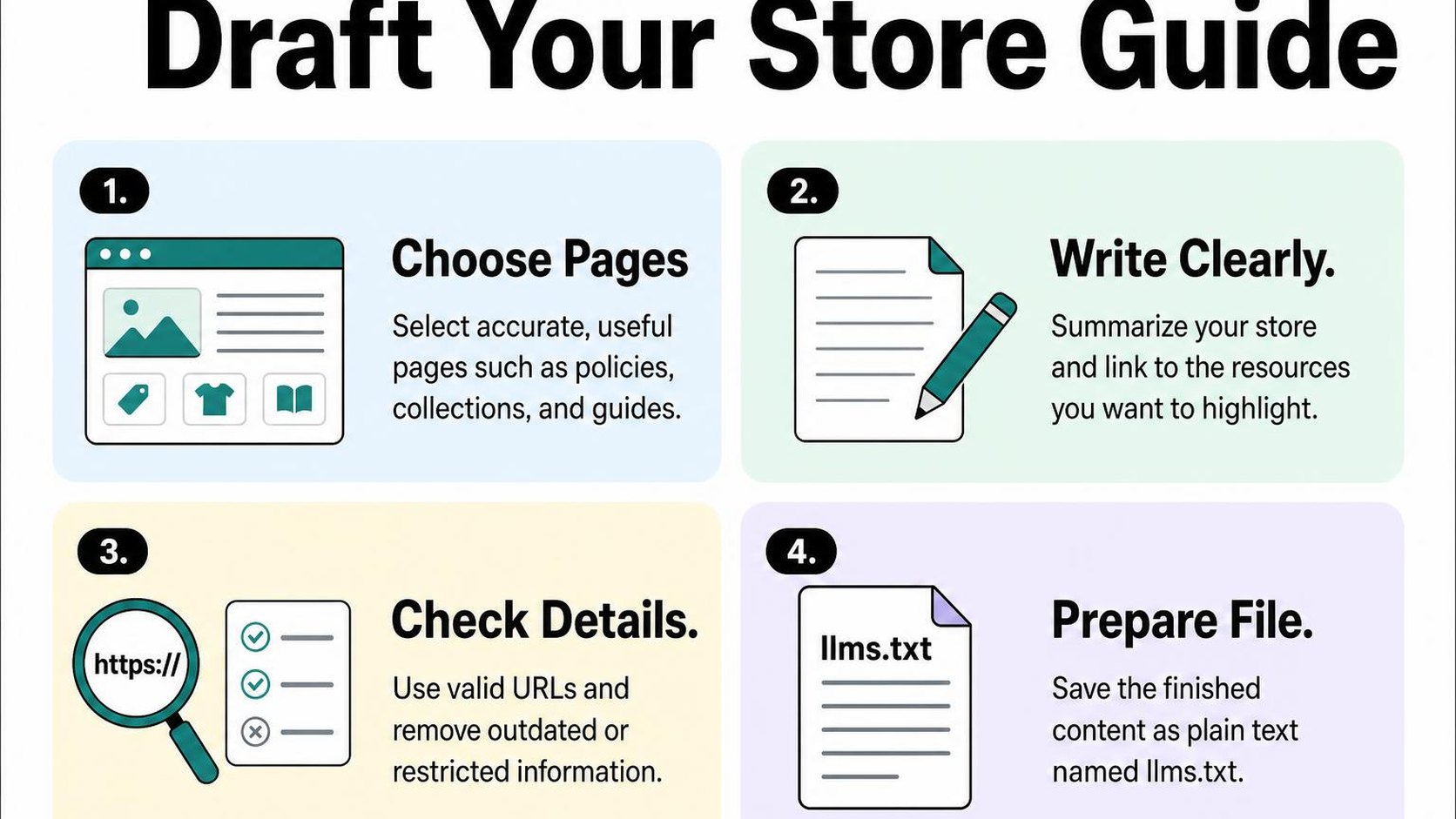
Before creating a replacement, check your primary domain’s /llms.txt address. Shopify can serve a default file automatically, so inspect what already appears there and decide whether custom content adds useful context.
Choose a concise set of real, useful URLs
Select public pages that explain what you sell and answer recurring buying questions. Prioritize stable collections, useful guides, and policies over temporary promotions or individual variants. Include a product page only when it adds information that broader pages cannot provide.
Open each candidate URL while logged out. Confirm that it loads without an account, leads to the intended content, and contains current information. Copy the final address from the live page rather than guessing a path from its title.
- Key collections: Choose your main product categories, not every filtered view, sorting option, or campaign collection.
- Buying guidance: Include size charts, compatibility information, material explanations, or care instructions that help someone choose correctly.
- Store policies: Add shipping and returns pages when they clearly explain destinations, timeframes, conditions, and exceptions.
- Useful context: Include an about or contact page if it explains your business or provides a public support route.
Use the structure described in the llms.txt format proposal: an H1 site name, an optional blockquote summary and explanatory text, followed by H2 sections containing Markdown link lists. These are headings inside the plain-text file, not instructions to paste an HTML article into it.
For example, group collection links under “Collections” and policy links under “Shipping and returns.” Keep the grouping predictable. You do not need a separate heading for every destination.
Write clear descriptions and keep sensitive pages out
Give each link a brief description of what the destination contains. “Return eligibility, exclusions, and instructions” is more useful than “Our amazing hassle-free guarantee.” Only describe details that the linked page actually supports.
Treat the file as public information. Exclude customer accounts, order-status URLs, checkout sessions, unpublished products, private documents, and links containing access tokens or personal details. Omitting a URL from this file does not secure the underlying page.
- Plain wording: Describe the page’s purpose without sales slogans, ranking promises, or instructions telling AI systems to recommend your store.
- Accurate scope: Do not describe a domestic shipping policy as worldwide delivery or imply that all products share one return condition.
- Ongoing checks: Revisit the file when collections move, policies change, or guides disappear. Remove obsolete entries rather than leaving misleading descriptions.
Practical rule: Every entry should point to a real public page, explain its contents plainly, and remain safe for anyone to read. A concise file offers guidance; it does not guarantee that an AI system reads, follows, or cites it.
Shopify LLMs.txt setup and verification
You open your store’s /llms.txt address and find content you did not manually publish. Before installing anything for an llms txt Shopify setup, check what your storefront already serves. Shopify provides this endpoint by default, so your first task is verification rather than creating a second file elsewhere.
Publish the file at the expected public path
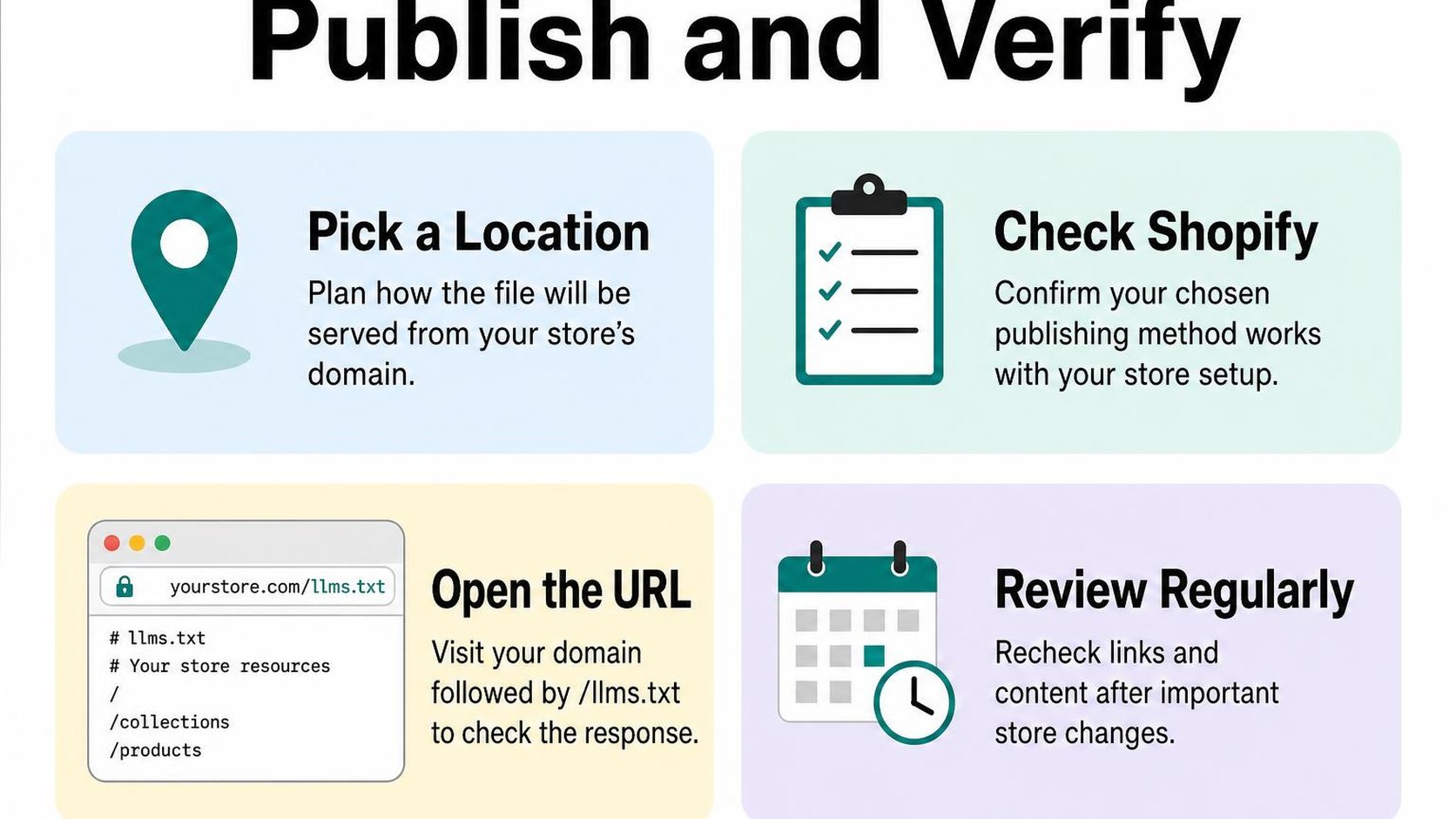
The expected public address is your primary storefront domain followed by /llms.txt, such as https://your-store.com/llms.txt. This is a root path: the file sits directly after the domain, not inside a blog, collection, theme asset folder, or app proxy directory.
According to Shopify’s documentation for the llms.txt template, the default response mirrors /agents.md, and you can customize it through templates/llms.txt.liquid. Shopify serves /llms.txt on the bare primary domain, so begin your check there rather than assuming a language or market subfolder has its own version.
- Inspect first: Open the existing endpoint before adding a template or installing a tool. Decide whether its current contents need changing.
- Customize deliberately: If you need different content, use the supported theme template route. Its restricted Liquid context means you should not assume every object available elsewhere in your theme works here.
- Confirm the destination: Uploading a text file to Shopify Files gives you a hosted asset URL; it does not by itself publish that file at /llms.txt.
Keeping the default avoids another maintenance task. Customizing gives you more control, but you then need to check that your template still produces useful text after storefront changes. Preview the change before publishing, and retain a copy of the previous template so you can reverse an unexpected result.
Check the response, content, and linked URLs
Open the exact public address in a private browser window, without signing into Shopify. You should see readable text rather than a storefront layout, password screen, error page, or browser challenge. A page that looks acceptable while you are logged in may behave differently for an anonymous visitor.
Use your browser’s Network panel to inspect the request. A 200 OK response means the request succeeds, but it does not prove that the returned content is the intended file.
| Check | Expected result |
|---|---|
| Response | The final request returns 200, not a missing-page response. |
| Body | Readable text appears, not an HTML error or challenge. |
| Links | Entries resolve to the intended public pages. |
Follow each linked URL when the file is short; for a larger file, check links automatically and manually review representative pages. Look beyond status codes: a retired product can redirect successfully to a collection that no longer matches the entry’s description.
Practical rule: Recheck /llms.txt after a theme publication, primary-domain change, or substantial catalog update. Confirm the final response, read the body, and test the destinations; a working endpoint alone does not establish that an AI tool uses it.
A sensible next step for your store
You have product pages to update, a Search Console report to review, and limited time for another maintenance task. The decision about LLMs.txt for Shopify stores comes down to whether you can keep a short, accurate guide without taking attention away from the pages shoppers actually use.
You do not need a large implementation project. Start by reviewing what your store already serves, then decide whether a concise custom file adds useful context or simply creates another copy of information that can become outdated.
Treat the file as optional guidance, not an SEO shortcut
Keep the distinction clear: optional guidance gives an AI tool context it may choose to use; it does not require that tool to visit, recommend, or quote your store. Publishing a file also does not establish that any particular service reads it.
If your main question is whether LLMs.txt improves Shopify SEO, separate the proposal from established search requirements. Google’s guidance on AI search optimization says Search does not use llms.txt as a special file and that creating one neither helps nor harms Google Search visibility or rankings.
- Publish when useful: Keep a concise file if it accurately identifies your store and points to a small set of helpful, public pages.
- Keep the scope narrow: Favor stable destinations such as core collections, buying guides, shipping information, and return policies over a manually maintained catalog of every product.
- Delay customization when necessary: If nobody can maintain the file, spend that time correcting product information, navigation, or policy pages instead.
- Avoid unsupported promises: Do not treat a published file as proof of AI visibility, crawler access, or a future recommendation.
Practical rule: Publish a concise file only when it is accurate and easy to maintain. A longer file is not automatically a more useful one.
Review accuracy and measure what you can
Assign responsibility for reviewing the file alongside your normal content maintenance. Check whether its descriptions still match your business, whether the selected pages remain useful, and whether it makes claims your storefront no longer supports.
For LLMs.txt and AI search for Shopify, measurement needs the same restraint. Referral traffic means visits attributed to another site or service; it can show some incoming visits, but it does not reveal every AI interaction or explain why your store appears in an answer.
- Record the change: Note the publication date, the content you change, and other store updates happening around the same time.
- Watch available signals: Review identifiable AI referrals, landing-page engagement, conversions, and Search Console performance without expecting a dedicated LLMs.txt report.
- Avoid false attribution: A traffic increase after publication does not prove the file causes it, especially when products, campaigns, or underlying pages also change.
Keep improving the pages themselves: clear specifications, accurate availability, helpful policies, and useful buying advice remain worthwhile whether an AI tool reads your file or not.
Yassine Malti writes as a developer working on Shopify stores, where maintaining accurate information matters more than adding another file.
Put this into practice
Start with the store you already have, then use the guides on the blog for the next page that needs the same treatment.
Shopify apps by Yassine Malti
Put this into practice
-

LLMs TXT · llms.txt for AI tools
A short llms.txt of your real store links · Free
-

ALT SEO · Image alt text
AI alt text for every product image · 100 images/month free
-

RANKit · Meta titles & descriptions
AI meta titles and descriptions, sized for Google · 50 meta tags/month free