
You've outgrown the app you installed two years ago. It almost does what you need, but it slows the storefront, misses a workflow your team runs daily, or can't connect cleanly to the AI tool you now depend on. So you start looking at how to hire a Shopify app developer in Oct 2026, and within an hour you're staring at wildly different quotes for what's supposedly the same job.
Stop comparing hourly rates. You're not buying code. You're hiring someone to operate inside Shopify's review system, API limits, billing rules, and data rules for years. Hire for platform-compliance ownership and measurable merchant outcomes, and the right candidate becomes obvious. Hire for a slick demo, and you'll pay twice.
Table of Contents
- Why Hiring a Shopify App Developer Is a High-Stakes Decision
- Defining Your Brief Before You Talk to Any Developer
- A Two-Stage Evaluation Process That Filters for Real Shopify Skill
- Hiring for Platform Compliance, Not Just Coding Ability
- Comparing Engagement Models and Budget Realities
- Specialist Versus Generalist and the AI Dimension
- Your Hiring Playbook and What to Do Next
Why Hiring a Shopify App Developer Is a High-Stakes Decision
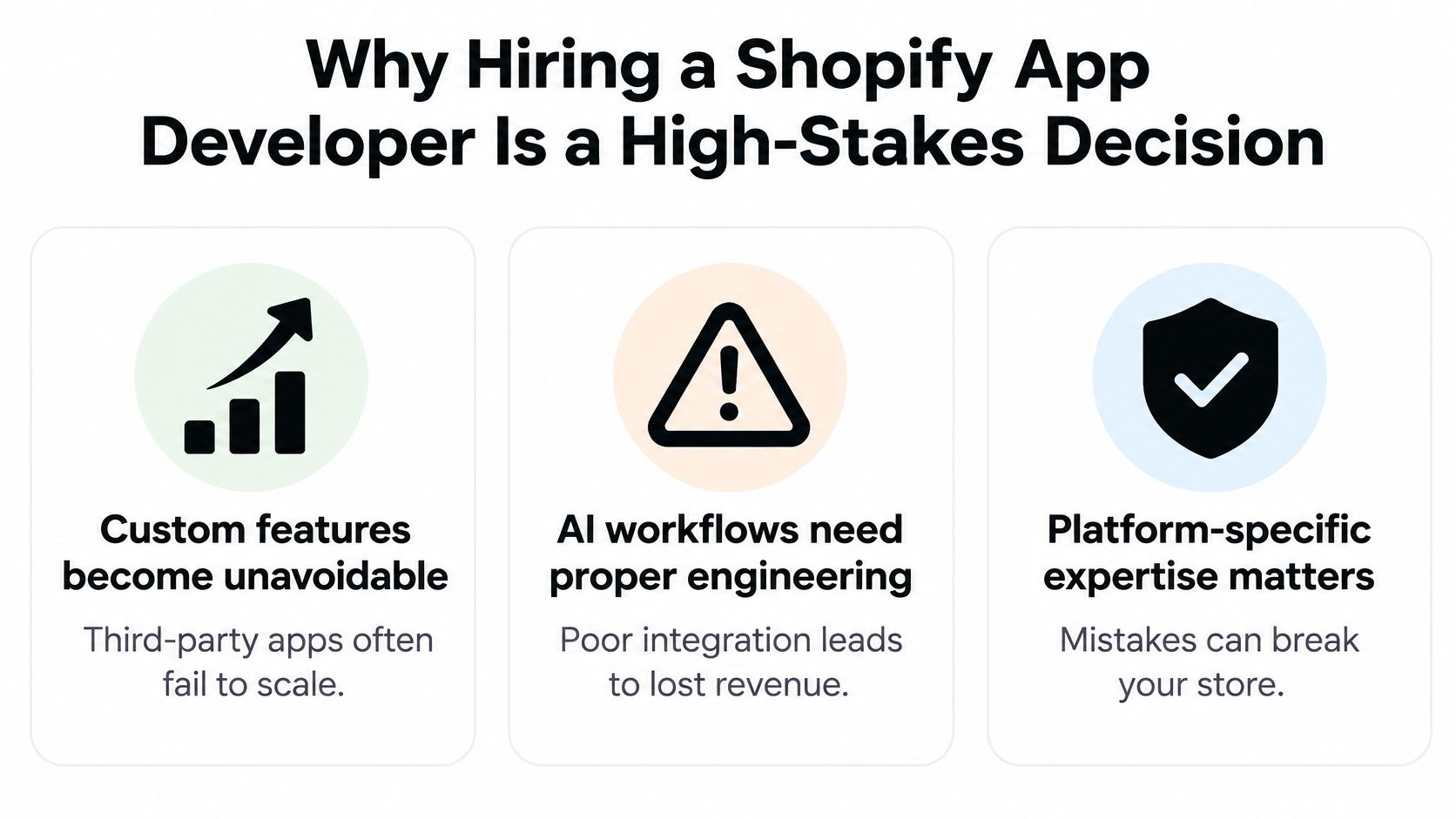
A merchant I see often goes like this. The store is growing, a third-party app breaks during a sale, and the owner hires a capable general web developer who builds a replacement fast. It works on a test store. Then it fails review, mishandles a webhook burst during a promotion, or requests broader customer data access than merchants will accept. The feature exists. The business still can't rely on it.
That failure mode matters because Shopify isn't a side channel anymore. Shopify facilitated $378.4 billion in gross merchandise volume in fiscal 2025, up from $292.3 billion in 2024 and $235.9 billion in 2023, according to Shopify's fiscal 2025 filing with the SEC. Shopify Payments processed $248.1 billion of that 2025 volume at a 65.6% penetration rate. Your app sits inside that transaction flow. A checkout conflict, a broken integration, or a slow storefront script doesn't stay a technical bug for long.
What actually goes wrong with the wrong hire
- Review stalls: The app can't get approved, so launch dates slip while you keep paying for rework.
- Fragile integrations: Webhooks, billing, and authentication were built for a demo, not for retries, duplicate events, or store uninstalls.
- Performance debt: Storefront code ships without a budget, pages slow down, and merchants blame your app first.
- Abandoned maintenance: Shopify changes an API, nobody owns the update, and you're debugging during your busiest week.
Even owners who started with a simpler project, such as a Cincinnati ecommerce store setup, hit this wall once custom features, automations, or AI workflows move beyond theme edits. Theme work is forgiving. App work isn't.
Blunt rule: If a candidate can't explain how they'll keep your app approved, monitored, and fast after launch, they haven't quoted you a finished app. They've quoted you a prototype.
Demand evidence of production Shopify work. That means shipped apps or integrations using Shopify APIs, webhooks, billing, and authentication, plus a written plan for API version management, monitoring, rollback, and post-launch support. Anything less is a gamble with revenue attached.
Defining Your Brief Before You Talk to Any Developer
Don't book calls with a vague idea and ask developers to invent the scope. You'll get incomparable proposals and you'll pick the most confident talker. Write the brief first. It becomes the yardstick every candidate is measured against.
Your brief doesn't need to be long. It needs to be specific enough that two competent developers would quote roughly the same work.
What your brief must lock down
- App type and distribution: State whether this is a custom app for one store, a private integration, or a public App Store app. The compliance burden is completely different.
- Merchant outcome: Define success in merchant terms, such as faster product setup, fewer manual SEO tasks, or a chat workflow that resolves common questions. Avoid feature lists with no outcome attached.
- Data required: List the products, orders, customers, or metafields the app touches, how long you'll retain that data, and what gets deleted on uninstall.
- Integrations and failure states: Name every external service, what happens when it's down, and what the merchant sees when something fails.
Then force the technical decisions into the open. Ask each candidate to respond to the same prompts: which Shopify Admin GraphQL API queries and mutations they need, which webhooks they'll subscribe to, how they'll handle OAuth and token storage, how they'll respect rate limits, and how billing will flow. If a candidate can't answer in writing, they're guessing, and you'll fund the guesswork.
Don't leave install eligibility to the developer. Decide which stores, sales channels, and geographies the app is actually for, or you'll collect installs from merchants it was never built to serve.
Decisions you should never delegate entirely include your target merchant segment, pricing and billing model, data retention limits, and what customer data, if any, may leave Shopify for an external AI service. A good developer will challenge your choices with technical reasons. A weak one will accept everything and build the risk in.
For a worked view of how agencies and brands scope this kind of build, see this breakdown of custom Shopify app development for agencies and brands. Use it to sanity-check your own brief before you send it anywhere.
When proposals come back against the same brief, compare them line by line. Discovery, UX, implementation, testing, deployment, and support should be separate items. If one quote bundles everything into a single number, send it back.
A Two-Stage Evaluation Process That Filters for Real Shopify Skill
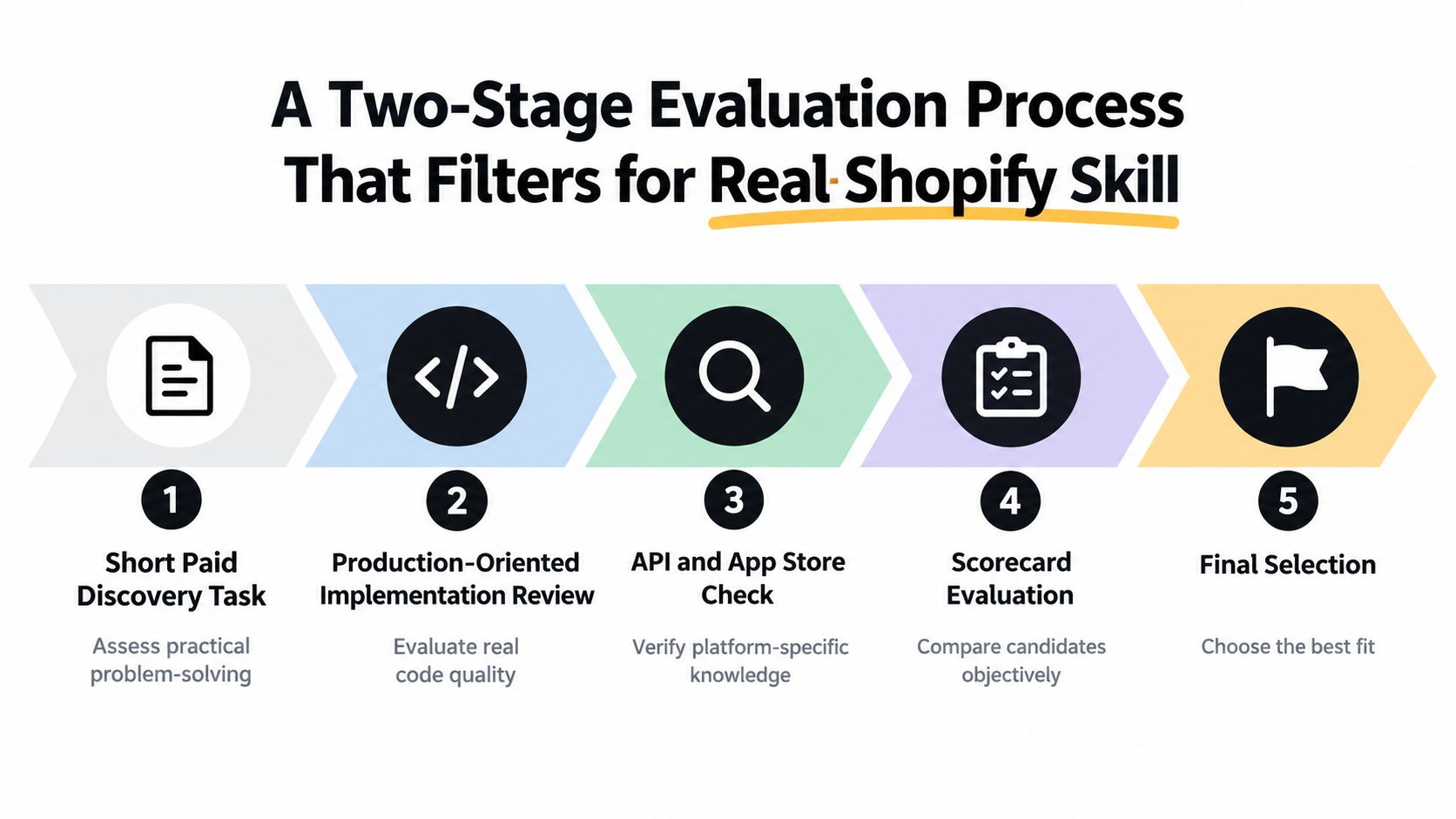
Portfolio screenshots prove almost nothing. Anyone can show you a polished admin screen. Run a two-stage evaluation instead, and pay for both stages. Unpaid test tasks attract desperate candidates and repel the good ones.
Stage one paid discovery
Give shortlisted candidates your brief and a small paid task. Ask for an architecture note covering API calls, webhooks, OAuth and token storage, data retention, rate-limit handling, and failure states. You're scoring judgment here, not code volume. Strong candidates ask sharp questions about merchant outcomes. Weak ones jump straight to frameworks.
This short walkthrough shows the kind of practical Shopify building context you should expect a serious candidate to be fluent in.
Stage two production-oriented implementation
The finalist builds a thin, real slice of the app. Require a version-controlled repository, automated tests, deployment instructions, basic observability, rollback steps, and a live demonstration on a development store. Not screenshots. Not a video. A working install you can click through.
Score it on a written scorecard:
- API correctness: Queries return only needed fields and handle errors gracefully.
- Least-privilege access: Every scope is justified in one sentence.
- Idempotent webhooks: Processing the same event twice doesn't duplicate records or charges.
- Retry behavior: Transient failures back off instead of hammering the API.
- Accessibility and UX: The embedded admin works with a keyboard and communicates state clearly.
- Operational ownership: Someone named owns incidents, releases, and review feedback.
Broader guidance on vetting Shopify developers in 2026 is useful background, but your scorecard should stay tied to your brief, not generic interview questions. If you're commissioning an AI feature, tie the test to a realistic use case like the patterns covered in this guide to Shopify and ChatGPT integration, and require human review of AI output before anything reaches a live store.
Make delivery quality measurable from the contract onward using DORA metrics: change lead time, deployment frequency, failed-deployment recovery time, change-fail rate, and deployment-rework rate. That's not bureaucracy. The 2024 DORA report associated AI adoption with a 1.5% decrease in delivery throughput and a 7.2% reduction in delivery stability, so any candidate promising AI-driven speed should also show you regression tests and staged releases.
Finish with reference checks that ask about operations, not likability. Did the app pass review? How were incidents handled? Would they hire this developer for maintenance, not just the build?
Hiring for Platform Compliance, Not Just Coding Ability
Here's the assumption that costs merchants the most money: a developer who built a working custom integration can ship a public Shopify app. Often, they can't. Private work never faces App Store review. Public apps live or die by it.
As of October 2026, all new public apps must use the GraphQL Admin API, the REST Admin API is legacy, and apps must use supported APIs that won't be deprecated within 90 days of submission, per Shopify's App Store requirements. Shopify also requires secure authorization, minimal access scopes, use of the Shopify Billing API for app charges, and an operational UI. A candidate who proposes building new public-app features on REST has already failed your interview.
Run a paid compliance and maintainability sprint
Before you sign a full build contract, commission a short sprint that produces four artifacts:
- Permissions matrix: Every requested scope, the feature it enables, and why a narrower scope won't work.
- API plan: The exact GraphQL queries and mutations, expected query cost, and how costs stay controlled as catalogs grow.
- Mock submission checklist: A dry run against App Store requirements, including billing flow, OAuth behavior, and uninstall handling.
- Maintenance plan: Who monitors API deprecations, who responds to review feedback, and how rollbacks work after a bad release.
Shopify requires developers to request only the API access scopes necessary for operation, and merchants see those permissions on the OAuth grant screen where they can decline them, as set out in Shopify's App Store best practices. Broad scopes don't just risk rejection. They scare merchants at install time. Your candidate should treat every scope as a conversion cost.
Review itself is a defined workflow. Apps move through Draft, Submitted, Reviewed, and Published states, and if core requirements block evaluation, Shopify moves the app to Paused and emails required changes, according to Shopify's app review process. So make review-readiness a contractual deliverable, including testing on a development store before submission. Don't accept "we'll handle review later."
Ask one question verbatim: how will you verify this app stays approvable after the next API version change? A real Shopify specialist answers with a monitoring and upgrade routine. A generalist changes the subject.
This matters most for SEO, AI, chatbot, and automation apps. They touch merchant content, customer conversations, and external services. Compliance ownership there isn't paperwork. It's the difference between a product and a liability.
Comparing Engagement Models and Budget Realities
The cheapest hourly rate routinely produces the most expensive app. Rate tells you nothing about how many hours a developer needs, how much rework review will force, or who pays when scope shifts after an API discovery.
Use benchmarks as reference points, not price tags. The 2025 Stack Overflow Developer Survey collected roughly 49,009 responses from 177 countries, with reported global median annual pay ranging from $62,015 for front-end developers to $103,112.50 for cloud-infrastructure engineers and $130,000 for engineering managers, while a separate market estimate places app-development rates broadly between $20 and $200 per hour, as summarized in this overview of remote developer hiring costs. That survey sample is self-selected and highly engaged, so treat those figures as budgeting guides, not guaranteed Shopify rates.
For context on what the store side of a project typically involves, this breakdown of Shopify website costs helps you separate platform and theme spending from genuine app engineering.
Engagement Models for Hiring a Shopify App Developer
| Model | Best Fit | Main Risk | How to Mitigate |
|---|---|---|---|
| Hourly | Unclear scope, ongoing experiments | Costs drift with no finish line | Weekly caps, written progress demos, kill criteria |
| Fixed-fee sprint | Defined feature or compliance audit | Developer cuts corners to protect margin | Acceptance tests, repository access, staged payment |
| Retainer | Live app needing maintenance and iteration | Paying for idle capacity | Monthly deliverables, response-time terms, rollover rules |
My recommendation is simple. Start with a fixed-fee discovery and compliance sprint. Move to milestone-based implementation once scope is proven. Shift to a retainer only after launch, when maintenance, API upgrades, and merchant feedback create steady work. Pure hourly billing for a first build rewards slowness and punishes nobody for rework.
Whatever model you choose, nail down four protections in writing. You own the intellectual property and the repository from day one. Source code sits in an account you control, not the developer's. Milestones pay on demonstrated, installable software. Post-launch support names response expectations and an owner.
Choose the structure to match the risk. A specialist freelancer works well for a focused app with one clear owner. A Shopify Partner agency fits multi-skill builds needing design, development, and project management at once. In-house hiring only makes sense when app work is continuous enough to keep a specialist fully loaded.
Specialist Versus Generalist and the AI Dimension
A generalist can build you a handsome storefront. That tells you nothing about whether they can run a multi-tenant app under load, survive review, and keep webhooks sane during a flash sale. Judge candidates at the checkpoints where generalists break down.
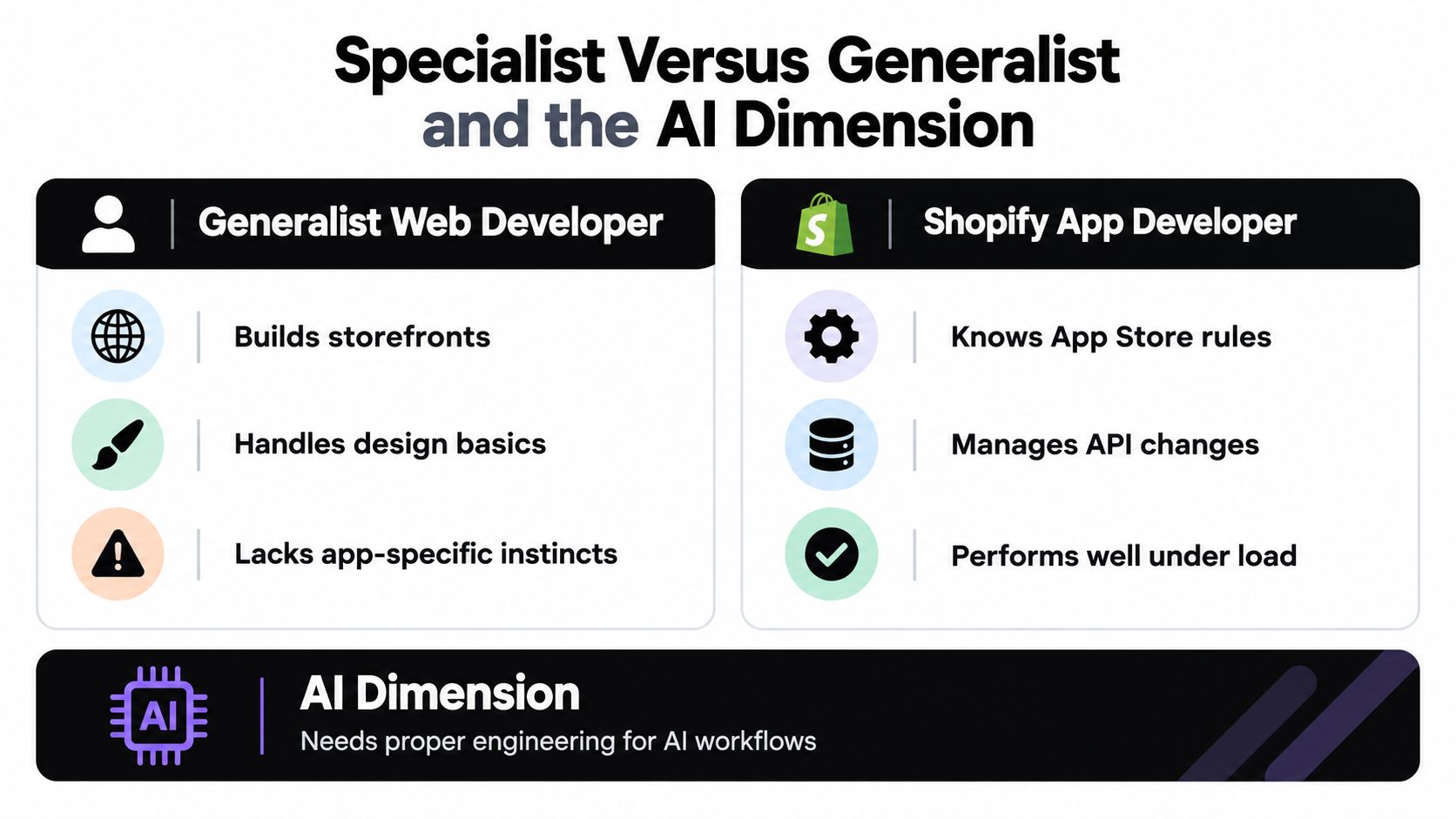
Rate limits are the classic tell. Shopify's REST Admin API uses a leaky-bucket model with a standard limit of 2 requests per second, 4 requests per second for Advanced stores, and 20 requests per second for Shopify Plus, with excess requests throttled by an HTTP 429 response, per Shopify's REST API rate limit documentation. Ask how the candidate avoids polling, caches responses, and queues work. Vague answers here predict production incidents later.
Where specialists separate themselves
- Webhook discipline: They verify, deduplicate, and process events asynchronously instead of doing heavy work inside the request.
- Scope hygiene: They start from the smallest permission set and expand only with evidence.
- Observability: They can tell you which store failed, on which job, and why, without logging into your database.
- Performance budgets: They measure storefront impact before merchants complain about it.
That last point has teeth. Shopify's Built for Shopify criteria include at least 50 net installs from active paid shops, five reviews, a qualifying recent rating, and no more than a 10-point reduction in storefront Lighthouse performance, as listed in the Built for Shopify requirements. Even if you never chase the badge, hire a developer who builds as if those standards apply. Also require them to define install eligibility by sales channel and geography, because wrong-fit installs turn into uninstalls and poor reviews.
Treat AI capability as a separate track, not a bonus skill. For SEO, content, chatbot, or workflow automation apps, require human override controls, prompt and version tracking, clear failure handling when a model times out or returns junk, and a written policy for any customer data sent to third-party models. Then demand a lightweight pilot with baseline and post-launch metrics: page-speed impact, activation rate, task-completion time, uninstall reasons, and AI output acceptance rate.
The cheapest technically competent developer becomes the most expensive hire when weak onboarding and slow pages produce churn you have to buy back with support time and discounts.
Your Hiring Playbook and What to Do Next
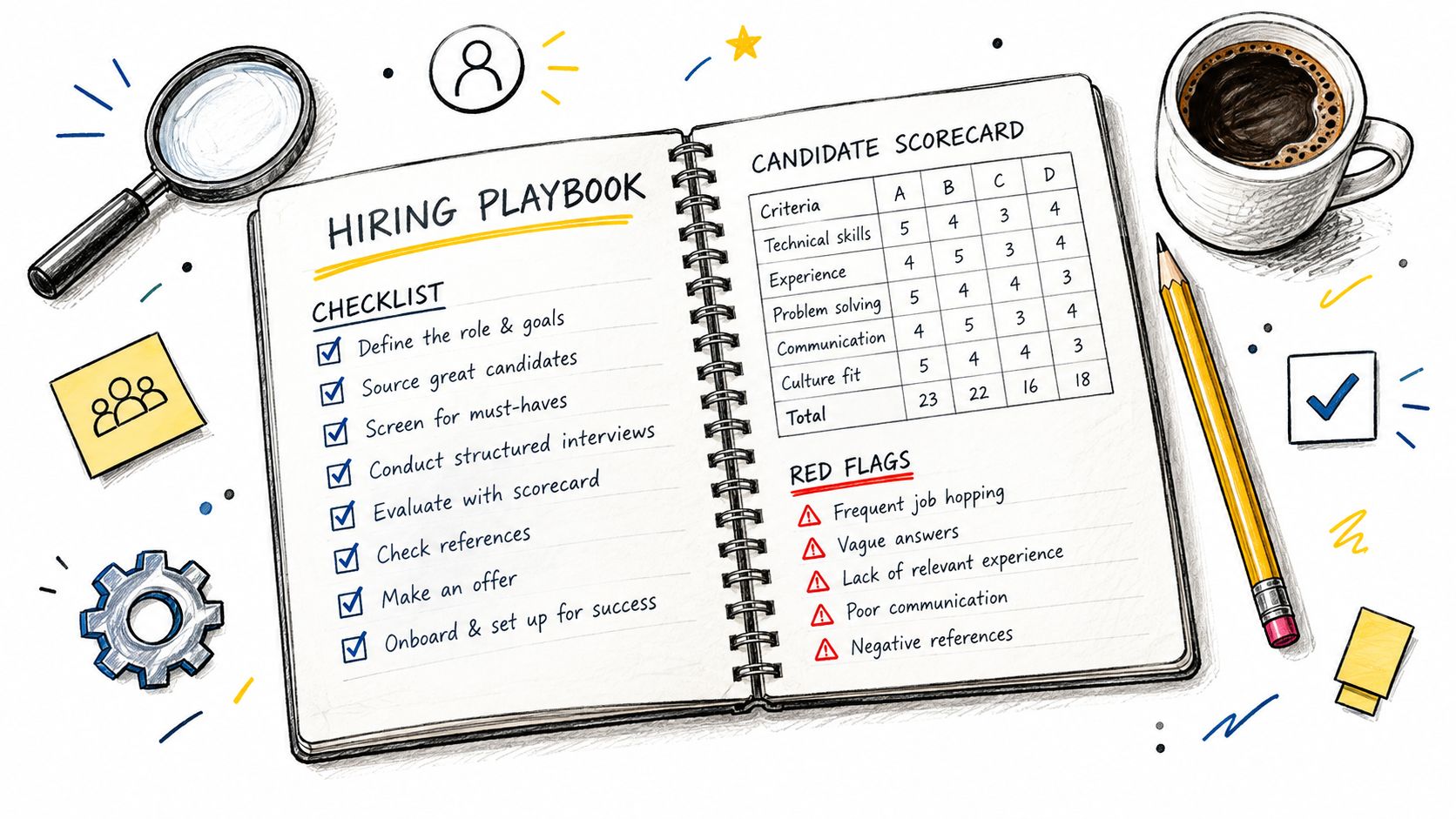
Run the same playbook every time and hiring stops depending on gut feel. Keep it short enough that you'll actually use it.
The checklist
- Before outreach: Written brief, target merchant, data rules, measurable outcome.
- During evaluation: Paid discovery, live development-store demo, permissions matrix, mock submission checklist, scorecard.
- At contract: Milestones tied to installable software, IP and repository ownership, DORA baseline, named support owner.
- After handover: Deprecation tracking, rollback runbook, merchant feedback loop, scheduled performance checks.
Walk away when you see these red flags: a candidate who won't work in your repository, proposes broad scopes "just in case," can't name a rollback plan, demos with screenshots, or treats App Store review as your problem. One flag is a conversation. Two is a decision.
You can also judge a developer by what they've shipped for real merchants. For example, VEOit AI Bulk Videos Generator for Shopify transforms product images into engaging videos with AI to optimize engagement and conversions, using Google Veo 3.1 with bulk processing, custom prompts, and automatic upload to Shopify. Live apps like that prove a builder has already survived review, billing, and merchant support in production.
Your next step isn't a vague introductory chat. It's commissioning a scoped discovery sprint against your written brief. Review what's involved in professional Shopify app development, then contact Yassine Malti with your brief, your target merchant, and the outcome you need measured. You'll get a clear technical plan before you commit to a full build.
If you need a Shopify app built for SEO growth, AI automation, or a custom workflow your current tools can't handle, Yassine Malti builds and maintains production Shopify apps with compliance, performance, and merchant outcomes treated as deliverables from day one. Bring your brief, get a scoped discovery plan with clear milestones, and hire on evidence instead of promises.
Shopify apps by Yassine Malti
Put this into practice
-

VEOit · Product videos
AI product videos made from your product images · 5 credits/month free
-

ALT SEO · Image alt text
AI alt text for every product image · 100 images/month free
-

RANKit · Meta titles & descriptions
AI meta titles and descriptions, sized for Google · 50 meta tags/month free