You open Google Search Console after updating your navigation and see product URLs marked “Duplicate, Google chose different canonical than user.” Some include a collection path; others carry tracking or sorting parameters. Your products still load, but you want to know whether shopify duplicate content is keeping the right pages out of search.
How to Find and Fix Duplicate Content on Shopify shows you how to find competing URLs, check which version Google selects, and fix the issues you can control. You’ll separate normal Shopify URL behavior from problems worth changing, then check product pages, collections, variants, and pagination without removing pages shoppers still need.
Duplicate content means substantially similar content appears at more than one URL. It does not automatically trigger a Google penalty, and a duplicate report does not always mean something is broken. The practical concern is whether search engines spend time on unnecessary URLs or select a version you do not want shown.
Start with evidence rather than deleting pages or blocking every URL that contains a question mark. A filtered collection can help shoppers, while a product reached through several collections may already point to one preferred URL. Your job is to check those signals, correct conflicting links or templates, and preserve useful shopping paths while reducing unnecessary duplication.
Table of Contents
- Step 1: Understand what counts as duplicate content on Shopify
- Step 2: Find duplicate URLs in Google Search Console
- Step 3: Check common Shopify duplicate URL patterns
- Step 4: Confirm canonical tags and choose the preferred URL
- Step 5: Fix duplicate product and collection pages
- Step 6: Control crawlable URL variations without blocking useful pages
- Step 7: Validate fixes and monitor indexing changes
Step 1: Understand what counts as duplicate content on Shopify
Before you change your theme or delete pages, separate two causes of shopify duplicate content: multiple addresses for one page, and separate pages with nearly identical copy. They can look similar in a report, but they need different fixes.
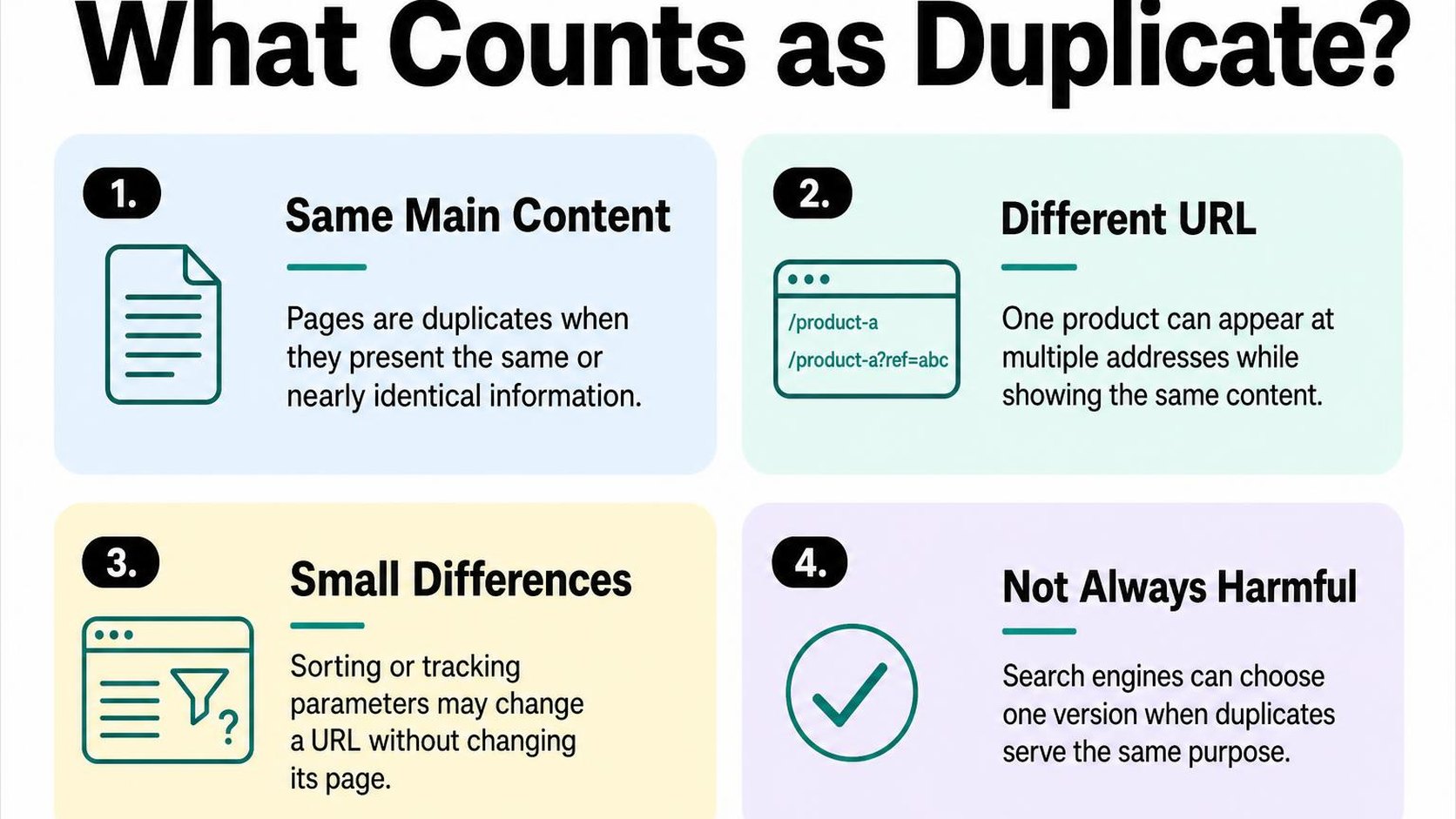
Duplicate content means the same or substantially similar main content appears at more than one URL. Shopify can expose these extra addresses through collection links, product variants, and URL parameters, even when you create only one product in your admin.
Separate duplicate URLs from duplicate page copy
Duplicate URLs are different web addresses that serve the same or nearly the same page. For example, /products/linen-shirt and /collections/summer/products/linen-shirt can display the same product, depending on how your theme creates links.
Duplicate page copy is different: you might publish three separate shirt listings with identical descriptions, specifications, and images. Each listing has its own purpose in your catalog, but Google may see little reason to show all three for the same search.
- Collection paths: A collection-context product URL can show the same product as its direct product URL. The extra path does not necessarily represent another product page you need to delete.
- Tracking and sorting: Tracking parameters can leave the main content unchanged, while sorting parameters rearrange the same collection inventory. Neither automatically creates a useful search landing page.
- Variant addresses: A variant parameter can preselect a size or color while keeping most product content unchanged. A selectable option is not automatically a separate page that needs indexing.
- Repeated listings: Separate products or collections with interchangeable copy need a content and merchandising review, not just a URL cleanup.
This distinction guides your next check: compare what the shopper actually sees, not just the URL strings. Two addresses can show one page, while two genuinely different products can still have unhelpfully repetitive copy.
Know when similar pages are not an SEO problem
Does Shopify have duplicate content issues? It can, but duplicate content does not automatically trigger a Google penalty. The practical concern is whether Google selects the page you want, spends time crawling unnecessary variations, or excludes a page that offers distinct value.
Canonicalization is the process of choosing a representative URL from duplicate or very similar pages so indexing signals can consolidate around it. In Google’s explanation of canonicalization, Google uses multiple signals to select that URL, and its choice can differ from your preference.
A canonical tag signals your preferred URL; it does not redirect shoppers, remove another page, or guarantee Google’s selection. Do not treat it as a substitute for making genuinely separate landing pages useful.
Practical rule: Keep similar pages when they serve different shopping needs. Investigate when multiple URLs serve the same need and compete to represent the same content.
Shared shipping text and repeated specifications are normal. Paginated collections can also show different products despite sharing a layout; do not assume every page belongs under page one’s canonical. Use your Shopify SEO roadmap to keep duplicate cleanup alongside broader indexing and content checks.
Step 2: Find duplicate URLs in Google Search Console
You open Search Console after a theme update and see more pages marked “Not indexed.” For shopify duplicate content, that count is a starting point, not a cleanup list: some alternate URLs correctly point Google toward your preferred product page.
Your job is to separate expected duplicates from patterns that send Google toward the wrong URL. Investigate groups before changing templates, redirects, or indexing settings.
Inspect indexing and canonical reports
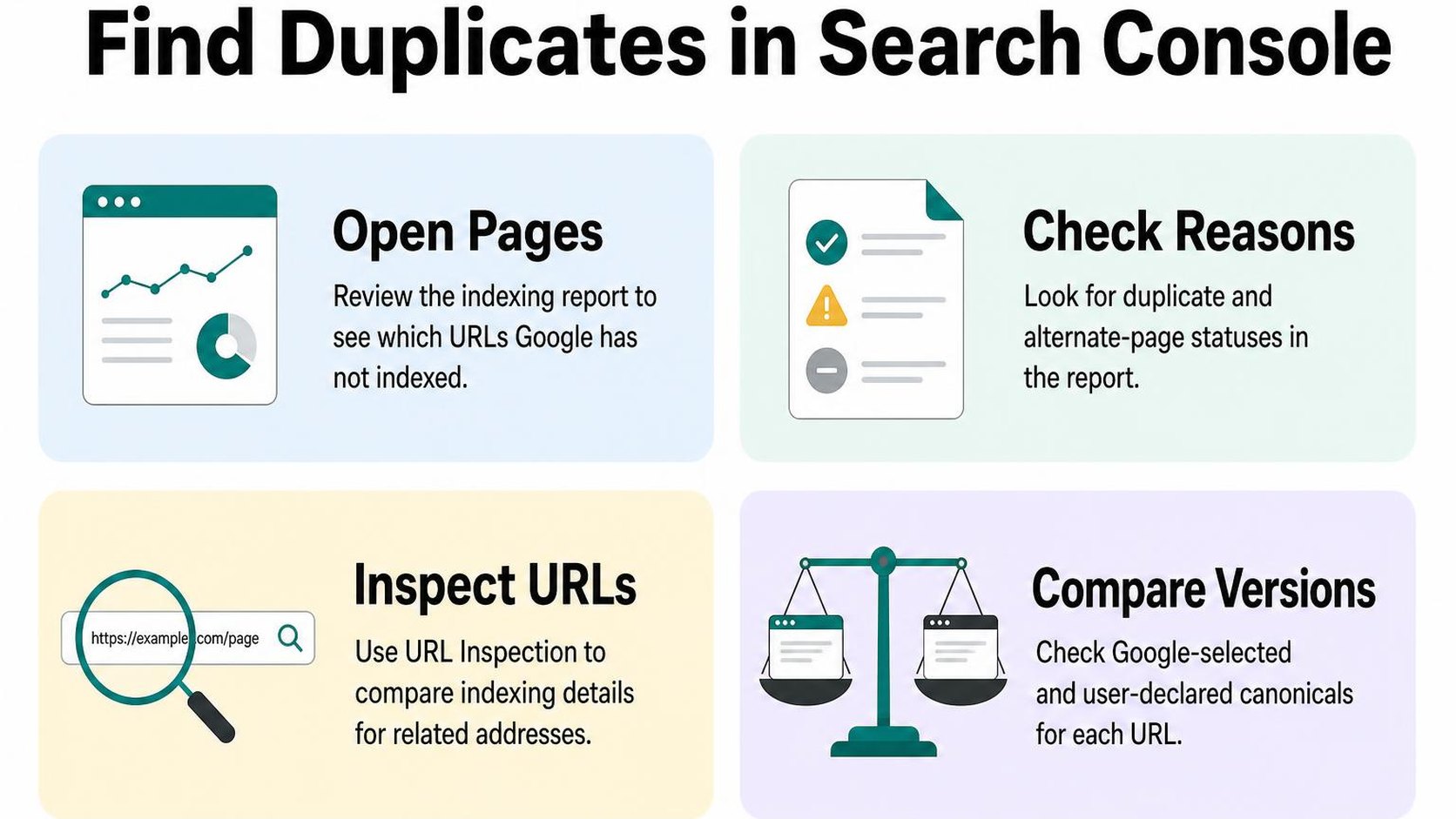
Open Page indexing, the Search Console report that groups known URLs by indexing status, under Indexing > Pages. Review the reasons beneath “Why pages aren’t indexed,” especially entries mentioning duplicates or alternate pages.
According to Google’s Page indexing report documentation, the report covers URLs Google knows about; it is not a complete inventory of every URL your store can generate. Open each relevant reason to review its trend and example URLs.
- Alternate page with proper canonical tag: Usually an expected result when another URL represents the page. Check that the destination is the product or collection you actually want indexed.
- Duplicate without user-selected canonical: Investigate whether the page supplies a usable canonical signal and whether the duplicate is intentional.
- Duplicate, Google chose different canonical than user: Prioritize cases where Google chooses a filtered URL, an outdated product, or another unintended destination.
Export affected URLs and group them by pattern
Export the examples from each relevant reason and add a column for the URL pattern. These examples help you diagnose a template or navigation issue, but they do not necessarily include every affected page.
Group Shopify duplicate URLs by structure rather than reviewing them alphabetically. Keep the indexing reason beside each URL so you can distinguish accepted alternates from conflicting canonical choices.
- Collection-context products: Group paths such as /collections/summer/products/linen-shirt separately from /products/linen-shirt.
- Parameters: Separate variant, sorting, filtering, and tracking parameters; they do not all serve the same purpose.
- Pagination: Keep collection URLs containing page=2 or higher separate from filters. Different product sets are not automatically duplicates.
Compare the preferred destinations against your sitemap using the Shopify sitemap guide. Flag mismatches for investigation rather than assuming that sitemap inclusion guarantees Google’s choice.
Check representative URLs with URL Inspection
Inspect two or three URLs from each pattern, including any important product that loses its expected canonical. In URL Inspection, expand the page indexing details and compare user-declared canonical, your page’s stated preference, with Google-selected canonical, the URL Google chooses to represent the content.
Inspect the selected destination too, where your property access allows it. Record whether it is indexed, serves the intended content, and matches your internal links and sitemap.
Practical rule: Prioritize patterns where Google selects the wrong destination, especially for valuable products or collections. Do not try to make every alternate URL indexable just to reduce an exclusion count.
Use the live test to check current accessibility after changes, not to confirm a new Google-selected canonical. That selection comes from indexed data and can lag behind your edits.
Step 3: Check common Shopify duplicate URL patterns
A collection card opens a product through one URL, while your search results open the same item through another. Your shopify duplicate content audit needs to separate harmless alternate routes from pages that genuinely need different content.
Compare product URLs with and without collection paths
Open the same product from a collection and from your sitemap. You may see both /products/linen-shirt and /collections/summer/products/linen-shirt, even though the product details match.
A collection-context URL includes the collection path before the product handle. Check whether your theme consistently points these alternate routes toward the direct product URL rather than assuming every accessible address needs removal.
- Compare the content: Confirm that both routes show the same product, not a different item with a similar handle.
- Check theme links: Review collection cards, recommendations, and breadcrumbs for inconsistent product destinations. Collection context can support navigation, but it also creates another route to the same content.
- Keep the working product: Do not delete a product or redirect an entire collection just because a collection-context URL appears in a report.
Review collection filters, sorting parameters, and pagination
Faceted navigation lets shoppers narrow a collection by attributes such as size, color, or availability. These controls, sorting menus, and page numbers can generate Shopify duplicate URLs, but they do not all deserve the same treatment.
| URL pattern | What to check | Likely treatment |
|---|---|---|
| /collections/shirts?sort_by=price-ascending | Same products, different order | Avoid treating each sort order as a search landing page. |
| /collections/shirts?filter.v.option.color=Blue | A narrower product selection | Decide whether this selection deserves search visibility. |
| /collections/shirts?page=2 | Different products in the sequence | Keep a distinct URL and a self-referencing canonical. |
Do not treat Shopify duplicate content pagination as a reason to canonicalize every collection page to page one. Later pages contain different products; Google’s pagination guidance explains why each paginated page needs its own canonical URL.
- Test combined controls: Apply a filter, change the sort order, then move to another page. Record which combinations generate additional addresses.
- Separate search demand: A useful “blue linen shirts” landing page needs deliberate content and linking, not automatic indexing of every filter combination.
- Avoid blanket fixes: Do not block all parameter URLs before separating pagination from unwanted filter and sort variations.
Inspect product variants and near-identical product pages
A variant parameter, such as ?variant=123456789, selects an option within a product. Open several variant links and check whether they remain versions of the same item; a parameter alone does not justify a separate indexed page.
Shopify product page duplicate content can also exist across separate product handles. Compare products with copied supplier descriptions, especially when only a color name or model number changes.
- Keep useful selection links: Preserve variant URLs needed by shoppers or campaigns while checking that canonical signals remain consistent.
- Differentiate real products: Add accurate differences in materials, fit, compatibility, or use instead of swapping a few adjectives.
- Consolidate redundant listings: Consider variants when separate pages offer no distinct value. Redirect retired product URLs to the closest genuine replacement, not automatically to the homepage.
Step 4: Confirm canonical tags and choose the preferred URL
You open a product from a collection, but its address differs from the product URL in your sitemap. Before changing either address, check whether both point search engines toward the same preferred page. This helps separate expected URL variations from conflicting shopify duplicate content signals.
View the page source and locate the canonical link
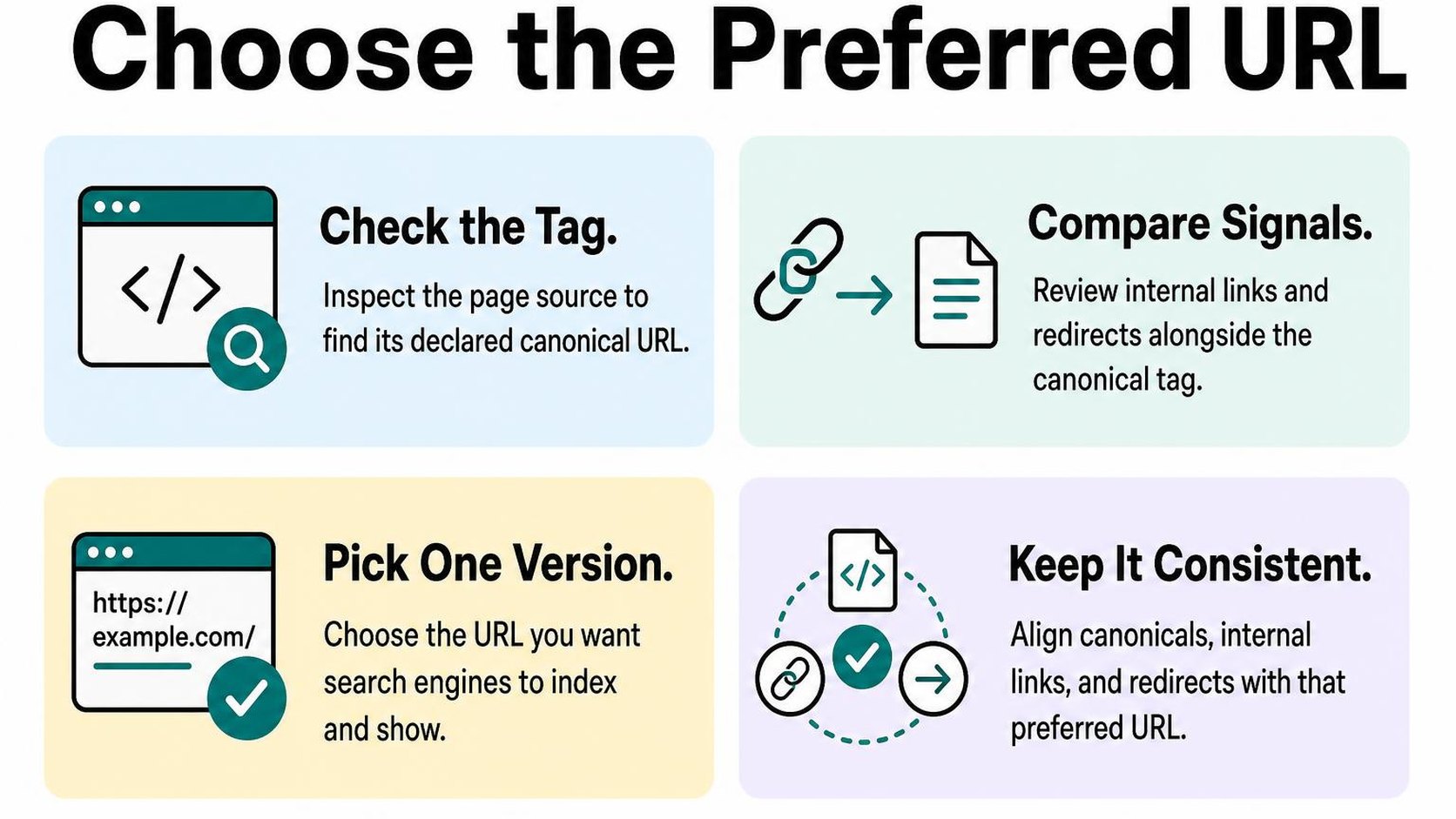
A canonical tag is an HTML link element that identifies the preferred URL for a page and its duplicate or very similar versions. Open the affected storefront page, view its source, and search for rel="canonical". You should find a link element in the document head with an href containing the preferred address.
If the source looks different from what your browser displays, inspect the rendered document head through developer tools too. A theme customization or script can introduce another canonical tag. Check the live storefront, not only a theme preview.
- One clear target: Look for one canonical declaration pointing to an absolute HTTPS URL on your preferred domain.
- No competing output: If multiple tags identify different targets, trace the theme code or customization responsible before editing anything.
- Representative examples: Inspect a direct product URL, a collection-context product URL, and an affected collection page rather than assuming every template behaves alike.
Compare the canonical target with the page you want indexed
Copy the canonical target into a new browser tab. Confirm that it loads successfully, represents the same or substantially similar content, and does not redirect elsewhere. Check that it is not blocked from crawling or marked noindex, and that its own canonical points to the intended preferred URL.
A collection-context product address can reasonably identify the direct product address as canonical. A genuinely different collection should not point to another collection merely because their product grids overlap. For Shopify duplicate content pagination, distinct paginated collection pages should generally identify themselves, not all point to page one.
Use Search Console’s URL Inspection to compare the user-declared canonical with the Google-selected canonical for an affected URL. These can differ: Google’s guidance on consolidating duplicate URLs explains why canonical declarations and other signals need to agree.
Practical rule: Canonical tags are hints, not commands. Do not point unrelated pages at one preferred URL or expect a canonical change to remove duplicate addresses immediately.
Check internal links and sitemap URLs for consistency
Once you choose the preferred URL, inspect navigation, collection product cards, recommendations, and links inside descriptions. Where practical, link directly to that address instead of repeatedly sending shoppers and crawlers through alternate URLs or redirects. Keep selection parameters when shoppers need them.
- Internal links: Update templates that unnecessarily generate alternate paths, then test the resulting storefront links.
- Sitemap entries: Check /sitemap.xml and its relevant child sitemap for the preferred indexable URL. Investigate unexpected entries rather than trying to edit Shopify’s generated sitemap manually.
- Crawl access: Do not block duplicate URLs solely to force canonical consolidation; crawlers need access to read the tag. Review safe Shopify robots.txt edits before changing crawl rules.
Step 5: Fix duplicate product and collection pages
You find two product pages selling the same item, or two collections showing nearly identical ranges. Fixing shopify duplicate content starts with deciding whether shoppers need both pages, not rewriting every description or deleting every similar URL.
Search intent is the task a shopper wants to complete on a page. Compare the products, audience, and buying decision behind each URL before choosing whether to consolidate or keep it.
Consolidate pages that serve the same search intent
If two pages offer the same product, selection, and purpose, choose one destination. Prefer the page with relevant search traffic, useful backlinks, and a URL that still fits your catalog.
Move useful copy and merchandising details to that page first. Then retire the redundant page and create a 301 redirect, a permanent redirect that sends visitors and search engines from the old address to its replacement.
- Products: Check inventory, variant options, reviews, and sales-channel connections before retiring a duplicate listing. Redirecting its URL does not transfer that product data.
- Collections: Merge pages only when their selection and shopping purpose genuinely overlap. Redirect the retired collection to the closest equivalent, not automatically to your homepage.
- Redirect check: Shopify URL redirects generally work when the source URL no longer serves an active page. After retiring it, test the old address and confirm that it reaches the replacement directly.
For duplicate URLs that must remain available, consolidation may instead involve canonical signals. Google’s guidance on consolidating duplicate URLs explains how redirects and canonical annotations signal a preferred page; neither requires deleting every similar page.
Differentiate products that deserve separate landing pages
Similar products can answer different buying needs. Separate pages make sense when specifications, compatibility, use cases, or purchasing options materially change the decision—not simply because you want another keyword target.
| Page pair | Recommended action |
|---|---|
| Identical item listed twice accidentally | Keep one listing and redirect the retired URL. |
| Similar jackets with different weather ratings | Keep both and explain their performance differences. |
| Collections for office chairs and gaming chairs | Keep both if their selection and buying guidance serve distinct needs. |
For Shopify product page duplicate content, replace copied supplier paragraphs with verified differences: dimensions, materials, fit, included parts, and limitations. Keep shared facts accurate; forced synonyms do not make identical products meaningfully different.
Practical rule: Keep separate pages when you can explain why a shopper chooses one over the other. If the only difference is the URL or heading, investigate consolidation.
Improve collection copy where pages target distinct needs
Shopify collection page duplicate content needs a different response when collections serve distinct audiences. Some product overlap is useful: a waterproof backpack can belong in both commuting and hiking collections.
Give each collection a clear selection rationale, a short introduction, and buying guidance specific to that need. Explain laptop protection and train travel on the commuting page; discuss capacity, weather exposure, and trail comfort on the hiking page.
Keep the product grid easy to reach. Do not add long, repetitive paragraphs just to make pages look different, and do not remove useful collections solely because they share products.
Step 6: Control crawlable URL variations without blocking useful pages
You open a collection, apply two filters, and change the sort order. The products remain familiar, but the address changes each time. Managing shopify duplicate content means separating useful browsing URLs from variations that give search engines little reason to index another page.
Do not remove every parameter or block every collection variation. Some URLs help shoppers narrow their choices; others let crawlers reach products beyond the first page.
Decide how filters, sorting, and pagination should be discovered
Parameterized URLs contain query values that change what a page displays, such as its filters, sort order, or page number. Review each type by purpose rather than treating every question mark as a duplicate-content problem.
- Filters: Keep useful filtering available to shoppers. If a combination serves a clear search need, consider a dedicated collection with stable internal links and relevant copy instead of exposing endless filter combinations for indexing.
- Sorting: Price and alphabetical sorting usually reorder the same inventory. Avoid promoting these URLs through navigation or sitemaps as separate search destinations.
- Pagination: Keep each results page reachable through crawlable links. A “load more” button alone may leave later products harder to discover if it has no linked URL alternative.
For Shopify duplicate content pagination, do not assume page two duplicates page one: its product list differs. Google’s pagination guidance recommends unique URLs and self-referencing canonicals for paginated pages, rather than canonicalizing every page to the start of the collection.
Use redirects, canonicals, or noindex only for the right cases
A canonical identifies your preferred URL among duplicate or very similar pages; it is a signal, not a guaranteed instruction. A noindex directive tells search engines not to include a page in search results, provided they can crawl it and read that directive.
- Redirect: Use a permanent redirect when an old URL no longer needs to work independently and has a genuine replacement. Do not redirect useful filter states merely because they contain parameters.
- Canonical: Use it when a variation must remain accessible but substantially duplicates another page. Keep canonical targets consistent with your internal links and sitemap URLs.
- Noindex: Use it for pages that should remain available to shoppers but should not appear in search. Do not depend on noindexed pages as the only route to important products.
Check your theme’s output before changing directives. Avoid combining noindex with a canonical pointing elsewhere as a routine consolidation method: exclusion and canonical selection solve different problems.
Avoid using robots.txt to solve indexing problems
Robots.txt controls crawler access, not reliable removal from Google’s index. A blocked URL can still appear in search if Google discovers it through links, and blocking prevents Google from reading its canonical or noindex directive.
Practical rule: If Google needs to read a redirect, canonical, or noindex, keep the URL crawlable. Consider crawl restrictions separately for unwanted filter spaces, only after checking that they do not block pagination, product discovery, or pages you want indexed.
Step 7: Validate fixes and monitor indexing changes
You publish a theme change, but Search Console still lists the old duplicate URLs. That does not automatically mean your shopify duplicate content fixes fail: your live store and Google’s indexed copy can show different states until Google recrawls the affected pages.
Validate what your store serves first, then check what Google records. Keep a small, repeatable test set so you can distinguish a delayed report from a broken implementation.
Test representative URLs after publishing changes
Choose one example of each URL pattern you change: a collection-context product URL, a variant parameter, a filtered collection, a paginated collection, and any retired page. Include the preferred destination for each duplicate so you test both sides of the change.
- Redirects: Confirm that each retired URL returns the intended permanent redirect and reaches a working destination without a chain or loop. Do not redirect unrelated products to a collection just to clear an error.
- Canonicals: Check the rendered canonical tag on each accessible duplicate. Its target should load successfully, remain indexable, and represent the same or substantially similar content.
- Internal links: Follow links from menus, collections, product recommendations, and breadcrumbs. Confirm that changed templates point directly to preferred URLs rather than relying on redirects.
- Sitemap consistency: Check that relevant preferred URLs appear in your sitemap and that retired URLs do not remain listed. For paginated collections, preserve each page’s intended canonical rather than pointing every page to page one.
Test on your published storefront, not only in a theme preview. A correct preview does not prove that your live theme, app output, or redirect rules behave the same way.
Request recrawling where appropriate and monitor reports
Use URL Inspection, Google Search Console’s individual-page diagnostic tool, to inspect representative duplicates and preferred URLs. Compare the user-declared canonical with Google’s selected canonical where available, and note the last crawl date.
Run a live test to check current accessibility and indexability signals. As Google’s URL Inspection documentation explains, the live test does not predict which canonical Google selects; it is not confirmation that indexing has changed.
- Recrawl requests: Request indexing for a few important, corrected preferred URLs where appropriate. Do not submit every parameter variation or repeatedly request the same unchanged page.
- Report review: Review the Page indexing report weekly at first. Look at affected examples and crawl dates, not just the total number of excluded URLs.
Practical rule: Recrawling and report updates can take days or weeks, sometimes longer. A duplicate URL remaining excluded can be the correct outcome when Google indexes its preferred counterpart.
Keep a record of redirects, canonicals, and remaining exceptions
Record each tested URL, its expected behavior, the publication date, and the observed result. Keep intentional exceptions, such as shopper-facing variant URLs, separate from unresolved mistakes.
Repeat the checklist after theme updates or navigation changes. If Google continues choosing an unexpected canonical after recrawling, recheck conflicting signals before making another broad change.
Yassine Malti is the developer writing this guidance from hands-on store work.
Put this into practice
Start with the store you already have, then use the guides on the blog for the next page that needs the same treatment.
Shopify apps by Yassine Malti
Put this into practice
-

ALT SEO · Image alt text
AI alt text for every product image · 100 images/month free
-

RANKit · Meta titles & descriptions
AI meta titles and descriptions, sized for Google · 50 meta tags/month free
-

TAGit · Product tags
SEO-friendly product tags, generated in bulk · 50 tags/month free