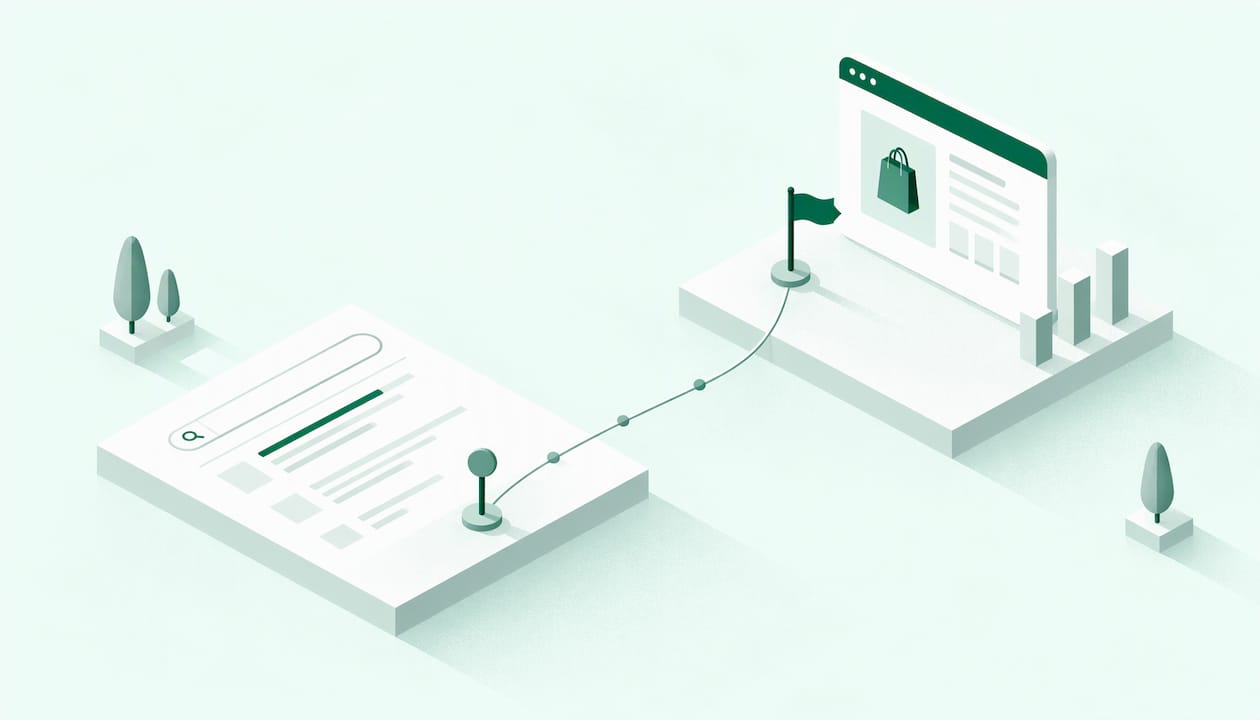
Shopify organic traffic is the set of visits that start with an unpaid click on a Google or Bing result. You earn it by making product, collection and blog pages match what shoppers search for. For most stores the work is not hard to understand. It is repetitive: titles, meta descriptions, alt text and descriptions across hundreds of products. That is the part we automate with our Shopify SEO apps, each built for one task, with bulk or scheduled runs and review controls that show what changed.
TL;DR
- Organic traffic means visitors from unpaid search results. Clicks on ads are paid traffic, and visits from AI chat tools usually land in Direct or Referral in GA4.
- With under 1,000 visits a month, Shopify’s own advice is to focus first on content that matches product queries. Backlinks and authority take longer.
- The fixes that matter most sit on pages you control: titles, meta descriptions, headings, URLs, alt text and original descriptions.
- Change content in batches, record a baseline first, and review results after Google recrawls.
- Measure with Search Console and the GA4 Organic Search channel, by query group and landing page, not by one manual rank check.
Table of Contents
- What counts as organic traffic for a Shopify store
- Does Shopify get organic traffic?
- Where to start when your store is small
- The on-page fixes that move organic traffic
- Technical issues that quietly cap your traffic
- Updating SEO content across hundreds of products
- How to tell whether your SEO changes are working
- Where our apps fit
- FAQ
- Sources
What counts as organic traffic for a Shopify store
Shopify defines organic traffic as visitors who arrive through unpaid results on Google, Bing and other search engines, rather than through ads or other referrals. The word that matters is unpaid. Search Engine Land points out that a click on a result marked sponsored or as an ad is paid traffic, however well the ad matches the query.
Two edge cases trip up store owners reading their reports:
- AI Overviews and AI Mode. Semrush notes that clicks on organic results or citations inside Google’s AI Overviews or AI Mode count as organic.
- ChatGPT, Perplexity and similar tools. The same source says visits from these platforms do not count as organic and often show up in GA4 as Direct or Referral unless you set up custom AI referral tracking.
So a store can be getting found in more places than its Organic Search line suggests. Keep that in mind before you judge a quiet month.
Does Shopify get organic traffic?
Yes. Shopify’s Help Center describes organic results as natural, unpaid listings ranked by relevance and website authority, and says stores earn them through SEO. An analysis of 60,000 Shopify stores by FirePush (2021) listed organic among the top traffic sources, alongside direct and paid social.
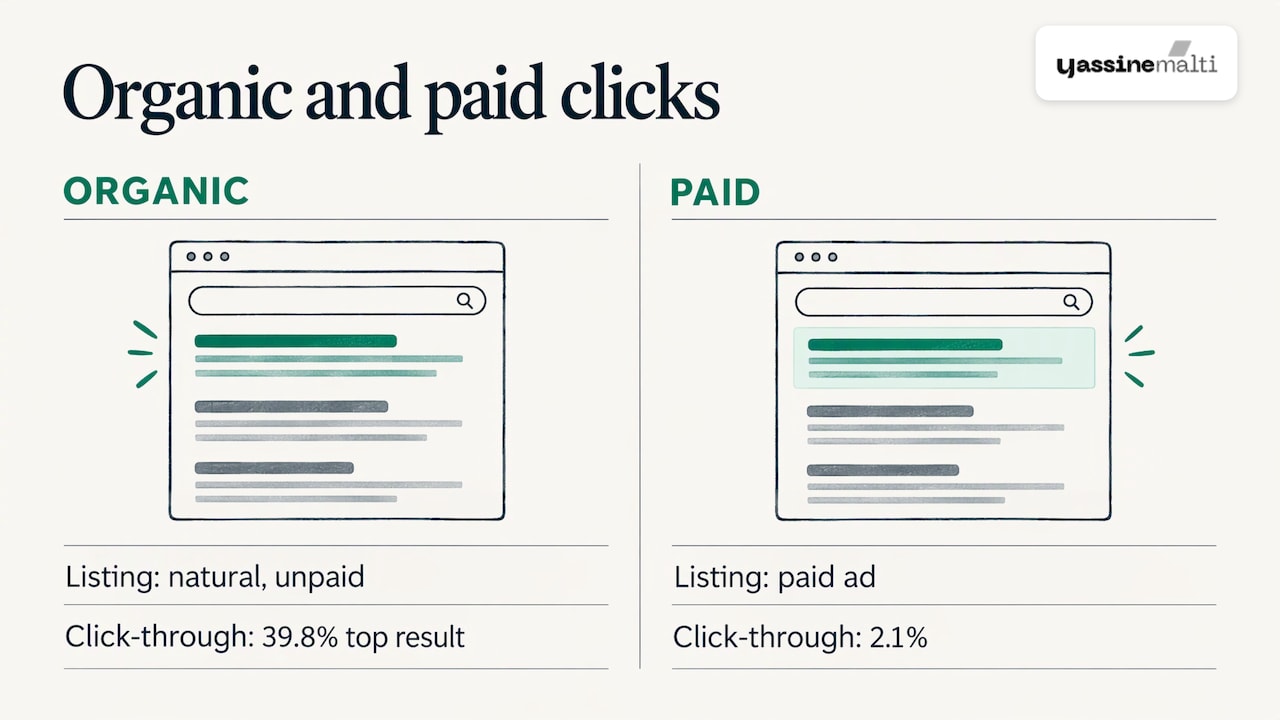
The click is also worth winning. Matomo reports a 39.8% click-through rate for the top organic result, against 2.1% for paid ads. Position matters, and that is why small on-page details such as the title and description are worth the effort.
One timing detail helps with planning. Shopify’s SEO overview says Google indexes a site automatically within 48 to 72 hours after information is added or updated, but it does not index every page. Expect a delay between a change and any movement in your reports.
Where to start when your store is small
Shopify’s Help Center says that for stores with fewer than 1,000 visitors a month, the short-term priority is optimizing content so search engines see it as relevant to product queries. Backlinks, domain authority and domain age take time. The same page describes a flywheel: more visitors can help rankings, and better rankings bring more visitors. Relevance gets it turning, and authority keeps it turning.
For a brand-new store, Shopify’s promotion guide puts two search tasks first: add homepage metadata, then verify the site with Google and submit a sitemap. Do both before anything else.
Then move to long-tail queries, the specific phrases a buyer types when they know what they want. Our guide to long-tail keyword research shows how to find them for a catalog.
The on-page fixes that move organic traffic
Shopify’s Help Center lists the on-page elements merchants control: page titles and meta descriptions, heading tags (H1 to H3), URL structure and internal links, image alt text and file names, relevant content, and keyword placement. Off-page factors such as backlinks, brand mentions, reviews and guest posts come after.
Here is what each looks like in practice.
Titles, meta descriptions and headings
Shopify’s SEO basics guide recommends one keyword theme per page. Build the title and meta description around it, and match the H1 to it. Search Engine Land’s Shopify guide adds a point many merchants miss: keyword placement has to match the searcher’s intent. A transactional phrase belongs on a product or collection page, and a question-style phrase suits a blog post.
The meta description also drives click-through rate. Shopify’s tracking guide notes that CTR shows how well your titles and descriptions work. If a page has plenty of impressions and few clicks, rewrite its title and description first.
Product descriptions
The same SEO basics guide tells merchants to write original descriptions covering materials, sizing, fit, ingredients, compatibility and use cases, and not to reuse manufacturer copy. Hundreds of stores sell the same supplier text, so identical copy gives search engines no reason to prefer yours. Our post on writing product descriptions that sell and rank covers the structure in detail.
Image alt text
Alt text describes an image in words. Shopify lists it, with file names, among the on-page elements you control. Catalogs usually have thousands of images with blank or default alt text, which makes it the clearest bulk job in the list.
Collection pages
Collections often match broader, higher-volume searches than single products. Prism3’s 2026 Shopify SEO guide describes a seven-part template: a title and description built around one keyword, a matching H1, a short intro above the grid, best sellers first, buying guidance below the grid, real FAQs, and links to related collections. It adds that themes usually show the collection description only above the grid, so content below needs a rich text collection metafield connected to a text section. We walk through the full approach in how to optimize Shopify collection pages for organic traffic.
Tags, categories and metafields
Shopify’s audit checklist notes that a product can have only one category, that a smart collection allows up to 60 conditions, and that metafields are better than tags when tags get ambiguous. Its example is a dedicated color metafield, so “red” never matches both a color tag and an “urgency-red” tag. Clean tags feed clean collections, and clean collections are pages that can rank.
Technical issues that quietly cap your traffic
Content only helps if search engines can crawl, render and index the page. Shopify’s audit checklist names these common problems:
- Products or collections missing from the sitemap, or pages that navigation does not reach.
- 4xx and 5xx errors, redirect chains and loops, and links to removed products.
- Filtered or duplicate URLs that eat crawl activity. Our guide to faceted navigation SEO covers how to handle them.
- Accidental noindex tags, robots.txt blocks, soft 404s and incorrect canonicals.
- Content that depends on JavaScript and is missing from the rendered HTML.
- Core Web Vitals failures: LCP over 2.5 seconds, INP over 200 milliseconds, or CLS above 0.1.
Shopify’s Web Performance reports use real-user data at the 75th percentile. You can find them under Online Store > Themes and under Analytics > Reports. Check them before you invest in new content, because one stray noindex tag can undo months of writing.
Updating SEO content across hundreds of products
This is where most merchants stall. They know a thousand products need better titles, descriptions and alt text, and the manual work is endless. Shopify’s audit guide gives the safe pattern:
- Crawl the catalog to flag missing, duplicated or heavily templated titles and meta descriptions.
- Record a baseline before you change anything.
- Fix in batches, not one product at a time.
- Recrawl and review the metrics afterward.
A bulk job done with no preview and no record is how a store ends up with a thousand identical meta descriptions. The review step is the part to protect.
This is the reason our apps each do one thing. ALT SEO handles image alt text. RANKit handles meta titles and descriptions. TAGit handles product tags. Describer writes product descriptions, and it is free. Backlinker, Blogger, and LLMs TXT (also free) cover backlinks, SEO blog posts and llms.txt files. You set the instructions yourself. Tasks run in bulk or on a schedule, and review controls show what changed before you accept it. You can see the whole line-up on the apps page, and try Describer first for descriptions.
The apps are designed to work together but stay optional. You can start with the one task that hurts most, perhaps alt text, and add others as your catalog grows.
How to tell whether your SEO changes are working
SEO results arrive slowly, so measure in a way that survives noise.
Set the baseline. seo.digital’s tracking guide recommends recording the prior full month: organic revenue, purchases, conversion rate, clicks, impressions, priority keyword groups, top landing pages, indexation issues and referring domains. If demand is seasonal, capture the same period a year earlier as well.
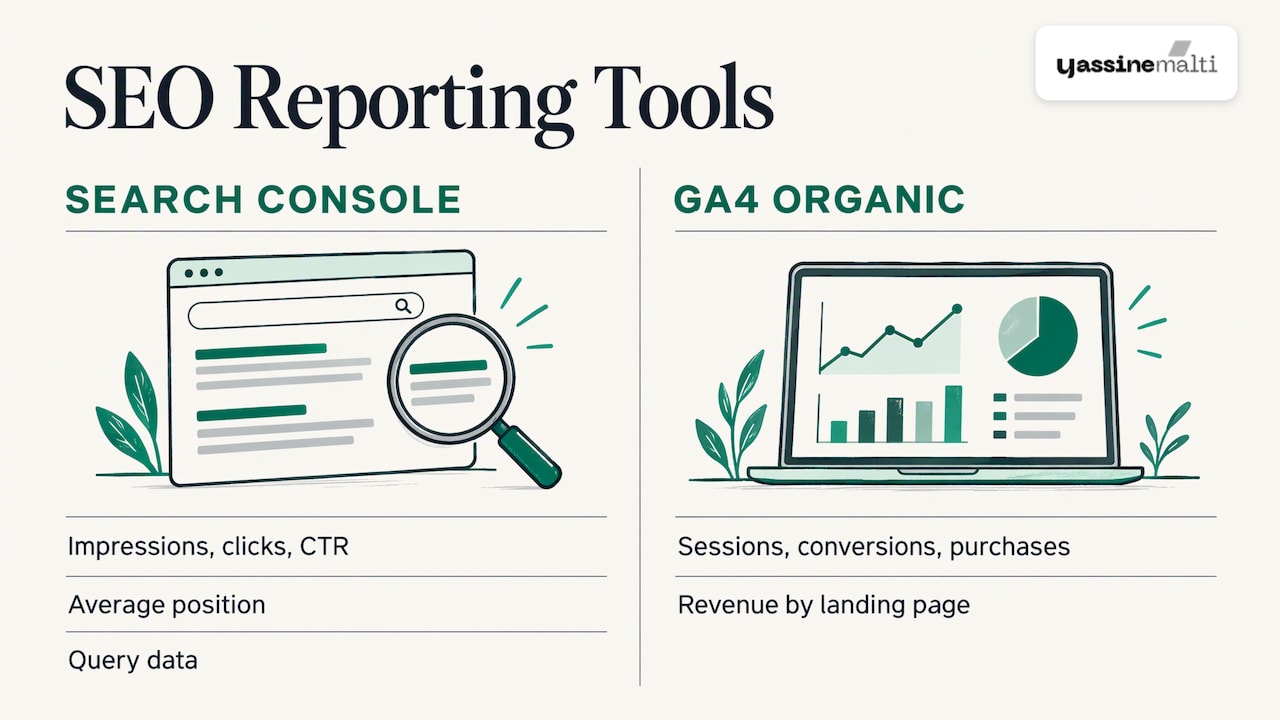
Use two tools together. Search Console shows impressions, clicks, CTR and average position. GA4’s Organic Search channel shows sessions, conversions, purchases and revenue by landing page. In GA4, Shopify says to go to Reports > Acquisition > Traffic acquisition and look at the Organic Search channel. Link a Search Console property to see query data under Reports > Search Console > Queries.
Google’s organic search traffic report shows landing pages with linked clicks and impressions, drillable by country and device. Search Console data appears in GA4 after 48 hours, and the window is a maximum of 16 months. Pull the data you need to keep before it ages out.
Read position as a direction. seo.digital’s guide argues that average position varies by device, location, personalization, stock status, search features and AI Overviews. Track groups of queries over time rather than reacting to one manual search.
Know what the reports include. Shopify’s promotion guide notes that its acquisition reports count visits only, while marketing reports such as Sales attributed to marketing count UTM-tracked sales. The two will not match, and that is expected.
Where our apps fit
The on-page work above comes down to the same four jobs: alt text, meta titles and descriptions, tags and descriptions. Each is a good fit for automation, as long as you control the instructions and can review the output.
Our apps are freemium. Describer and LLMs TXT are free. The paid plans on our pricing page are Starter at $29 per month or $290 per year, Professional at $59 per month or $590 per year, and Enterprise at $119 per month or $1,190 per year. One-time credit packs are also available. Prices were read from the site in November 2026, so check the page for the current figures.
If you want the full picture first, our practical roadmap to improving Shopify SEO and the 9-point SEO checklist lay out the order of work. Backlinks and authority come later, as covered in how to improve domain authority on Shopify.
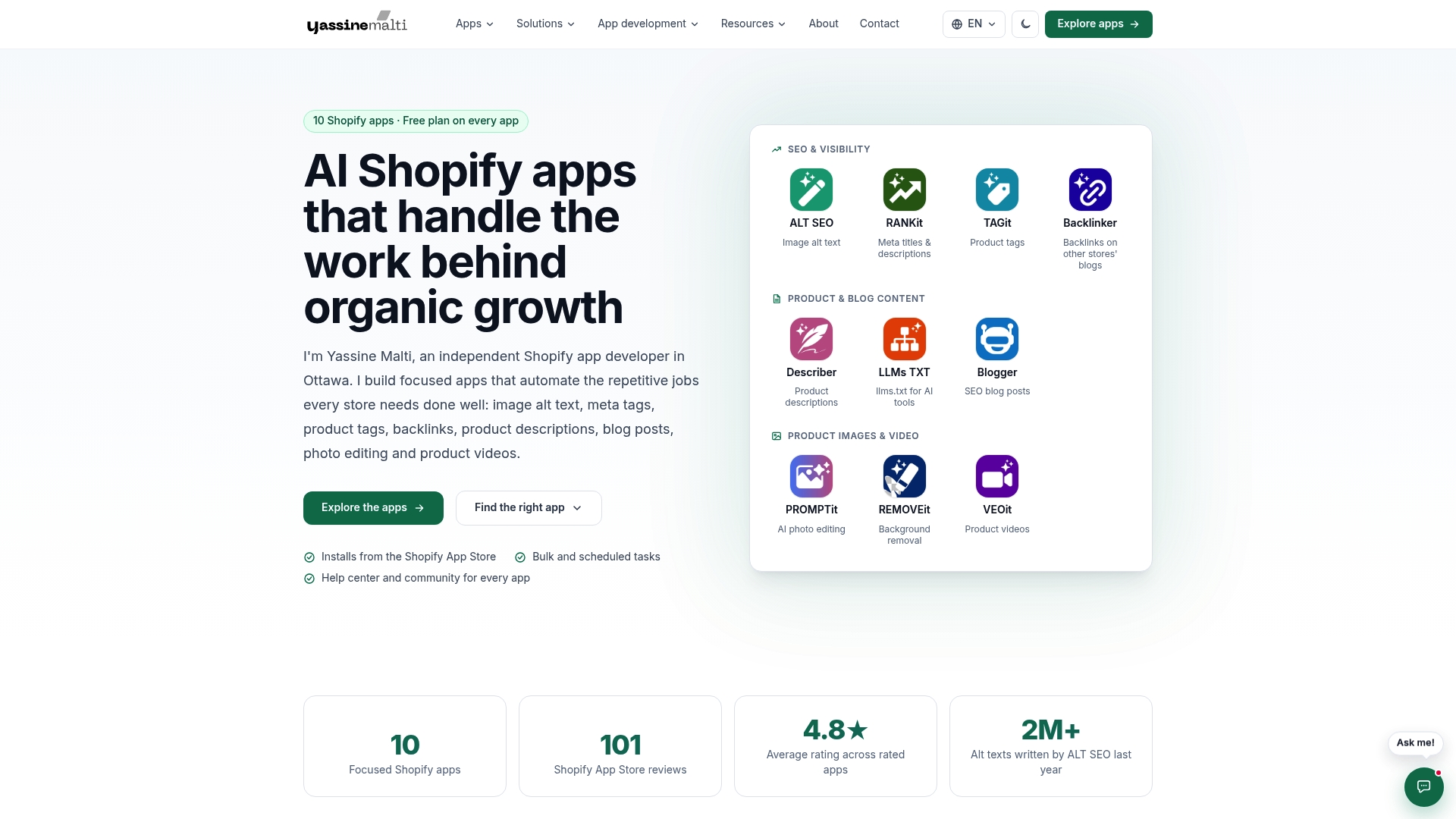
To start, pick the task with the most gaps in your catalog and run it in bulk on our Shopify SEO apps page.
FAQ
Does Shopify get organic traffic?
Yes. Shopify stores earn organic traffic when searchers click unpaid listings that Google or Bing rank for relevance and authority. Shopify’s Help Center describes SEO as how stores earn those listings. New stores should start with content that matches product queries.
How do I grow a Shopify store organically?
Start with the elements you control: titles, meta descriptions, headings, URLs, alt text and original product descriptions. Then fix technical errors, target long-tail keywords, and build backlinks over time. Shopify’s own guidance puts relevance first for small stores and authority second.
How long before SEO changes show up in traffic?
Google says it indexes updated pages automatically within 48 to 72 hours, though it does not index every page. Ranking movement takes longer. Semrush notes that organic growth takes consistent effort before results become reliable. Compare against your recorded baseline, not week to week.
Where do I see my Shopify organic traffic?
In GA4, open Reports > Acquisition > Traffic acquisition and look at the Organic Search channel. Link Search Console to see the queries behind those visits. Shopify’s own acquisition reports count visits only, so they will differ from marketing reports that count tracked sales.
Sources
- What Is Organic Traffic? How To Increase Organic Search Traffic (Shopify)
- Organic traffic: What it is and how to increase it (Search Engine Land)
- What is organic traffic? (Semrush)
- Shopify Help Center: SEO overview
- 10+ Tested Strategies to Drive Traffic to Your Shopify Store (FirePush)
- Organic Traffic: What It Is and How to Increase It (Matomo)
- Website Promotion: 11 Ways to Promote Your Store (Shopify)
- SEO Basics for Ecommerce (Shopify)
- Shopify SEO: The complete beginner’s guide (Search Engine Land)
- SEO Tracking: Metrics, Tools, and Tips (Shopify)
- Shopify SEO Guide for Australian Stores (Prism3)
- Ecommerce SEO Audit: Shopify Checklist
- How to Track SEO: Metrics, Tools & Revenue Guide for Stores (seo.digital)
- Google organic search traffic report (Analytics Help)
Recommended
Shopify apps by Yassine Malti
Put this into practice
-

Describer · Product descriptions
Product descriptions written from your own product data · Free: 50 descriptions/month
-

LLMs TXT · llms.txt for AI tools
A short llms.txt of your real store links · Free
-

ALT SEO · Image alt text
AI alt text for every product image · 100 images/month free