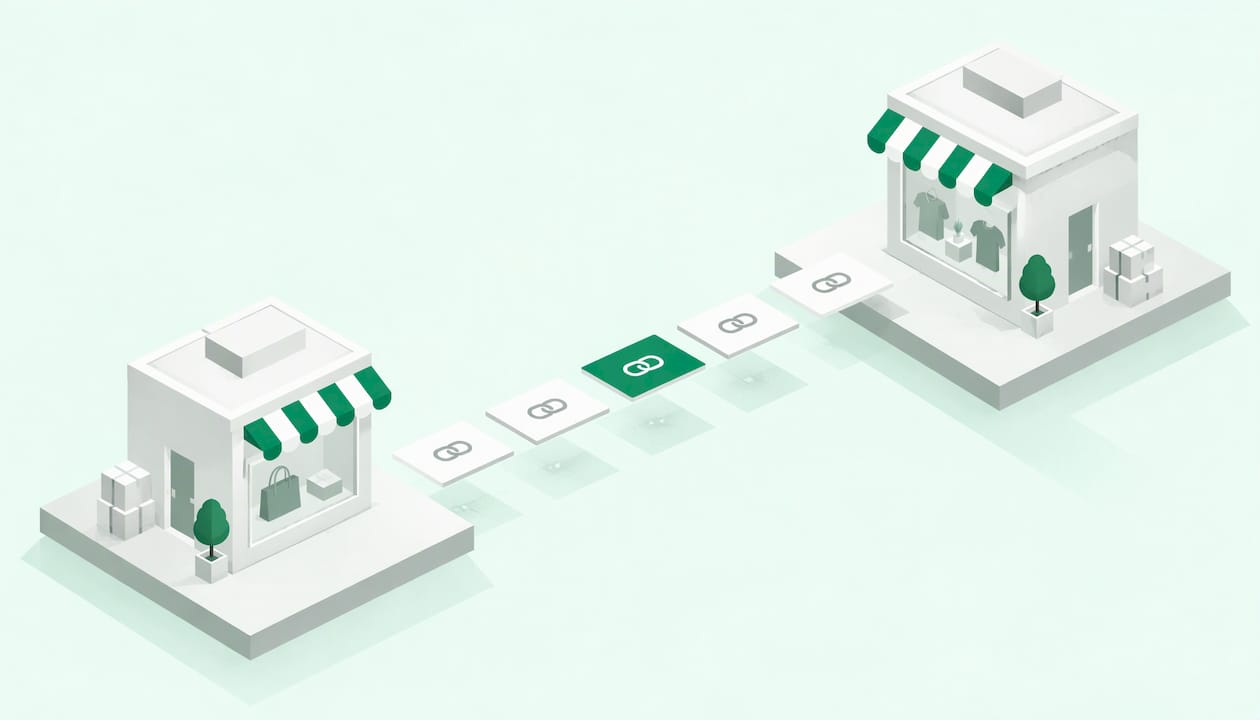
Ecommerce link building is the work of getting other websites to link to your store, so search engines see your pages as trustworthy and rank them higher. For a store, the hard part is rarely finding any link. It is getting authority to the pages that sell, and keeping up with the steady content work that makes those links possible. That is why the most effective plan combines a few earned placements with a repeatable routine, and why we built Backlinker to take the recurring part of that routine off a merchant’s hands.
This guide is for store owners and small teams. It explains what links do for a shop, which tactics fit a catalog, how to judge a link, what to avoid, and how to tell whether any of it worked.
Table of Contents
- What backlinks do for an online store
- Fix the pages before you chase links
- Tactics that work for a product catalog
- How to judge whether a link is worth having
- Practices a store should avoid
- The part that eats your week
- How we help: Backlinker and the apps around it
- How to track whether link building is working
- A realistic first 90 days
- FAQ
- Sources
What backlinks do for an online store
A backlink is a link from another website to yours. Shopify’s Help Center describes link building as getting hyperlinks on other sites that point to your own, and explains that search engines value these links because a link from a trusted site signals that yours is valuable and trustworthy. The same page lists guest posting, PR, directory listings, networking and internal links as common tactics, and warns that low-quality links or attempts to game the system can hurt your SEO.
Stores face a particular problem. Shoppers rarely link to a product page or a collection page. People link to guides, comparisons, original data, helpful tools and brands they admire. So a store that simply asks for links to its product pages will mostly hear silence.
The practical consequence is a two-step model:
- Earn links to content and brand pages that other sites actually want to cite.
- Pass that authority on to product and collection pages through your own internal links.
If step two is missing, you have done the expensive work and kept the benefit locked in a blog post. Our guide to building an internal linking strategy on Shopify covers step two in detail.
Fix the pages before you chase links
Links sent to a page that Google cannot index, or that exists under three different URLs, are wasted. Before any outreach, check your priority pages for four things:
- Indexed: the page can appear in Google. You can confirm this in Google Search Console.
- One canonical URL: Shopify can serve the same product under a collection path and a direct path. A canonical tag tells search engines which version counts. Our explainer on URL canonicalization shows how it works.
- Working destinations: no broken or redirected targets for the pages you plan to promote.
- Descriptive internal links: each priority product or collection is linked from at least one relevant guide or comparison, with anchor text that describes the page rather than saying “click here”.
This is also where the unglamorous catalog work pays off. Clear meta titles, meta descriptions and image alt text make the pages that receive links easier for search engines to understand. If you have hundreds of products, that is a bulk job, and our Shopify SEO checklist lists the basics to cover first.
Tactics that work for a product catalog
Not every tactic suits every store. These are the ones that fit the way shops actually operate.
Create assets that deserve a link
Because product pages rarely earn links, build something else that does. Strong formats for stores include:
- Buying guides and comparisons that help a shopper choose between products in your category.
- Original data, such as a survey of your customers or an analysis of your own sales trends by season.
- Tools, such as a size calculator, a fit finder or a cost estimator.
- FAQ pages that answer specific long-tail questions clearly and briefly.
Each asset should link to the collections and products it discusses, so earned authority has somewhere to go.
Get found in roundups and gift guides
Editors and bloggers publish gift guides and “best of” lists constantly, especially before the holidays. If you sell something that fits, pitch the person who maintains the list with a short note: what the product is, who it suits, and a link to the page. Make it easy for them with clear product images and accurate descriptions.
Use the relationships you already have
Suppliers, manufacturers, wholesale partners and event organizers often have “where to buy” or “stockists” pages. A link from a brand whose products you carry is relevant and editorial. Ask. It is one of the cheapest placements a store can get.
Reclaim mentions and fix broken links
If a site mentions your brand without linking, a polite request to add the link often works. You can set up alerts for your brand name to find these. Another approach is to find pages that link to a discontinued competitor resource or a dead page and offer your relevant content as a replacement.
Pitch to resource pages and publications
Search Engine Land notes that resource pages, image link building and product samples can build links to almost any kind of page, with the example of a store selling a given shoe brand finding articles that mention that brand and asking for a link. Digital PR, where you give journalists a story, data point or expert comment, belongs here too. It is slower and less predictable, but the links it earns are the kind search engines value.
Local and community links
If you have a physical presence or serve a region, local directories and chambers of commerce can supply consistent, relevant links. We cover this in our local citation building playbook for Shopify stores.
How to judge whether a link is worth having
A store with a small team cannot afford to chase every opportunity. Use four questions on any prospective link:
- Is the site relevant to your products and customers? A link from a niche publication your shoppers read beats a link from a large, unrelated site. Relevance is what makes a link believable.
- Does the site have real readers? Look for genuine content, editorial standards and visible organic traffic, not a page that exists only to hold links.
- Was the link placed editorially? The best links appear because the author thought the page added value, inside body content, with natural anchor text.
- What is the link attribute? Links can be marked dofollow, nofollow, sponsored or UGC. Google treats nofollow, sponsored and UGC as hints rather than strict instructions, and it expects paid or affiliate links to carry the sponsored attribute. A nofollow link can still send visitors and build brand recognition.
Also vary your anchor text. A profile where every link uses the same exact keyword phrase looks manufactured, and descriptive, varied anchors read as natural.
Practices a store should avoid
Google has been tightening its spam rules for years. Its December 2022 link spam update moved link spam detection to its SpamBrain system, aimed at both sites that buy links and sites used to pass them on. In March 2024 it announced further policies on expired domain abuse, scaled content abuse and site reputation abuse. Shopify also warns that attempts to game the system can damage your store’s SEO.
For a store, that translates into a short list of things to stay away from:
- Private blog networks and link farms.
- Links on sites with no traffic or indexed pages.
- Placements on unrelated sites, such as a travel blog linking to a protein powder collection.
- The same exact-match anchor repeated across many placements.
- Large-scale link exchanges between shops.
- Pointing every link at the homepage and ignoring the pages that sell.
- Mass-produced content built only to hold a link.
If you also run a review program, keep it clean. The US Federal Trade Commission’s rule on consumer reviews and testimonials, effective October 21, 2024, bans offering incentives conditioned on a particular sentiment, such as a reward for a five-star review. Ask for honest feedback and disclose any incentive.
Safe growth looks slow compared with a bulk purchase of links, but it protects the pages that bring you revenue.
The part that eats your week
Most store owners do not fail at link building because they lack ideas. They fail because the routine is large and repetitive:
- A steady stream of useful, on-topic content to give other sites something to cite.
- Internal links from that content to the right products and collections.
- Consistent meta tags and alt text across a growing catalog.
- Keeping track of which pages and which placements are live.
These tasks are well suited to automation with human review, because the rules are consistent and the volume is high. They are also the tasks that get postponed when a store is busy.
How we help: Backlinker and the apps around it
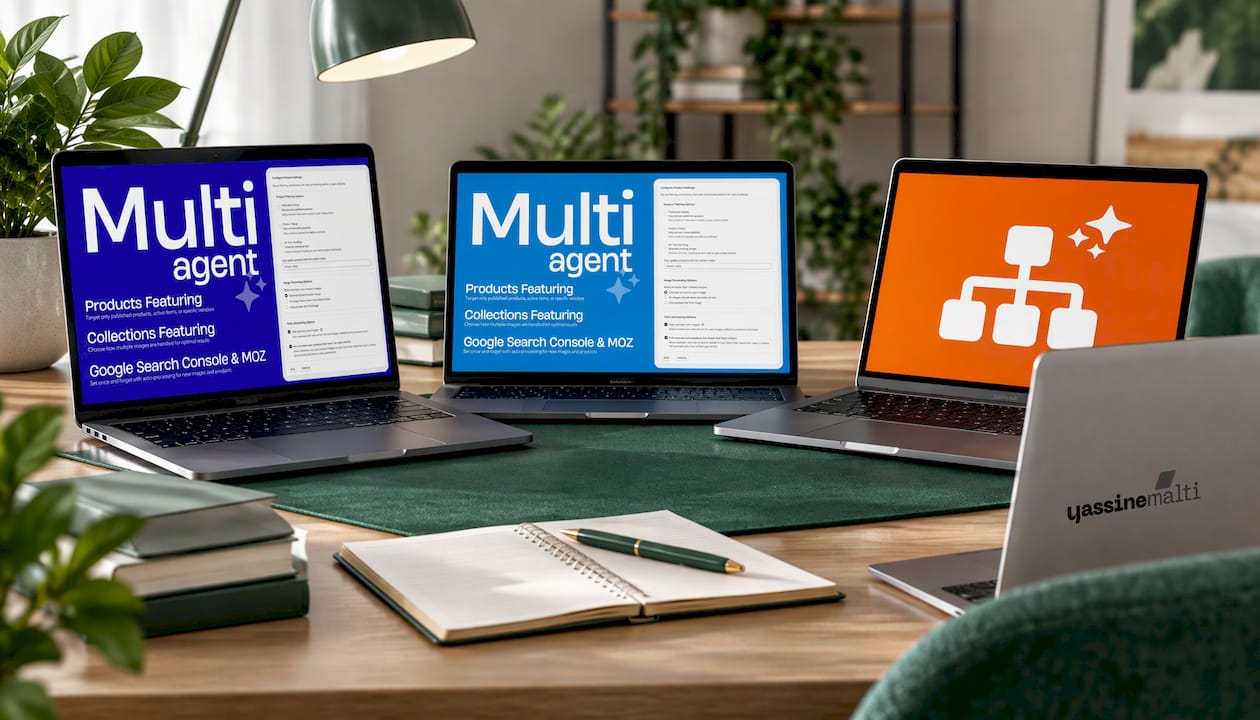
Our approach is one app per task, so you can use what you need and leave the rest. Backlinker is our app for SEO backlink posts on Shopify. Like our other apps, it is designed around merchant-controlled instructions, bulk or scheduled workflows and review controls that show what changed, so you decide what goes live.
The other apps cover the catalog work that makes link building pay off. Our suite includes ALT SEO for image alt text, RANKit for meta titles and descriptions, TAGit for product tags, Describer for product descriptions, Blogger for SEO blog posts and LLMs TXT for llms.txt files. Describer and LLMs TXT are free. The apps are designed to work together while remaining optional, and you can browse the full app lineup.
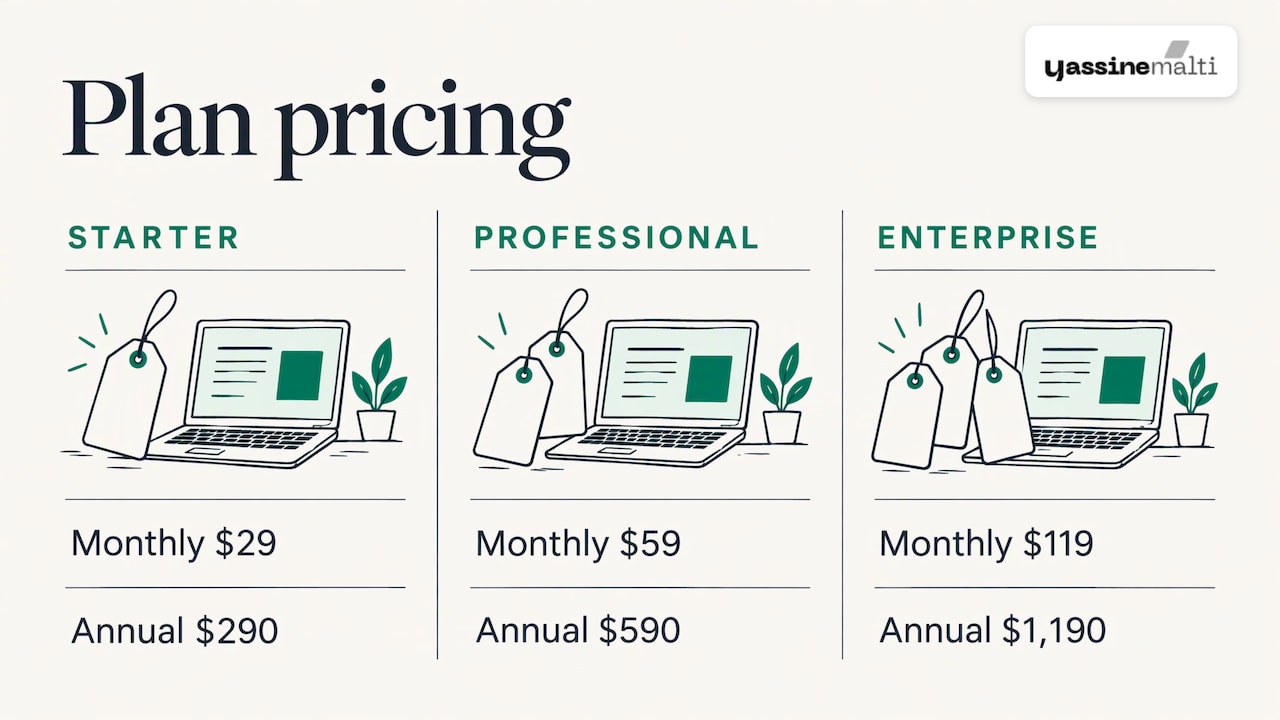
Paid plans are published on our pricing page: Starter is $29 per month or $290 per year, Professional is $59 per month or $590 per year, and Enterprise is $119 per month or $1,190 per year. Credit packs are also available as one-time purchases. If you want a deeper read on the on-site basics first, start with our ecommerce SEO best practices for Shopify.
How to track whether link building is working
Link building results are slow and noisy, so measure at page level, not just for the whole domain.
- Record a baseline before you start. Write down the ranking positions of 10 to 15 target keywords, plus current impressions and clicks for each page you plan to promote. Google Search Console provides these for free.
- Keep a simple log. One row per placement: the linking URL, the page it points to, the date, the anchor text, the attribute and whether the link is still live. A spreadsheet is enough.
- Count referring domains, not links. Ten links from one site are one referring domain for most purposes.
- Check linked pages at 30, 60 and 90 days. Compare impressions and average position in Search Console, and organic sessions and revenue by landing page in GA4. Ranking movement commonly takes a few months to appear.
- Compare against pages without new links. Seasonality, content updates and competitors all move rankings. A similar page that received no links is your control.
- If domains rise but rankings do not, look at routing. The authority may be landing on a guide that does not link on to your collections. Add descriptive internal links from the guide to the pages that sell.
Re-check your log periodically. A live link can be edited, redirected or removed later, so treat the list as an asset register rather than a one-time trophy.
A realistic first 90 days
If you are starting from nothing, a modest sequence beats a scattered one:
- Weeks 1 to 2: audit indexing, canonicals and broken pages. Fill in missing meta tags and alt text across the catalog.
- Weeks 3 to 4: choose three to five priority collections. Publish or update one guide for each, and link the guide to its collection and top products.
- Weeks 5 to 8: reach out to suppliers, stockists pages, gift guide editors and any site that mentions your brand without linking. Keep each message short and specific, and send one polite follow-up.
- Weeks 9 to 12: review your log, check Search Console for the linked pages, and repeat what produced links.
Smaller, targeted outreach tends to do better than blasting a huge list. A short, relevant list that you have researched will beat a mass email every time.
FAQ
What is the difference between link building and backlinks?
Backlinks are the links themselves: hyperlinks on other websites that point to yours. Link building is the work of earning them, through content, outreach and relationships. For a store, it also includes the internal links that distribute earned authority to product and collection pages.
Is buying backlinks allowed?
Google treats buying or selling links that pass ranking credit as link spam, and its SpamBrain system targets both sides of the transaction. Paid or affiliate links are expected to carry the sponsored attribute. The safer route for a store is earning links through useful content, real relationships and honest outreach.
Should I point links at product pages or the homepage?
Send authority where it helps most, which is usually collections and a few priority products. Because other sites rarely link to product pages, earn links to guides and brand pages, then link from those pages to the products with descriptive anchor text. Sending everything to the homepage leaves the pages that sell without help.
How long does ecommerce link building take to show results?
Expect a few months. Ranking changes for linked pages commonly appear between 60 and 90 days and often take longer. Record a baseline first and review monthly, so you can tell real movement from seasonal noise.
Sources
- Shopify Help Center: SEO overview and link building
- Google Search Central: March 2024 core update and spam policies
- Search Engine Land: 10 ways to build quality backlinks for any website
Recommended
Shopify apps by Yassine Malti
Put this into practice
-

Backlinker · Backlinks on other stores' blogs
Backlinks placed automatically on real Shopify blogs · 30 credits/month free
-

LLMs TXT · llms.txt for AI tools
A short llms.txt of your real store links · Free
-

Describer · Product descriptions
Product descriptions written from your own product data · Free: 50 descriptions/month