A shopper adds a product, enters checkout, then disappears. You switch on an abandoned-checkout email, but the returning customer still finds a weak product page, unclear delivery information, or a checkout that feels harder than expected. A reminder can reopen the conversation, but it can't repair everything the shopper sees after clicking.
This guide, A Step-by-Step Guide to Setting Up Automated Abandoned Cart Recovery on Shopify, treats recovery as a storefront-wide system. Start with trigger rules, eligibility, timing, and checkout friction. Then improve the product visuals, supporting content, and catalog structure that influence whether a returning shopper completes the order. For broader automation ideas, compare these top 10 automation platforms.
Table of Contents
- 1. REMOVEit AI Background Remover for Shopify
- 2. PROMPTit AI Bulk Images Editor for Shopify
- 3. VEOit AI Bulk Videos Generator for Shopify
- 4. Blogger SEO AI Blog Agent for Shopify
- 5. TAGit AI Product Tag Generator for Shopify
- Shopify Abandoned Cart Recovery: 5-Tool Comparison
- Turn Your Recovery Setup Into a Routine You Can Maintain
1. REMOVEit AI Background Remover for Shopify
A recovery message often brings shoppers back to the exact product they left behind. If the product image has a distracting background, inconsistent lighting, or a different visual style from the rest of the catalog, the reminder has done its job only halfway. The shopper has returned, but the storefront still has to restore confidence.
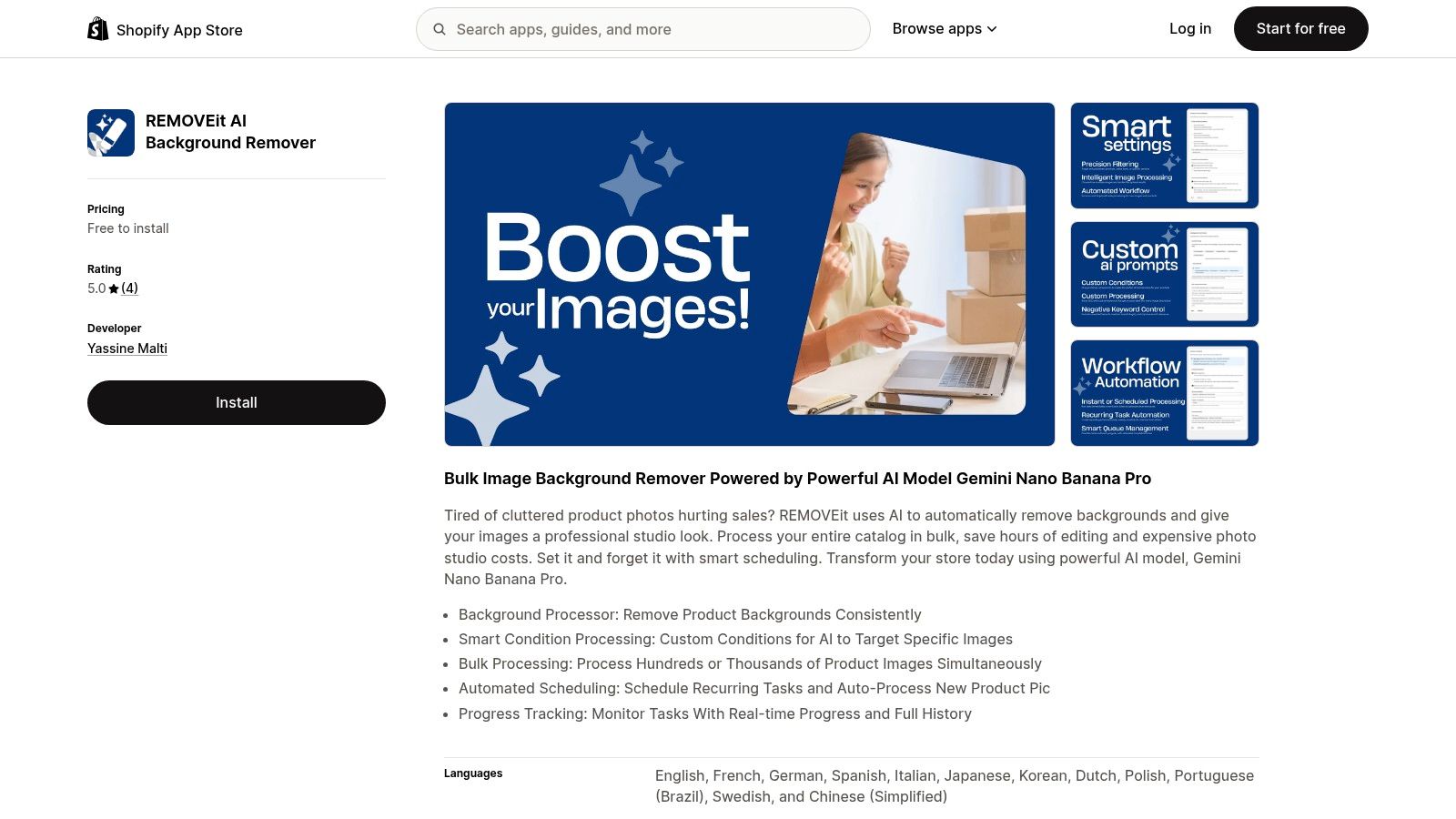
REMOVEit AI Background Remover for Shopify is designed for bulk background processing. Its listed capabilities include removing backgrounds consistently, applying custom conditions to target specific images, processing product images in bulk, scheduling recurring tasks, and automatically processing new product pictures. A progress view and task history can help you check what changed before those assets reach product pages.
Set a visual recovery standard
Before activating automated processing, define the image treatment your store will accept. Product cutouts should use a consistent background, crop, and subject position. Don't process the entire catalog blindly if some products need lifestyle images, transparent backgrounds, or visible packaging details.
A practical setup looks like this:
- Choose target conditions: Direct processing toward images that need cleanup instead of replacing assets that already meet your standard.
- Review representative products: Check different product shapes, colors, and materials before applying a catalog-wide task.
- Preserve important details: Make sure handles, straps, transparent parts, labels, and fine edges remain intact.
- Create a fallback: Keep original assets available so a poor result can be reversed without rebuilding the product media library.
Practical rule: A recovered shopper should see the same product clearly in the email, on the product page, and in the cart. Visual inconsistency creates doubt at the moment you're trying to remove it.
When you prepare files for processing, review the difference between source dimensions and displayed dimensions in this guide to resize a JPEG image. Oversized or poorly prepared source files can make review harder, while aggressive compression can reduce detail that shoppers need.
Connect image work to the recovery flow
Schedule processing for new product images only after deciding who approves the output. Automation is useful for repetitive catalog work, but a background remover can't decide whether a particular image communicates fit, scale, or use. Pair clean primary images with supporting views that answer the questions a reminder email can't resolve.
Then test a real recovery path. Add a product, begin checkout, leave without purchasing, open the recovery message, and inspect the landing product page on the device your customers commonly use. Confirm that the image loads, the selected variant remains clear, and the product description supports the same purchase decision shown in the message. For a broader comparison of automated batch editing for e-commerce sellers, focus on workflow controls rather than image generation claims.
2. PROMPTit AI Bulk Images Editor for Shopify
Clean backgrounds solve one product-page problem, but returning shoppers may still encounter blurry source photos, unwanted marks, or missing context. That matters when the abandoned product is visually complex. A shopper who can't judge texture, scale, finish, or use may leave again even after clicking the recovery link.
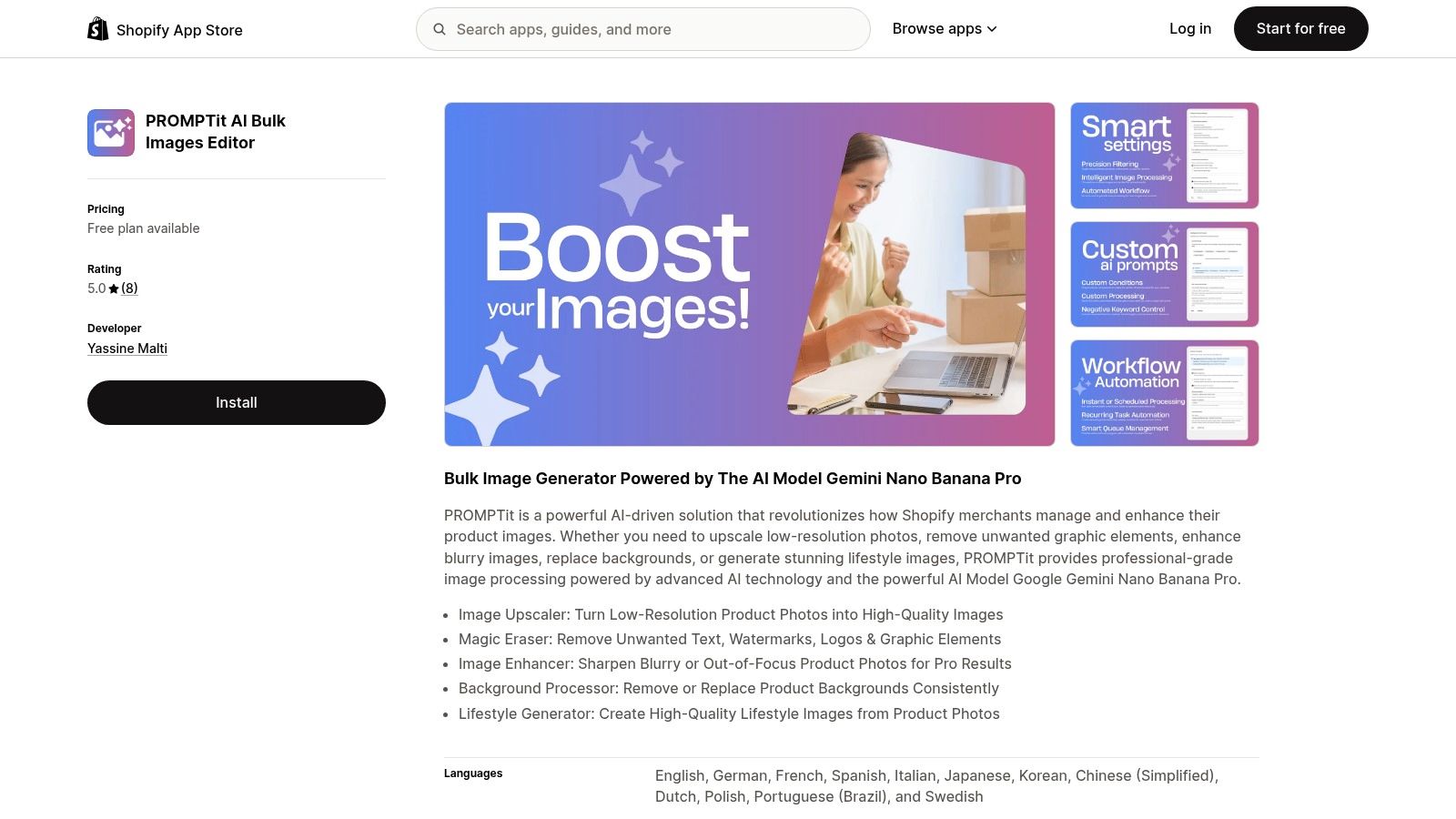
PROMPTit AI Bulk Images Editor for Shopify offers several image operations in one Shopify workflow. Its listed tools include an image upscaler, magic eraser, image enhancer, background processor, and lifestyle generator. The practical advantage is breadth. You can address different catalog defects without moving every asset through separate editing tools.
Match the edit to the shopper's objection
Don't use every operation on every image. Start by identifying why the returning shopper might hesitate:
- Low-resolution source: Use upscaling only when the original image contains enough detail to support a credible result.
- Distracting graphic elements: Remove unwanted text, watermarks, logos, or other marks only when doing so doesn't remove information shoppers need.
- Soft or blurry photography: Enhance carefully. Over-sharpened edges can make a product look artificial.
- Plain product presentation: Generate or add lifestyle context when the use environment helps explain scale or function.
- Inconsistent backgrounds: Apply a repeatable treatment across related products instead of mixing visual styles.
The trade-off is speed versus control. Bulk editing can make a large catalog easier to maintain, but AI output still needs a review standard. A polished image that changes the product's color, proportions, texture, or packaging can create a mismatch between expectation and delivery.
Build an image review queue
Use a small approval sample before processing a wider group. Compare the original and edited versions, then check the product page rather than judging the asset in isolation. Look for image order, mobile cropping, alt text, variant relevance, and whether the image supports the claims in the description.
A returning shopper also needs continuity. If the recovery email shows one angle and the product page leads with a generated lifestyle image that hides the relevant feature, the click may create more friction instead of less. Keep the strongest proof near the top, then use additional visuals to answer practical questions.
Treat generated lifestyle imagery as supporting context, not evidence of a feature the product doesn't have. If a scene implies a size, material, or use case that isn't accurate, remove it. Your recovery automation should make the purchase decision easier, not introduce a new reason to hesitate.
3. VEOit AI Bulk Videos Generator for Shopify
A shopper clicks back from an abandoned cart email, lands on the product page, and still hesitates. The missing piece is often not another discount or another line of copy. It is seeing how the product moves, opens, fits, or looks in use.
VEOit AI Bulk Videos Generator for Shopify creates product videos from existing images using Google Veo 3.1 technology. The app supports bulk processing, custom prompts, automatic Shopify upload, flexible video positioning, and reference analysis with up to three product images. That makes it useful for catalog operations where videos need to support the page the shopper returns to, not just fill a media slot.
Start with the recovered shopping journey
Use video where motion answers a real buying question. A bag can show how it opens. A garment can show drape and fit. A kitchen tool can show scale, handling, or a setup step that still images leave vague.
This matters in cart recovery because returning shoppers do not come back to admire content. They come back to decide. The video should help them confirm what the product is, how it works, and whether it still fits their need.
Write prompts around product attributes you can verify in the source images and description. Specify camera movement, framing, setting, and focus. Do not ask the tool to invent features, materials, accessories, or performance claims that are not already shown on the page.
A recovery video should resolve one hesitation and support checkout.
Place the video where it adds context without interrupting the path to purchase. If the media gallery becomes too dominant, the shopper may lose sight of variants, delivery details, or the add-to-cart area. On some themes, a video works better after the lead image. On others, it belongs lower on the page beside supporting copy.
Use bulk generation with review gates
Bulk generation works best across product groups that share similar form, use case, and visual logic. It gets harder to control when products vary widely in shape or when small details affect the sale. Group products carefully, choose up to three strong reference images where available, and review each output before publishing.
Check the result on mobile, not only in the Shopify admin. A useful video on desktop can crowd key information on a smaller screen or create an annoying loop near the purchase controls. Review the full return visit as a system. Email click, landing view, product media, product copy, tags, and checkout path should all feel consistent.
If you want more examples of how approved product assets can be reused across channels, this guide to content creation tools for social media is a practical reference. For more ideas on how to make Shopify videos with AI, use that process to support the same product story shoppers see when they come back to buy.
4. Blogger SEO AI Blog Agent for Shopify
A shopper clicks back from an abandoned cart email, lands on the product, and still hesitates. The missing piece is often not another reminder. It is a clear answer. Sizing, compatibility, care, delivery, or a simple comparison can decide whether that shopper returns to checkout or leaves again. In a recovery setup, blog content supports the storefront around the cart, so the shopper sees the same product story across email, product page, and checkout path.
Blogger SEO AI Blog Agent for Shopify is positioned as a Shopify blog workflow for generating, optimizing, scheduling, and publishing articles. Its listed functions include creating SEO-focused posts, featuring and linking products within articles, producing multiple articles, and generating content in multiple languages.
Build support content around real objections
Start with the questions shoppers already ask. Pull them from customer service conversations, on-site search terms, product reviews, and abandoned-checkout patterns. The goal is not to fill the blog. The goal is to remove the friction that keeps a shopper from finishing the order.
Useful support topics usually fall into a few practical groups:
- Product comparisons: Explain which model or variation fits specific use cases.
- Buying guidance: Clarify dimensions, materials, compatibility, or selection criteria.
- Usage content: Show how to use, clean, install, style, or maintain the product.
- Policy explanations: Make returns, delivery, warranties, and order changes easier to understand.
- Product-led tutorials: Link to the relevant item only when it directly helps solve the reader's problem.
Automated drafting can speed up production, but it does not remove review work. Check every product link, specification, heading, image, and statement about shipping, returns, or warranty terms. Keep the article aligned with the product page and the recovery message. If a shopper returns from email to blog to product, the visuals, claims, and terminology should still match. That consistency matters as much as the reminder itself.
Connect content to the abandoned checkout
Use blog content in the second step of recovery, when reassurance helps more than a plain nudge. A shopper who paused because they were unsure about fit or usage may respond well to a short guide placed near the product or linked from the email. A shopper who got interrupted usually needs the fastest route back to the preserved cart.
Do not send every returning visitor to an article first. The main recovery path should take them back to the right product and checkout context with as little friction as possible. Supporting content works best as an optional route for unresolved questions.
Measure that route on its own. Track whether shoppers open the article, return to the product page, and complete checkout. Do not treat every assisted visit as proof that the article caused the sale. For broader workflow ideas, see this overview of marketing automation for ecommerce.
5. TAGit AI Product Tag Generator for Shopify
A shopper clicks your recovery email, lands back in the store, then starts browsing instead of checking out. They search for another size, open a collection, or look for a similar product that better fits what they had in mind. If your tags are messy, that return visit gets harder than it should be.
TAGit AI Product Tag Generator for Shopify generates product tags from images, titles, and descriptions. Its listed features include single-product and bulk processing, automatic tagging for new products, customizable prompts, multiple languages, and real-time progress tracking. For abandoned cart recovery, that matters because tags affect more than backend organization. They shape what returning shoppers can find.
Create a controlled tagging vocabulary
Start with a tagging system you can maintain. Tags should support store search, collection rules, related products, and merchandising filters. They should not turn into a long list of near-duplicates created by different teams or different prompts.
Set the rules before you automate. In practice, that usually means defining the attributes that matter for your catalog, such as product type, material, style, use case, audience, compatibility, or season.
Then give the generator limits it can follow:
- Approved terminology: Use the words your customers and team already use.
- Product evidence: Only generate tags supported by the image, title, or description.
- Language rules: Keep tag wording aligned across localized storefront content.
- Exclusions: Block internal notes, weak marketing phrases, and unsupported claims.
- Review status: Keep generated tags separate from approved tags until someone checks them.
Auto-processing for new products helps keep a catalog current, but it still needs review. A tag can sound reasonable and still be useless for filtering, search behavior, or collection logic. Duplicates, vague synonyms, and inconsistent wording create friction for shoppers who came back ready to buy.
Use tags in the recovery experience
Good tags support the full return path. They help related-product blocks show useful alternatives. They make collection pages easier to filter. They improve internal search when a shopper comes back with slightly different wording than what appears in the product title.
Here is where cart recovery becomes a storefront system, not just a reminder message. If someone returns for a product but wants another color, material, or use case, consistent tags help the store surface the right options without making them restart their search.
Tags still have limits. Do not use them to cover missing product data. Size details, compatibility notes, shipping expectations, and other decision-making information belong in the right product fields and descriptions.
As your workflows expand, tags often connect with broader marketing automation for ecommerce. Keep ownership clear. Someone should review outputs, fix errors, and decide which tags affect customer-facing navigation.
Shopify Abandoned Cart Recovery: 5-Tool Comparison
| Tool | Implementation (🔄 Complexity) | Resource requirements (⚡) | Expected outcomes (⭐📊) | Ideal use cases (💡) | Key advantages (⭐) |
|---|---|---|---|---|---|
| REMOVEit AI Background Remover for Shopify | 🔄 Low, straightforward setup; bulk + scheduling | ⚡ Moderate, bulk processing needs API/compute but optimized for images | ⭐📊 Consistent studio-style backgrounds; faster catalog cleanup; improved product presentation | 💡 Bulk background removal, catalog normalization, automated recurring jobs | ⭐ Reliable bulk removal; smart conditions; automated scheduling |
| PROMPTit AI Bulk Images Editor for Shopify | 🔄 Moderate, multiple tools (upscale, eraser, enhancer, prompts) to configure | ⚡ High, advanced image transforms and lifestyle generation require more compute | ⭐📊 Higher-resolution and polished images; remove watermarks; generate lifestyle visuals | 💡 Upscaling low-res photos, erasing graphics, creating lifestyle imagery at scale | ⭐ Versatile toolkit (upscaler, magic eraser, enhancer, background replace, lifestyle generator) |
| VEOit AI Bulk Videos Generator for Shopify | 🔄 Moderate, select products, set prompts and positioning; auto-upload | ⚡ High, video generation is compute- and storage-intensive, especially in bulk | ⭐📊 Short dynamic product videos (≈8s) that boost engagement and conversions | 💡 Add product videos without studio costs; social clips; PDP video content | ⭐ Bulk video generation; custom prompts; automatic Shopify upload; reference-image accuracy |
| Blogger SEO AI Blog Agent for Shopify | 🔄 Low, connect, set keywords/schedule, auto-publish | ⚡ Low, primarily text generation; low storage and compute needs | ⭐📊 SEO-optimized posts at scale; improved organic traffic and product exposure | 💡 Scale content marketing, automate blogs, multilingual SEO publishing | ⭐ Automated SEO writing, scheduling, product linking and multi-language support |
| TAGit AI Product Tag Generator for Shopify | 🔄 Low, simple bulk setup and auto-processing for new products | ⚡ Low, lightweight tagging; modest compute for vision/text analysis | ⭐📊 SEO-friendly tags; improved discoverability and faster product categorization | 💡 Bulk tag generation, multi-language catalogs, ongoing auto-tagging | ⭐ Fast bulk tagging; customizable prompts; auto-process new products |
Turn Your Recovery Setup Into a Routine You Can Maintain
Shopify cart recovery starts with an eligible checkout, not every anonymous cart addition. Shopify's developer documentation explains that abandoned-checkout records may lack an email address when a shopper leaves before providing contact information, and that records can be removed under defined retention conditions, including being more than three months old and inactive for one month. Shopify also describes abandoned checkout around a shopper supplying an email address and leaving the checkout incomplete for more than ten minutes, while availability can vary by sales channel. Review the current Shopify abandoned-checkout re-engagement guidance before you build assumptions into your workflow.
Eligibility should shape the sequence. Keep anonymous cart activity separate from identifiable abandoned checkouts, document marketing-consent requirements for each market, suppress messages after purchase, and prevent Shopify's native automation from overlapping with a third-party flow. Label the attribution window you use, because a recovery number can look strong when it counts only shoppers who entered an email address or claims orders that would've happened without the message.
The broader planning baseline is substantial. Baymard Institute reports a global average cart abandonment rate of 70.19%, based on 14 years of tracking and usability research, so roughly seven in ten carts don't become completed orders. The same research reports that 42% of U.S. online shoppers abandoned because they were only browsing or weren't ready to buy, while 17% cited a checkout that was too long or complicated. Use those findings to design different messages for casual browsers, high-intent shoppers, and checkout-friction audiences rather than sending one generic reminder. Read the Baymard checkout usability benchmark for the underlying context.
Your monthly review should cover the entire returning session:
- Trigger health: Confirm eligible abandoned checkouts enter the intended flow and purchased customers are suppressed.
- Checkout continuity: Test that the recovery link restores the correct cart, variants, and checkout context.
- Friction visibility: Review shipping charges, taxes, delivery expectations, payment options, security information, and account requirements before blaming the message.
- Storefront quality: Inspect images, video, product descriptions, tags, related products, and supporting content.
- Measurement quality: Report eligible checkouts, deliverability, clicks, conversion after click, incremental conversion where your setup supports it, discount cost, unsubscribes, and revenue per recipient.
Baymard's additional findings give the friction review a clear order. Unexpected costs, including shipping, taxes, and fees, were cited by 48% of respondents, account creation by 26%, credit-card security concerns by 25%, slow delivery options by 23%, and long or complicated checkout processes by 22% in the referenced research. See the checkout conversion findings and fix the original obstacle before adding a discount to the reminder.
Pick one storefront layer to improve this month, record the change, and review the resulting path without overstating causation. Repeat that process until your emails, checkout, product assets, content, and catalog structure all support the same purchase decision.
Yassine Malti builds SEO-focused, AI-powered Shopify apps and custom automations for content generation, catalog optimization, workflow automation, and chatbot integrations. Visit Yassine Malti to explore ready-made tools or discuss a recovery workflow built around your store's existing tech stack.
Shopify apps by Yassine Malti
Put this into practice
-

TAGit · Product tags
SEO-friendly product tags, generated in bulk · 50 tags/month free
-

Blogger · SEO blog posts
An AI blog agent that writes and publishes for you · 50 credits/month free
-

PROMPTit · AI photo editing
Five AI image tools for your product photos · 5 images/month free